

EvilLock virus: what is known about this new virus from Evil ransomware gang?
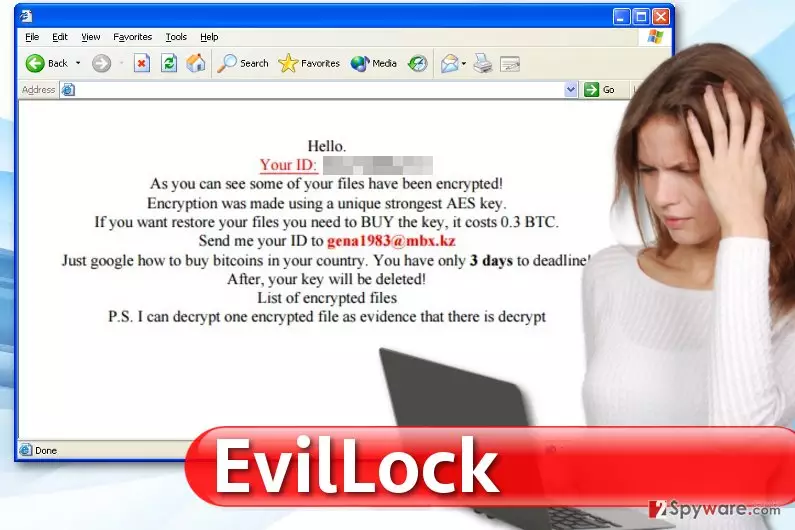
EvilLock virus appears to be related to the infamous Evil ransomware virus. First attacks of this virus were spotted on January 25th, 2017[1]. The virus itself hasn’t changed much, however, it uses a slightly different words in the ransom note and also appends a different file extension to encrypted data. The virus uses the AES encryption[2] to render files useless, and it is not a secret that this cipher is one of the strongest ones. By saying “strongest,” we mean that except the author of the virus, no one can decrypt files encrypted by it. It is not possible to guess the key nor brute-force it[3]. Once EvilLock ransomware secures all files and decorates them with .EvilLock file extensions, it also drops two ransom notes called HOW_TO_DECRYPT_YOUR_FILES.HTML and HOW_TO_DECRYPT_YOUR_FILES.TXT, which both hold a message from virus’ authors to the victim. The message says:
As you can see some of your files have been encrypted!
Encryption was made using a unique strongest AES key. If you want to restore your files you need to BUY the key, it costs 0.3 BTC. Send me your ID gena1983@mbx.kz.
The rest of the message explains that victim needs to buy Bitcoins[4] and suggests googling about it online. The ransom note states that there are three days left to buy the decryption key, or it will be deleted. In case the victim has doubts about cybercriminals’ promises, they offer a proof – the victim can send one encrypted file to the genba1983@mbx.kz email and receive a decryption version. However, it is always better not to believe in cybercriminals’ promises and not follow their commands. Cybersecurity experts recommend deleting the virus from the computer using anti-malware programs such as FortectIntego and then trying certain data recovery options such as backups or Data Recovery Pro. If you are not sure how to remove EvilLock malware, see instructions provided below the article.
How do ransomware viruses enter computer systems?
Before we jump to EvilLock removal part, we must teach you how to prevent ransomware attacks. Therefore, it is essential to know more about general malware distribution[5] tricks that are popular nowadays. First of all, you need to be aware that scammers consider mail spam to be the most effective malware distribution technique. Therefore, you have to think before opening emails sent by unknown individuals. For example, you might receive a suspicious letter with a .doc or .zip file attached to it, but if the file isn’t .exe, it doesn’t mean that it is secure! Opening a malicious Word file can simply make your data useless because it can contain a Macros script capable of installing malware onto your computer and executing it. Other ransomware viruses (mostly advanced ones) are distributed via exploit kits such as RIG or Angler. You can also get infected simply by visiting compromised websites, so better install an anti-malware software and keep it up-to-date for maximum protection.
Deleting EvilLock virus: can you do it by yourself?
Many computer users are worried that they might not be experienced enough to remove EvilLock virus or similar viruses on their own. However, there is no need to invite computer technicians in case of ransomware attack – you can remove the infection by yourself, but you will need to use anti-malware software for that. It is not advisable to search for virus’ files on the system and try to delete them manually as you can easily delete wrong files. It would cause system stability issues and other problems that we could talk about for hours, so we suggest you to bypass all these issues by opting for automatic EvilLock removal. You can find a full tutorial on how to properly start your anti-malware tool to delete this virus from the system, as well as data recovery tips below.
Did this guide help?
4 comments
Jade
still no decryption tool available?
Lilian
I have a backup, but however, I lost the latest file versions and it pisses me off. However, at least I didnt lose everything and can restore at least the majority of the files.
avocado
it seems that it is not going to be released any time soon. Im not paying the ransom, hbu?
Lucas1995
Great. I just lost all of my files. Thanks to whoever did that. You corrupted pics of my ex, so I can just reinstall windows and start my life from the beginning. Probably the only case when ransomware did something helpful.