

Full PC Care 2.0 – a supposedly-tested security tool that has only the goal of collecting income
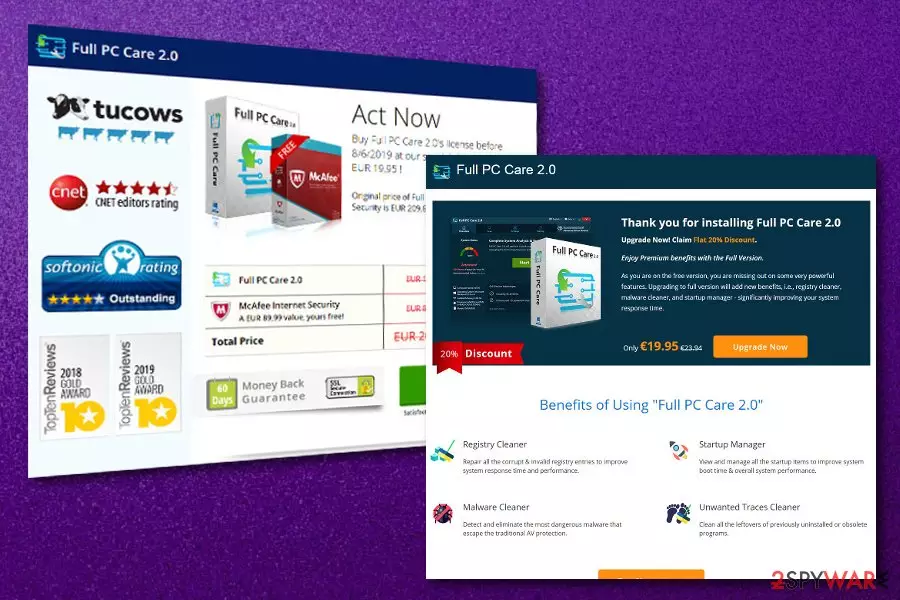
Full PC Care 2.0 is advertised as an expert-tested program that is orientated towards computer safety measures but does not fit the requirements of a successful antivirus tool. Developers of this product who promote it on fullpccare.co claim that their software has a multiple operation module, i.e. the program is a registry cleaner, startup cleaner, malware cleaner, and unwanted trace cleaner. Keep in mind that such a beautiful description of Full PC Care 2.0 is necessary if the developers are looking forward to attracting as many clients as possible.
What truly is done by Full PC Care 2.0 is very limited to such actions as collecting outdated products, cache, and corrupted files. Later on, the fake antivirus software produces this content as hundreds of threats and errors. Besides, claims that the system needs to be curred ASAP only lead to an offer of the “advanced” program version that costs 23.95 euros for 6 months of time.
| Name | Full PC Care 2.0 |
|---|---|
| Type | Rogue system tool |
| Website | fullpccare.co |
| Goal | To collect income from purchases on the program's licensed version |
| Price | 23.95 euros for 6 months |
| Distributed | Original websites, software bundling |
| Terminate it | Scan the system for bogus products with FortectIntego |
Do not fall for believing in any fake scan results as the program relies only on income-gaining purposes and can produce misleading results just for reaching its goal faster. This is one of the main reasons why this bogus product refers to Full PC Care 2.0 virus. No accurate usefulness is viewable here and the program is definitely not worth the name of a truly anti-malware tool.
There are other ways to promote Full PC Care 2.0 and one of them is offering a 60 days money-back guarantee. Be careful as not everything that is written on fullpccare.co is true. Besides, this program and its affiliate domains might promote other suspicious activity such as browser activity tracking. According to the Privacy Policy of the tool's website, it uses cookies[1] for enhancing the user's browsing experience:
Like other websites, we use cookies on our website. We use cookies to enhance your browsing experience as cookies allow us constantly redefine what you see from what we learned by the cookies created during your visits to our website. These cookies help us analyze the maximum visited/used areas of our website.
In reality, data that is collected by Full PC Care 2.0 and similar products is usually used in the future for placing targeted advertisements. Once the developers have been introduced to what kind of offers users are searching for, they can provide people very similar deals in pop-up notifications and launch them whenever browsing sessions happen.

Some other unwanted activity provided by Full PC Care 2.0 is the promotion of other third-party content. It is known that this rogue software can promote other useless tools such as Advanced Driver Booster. This means that you might end up with more than just one rogue product on your system and waste more money than expected.
However, a piece of advice from our experts would be not to pay for any services offered by Full PC Care 2.0 as they will supposedly not give you any expected benefits. If you are not sure about the infections provided by this tool, you can always get another antivirus engine, perform a full system check-up, and finally just measure the scan results.
Remove Full PC Care 2.0 from your computer system and free up some space from unhelpful software. The potentially unwanted program might have left additional components all over your machine. You can find them by downloading and running a full system scan with a reputable tool such as FortectIntego or SpyHunterCombo Cleaner.
Continuously, take a look at the end of the article and you will find some guiding steps towards the Full PC Care 2.0 removal process. These instructions are placed for users who have some skills and knowledge in the threat elimination field. However, if you are running into a lack of time, just leave the entire process for the antivirus program.

Bogus software has its own promotion website
The fact that you can get questionable products on their own official websites might appear to you a little bit confusing. However, note that such activity is not illegal and third-party developers are allowed to promote their software as attractive as they can on websites created specifically for the programs.
Keep in mind that this is not the main way how bogus products enter the system after all. Usually, the PUP[2] comes injected into a package of other programs and ends up on the system as an additional product. This happens when the user has selected the Quick or Recommended downloading mode.
Good news is that you can easily change the configuration settings to much safer ones. What you have to do is opt for the Custom or Advanced installation option that gives you full control of your downloads. By managing all incoming products, you will be capable of deselecting any unwanted options.
The removal process of Full PC Care 2.0 virus
Full PC Care 2.0 removal should be carried out with the help of reputable anti-malware software or by using the manual elimination guide. This task is necessary to complete if you want to free your computer space from a useless application and prevent fake virus alerts from interrupting your computing work.
From our point of view, the automatical removal technique is more suitable for users that do not have enough experience in the virus elimination sphere or just are running into a lack of time. However, if you are likely to, you can try to remove Full PC Care 2.0 by following manual guiding steps that are placed at the end of the article.
According to cybersecurity experts from NoVirus.uk,[3] if you want to eliminate potentially unwanted programs such as Full PC Care 2.0 virus entirely, there is a need to get rid of all suspicious content that has been brought together with the tool itself. Bogus products might be placed in locations such as the Task Manager and Windows Registry.
Uninstall from Windows
Uninstall from Windows 10/8:
- Type Control Panel into the Windows search box and open the result.
- Under Programs, select Uninstall a program.


Uninstall from Windows 7/XP:
- Click on Windows Start > Control Panel (Windows XP users should click on Add/Remove Programs).
- In Control Panel, select Programs > Uninstall a program.


Remove the unwanted program:
- In the Programs and Features window, look for any recently installed suspicious entries, select them, and click Uninstall.
- If User Account Control appears, click Yes to confirm, then complete the removal.


Delete from macOS
Remove the unwanted application:
- From the menu bar, select Go > Applications.
- In the Applications folder, look for any suspicious entries, then drag them to Trash (or right-click and pick Move to Trash).


Delete leftover files and folders:
- Select Go > Go to Folder.
- Enter /Library/Application Support and remove any suspicious folders related to the unwanted program.
- Repeat the same check in the /Library/LaunchAgents and /Library/LaunchDaemons folders, deleting any suspicious entries.

- Finally, empty the Trash to permanently remove the leftovers.

Did this guide help?
Be the first to comment