

Gremit virus: what should you expect from it?
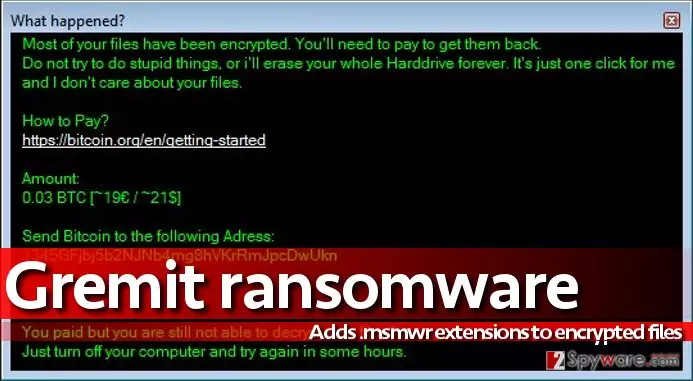
Gremit virus operates as an in-development file-encrypting malware. It can encode files located in a specific folder only. What is more, the virus is likely to be improved anytime soon, so computer users definitely should beware of it. It has been discovered that the test version of the virus has been sent out to a few people only, and currently it is unknown whether developers of this virus have malevolent intentions or they are simply amateur programmers that are trying to test their capabilities. During the encryption, Gremit ransomware appends .rnsmwr file extension to each file, and once it finishes this procedure, it launches a program called What happened? which provides the following information:
Most of your files have been encrypted. You’ll need to pay to get them back.
Do not try to do stupid things, or I’ll erase your whole hard drive forever. It’s just one click for me, and I don’t care about your files.How to pay?
[link]
Amount:
0.03 BTC [~19€/~21$]
Send Bitcoin to the following address:
[Bitcoin wallet address]You paid, but you are still not able to decrypt your files?
Just turn off your computer and try again in some hours.
If your device has been contaminated with this uncertain virus, we recommend you not to pay the ransom. First of all, the virus seems to be poorly programmed, and we doubt that cyber criminals can provide you with the decryption tool. Despite the fact that they ask for a fairly small ransom payment, we assume that they just want to collect victims’ money and give nothing in return. Therefore, we do not recommend you to risk losing your money for nothing. Instead, remove Gremit using proper ransomware removal tool – FortectIntego or SpyHunterCombo Cleaner. Full Gremit removal guide is provided below the article.
When does the ransomware invade the PC?
Ransomware is distributed using a variety of different techniques, but the most popular and efficient one is based on malicious emails. Criminals only need to create convincing email messages, add some attachments and sent them out to thousands of victims. Beware because criminals can easily impersonate an employee of some reputable company just to deceive you. They might tell you that they are delivering an invoice, bill or some other valuable information that is attached to the email. Do not open such attachments unless you know the sender very well!
More advanced ransomware versions can be delivered via exploit kits and malware-laden ads. Such cyber attacks can be prevented with the help of anti-malware software only.
How fast can you get rid of Gremit?
No one knows what the future holds for Gremit virus, but we strongly advise you to protect your PC in advance, especially because there are hundreds of more critical ransomware versions lurking on the Internet. To protect your PC or to remove Gremit ransomware, we suggest using FortectIntego or another reputable anti-malware software. If the virus stops your security software, use the following Gremit removal instructions that we have prepared:
Did this guide help?
4 comments
Rafael
I have been attacked, seems that there is no way to decrypt files.. so sad...
KellDa
Just removed Gremit virus but now I gotta figure out where the hell did I put my backup drive.
hrushh
Yeah I cannot recover my files, too!
Gabriela
Thanks for the information