

Things to know about Hackerman ransomware virus
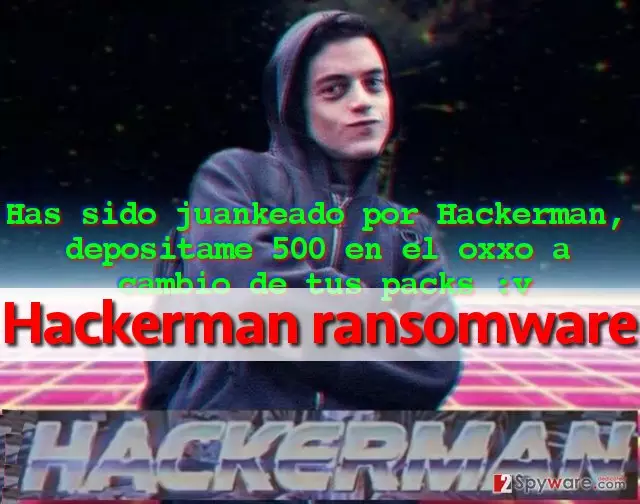
A new ransomware dubbed Hackerman virus has been spotted by malware researchers this week, and this one seems to be looking for Spanish-speaking victims. The ransomware is yet another malevolent program based on educational HiddenTear ransomware project, which means that it is likely to be decryptable. The virus attempts to encrypt victim’s files stored on the compromised computer and connected drives, then creates and saves Leeme Por Favor.txt (Please read me) ransom note on computer’s desktop. During the encryption procedure, virus applies encryption algorithm on each file individually and once it corrupts it, it appends .locked extension after the original file extension. As a result, a file that is entitled document.txt becomes document.txt.locked. Such file can no longer be opened or manipulated via any program – it simple becomes worthless. Losing all personal files means a disaster to everyone, and can seriously scare the computer user. Nobody wants to lose precious memories, weeks of hard work, or gigabytes of favourite music. To respond to user’s desire to get personal files back, the virus leaves a message containing instructions on how to transmit the ransom payment to criminals. What is interesting is that it asks to deposit 500 in the OXXO (popular chain of convenience stores from Mexico). In Spanish, the ransom-demanding message looks like this:
Has sido juankeado por hackerman, depositame 500 en el oxxo a cambio de tus packs.
If you have been infected with this malicious program, we suggest you to remove Hackerman malware using anti-malware software instead of paying the ransom to criminal dubbed Hackerman. Most likely he doesn’t care about your files and just wants you to donate your money to him. Do not follow commands of a criminal, and implement Hackerman removal right away.
When did the ransomware take control of your PC?
If this virus found a way into your computer system recently, it means that your PC is not protected well enough and that it is open for further malware attacks. Ransomware can be stopped with a help of powerful anti-malware, but if you do not have it, then it becomes very easy to deliver this illegal program to your system and execute it there. Most of the time, criminals deliver ransomware executables via email. They send legitimate-looking messages and attach documents that seem to be secure at the first sight. However, once opened, they either immediately infect the system or activate a malicious script that downloads the malicious program from the Internet. Criminals no longer need to send .exe files to infect the system – they can deliver the virus in .doc, .pdf, .dll or .js format files. Sometimes the victim just needs to enable Macros in such hideous document in order to activate the malicious code that reaches certain server and downloads the ransomware from it. However, Hackerman virus seems to be using the most primitive dissemination method and currently it is being distributed via malicious email spam campaigns.
Remove Hackerman ransomware from the system
Ransomware virus is not a simple piece of software. It does not drop an uninstaller after infecting the system. To remove Hackerman virus, the user needs to gather registry keys, executive files, ransom note and other components related to it and remove them all at once. This can be quite a challenging task, so we suggest you delegate it to a good anti-malware software. In order to start Hackerman removal procedure, use these instructions and set some things up to prevent the virus from blocking your anti-malware tool.
Did this guide help?
5 comments
2-Spyware team
Dear visitor, please read this article: http://www.2-spyware.com/news/post5073.html
Reynold
Funny picture. However, I just wanted to say that this virus attempted to hack my system today, but anti-malware program stopped it. Thanks God!
Stigma
Hack3rman. What a lame nickname for a programmer..
bethesda
I cannot understand how did I get infected with this Mexican virus.
Sunflower
I have removed the virus but I need to find out how to backup my files. Anybody wanna tell me how do I do that?