

IWantMyFiles uses questionable encryption method
IWantMyFiles virus operates as crypto-malware. Thanks to Jakub Kroustek, who detected this malware, it is now under investigation[1]. According to the ransom note, READ_ME.txt file, the malware supposedly employs AES-512 algorithm[2] for encoding files. Interestingly, its contract.exe executable file is spread in the disguise of Infracao_Transito_%rand%.pdf.js file placed in a .rar folder. Furthermore, the malware uses Cipher.exe tool for managing the encryption process[3], the latter in an integrated encryption tool available for Windows OS users. This malware does not append any specific file extensions. After the encryption process is completed, a specific iwantmyfiles.asia website appears. It demands 0,.5 BTC (which currently amounts to 792.60) in exchange to users’ encoded files. The latter domain suggests that the ransomware is targeting Asian users as a preference. What is more, the site also invites users to acquire Master Key to retrieve affected files. They can also scan QR code to speed up the payment process. However, we do not recommend this option but rather IWantMyFiles removal method.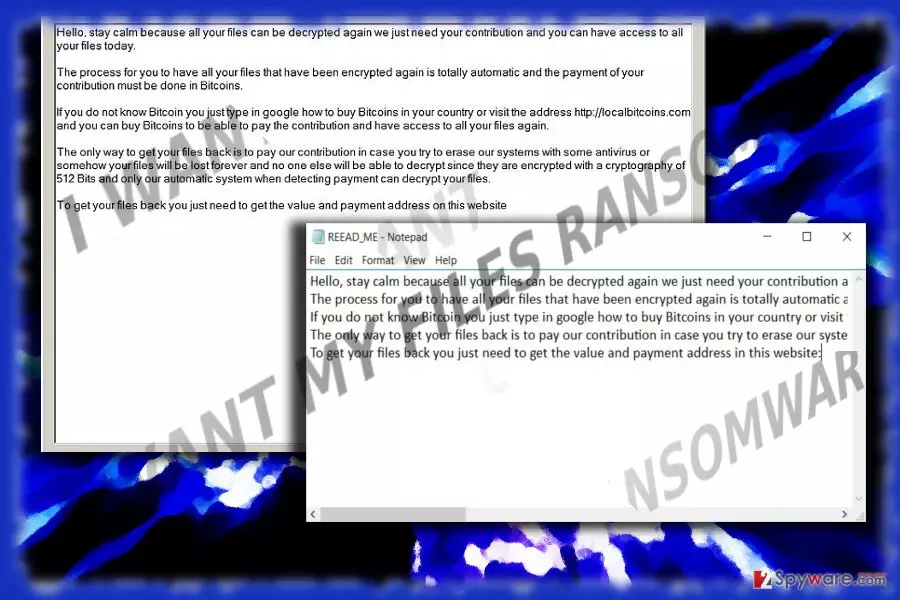
After the virus completes encryption procedure, it welcomes users with advice to stay calm and asks for their “contribution” – 0.5 bitcoins. They also include a link to web page which instructs how to purchase bitcoins. After completing this operation, the victims should transfer the amount of bitcoin to a specific bitcoin address. After that, they should wait a while and reload the website. The decryption key should be generated and transmitted to them. READ_ME.txt file notes that a decryption key is created automatically. However, who can ensure that the procedure goes smoothly without any technical disturbances[4]? Their decryption tool may contain bugs and thus fail to deliver the key. Thus, you might lose money and hopes to retrieve the files. That is why remove IWantMyFiles malware as soon as possible instead harboring hopes to retrieve the files. For that purpose, you may use FortectIntego or MalwarebytesMalwarebytes encryption tool.
Malware distribution preferences
The felons of this malware follow the tradition of delivering the malware in JavaScript file delivered in a .rar folder. Note that the fraudsters of IWantMyFiles ransomware may foist in this file in the format of the supposedly important pdf file. Thus, it is crucial to retain vigilance while reviewing your Inbox folder. IWantMyFiles hijack occurs when TR/Spy.Banker.tkpmn, Trojan.GenericKD.4865495, or SCGeneric_c.BDLQ trojan[5] settles on the system. The former name suggests that the malware is also capable of spying and collecting your banking data. Thus, it is vital to eradicate this malware as soon as possible. Lastly, note that the malware may also disguise in corrupted application updates downloaded from secondary sources.
IWantMyFiles eradication process
Time is a crucial factor when dealing with ransomware. Do not waste time on meddling with the crypto-malware manually. Instead, remove IWantMyFiles virus with the assistance of an anti-spyware tool. If you cannot launch it, follow the steps displayed in the below guide. Unfortunately, this application does not decode files, so you will need to opt for extra options. You may also recover files with backup or shadow volume copies. More information how to use the latter method is provided below.
Did this guide help?
Be the first to comment