

Defining Levis Locker ransomware virus
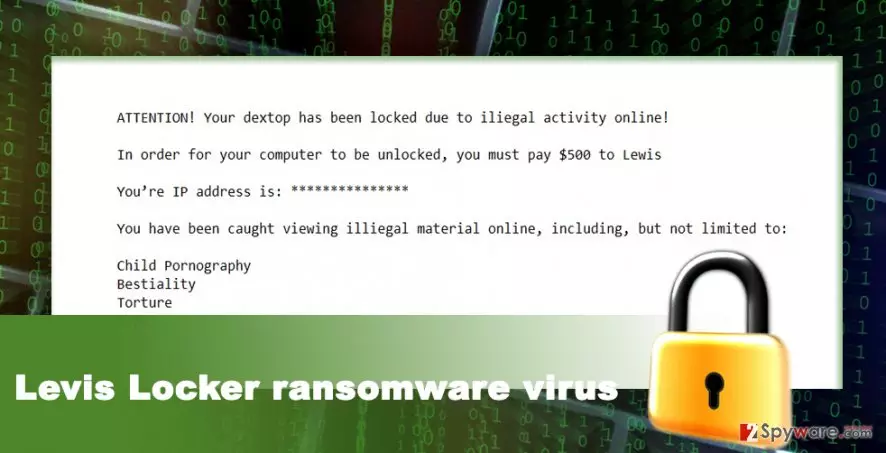
Levis Locker virus is a brand new ransomware-type[1] virus that is still under the investigation. Malware spreads via malicious email attachments and after infiltration scans computer system for the targeted file types. Once it finds them, it encrypts them using a sophisticated algorithm and delivers the lock screen[2]. In the lock screen, the developers of the Levis Locker ransomware informs that victim’s computer has been locked due to some illegal activities online. People are accused of viewing content that is related to child pornography, rape, and other adult-themed content. For this reason, users are supposed to pay $500. Even though you have secretly visited some websites for adults, you should not believe in this blackmail. Instead of reaching for your credit card, start Levis Locker removal. It’s better to remove malware and lose your personal files than sponsor hackers’ illegal projects.
Paying the ransom often seems the only solution for people who are not so advanced in computers and technology. The lock screen also helps hackers to scare victims even more. However, in case of the ransomware attack, it’s important to stay sane and act smart. Keep in mind that Levis Locker ransomware is not a notification from the authorities or FBI[3] and there’s no legal background to transfer demanded sum of money. Another problem that arises after ransomware attack is corrupted personal files. Victims, who have data backups, usually do not think about paying the ransom at all. However, the ones who have never backed up their files might be thinking about purchasing decryption key or software from the hackers. However, there are no guarantees that hackers give you a hand after receiving the payment. They might disappear because they achieved their goal – got your money. If you do not have data backups, you should still remove Levis Locker from the computer with the help of FortectIntego and restore files using additional data recovery methods. You will find them at the end of the article.
How does ransomware infiltrate the system?
Talking about ransomware distribution techniques, we have to tell that there’s nothing new under the sun. Levis Locker malware spreads using the same distribution techniques as any other viruses in this category: malicious spam emails, exploit kits, malware-laden ads, file-sharing services, etc. Malicious emails are still the most effective and widely used malware distribution technique. Cyber criminals launched polished email campaigns that convince users to open infected email attachments. They are so good at it that victims do not notice grammar or spelling mistakes in the email supposedly sent from bank, governmental institution or well-known retailer. When you receive an email where you are asked to open attached document, you should not rush! Carefully read the email twice and look for mistakes and other warning signs[4], lack of credentials, senders email address and double check the information about him or her online. Be critical and do not trust everything you receive or see online. Every link or ad might include Levis Locker virus or any other ransomware that has been actively spreading for a while.
Guidelines how to remove Levis Locker from the computer
Malware elimination is not an easy task, especially for not so advanced computer users. We do not recommend or explain how to remove Levis Locker manually because this task is only for experienced IT specialist. Regular computer users must opt for automatic removal and remove malware with FortectIntego, SpyHunterCombo Cleaner or other preferred reputable malware removal program. Malware has the lock screen function, so you might struggle with installing or updating necessary tools. Our team has prepared illustrated instructions that will help you to get access to the malware removal tools and wipe out this computer infection from the system. After Levis Locker removal, you can start thinking of data recovery solutions. Do you have data backups? If yes, you’re the lucky one who can simply get back all your files. If not, we recommend trying additional data recovery methods presented below. Probably, ransomware attack will be the painful lesson why it’s important to make backups[5].
Did this guide help?
1 comment
Anonymous
Its only a joke. Its completely harmless.