

LockedByte demands 1000 dollars for data decryption
LockedByte virus is another encryption-based [1] addition to the ever expanding list of profit-oriented cyber threats. The virus blocks access to the victims’ files, appends them with random extensions and eventually, drops a lock screen demanding victims to pay 1000 USD in Bitcoins if they wish to see their files ever again. Despite these threatening features, experts do not deem this virus as particularly dangerous. That’s primarily because it does not use the typical AES and RSA encryption to encrypt users files but relies on XOR ciphering [2] instead. Viruses that use this particular encryption method may be easier to decrypt, but that does not necessarily mean they are less dangerous. In fact, for the regular home users there is barely any difference whether their files are encrypted by XOR or some other, more complex cipher — in both cases, their files remain inaccessible. Only the professional malware experts can come up with tools to help ransomware victims recover their files. And it seems that this might soon be the case. The experts have already noted that Locked Byte is, in fact, decryptable, so all we can do now is wait until a decrypter is released. In the meanwhile, you should take care of LockedByte removal. One of the primary things you should do is terminate the LockedByte.exe process and remove this executable from your computer. Nevertheless, you should not do it manually. Employ FortectIntego or some similar antivirus software to speed up the process and prevent elimination errors.
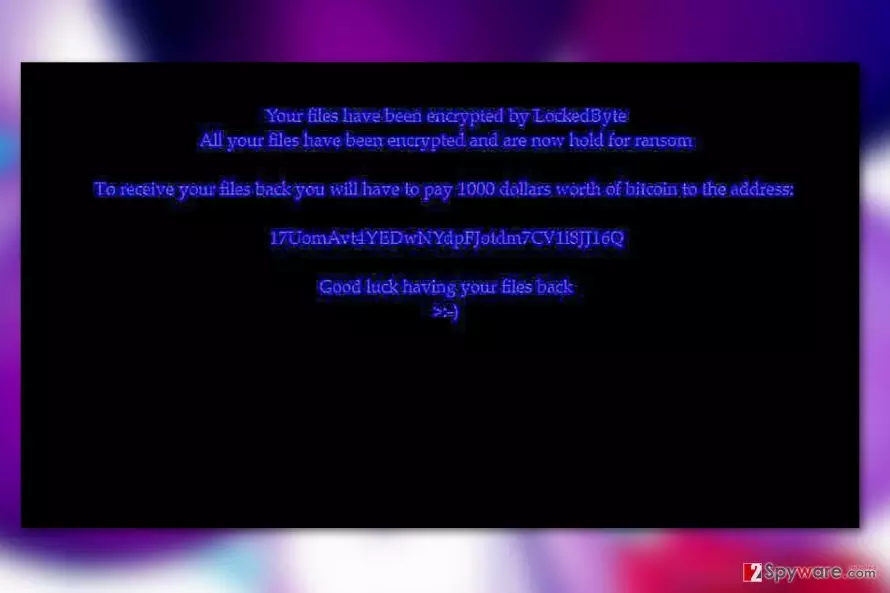
Locked Byte is currently quite low in its degree of prevalence, but it’s just a matter of time until the extortionists grow hungry for more cash and upgrade the parasite to the top ransomware standards. Of course, the virus may as well die down as more users learn to recognize suspicious links online and refrain from downloading attachments that arrive in spam emails. Nevertheless, as long as it is still spreading, you should be able to recognize it. One of the best ways to determine what type of ransomware has infiltrated your system without using additional ransomware recognition services such as ID ransomware is to look at the ransom note the virus leaves on the infected PC. In the case of LockedByte, you will see a barely visible message on a black background that says:
Your files have been encrypted by LockedByte
All your files have been encrypted and are now hold for ransom
To receive your files back you will have to pay 1000 dollars worth of bitcoin to the address:
17UomAvt4YEDwNYdpFjotdm7CV1i8jJ16Q
Good luck having your files back
>:-)
You should simply ignore the message and hurry to remove LockedByte from your PC before it inflicts more damage to your computer or your files.

Ransomware applies scare tactics and social engineering to infiltrate computers
While there is no information about any specific malvertising or spam campaigns that might distribute LockedByte, you can expect this parasite to be hiding around every corner. Its malicious script may be embedded in some system optimization software that you might be prompted to download while browsing online. Also, the criminals may employ adware or similar programs to deliver threatening notifications, urging you to update your software due to some malware infection hazard. In reality, by downloading the update people simply allow an obfuscated LockedByte executable to enter their computers. Be careful when browsing through your email as well — emails that carry unexpected invoices, billing information, parcel delivery notices and similar information may be a trap too!
Don’t hurry with LockedByte removal
If you feel determined to remove LockedByte virus from your computer, don’t jump into the battle empty-handed. Use upgraded and legal antivirus, anti-malware or other security tools to hunt down the malicious virus components which will most likely be scattered all over your computer. Such utilities will automatically investigate your entire system and quarantine every suspicious or infectious file it manages to dig up. This is the quickest and easiest way to perform the LockedByte removal. In case you need some extra reassurance that the security software will decontaminate all virus components, you can try running the system scan in Safe Mode.
Did this guide help?
Be the first to comment