

Lockhelp@qq.com ransomware – a member of the Dharma family that carries similar versions
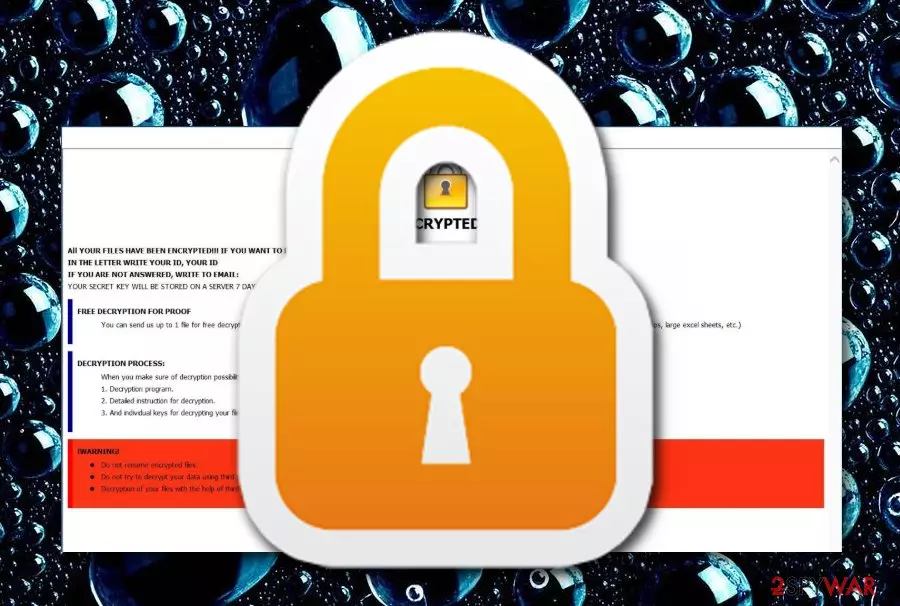
Lockhelp@qq.com ransomware is known to be a sibling of Dharma that also relates to Lockhelp@qq.com.Gate and Lockhelp@qq.com.Jack names. The operating principle of this malware is quite obvious as it is the same as other ransomware.[1] First, the file encryption emerges, then ransom demands appear through the RETURN FILES.txt message and victims are urged to choose, to decrypt files by paying a particular price or lose data forever.
Lockhelp@qq.com ransomware can add three types of different extensions near to each document/file. The type of appendix depends on the version of the malware, although, all of them are identical. If you have been infected by this ransom-demanding threat, you will supposedly see one of these extensions: lockhelp@qq.com, lockhelp@qq.com.Gate, lockhelp@qq.com.Jack.
| Name | Lockhelp@qq.com |
|---|---|
| Relations | Lockhelp@qq.com.Gate and Lockhelp@qq.com.Jack |
| Family | Dharma |
| Malware type | Ransomware virus |
| Extensions | lockhelp@qq.com, lockhelp@qq.com.Gate, lockhelp@qq.com.Jack |
| Note | RETURN FILES.txt |
| Encryption cipher | RSA-1024 |
| Detection tool | FortectIntego can help you spot infectious objects |
However, there should no rush to pay the demanded ransom price as you might experience big money losses. Lockhelp@qq.com ransomware does not have an official decryption tool released yet but you can try using RakhniDecryptor as it works for some Dharma versions.
Even though there are no particular demands for the Lockhelp@qq.com ransomware ransom price, criminals usually urge the amount of money to be from $500 to $2000 and also be paid in Bitcoin or another type of cryptocurrency. This allows ensuring the anonymity of the hackers and the entire payment process.
Continuously, security researchers have found that Lockhelp@qq.com virus might place infectious keys into the Windows Registry,[2] run malicious processes in the Task Manager section, and drop malicious payload in other locations. It is known that this ransomware virus might leave some objects that are named:
- W32.RansomeDNZ.Trojan;
- Win32:Malware-gen;
- W32/Wadhrama.B;
- Trojan.Ransom.Crysis.E;
- Trojan.Crypren.ic;
- Trojan ( 00519f781 );
- GenericRXEA-WW!014CE7DD8860;
- malicious.high.ml.score;
- win/malicious_confidence_100% (W).

Lockhelp@qq.com ransomware supposedly finds its way to the targeted computer system through email spam. The malicious payload comes attached to the email and launches the virus instantly after the victim accesses it. You will identify this virus from its extensions and this message also:
All your files have been encrypted!
All your files have been encrypted due to a security problem with your PC. If you want to restore them, write us to the e-mail lockhelp@qq.com
Write this ID in the title of your message
In case of no answer in 24 hours write us to these emails: lockhelp@qq.com
You have to pay for decryption in Bitcoins. The price depends on how fast you write to us. After payment we will send you the decryption tool that will decrypt all your files.
Free decryption as guarantee
Before paying you can send us up to 1 file for free decryption. The total size of files must be less than 1Mb (non archived), and files should not contain valuable information. (databases,backups, large excel sheets, etc.)
How to obtain Bitcoins
The easiest way to buy bitcoins is LocalBitcoins site. You have to register, click ‘Buy bitcoins’, and select the seller by payment method and price.
https://localbitcoins.com/buy_bitcoins
Also you can find other places to buy Bitcoins and beginners guide here:
http://www.coindesk.com/information/how-can-i-buy-bitcoins/
Attention!
Do not rename encrypted files.
Do not try to decrypt your data using third party software, it may cause permanent data loss.
Decryption of your files with the help of third parties may cause increased price (they add their fee to our) or you can become a victim of a scam.
When you see this note, it should be a crucial sign for you to start performing the Lockhelp@qq.com ransomware on your Windows PC or laptop. Safety reboot options are placed at the bottom of this page and follow them to deactivate any malicious process on your machine. After that, perform a full malware scan with FortectIntego software.
Note that if you try to remove Lockhelp@qq.com ransomware on your own, there is a big chance of failure. Our suggestion would be not to mess with such a dangerous threat and leave the entire work for anti-malware programs. Also, do not forget to properly backup your data in the upcoming future (e.g. using a portable drive).

Everyone can be capable of preventing ransomware attacks
According to LosVirus.es experts,[3] lack of cautiousness is what relates to the increasing number of ransomware attacks nowadays. People are less suspicious while opening misleading emails and inject malware straight into their systems by clicking on infectious links that come inside or downloading clipped files.
Investigating each object before opening it or downloading to the system is a necessity! If you are not capable of doing that by yourself, you can always lean on reputable computer security software. However, what you can do on your own is check for grammar mistakes in the received email which is a sign of a misleading message.
Furthermore, keeping a distance from secondary sources and adult-themed websites is also another precautionary measure you should take to ensure the safety of your machine. Get an anti-malware program that includes the safe-browsing feature and you will be protected in advance.
Anti-malware help for Lockhelp@qq.com ransomware removal is necessary
If you think that you will be able to remove Lockhelp@qq.com ransomware with manual steps only, think twice. There should be no risk put in this process, otherwise, you might cause even more damage to your machine and its software. First of all, you need to perform a full computer scan to locate malware hiding places. For this process, we recommend choosing a tool such as FortectIntego, SpyHunterCombo Cleaner, or MalwarebytesMalwarebytes.
After that, you can go for automatical Lockhelp@qq.com ransomware removal. It is very important to get rid of the malware first before you opt for data recovery options. If you are looking for some other possibilities to recover your files rather than paying the demanded price, we can congratulate you that the right choice has been made. Take a look at the bottom of the page and choose the most attractive and helpful-looking method.
Did this guide help?
Be the first to comment