

Lockz ransomware – malware that uses sophisticated
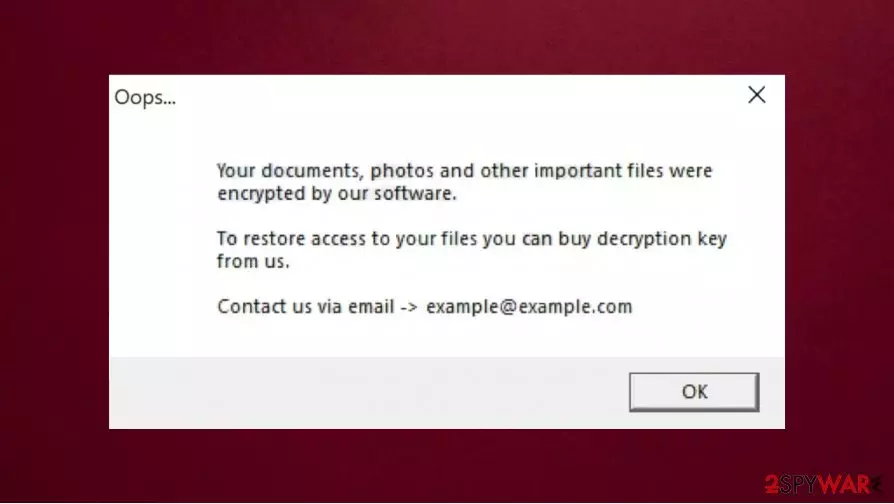
Lockz ransomware is a malware designed to encrypt files on the user computer. After the encryption[1] victim can not use any infected data. These damaged files get a new .lockz extension. For example, if the photo was named “1.jpg”, it will be turned to “1.jpg.lockz” after encryption. Moreover, the infection not only locks all important data but also demands money from its victims. Cybercriminals deliver a pop-up message titled “Oops…” which asks users to email them at example@example.com.
If you found this threat on your computer, you should remove Lockz ransomware and recover your files from backups. In case no backups were retained, you can use tips in our recovery section that could sometimes help you return at least some files for free.
| Name | Lockz ransomware |
| Type | File locking virus, cryptovirus, ransomware |
| Distribution | This ransomware comes from infected email attachments, malicious ads, torrent websites |
| Issues | After the encryption, the user can't open files stored on the infected computer. All damaged files get .lockz extension. The ransom note is displayed on the desktop, urging to pay cybercriminals to unlock files |
| Cybercriminals' email | example@example.com |
| File extension | Each of the infected files gets .lockz extension |
| Ransom note | The victim gets a pop-up window with information about the infection and possible steps to decrypt files |
| File recovery | Data recovery might be impossible if you don't have backups but in some cases, official decryption tools or third-party programs recovery software can help |
| Malware removal | Remove Lockz ransomware by scanning your device with a powerful SpyHunterCombo Cleaner anti-malware application |
| System fix | Ransomware can damage your device OS. If you want to fix the damage, we recommend using FortectIntego repair tool |
Lockz ransomware can encrypt different types of files. If your computer is infected with this malware, you will lose access to your photos, videos, audio records, all important documents, and more. They can be decrypted with a decryption key but cybercriminals demand money for it.
They let you know how to contact them by writing an email address on a ransom message. After the encryption is done, the pop-up window shows this ransom message of Lockz virus:
Oops…
Your documents, photos and other important files were encrypted by our software.
To restore access to your files you can buy decryption key form us.
Contact us via email -> example@example.com
[OK]
Unfortunately, if you don't have backups stored in online servers or different devices, it might be impossible to restore your files without hackers' help. But even if you do not have copies of your important data, you should proceed with Lockz virus removal with such an antivirus program like SpyHunterCombo Cleaner or MalwarebytesMalwarebytes as soon as possible. After the deletion try to use the FortectIntego repair tool because your computer's OS might be damaged.

Don't pay criminals to recover .lockz files
Knowing the fact that sometimes it is impossible to recover .lockz files without backups, victims often decide to contact criminals via the example@example.com email and pay them. However, do not attempt to trust criminals because this could lead to money loss. Hackers can leave you without any decryption key even after you did everything they wanted.
Cybersecurity experts[2] agree that people should rely on backups, use the official antivirus program to remove the virus, and fix the damage with powerful tools instead of trusting criminals. If you do not have backups, try to use alternative methods listed below to recover at least some of the .lockz files. In some cases, these solutions help recover important data. For example, if the ransomware failed to delete Shadow Volume Copies, you still have a chance to succeed.
Also, if you want to avoid such problems in the future, you should be very careful on the internet. Ransomware[3] often comes from infected email attachments, illegal torrent websites, and malicious ads that you managed to click on and then download infection into your computer. Always think before installing new software from the internet, especially if the source is suspicious.

Remove Lockz virus from your device and use alternative methods to recover your personal data
Like explained above, the best way to recover your files is by relying on your backups. But firstly you should remove Lockz ransomware from your computer. Even though old infected files will stay locked, this step will help you to avoid any more data loss. You should forget about talking with criminals to get the decryption key because they can leave you without it even after you have paid the money.
We strongly recommend using powerful anti-malware software for Lockz ransomware removal. For example, this job is really easy to perform with SpyHunterCombo Cleaner or MalwarebytesMalwarebytes. Only after the deletion, you may try to recover your personal data.
Also, keep in mind that even after Lockz ransomware removal your OS might be damaged. If you do not want to reinstall OS, we recommend using FortectIntego to fix all damage. And you should remember that the only way to avoid infections in the future is by acting very carefully and using a reliable antivirus program.
Did this guide help?
Be the first to comment