

MacRansom virus might be the first Ransomware-as-a-Service that targets Mac OS
MacRansom is a malicious Ransomware-as-a-Service[1] virus that targets Mac operating systems and encrypts files stored in them. The developer of the ransomware suggests joining his affiliate system for free and provides ransomware samples for free. It takes less than a minute for this virus to encrypt files on victim’s Mac. After encrypting the files, the virus creates a ransom note (._README_ file) that it displays on the screen, and demands 0.25 Bitcoin (approximately $700). The victims are asked to contact getwindows@protonmail.com for information on how to decrypt files. Instead of doing so, we suggest you start thinking about MacRansom removal. 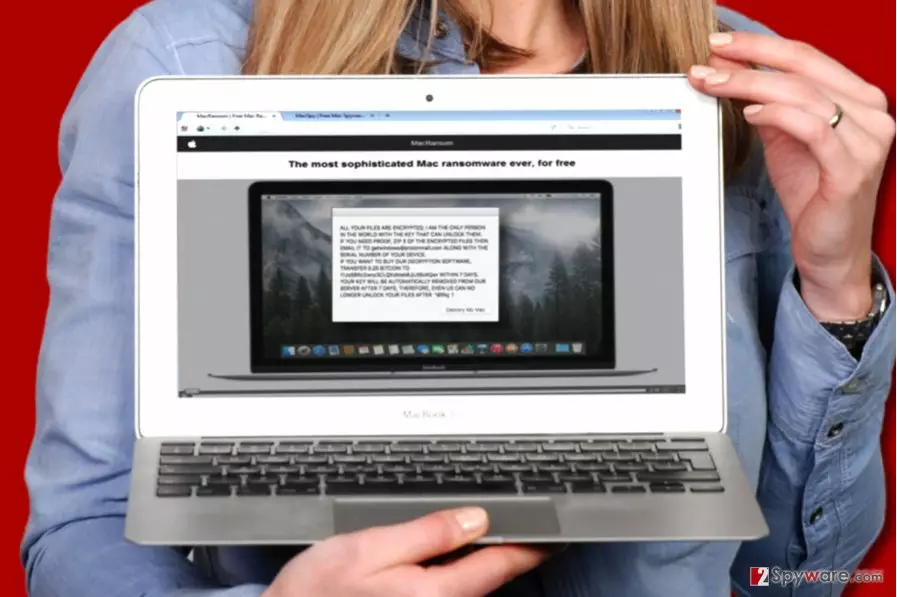
Before launching the malicious payload, the ransomware performs several checks – it determines whether it is being run in a Mac environment or not, also if it is being debugged, and if the machine has two CPUs. Following that, the virus creates a launch point: ~/LaunchAgent/com.apple.finder.plist and then copies the ransomware executable to ~/Library/.FS_Store. The virus purposely uses original (or similar) names of legitimate files to avoid detection. The virus also manipulates the time date stamp to confuse investigators. Finally, the virus uses launchctl to open the com.apple.finder.plist file it created. The virus checks trigger time and, if the condition is met, it starts the encryption process. After encrypting all of the victim’s files, the ransomware encodes its own files, changes the time date stamp and then removes them from the system.
The ransomware uses symmetric encryption, which, in typical cases, allows decrypting files more easily, however, we do not recommend paying the ransom if your PC has been infected. It turns out that the ransomware doesn’t communicate with C&C server[2], and that means criminals won’t have the copy of it. However, since they key is only 8 bytes long, it might be possible to brute-force it. So if you have been assaulted by this Mac ransomware, we suggest you remove MacRansom from the OS using MalwarebytesMalwarebytes software and check available data decryption methods explained at the end of this post.

Distribution methods
Ransomware-as-a-Service is distributed by affiliates who decide to partner with the ransomware developer. Currently, it is being distributed via email spam, although we believe that attackers might be trying to inject the virus into unsecured websites or distribute it alongside untrustworthy or illegal software for Macs. The developer of MacRansom, however, suggests moving the malicious virus to a USB, using it to transfer the malicious file on a target system, and manually launching it. It goes without saying that it is a much slower and more dangerous way to distribute this malicious virus. The ransomware developers promise to give their affiliates 70% from all collected ransoms, keeping 30% to themselves.
Remove MacRansom from Mac OS
If you want to continue using your Mac, we highly recommend you to remove MacRansom virus remains using powerful malware removal tool. You must use software that is compatible with Macs. Our suggestion is to use MalwarebytesMalwarebytes software. Do not delay MacRansom removal and delete it as soon as you can because keeping the malware on your system poses a threat to your privacy and opens security vulnerabilities that can be exploited by other malicious actors. Once you run the anti-malware program and let it delete malicious files for you, use the given guidelines to decrypt your data.
Did this guide help?
Be the first to comment