

“Mailbox failed to sync pending emails” is a scam email that attempts to lead you to malicious websites
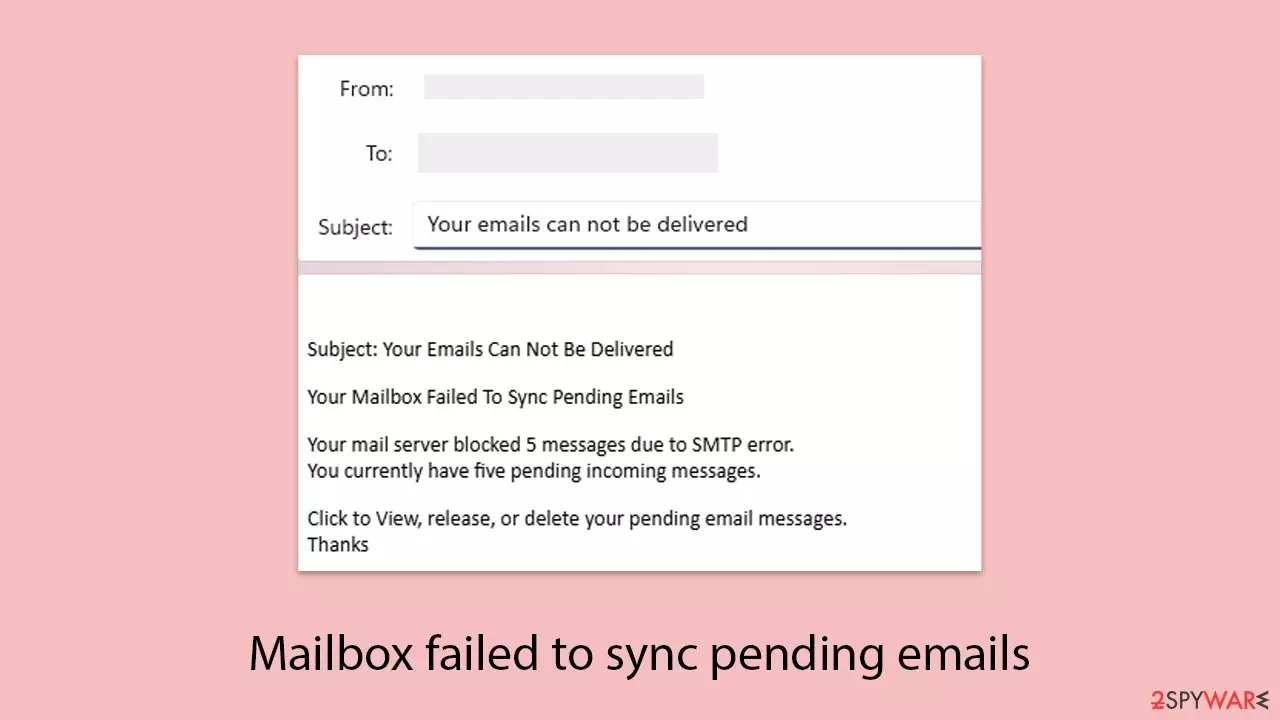
“Mailbox failed to sync pending emails” is a phishing attack where cybercrooks send an impersonation email stating that a user's email account contains undelivered messages because of a synchronization issue. Such an email, usually with the title “Your emails can not be delivered,” tells the recipient to click on a link to resolve the purported issue. The link actually directs to a malicious webpage created to hijack personal data.
The primary goal of these spammers is to get login credentials for email accounts and other personal data, which can be utilized to access sensitive information, perform further scams, or authenticate related accounts. This can lead to severe consequences like identity theft or financial loss. Users can be careful and not engage with unwanted messages reporting problems with their mailbox.
| Name | Mailbox failed to sync pending emails” email scam |
| Type | Scam, fake email, phishing |
| Scam content | Pretends to be email provider, asks to verify account login credentials on a spoofed website |
| Distribution | Malspam |
| Risks | Personal information disclosure to unknown parties, account compromise and loss, financial losses |
| Removal | Do not click any links or download software from the scam site. If you did, immediately scan your system with SpyHunterCombo Cleaner security software |
| Other tips | To prevent third parties from tracking your online activities, we recommend clearing browser caches and other leftover files with FortectIntego |
Understanding scam techniques
The “Mailbox failed to sync pending emails” scam applies very sophisticated phishing methods to manipulate users into revealing their personal information. The emails are framed to appear as though they are from real email providers, technical jargon and sense of urgency being used in order to build confidence and urgency.
The reference to such expressions as “SMTP error” or “mail server blocked” is an impersonation of the type of users would receive through official communications, and thus the message looks genuine. Such tactics exploit users' familiarity with typical email issues, lowering their guard and leading them to act in a hurry.
Here is the full text of a common scam email, as users receive it:
Subject: Your Emails Can Not Be Delivered
Your Mailbox Failed To Sync Pending Emails
Your mail server blocked 5 messages due to SMTP error.
You currently have five pending incoming messages.Click to View, release, or delete your pending email messages.
Thanks
The email employs various techniques of deception. The “Your emails can not be delivered” subject is intended to draw attention and instill fear that one will miss critical messages. The message evokes a sense of urgency by informing users that “five pending incoming messages” are blocked.
The confusing instruction to “Click to View, release, or delete your pending email messages” is designed to be vague, leading the users to a phishing website that spoofs a well-known login page. There, the targets are prompted to enter email logins, which are collected by the scammers.
Moreover, the brevity of the email and the absence of any particular information regarding the recipient or their email service provider are intentional. This generic nature enables cybercriminals to send out a broad net, reaching millions of users with little effort.

Usage of a polite close like “Thanks” is another element of mimicking the tone of authentic service emails to veil the ill intent. Once the users fall prey to the trick and click on the link, they are likely to reveal their login details, apart from downloading potential malware or getting directed to other bogus sites, increasing the risk.
Dangers of the “Mailbox failed to sync” scam
Being tricked by the “Mailbox Failed to Sync Pending Emails” scam by submitting personal information on a phishing website can have dire consequences. When individuals input their email credentials, hackers gain control over their accounts, which might expose sensitive communications, personal details, or financial information stored inside.
This breach can enable scammers to pose as the victim, send phony emails to contacts, or gain entry to other accounts they are connected to, such as banking or social media websites, expanding the possibilities for additional exploitation.
Apart from the stealing of credentials, the scam can usher in the possibility of identity theft and financial loss. From stolen emails, attackers may obtain sensitive data like addresses, phone numbers, or payment details, which are sold on the dark web or exploited to commit fraud. For instance, the scammers can initiate unauthorized payments, obtain credit in the victim's name, or lock users out of their accounts, causing a great deal of disruption and potential monetary loss.
The threat of malware infection cannot be ruled out. Some phishing web pages connected to this scam are able to lure users into installing files or software that claim to be utilities to “fix” the email issue. The installs might install such malware, such as ransomware or spyware, that inflicts on the user's machine, steals further data, or even spreads onto other computers. It is wise to exercise vigilance and not deal with such suspect emails in order to avert these risks.
What to do with the “Mailbox failed to sync pending emails” scam
When you get an email saying that your mailbox didn't sync pending emails, the most advisable action is to avoid it. Avoid clicking on the links, replying to the email, or opening attachments because those actions may lead you to phishing sites or malware infection.
Instead, mark the email as spam or delete it immediately to avoid unwitting involvement. Verifying that the email is legitimate by inspecting the address of the sender for suspicious domains or contacting your email provider through official channels may also protect you from being scammed.
You've already sent a response in the email: urgent action needs to be taken to ward off potential harm. The following measures indicate that you've probably weakened your security:
- Clicked on links within the email, which may have directed you to a phishing website.
- Downloaded files or software, potentially introducing malware to your device.
- Entered personal information, such as email credentials, on a fraudulent login page, exposing your account to cybercriminals.
In such scenarios, reset your email account password instantly from a secure computer and, if available, turn on two-factor authentication. Scan your system using general security software like SpyHunterCombo Cleaner or MalwarebytesMalwarebytes to remove installed malware.
Also utilize FortectIntego to repair system damage, erase remaining malicious files, and wipe browser caches in order to delete tracking cookies or other remnants so that your accounts and device are secure.
Did this guide help?
Be the first to comment