

PC Matic is a security application that might bot be the best choice for PC virus protection
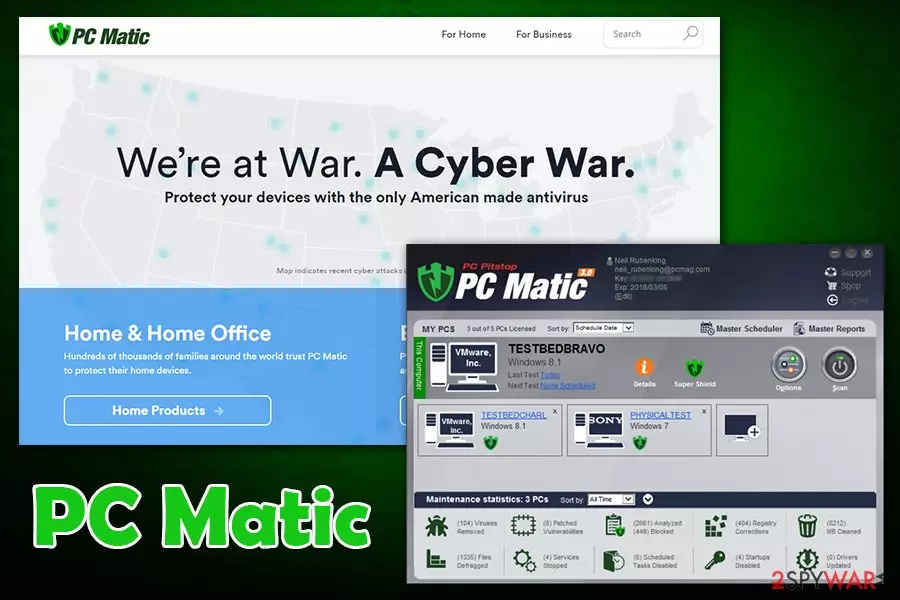
PC Matic by PC Pitstop LLC is a security and PC optimization software that includes a variety of functions, including hard drive fragmentation, vulnerability check for the installed programs, add-on check, driver update check, and multiple other optional tweaks. However, the app does not use machine-learning technology when it comes to virus protection but rather relies on a list of pre-determined apps, and simply does not let any unverified applications in, consequently resulting in a large amount of false-positives detection.
Additionally, PC Matic offers a registry cleaning feature but does not provide much detail on what the app actually does to multiple system settings during its operation and scans. As a result, the benefit of using this system optimizer is questionable at best, as there are numerous other programs that might do a much better job than PC Matic when it comes to computer protection from malware.
| Name | PC Matic |
| Type | System optimizer, anti-virus |
| Developer | PC Pitstop LLC |
| Functionality | Virus protection, driver updates, hard disk defrag, registry scans, outdated app analysis, funk file removal, etc. |
| Inconsistencies | The application does not provide many details about what it is doing on the system and what changes it is implementing. Additionally, it uses a whitelist system when it comes to malware detection, resulting in a high number of false-positives |
| Uninstallation | Check the instructions provided below this article |
| Alternatives | Use FortectIntego to fix virus damage, Windows errors, software crashes, etc. |
PC Matic is offered for $50/year for five computers – software is compatible with Windows, macOS, and Android devices. The main application installer can be downloaded from the official websites, although it is also often distributed via third-party sites that bundle software. Be aware that, when installing PC Matic from such sites, you risk installing additional programs that do not.
Because PC Matic does not provide much detail on what it does on the system, it is hard to say how effective the application is. When it comes to security, the app does catch a high percent of malware, although its usability scores are quite low, according to the German AV testing body AV-Test.[1]
As previously mentioned, PC Matic relies on the whitelist system in order to detect and stop malware from entering the device. While it can sometimes be a good trait, as no unknown software is allowed to the system, this also results in many legitimate applications being stopped. The “add to exceptions” feature is also not so apparent.

We would like to point out that, when it comes to all-in-one software, it is important to know what PC Matic is actually doing on the system, as it might lead to unwanted consequences. In fact, Microsoft discourages the usage of “registry cleaning” applications, as it might damage the vital part of Windows and cause performance and functional issues:[2]
Some products such as registry cleaning utilities suggest that the registry needs regular maintenance or cleaning. However, serious issues can occur when you modify the registry incorrectly using these types of utilities. These issues might require users to reinstall the operating system due to instability. Microsoft cannot guarantee that these problems can be solved without a reinstallation of the Operating System as the extent of the changes made by registry cleaning utilities varies from application to application.
All in all, the app might be used as a security solution, but its operation practices are not quite there yet. PC Matic can be used for other purposes, however, such as driver updating feature or software vulnerability detection. When it comes to virus protection, we would recommend picking more reliable solutions like SpyHunterCombo Cleaner or MalwarebytesMalwarebytes, and proceed with PC Matic removal in the meantime.
It should not be difficult to remove PC Matic from the machine – you should check the instructions below if you are unsure. If you require the functionality of a reliable system optimizer, we strongly recommend using FortectIntego instead.
Beware of software bundles that you download from third-party websites
Most of the potentially unwanted programs[3] are usually distributed by “bundling,” – legitimate applications often compiled into one single package and resented as a standalone installer. The potentially unwanted content is disguised under quick, basic, or express installation of various PDF creators, software updates, media players, and so on. That's why it's vital to check whether the freeware you are about to install contains optional downloads. To help you avoid installation of software packages, we will give you a couple of useful tips:
- First of all, consider whether you really need a freeware;
- Make a small research on the developer of the app and the app itself;
- Read EULA, Privacy Policy, and similar information provided;
- Avoid quick/express/basic installation;
- Opt for Advanced/Custom installation;
- Check each check box;
- Untick programs lying under the “optional installs” list.
Operation of PC Matic system tool
Once you install PC Matic on the system, it injects itself on Windows startup, registries, and Task Manager. Therefore, a shortcut appears on the desktop and Windows start bar. On top of that, pcmatic.exe may run all the time the system is booted. Once the app is fully installed, PC Matic starts scanning a system. The scanners will be loaded all the time, and after a full system scan, you will be informed about various issues that have to be fixed to improve your PC security and speed.
However, it's important to mention that by clicking on 'Continue,' 'Fix', or similar buttons, PC Matic redirects to the official page and asks to pay money for the license key.

Uninstall PC Matic by accessing the installed program list
Since PC Matic is a legitimate system tool, it can be eliminated from the system manually – we provide all the instructions below if you do not know how to remove PC Matic by yourself. Nevertheless, it is best to first stop the running process of the program so that the uninstallation process would go smoothly:
- Press Ctrl + Shift + Esc
- Once Task Manager opens, click on More Details
- Right-click on PC Matic and select End Task
- Close down the Task manager
- Proceed with the PC Matic removal instructions below
Uninstall from Windows
Uninstall from Windows 10/8:
- Type Control Panel into the Windows search box and open the result.
- Under Programs, select Uninstall a program.


Uninstall from Windows 7/XP:
- Click on Windows Start > Control Panel (Windows XP users should click on Add/Remove Programs).
- In Control Panel, select Programs > Uninstall a program.


Remove the unwanted program:
- In the Programs and Features window, look for any recently installed suspicious entries, select them, and click Uninstall.
- If User Account Control appears, click Yes to confirm, then complete the removal.


Delete from macOS
Remove the unwanted application:
- From the menu bar, select Go > Applications.
- In the Applications folder, look for any suspicious entries, then drag them to Trash (or right-click and pick Move to Trash).


Delete leftover files and folders:
- Select Go > Go to Folder.
- Enter /Library/Application Support and remove any suspicious folders related to the unwanted program.
- Repeat the same check in the /Library/LaunchAgents and /Library/LaunchDaemons folders, deleting any suspicious entries.

- Finally, empty the Trash to permanently remove the leftovers.

Did this guide help?
3 comments
Deepak Pore
PC Matic made my PC even more sluggish
Rishabh Garg
PC Matic is nothing but malware!! Those scans always end up with a requirement to pay the money for the license key. Normal software do not work like that
Seth Eaton
Aboslutely useless!! I did not install PC Matic by myself and later had some troubles with its removal. SpyHunter saved my day