

What is known about PowerShell Locker virus?
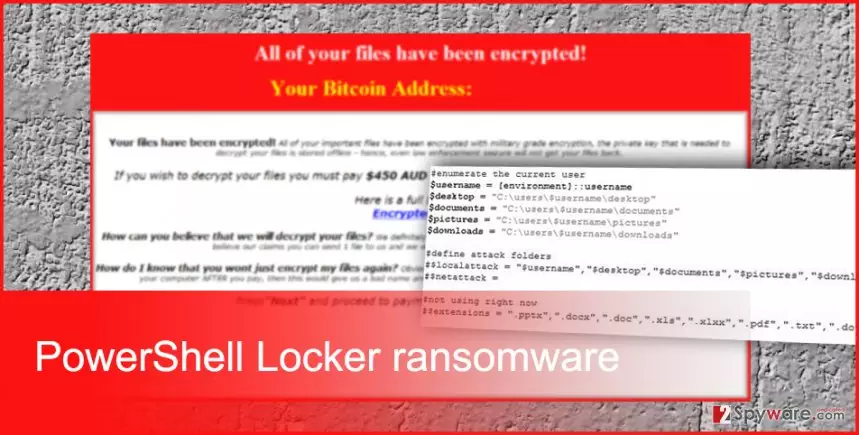
PowerShell Locker virus belongs to the group of file-encrypting viruses that takes users’ files to hostage and demands a particular amount of money. This new ransomware[1] mostly spreads via malicious email attachments and after infiltration encrypts data using the combination of AES and RSA ciphers. For data encryption PowerShell Locker ransomware uses a public key; however, victims need the secret and well-protected private key for data decryption. On the affected computer ransomware targets files that are on the desktop, documents, pictures and downloads folders. Unfortunately, the majority of people saves the most valuable documents in these directories, so after the attack, they lose all personal files. Often victims become frightened because of corrupted records and received ransom message. Cyber criminals are good at scaring people, so they often decide to pay the demanded ransom. Victims have to transfer the ransom in Bitcoins via unique Bitcoin wallet address. However, following hacker’s instructions might be a risky business. After receiving your payment, hackers can disappear because they have achieved their goal. Ransomware viruses are created for swindling the money and helping victims to restore files is only the matter of hackers’ conscience. For this reason, we recommend PowerShell Locker removal with reputable anti-malware tools, for instance, FortectIntego or MalwarebytesMalwarebytes.
Malware has been written using PowerShell framework; however, it’s not the first PowerShell-based ransomware. Virus researchers have seen this kind of malware in early 2013[2]. This Microsoft’s framework has been made open-source and cross-platform at the end of summer 2016[3]. There’s no surprise that evil-minded hackers took it to their advantaged and developed a brand new ransomware. PowerShell Locker virus is capable of deleting Shadow Volume Copies, disabling Windows startup repair and System Restore functions, so it might be impossible to restore files after the attack. Malware researchers haven’t created a free decryption tool that can help to recover data yet. Backups stay the only free and safe data recovery solution but before thinking about that you have to remove PowerShell Locker from the computer.
Why do computers get infected with ransomware?
PowerShell Locker malware spreads via VBS downloader script and uses PDF document to hide this malicious file. Similarly to other ransomware viruses, this malicious file is attached to an email and sent to the innocent and curious Internet users. As soon as users open the attached document, the ransomware is executed on the computer and starts its illegal activities. Unfortunately, these malicious email campaigns are still the most popular and effective ransomware distribution technique in general. Hackers pretend to be from various institutions and convince victims that attached document is important to open. Therefore, if you want to avoid PowerShell Locker hijack or other ransomware attacks, you should be careful with emails[4], do not click on suspicious links or ads, install reputable security program and watch your every step online[5].
Guidelines for PowerShell Locker removal
If your computer has been infected with PowerShell Locker ransomware, you should rush with its removal. The longer you let it stay inside, the more damage it might cause. Ransomware viruses are capable of installing additional malware that can make your computer’s system even more vulnerable. For PowerShell Locker removal we recommend installing FortectIntego or SpyHunterCombo Cleaner. These malware removal programs will help you to clean the computer and wipe out all malware-related components. Probably, the virus will not let you install security tools so simply. Therefore, you should reboot your computer to the Safe Mode with networking and follow the instructions prepared below. Unfortunately, it’s not enough to remove PowerShell Locker to get back access to the corrupted files. For data encryption, you will need additional tools or data backups.
Did this guide help?
Be the first to comment