

New member of the ransomware kin — the Pr0tector virus
Pr0tector virus refers to a recently discovered cyber parasite — a virtual money extortion tool which sneaks into the computers by stealth and encrypts the containing data. If this sounds familiar, you may already be acquainted with ransomware viruses [1] and their working mechanisms. If not, this article will be a great stepping stone into learning more about these vicious computer infections and, hopefully, avoiding them in the future. In case you ended up on this article while looking for Pr0tector removal advice, don’t leave just yet because our experts will discuss the virus elimination options below the article. As for now, let us focus on the Protector virus and discuss what we already know about it.
First impressions matter and the authors of Pr0tector ransomware seem to have learned this lesson well. They applied it when naming the virus. The use of leetspeak [2] elements in the title are supposed to create an impression that Pr0tector is a work of serious hackers and stands together with such well-known ransomware as FS0ciety or Crypt0L0cker. Such tactics have obviously been chosen to intimidate users and trick more of them into paying the ransom. Unlike the mentioned malware, though, the distribution of this particular parasite is very low, and there are few reports of its infiltration. Still, the virus features all the typical qualities of a ransomware. It first enters computers by exploiting system vulnerabilities [3] and deploys its malicious executable on the system, typically in the %AppData%, %Roaming% or %Local% folders. The specific name of this executable is currently unknown, but ransomware creators tend to camouflage the destructive scripts as regular system files, such as svchost.exe or Rundll32.exe, for instance. Thus, if you see these processes operating from the previously mentioned folders or any other directory other than C:\windows\System32, you should not ignore it and scan your device with a malware detection solution immediately. If you are still looking for such tool, we recommend taking a look at the quick and versatile FortectIntego anti-malware.
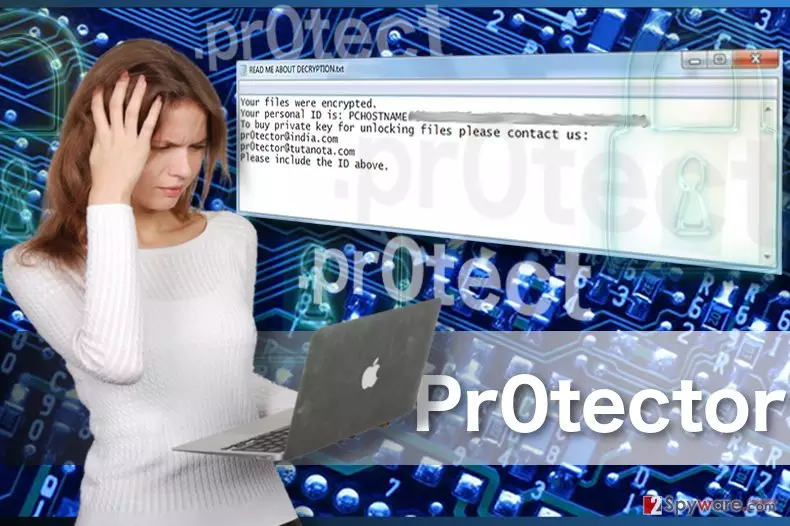
When it comes to the encryption process itself, Protector virus does it by using an unknown algorithm and ensures that the encrypted files would not be easily decrypted by destroying the Volume Shadow Copies [4]. When the documents, archives, media files and other personal data stored on the victim’s computer is encrypted and marked with .pr0tect extensions, the virus immediately proposes a recovery alternative. All the conditions are introduced in a ransom note called READ ME ABOUT DECRYPTION.txt. You can see the transcript of it here:
Your files were encrypted.
Your personal ID is: PCHOSTNAME#601E1*****470
To buy a private key for unlocking files please contact us:
pr0tector@india.com
pr0tector@tutanota.com
Please include the ID above.
While these brief instructions do not indicate the specific amount of ransom that the criminals demand in exchange for the files, it most likely fluctuates somewhere between 0.5 and 1 Bitcoin [5]. Nevertheless, regardless of what this decryption tool costs, it should be your last option when attempting data recovery. It is more recommended to remove Pr0tector from the infected computer and use alternative techniques to decrypt your files for free rather than invest in a tool that might not even work.
The importance of data backups and software updates
Since Pr0tector malware is currently at its initial stages of distribution, probably the best advice would be to take action before it’s too late. The first thing you should do is back up your data. This process is long, and most users choose to ignore it, hoping that viruses will simply pass them. Unfortunately, when the virus hits, there is nothing much that you can do. Thus, we recommend taking care of the most important data first and keep on backuping when new files are created on the computer. Also, it is vital to keep your software and operating system updated. Otherwise, their unpatched vulnerabilities may be used to deploy Pr0tector on the computer.
Essential information to know about Pr0tector removal:
It may not be as easy to remove Pr0tector virus from the infected device as it is will less serious parasites such as browser hijackers or adware. Let alone, the consequences of the ransomware hijack which are incomparably worse. Thus, to help your computer to recover from the virus, we suggest scanning it with a professional antivirus, preferably a versatile antivirus tool which would not only remove the malware from your computer but also help get the system back on its tracks. Antivirus utilities may need your help decontaminating the virus, but do not worry, you will find all the necessary guidelines below the article. After the Pr0tector removal is done, you may also use our recommended data recovery methods to roll back some important files.
Did this guide help?
Be the first to comment