

Qwex ransomware is a dangerous file locking cyber threat which comes from the Dharma family
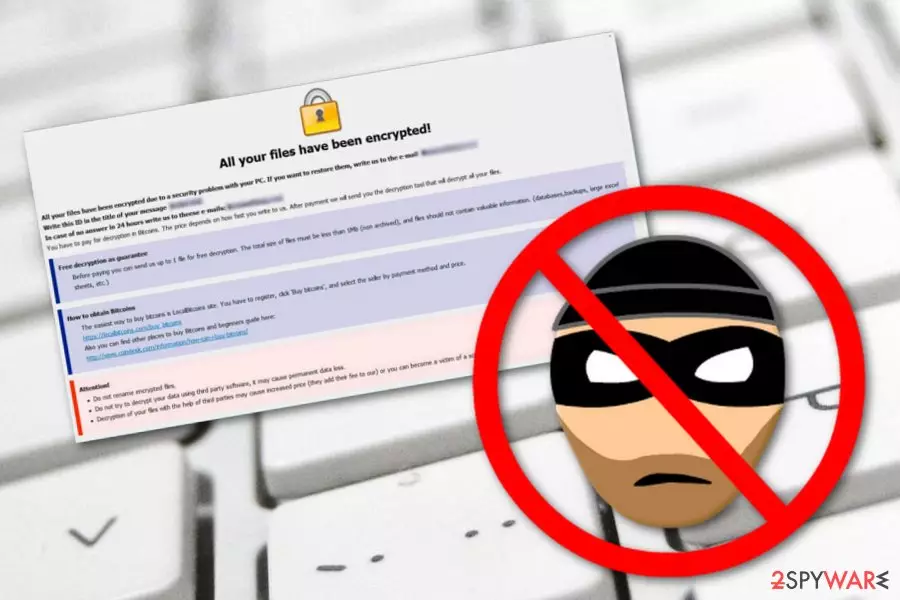
Qwex ransomware is a file-encrypting virus which was first discovered by a cybersecurity researcher named Jakub Kroustek. Nevertheless, this computer virus belongs to another infamous ransomware family, known as Dharma. This notorious virus uses unique encryption algorithms such as symmetric or asymmetric ones. After the encryption,[1] Qwex virus adds the .qwex appendix to each locked file and also places the criminal's email address and victim's ID together with the extension. Afterward, the file locking cyber threat displays a window which contains a ransom message. The FILES ENCRYPTED.txt message announces about the secret encryption process, provides the backdata@qq.com and dta@cock.li email addresses as a way to make contact and discuss all the matters about the price. According to the cybercriminals, the only way to decrypt blocked documents is by paying a particular price for the decryption tool.
| Name | Qwex |
|---|---|
| Category | Ransomware |
| Family | Dharma |
| Danger level | Very dangerous. The cyber threat injects malicious content in the system and starts performing the encryption process |
| Appendix | .qwex |
| Ransom message | FILES ENCRYPTED.txt |
| Email addresses | backdata@qq.com and dta@cock.li |
| Possible consequences | Injection of rogue content, Windows Task Manager modification, etc. |
| Appearance | This threat can come from unsafe websites or email letters which have malicious payload attached |
| Removal | Detect the threat with FortectIntego and then remove it automatically |
Qwex ransomware has a wide range of unwanted activities and abilities it can bring to the infected computer system. This virus might be capable of placing various executables as malicious payload into the system, running rogue tasks in the Windows Task Manager,[2] interacting with various Windows system's components, and, also, permanently erasing Shadow Volume Copies[3] of encrypted files.
Even though the virus might not have all these features, you still should get rid of the dangerous cyber threat as soon as possible. It might make your computer system more vulnerable to other computer system infections and troubles. You should remove Qwex virus by using automatical software only. However, first, we suggest detecting all hazardous files and other components in the system. For this purpose, use a tool such as FortectIntego or SpyHunterCombo Cleaner.
Once you are infected with Qwex ransomware, you will receive this type of message:
All your files have been encrypted!
All your files have been encrypted due to a security problem with your PC. If you want to restore them, write us to the e-mail backdata@qq.com
Write this ID in the title of your message 1E857D00
In case of no answer in 24 hours write us to theese e-mails:dta@cock.li
You have to pay for decryption in Bitcoins. The price depends on how fast you write to us. After payment we will send you the decryption tool that will decrypt all your files.
Free decryption as guarantee
Before paying you can send us up to 1 file for free decryption. The total size of files must be less than 1Mb (non archived), and files should not contain valuable information. (databases,backups, large excel sheets, etc.)
How to obtain Bitcoins
The easiest way to buy bitcoins is LocalBitcoins site. You have to register, click 'Buy bitcoins', and select the seller by payment method and price.
hxxps://localbitcoins.com/buy_bitcoins
Also you can find other places to buy Bitcoins and beginners guide here:
hxxp://www.coindesk.com/information/how-can-i-buy-bitcoins/
Attention!
Do not rename encrypted files.
Do not try to decrypt your data using third party software, it may cause permanent data loss.
Decryption of your files with the help of third parties may cause increased price (they add their fee to our) or you can become a victim of a scam.
As you can see, the crooks warn users not to use any third-party software for file decryption. However, these people are scammers themselves and often trick users after the payment is transferred. We suggest not paying the urged price in Bitcoin, rather than that, complete the Qwex ransomware removal automatically.
Furthermore, note that Qwex ransomware or other of its kind might show at any time in the future. For further protection, keep on reading and gain knowledge in how to avoid similar infections. Moreover, you can take care of your data files by storing them on external devices or servers. This way the information will be reachable only for you and various cybercriminals will not have access to it.
Qwex ransomware infections have a high danger level as once this threat is installed, it places damaging components in the system which allow the cyber threat to perform the encryption process and lock up all documents that are found on the infected computer. This virus might touch files such as:
- image;
- database;
- text;
- audio;
- video;
- PDF;
- PPT;
- etc.

Crooks use sneaky and tricky techniques to spread ransomware infections
You are very likely to catch a ransomware infection from a dubious email message and its attachment. Crooks drop hazardous payload attached to an email letter. Sometimes, criminals act like agents or employees from worldwide organizations. This often tricks users as they do not expect anything bad while opening such “formal” letters.
According to technology experts from NoVirus.uk,[4] users take risks of catching ransomware infections while browsing on the Internet daily. However, the biggest risk appears while you enter suspicious-looking pages or free-downloading sources such as The Pirate Bay, Torrents, or eMule. You can download programs with malware injected from such sites.
We suggest staying careful no matter what kind of computing work you are completing. If you are looking through your email, make sure that you carefully investigate each letter. If you are visiting a questionable-looking website, make sure that you use reliable antivirus protection which will prevent possible infections from slipping through your computer's security system.
Perform the elimination of Qwex ransomware virus and get rid of the malicious threat for good
Note that, you can remove Qwex virus from your system only by using automatical computer tools. You will have to end all malicious processes, find all hazardous components that this virus left in the system, so, better leave this job for anti-malware programs only. Additionally, pick a tool such as FortectIntego, SpyHunterCombo Cleaner, or MalwarebytesMalwarebytes to detect all malicious content on your PC.
Qwex ransomware removal is a difficult process to complete. However, once you are finished, you can continue decrypting your locked files with our below-provided data recovery tools. Make sure you choose the most suitable method for you and complete all steps as shown in the instructions. Furthermore, perform some system backs on your computer.
Did this guide help?
Be the first to comment