

How dangerous is SuchSecurity ransomware virus?
SuchSecurity ransomware is a new crypto-malware that seems to be still in development. According to the latest research data, the virus aims at server networks and online shops. The ransomware might cause the biggest damage to the facilities that uses Amazon RDS, MariaDB, DB2, MySQL or Oracle Database. The distribution and infiltration methods are still under investigation. Though, the SuchSecurity virus is suspected of spreading via compromised remote desktop connections[1] and phishing email campaigns.[2] The malware is based on EDA2 open-source ransomware project. Thus, when it gets inside the computer, it scans for the targeted file types and encrypts them with RSA and AES algorithms.[3] The virus generates public and private keys, where the public key is used to encode data, and private is necessary for decryption. SuchSecurity malware does not target the wide range of different file types. Though, it aims at specific and often used files in order to cause more damage to the victims:
.asp, .aspx, .csv, .doc, .docx, .html, .jpg, .mdb, .odt, .php, .png, .ppt, .pptx, .psd, .sln, .sql, .txt, .xls, .xlsx, .xml.
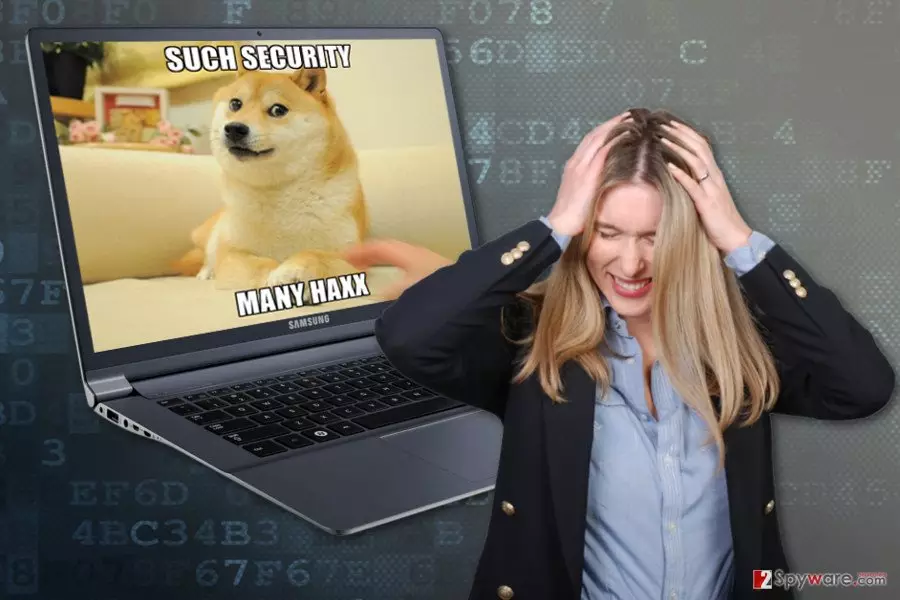
When SuchSecurity ransomware finishes data encryption procedure, all targeted files are distorted with the .locked file extension. What is more, the virus leaves a new file on the affected computer called ransom.jpg. Nevertheless, the name of the file suggests that it is supposed to be a ransom note; it’s not. This file is a new desktop’s picture that has a popular meme on it, saying “Such Security Many Haxx.” Seeing this ironic wallpaper might be an unpleasant surprise; though, you should not think about anything else but SuchSecurity removal. Mostly developers of the ransomware leave victims at least an expensive opportunity to restore their files – to pay the ransom. However, people are not suggested this chance this time. For some reason, hackers did not provide any instructions how to decrypt locked files. Maybe, it’s just a test version of the virus that explores chances to launch successful attacks. However, you should not wait for the ransom note appearing on your computer. Remove SuchSecurity from the computer with a help of FortectIntego. More details on virus removal, you will find at the end of the article.
How does the virus spread and how can I avoid it?
The specific distribution methods how SuchSecurity ransomware virus spreads are still unknown. Malware researchers assume that the virus might be distributed via malicious email attachments. It’s the most popular, and unfortunately, successful method, to infiltrate computers.[4] Thus, in order to avoid ransomware, you should be aware of the phishing and learn how to identify dangerous emails.[5] Look at the emails critically, and always check the details about the sender, double-check the information about the provided issue with the institution directly, and do not rush clicking on the attachments. Cyber criminals became significant in these scams and learned to create polished and legitimate-looking emails. The SuchSecurity virus might also infect the computer when downloading fake software or its updates. Though, it’s important to choose reliable sources and avoid Torrents or file-sharing websites. At the moment, the virus is noticed attacking servers, and for these attacks, it seems to be using compromised remote network connections. Hence, system administrators should also take proper attention to the cyber security and prepare for the possible attacks. In the case of the ransomware attack, data backups are crucial. Make sure you have them!
How to remove SuchSecurity virus from the computer?
Ransomware elimination must be performed with professional malware removal tools. We highly recommend for SuchSecurity removal using FortectIntego, MalwarebytesMalwarebytes or SpyHunterCombo Cleaner programs. These tools are capable of detecting and deleting the latest cyber threats. However, sometimes file-encrypting viruses are designed in a way to block security tools or prevent users from installing them. If you encounter the same issue, you have to reboot the computer to the Safe Mode with Networking to disable the virus. When in Safe Mode, you have to install your preferred malware removal program, update it and run a full system scan. We recommend scanning the system several times in order to remove SuchSecurity entirely.
Did this guide help?
3 comments
picabo
Wow, they are using memes in the ransomware...
Liberty
So.. Is it impossible to restore files? Or the hackers just forgot to tell how much money do they want?
Fox
Ridiculous virus!!