

XMRig CPU Miner – a trojan horse which exploits computer’s CPU power to generate cryptocurrency
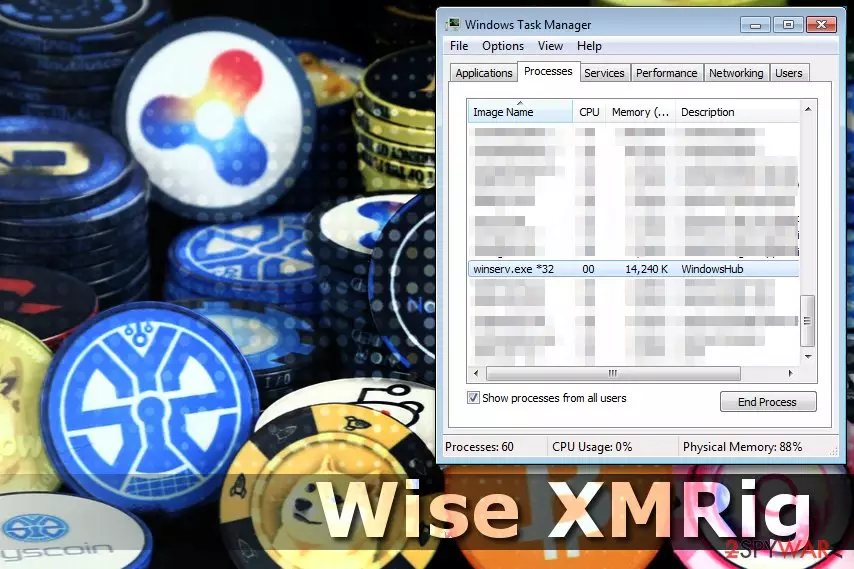
XMRig CPU Miner is a malicious trojan horse which was designed to exploit computer’s resources and mine cryptocurrency without victim’s notice. Its name arose from “wise” entry which is added once the trojan is installed. Additionally, XMRig virus launches AudioHD.exe process, designed to start running automatically when the computer is turned on.
XMRig CPU Miner is typically used to mine cryptocurrency, such as Monero[1], Bitcoin, Dashcoin and other. It does that by taking advantage of your computer’s resources, so the most obvious sign showing that user's computer is infected is a significant decrease in the system performance, continuous crashes or lags.
Mining digital currency without computer user’s knowledge is a malicious activity since extensive usage of CPU power leads to high processor’s temperature and decreases its performance[2]. Moreover, users infected with XMRig CPU Miner are not able to detect the harmful activity unless they open the Task Manager.
Cybercriminals are attracted to mining because it is a profitable sphere. They not only benefit from one victim. Instead, they create a botnet of exploited computers and illegally obtain considerable amounts of money.
If you notice significant slowdowns, or other problems, open Task Manager. You might see the winserv.exe process running – it is a warning call reporting about the infection. Immediately remove XMRig virus using FortectIntego or any other reliable security program.

Adware may install harmful miner on your computer
Typically, this trojan spreads via the bundled download/installation process. It means that you can get infected when you install other regular applications. Following safe browsing and software installation rules will help to avoid the need of Wise XMRig removal.
A vast of computer users tend to skip many steps in order to install the program quickly. You should avoid doing that since the potentially unwanted program (PUP) is hidden among the optional components of the regular app.
Once you choose Quick/Recommended settings, you are not able to un-tick the box that confirms your consent to install the trojan. The developers take advantage of rushing users and exploit their computer’s power.
You should opt for Custom/Advanced option and carefully follow all the steps. If you notice being offered to install any unauthorized programs, un-tick that box and scan your computer using a verified security software.
Also, avoid clicking on ads because they redirect to suspicious websites. This way you will protect your computer from being infected not only with CPU Miner virus but with many other malware. Finally, this dangerous program can arrive in phishing emails, so never open questionable digital messages you find in Inbox. You can find some useful tips on how to identify malicious emails on NoVirus.uk site[3].
Easy steps to remove XMRig CPU Miner from your computer
When trying to delete the described malware, there are two options to choose from – the automatic or the manual Wise XMRig virus removal.
If you decide to go for the automatic option, choose a reliable security software and download it from a trustworthy source. Use a direct link if possible because the web is full of deceiving ads where useless security software is promoted. Fake advertisements may redirect you to websites with malicious content. You can find reliable links to download recommended anti-spyware or anti-malware options below the article.
Then, restart your computer to Safe Mode and scan your system. It will quickly detect infected files and remove XMRig CPU Miner from it. We strongly recommend choosing automatic elimination since your data might be compromised with other malware you are not aware of.
Did this guide help?
Be the first to comment