

Is Zeta ransomware still active?
Zeta ransomware virus was presented in June 2016. However, it is still actively spreading around and encrypting people’s files. The latest its version uses .rmd file extension and drops #HELP_DECRYPT_YOUR_FILES#.TXT document on the desktop to inform its victims about the recovery of their personal data. This ransomware can easily encrypt your business or study documents, home videos, music library and other files on the victim’s computer, and make them virtually inaccessible. Then, cyber criminals provide the solution to this desperate situation – the certain amount of bitcoins that should be sent to them via Tor. According to the latest information, they require 0.5-1.5 Bitcoin (approximately $225.18 – $675.53 USD) in exchange for the private key which is needed to decrypt the files and fix the entire PC system.
Sounds tempting? Well, you should not rush to make the payment just yet. The security experts warn that it is dangerous to collaborate with the cyber criminals as their main goal is profit and they will do their best to generate as much of it as possible. This means that even if you pay, you may not regain access to your files, and you may be demanded to pay even more. Or, even if you receive the private key, it may be non-functional. Needless to say, you should not even think about a refund. That is why is it advisable not to start dealing with the criminals and simply remove Zeta from your computer. Besides, there are antivirus software, such as FortectIntego which will take care of the virus elimination automatically. You should remember, though, that removing the virus from your computer will not decrypt your files. To increase your chances and get your data back, you should follow Zeta data recovery steps that are given in the end of this post.
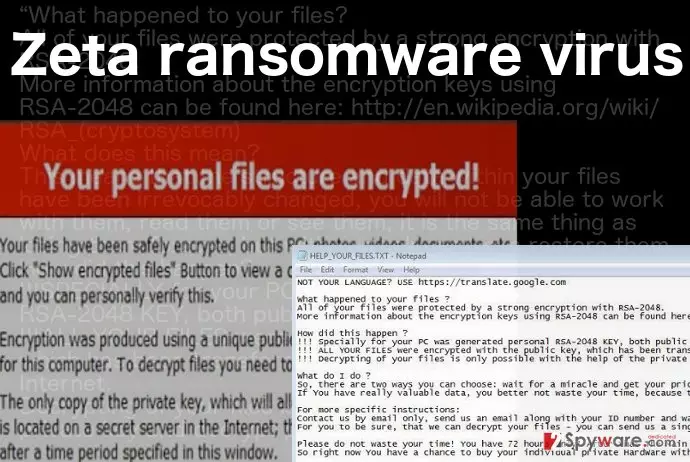
The executable file of the virus is AdobeFlashPlayer_(randomized numbers and letters).exe which suggests that virus may disguise itself as an Adobe Flash Player update before infiltrating the computer. Once it does enter the system, it will immediately start encrypting the files and changing their file extensions to Zeta@dr.com.scl with an identification number added to it. After these extensions appear instead of the regular ones, the files become inaccessible. HELP_YOUR_FILES.html, HELP_YOUR_FILES.txt or #HELP_DECRYPT_YOUR_FILES#.TXT is additionally created on every folder of the infected computer, featuring file decryption instructions. We have already mentioned how dangerous it can be to follow cyber criminals’ demands. Therefore, if you see similar documents or files extensions on your computer, scan it and make sure that Zeta removal is completed immediately. If the virus is still in the process of encrypting your files, terminating it in time may help save some of them.
Can you avoid this virus?
Zeta ransomware can be avoided and it is advisable to take all the necessary measures to make sure it does not infect your PC. As we have already mentioned, the virus is thought to be spreading through the deceptive software updates that you may encounter while visiting non-reliable websites. Naturally, you should avoid doing that. If you completely must, though, you must stay away from the pop-ups or download buttons that are offering you to download some suspicious software or software updates. If you are in doubt your applications are really up to date; you should check that on the official software’s website and download updates from it. Needless to say, your virus-fighting utility should be in “ready” mode at all times. However, data backups probably give you the most guarantees that your files are safe.
what is the most effective way to remove Zeta ransomware?
If you are ready to remove Zeta from your computer, there are a few thing you have to take care of. First, you have to obtain a reputable antivirus system that is capable of dealing with the ransomware viruses. Secondly, check if this software is updated to its latest version. Finally, all that is left to do is run a full system scan and remove this virus from your computer. Unfortunately, the scan may not always be as smooth as expected. The virus may try to interfere with the antivirus and prevent it from scanning the system. If such situation occurs, please follow the instructions provided at the end of this article. Another important thing to note is that you should not rush with the data recovery if you have backups stored on some external drivers. Before you do that, you should make sure that Zeta removal is successful, and there are no malicious residue components left on your PC.
Did this guide help?
1 comment
Bentrie88
Its so disappointing... Ive lost my entire music collection to this one :(