

New HiddenTear copy emerged: CryptoSweetTooth ransomware
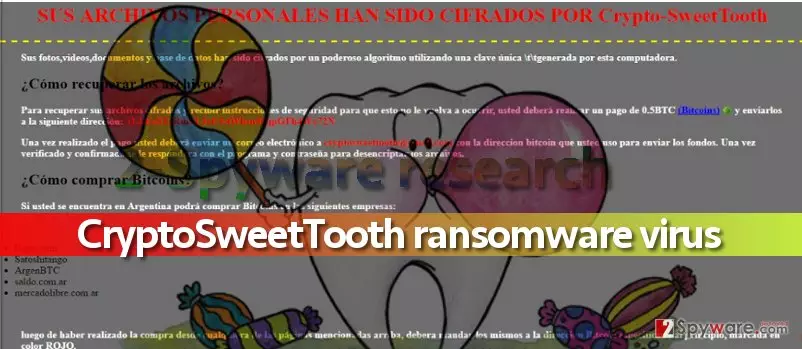
If CryptoSweetTooth virus gets inside your computer, it will encrypt[1] all of your files with ciphers that won’t allow you to access and open your personal files for a long time. The virus will also add .locked file extensions to encrypted records. Be aware of other viruses that use this extension – Jigsaw, Apocalypse, and Locked ransomware. It goes without saying that nobody wants to lose access to their work or personal files all of sudden. Therefore, special measures should be taken in order to prevent CryptoSweetTooth attack. Upon successful infiltration of the system, CryptoSweetTooth ransomware virus corrupts the data and then drops MPORTANTE_LEER.html and RECUPERAR_ARCHIVOS.html, which provide information about the attack in English or Spanish languages. The victim is advised to pay 0.5 Bitcoin[2] as soon as possible, and then contact criminals via email at CryptoSweetTooth@gmail.com. Transmitting the payment to crooks’ Bitcoin wallet[3] is ostensibly the only way to decrypt files that this virus encrypts. However, we advise you not to pay the ransom[4] and remove CryptoSweetTooth ransomware using malware removal programs like FortectIntego or MalwarebytesMalwarebytes.
As we have mentioned above, this virus is HiddenTear-based, which is a perfect example why open-source ransomware[5] is a disaster that helps novice hackers to develop malicious programs and extort money from unsuspecting victims. On the Internet, you can find some tools that might help you to decrypt files locked by HiddenTear variants, however, you must complete CryptoSweetTooth removal procedure first. You can also find some data recovery suggestions below the virus’ removal tutorial below.
How did you infect your computer with ransomware?
Ransomware does not get inside victim’s computer on its own. It has to be installed by the victim, however, it is not hard to trick unsuspecting victims into installing the malicious file because criminals typically use various obfuscation techniques to transform the malicious file into a safe-looking document, archive, or even obviously suspicious-looking executive file. You may receive the virus via email (so beware of data sent by unknown people), along with fake software update or from a website that hosts an exploit kit. Since the virus is based on HiddenTear, we doubt that its developers are very experienced programmers and so it is unlikely that they are using any different techniques than malspam. However, you must be aware of other virus’ distribution techniques if you want to protect your PC from viruses like Locky or Cerber, which are far more dangerous than CryptoSweetTooth malware.
How can I remove CryptoSweetTooth virus?
In case CryptoSweetTooth virus encrypted your files, do not even consider paying the ransom as an option. First of all, you have no guarantees that scammers will provide you with data recovery tools even if you pay up, second, you might receive a useless piece of software that doesn’t decrypt files but carries out more illegal functions on the system. Therefore, we suggest you remove CryptoSweetTooth malware using anti-spyware or anti-malware programs. You should follow the rules listed below if you want to complete CryptoSweetTooth removal process successfully.
Did this guide help?
3 comments
Julian
Crazy ransomware developers... using freaky names and stuff
OZO31
Thanks, I removed the ransomware, but I cant decrypt the data that was corrupted... :(
matrixx
i HATE RANSOMWARE! I CANNOT OPEN MY FILES ANYMORE!