

Systweak Anti-malware is a fake security application for Mac that displays false positives in order to make users purchase full version of the app
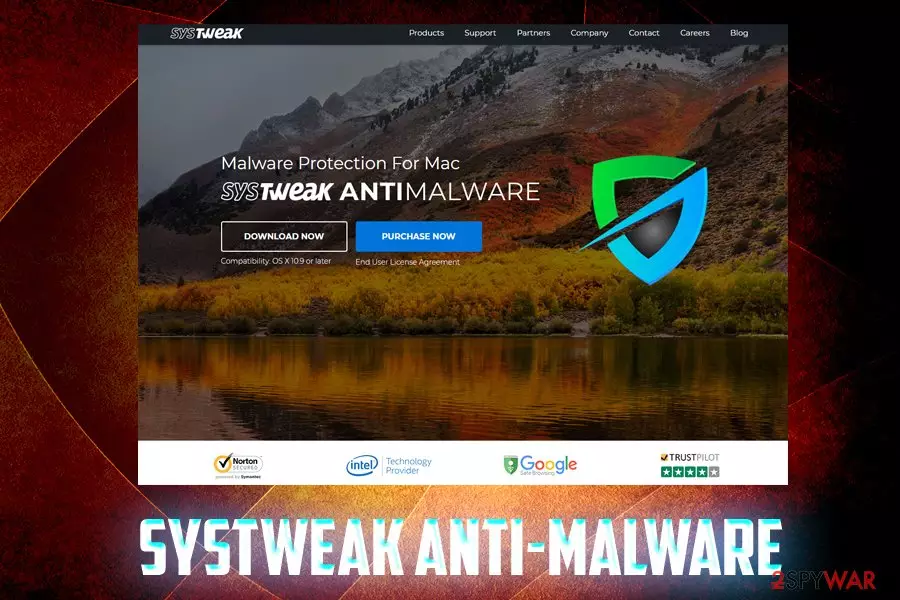
Systweak Anti-malware is a potentially unwanted program[1] for Macs that travels in software bundles or can be intentionally downloaded from the official website. It was developed by the Indian-based company that claims that their products can clean, optimize, and protect users' machines from malware, spyware, and adware. While Mac viruses are real, and protection is needed, there are many reputable security applications that will not attempt to scam users, as Systweak Anti-malware does. The app might pick up other PUPs or even innocent files and flag each as “multiple” infections, exaggerating results and making users think that their systems are in a terrible condition. Furthermore, users complained that Systweak Anti-malware not only lured money out of their pockets but also made their web browsing experience a complete nightmare.
| Name | Systweak Anti-malware |
| Type | Rogue anti-spyware, PUP |
| Distribution | Software bundling, official website |
| Suspicious behavior | Claims it is Microsoft partner, engages is shady money extortion practices, aggressively installs software without permission, etc. |
| Risk factors | Money loss, system compromise |
| Elimination | Check our manual guide below or use security software |
| Recovery | To restore your system to a normal state, use FortectIntego |
According to reports, Systweak Anti-malware is often installed via third-party websites, although users can spot this potentially unwanted program on their Macs right after installing freeware or shareware as if is often bundled with other software. Once inside, it might also modify system settings so that Systweak Anti-malware removal might become a difficult task.
The developer of this bogus app goes by the same name – Systweak and develops applications for Windows, Macs, Androids and iOS operating systems, such as RegClean Pro, Advanced System Optimizer, Advanced Identity Protector, Disk Clean Pro, and many others. This software is designed to show false positives to scare users and make then purchase a full version of Systweak Anti-malware or other similar application.
Despite many negative reviews and fraud claims, the company claims that it is “Microsoft Certified Partner” – the fact yet to be confirmed by Microsoft (it's merely a lie).[2] In fact, Microsoft itself discourages the usage of applications that exaggerate scan results and claim system optimize via registry cleaning[3] or similar methods used by apps like Systweak Anti-malware.
Users said that they were horrified by terrible Systweak Anti-malware customer service, difficulty to refund their purchase, and sometimes were tricked into paying as much as $400 for useless services. Additionally, users claim the developers often ask them for remote access:
They have been relentless callers over the past 3 months, and still are attempting to “trick” me into Granting them access to my computer. Telling me, “There will be no charges on any work done, your Systweak contract is being honored through us, we will facilitate services until that contract expires.”
Do not allow Systweak Anti-malware authors to remotely control your machine, as it is unknown what sort of consequences you might suffer. From money loss to system compromise – these are main traits of the alleged “anti-malware” software. Do not use it and remove Systweak Anti-malware if it accidentally got onto your Mac.
If you want to take care of your device, use reputable tools like FortectIntego, SpyHunterCombo Cleaner, or other applications that do not engage in fraudulent distribution, selling and servicing practices.

Do not get tricked into downloading questionable software and install shareware carefully
PUPs usually get into users' machines without them noticing, i.e., software bundling technique is used. This deceptive practice is widely used and helps freeware developers to monetize. Unfortunately, users are often deliberately tricked into installing additional software. Developers often use pre-ticked boxes, grayed-out buttons, confusing installation instructions and other shady techniques to make users install optional apps.
Thus, stay vigilant – do not pick Recommended/Quick settings, because you will allow the installation of PUPs automatically. Select Advanced settings and remove add-ons, plugins, driver updates, system optimizers, PDF converters, media players, and other suspicious software. Finally, make sure the app you are about to install provides required documents, such as ToS or Privacy Policy.
Finally, you might get tricked by promises of better and faster computer and install deceptive software yourself. To avoid being duped, read reviews, blog posts, and articles online – these can often tell how good the application actually is (of course, look at various sites to avoid bias or fake reviews).
Uninstall Systweak Anti-malware with the help of our instructions
There are two ways to remove Systweak Anti-malware from your Mac: manual and automatic. The first option is relatively easy to perform, although due to the nature of rogue applications, it might be difficult to accomplish. Potentially unwanted programs often embed their files and leave traces even after Systweak Anti-malware removal process.
Therefore, it might be a good solution to install a security application that could take care of everything automatically. Besides, this process would only take a few minutes. Finally, if you got tricked by Systweak Anti-malware developers and paid hundreds of dollars, you should immediately contact your bank to have a chance of getting your money back. Dealing with rogue program's customer support is not recommended.
Delete from macOS
Remove the unwanted application:
- From the menu bar, select Go > Applications.
- In the Applications folder, look for any suspicious entries, then drag them to Trash (or right-click and pick Move to Trash).


Delete leftover files and folders:
- Select Go > Go to Folder.
- Enter /Library/Application Support and remove any suspicious folders related to the unwanted program.
- Repeat the same check in the /Library/LaunchAgents and /Library/LaunchDaemons folders, deleting any suspicious entries.

- Finally, empty the Trash to permanently remove the leftovers.

Did this guide help?
Be the first to comment