

Neer ransomware – a virus that leaves your files inaccessible
Neer ransomware is an extremely dangerous computer virus that can infect anyone's device running Windows operating system. Once it's in, it immediately locks all personal files (documents, databases, videos, pictures, etc.) and renders them inaccessible until a specific decryption software is used.
The files are appended with .neer extension, that's where the ransomware gets its name from. Once the data is locked, the virus creates a ransom note named _readme.txt and drops it on the desktop and in contaminated folders so that the victim would find it easily.
The message from the cybercriminals is very direct. You have to buy their decryption software, or you can say bye-bye to your files. That's absolutely not true. There are plenty of alternative data recovery options, and we'll tell you all about them. We'll also show how to remove the ransomware from your infected device.
The demanded ransom amount ($980) doesn't seem too big to regain access to .neer files and the cyber thieves are even offering a 50% discount for victims who act quickly and reach out to them by email (helpmanager@airmail.cc or helpteam@mail.ch) within three days of the attack.
Keep in mind that by forwarding the criminals the requested amount in Bitcoins, you would only motivate them to increase the number of attacks. In fact, you'd be financing their whole operation. The only responsible thing to do is to remove the cryptovirus and use alternative file recovery techniques.
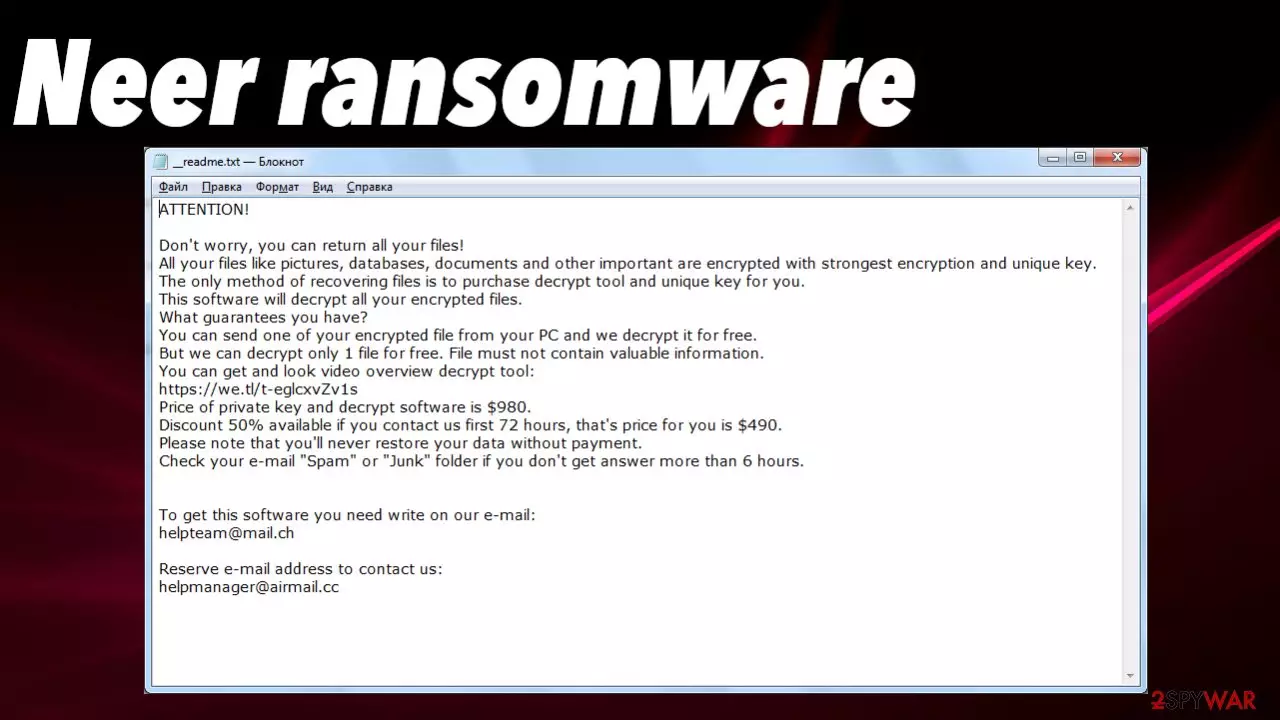
One thing that almost never changes in the Djvu ransomware family, from which the Neer file virus derives, is their ransom notes. Here's what it looks like:
ATTENTION!
Don't worry, you can return all your files!
All your files like pictures, databases, documents and other important are encrypted with strongest encryption and unique key.
The only method of recovering files is to purchase decrypt tool and unique key for you.
This software will decrypt all your encrypted files.
What guarantees you have?
You can send one of your encrypted file from your PC and we decrypt it for free.
But we can decrypt only 1 file for free. File must not contain valuable information.
You can get and look video overview decrypt tool:
hxxps://we.tl/t-9CYW99VhUR
Price of private key and decrypt software is $980.
Discount 50% available if you contact us first 72 hours, that's price for you is $490.
Please note that you'll never restore your data without payment.
Check your e-mail “Spam” or “Junk” folder if you don't get answer more than 6 hours.To get this software you need write on our e-mail:
helpteam@mail.chReserve e-mail address to contact us:
helpmanager@airmail.ccYour personal ID:
Although it sounds pretty scary and convincing, please don't contact the criminals or pay the requested amount. We've been helping people to get out of these sticky situations for decades. Djvu family ransomware is the most prolific of them all, as new variants are introduces each week, sometimes even more frequently.

They're distributed mainly through file-sharing platforms, especially torrent websites. The payload files are usually camouflaged as cracks[1] (illegal activation tools) for expensive software, the latest games, and alike. As soon it's downloaded and executed, the encryption process begins.
Therefore, to keep you and your computer safe and sound, we highly advise you to refrain from using any high-risk websites, including the most popular torrent portals. But if you already caught this infection, as since you're reading this, it's more than likely that you did, let us guide you through the virus removal, data recovery, and system optimization processes.
| name | Neer ransomware |
|---|---|
| Type | File-locker, cryptovirus |
| Family | Djvu/STOP ransomware |
| Symptoms of infection | Personal files are locked and renamed; can't open security software or security-related websites; ransom note is seen on the desktop |
| Appended file extension | .neer |
| Ransom note | _readme.txt |
| Ransom amount | $980 without the discount, $490 if it's applied |
| Data recovery | You can recover your files from backups or with our detailed instructions, but only after you remove the infection |
| Elimination | Get rid of the devastating ransomware by scanning your infected device with a trustworthy anti-malware tool (recommendations below) |
| System health | Once the threat is terminated, use the FortectIntego PC repair software to fix all virus damage |
Remove Neer file virus with professional anti-malware software
The first step to begin the malware removal process is to copy all encrypted files onto a removable, offline storage device, such as a USB stick, portable SSD, etc. Then it would be best if you acquired a trustworthy security tool. Many users have reviewed the MalwarebytesMalwarebytes application as one of the best available on the market. Thus we also highly recommend using it. Cybersecurity specialists[2] from Europe also vouch for it.
You can download it by pressing the link above. After installing it, update its virus signatures, and perform a full system scan. When it's finished, please stick to the recommended actions and remove Neer ransomware along with all its components.
If the article's culprit has similar features to its other recent versions (Ddsg virus, Piiq virus, etc.), you might need to remove it in Safe Mode with Networking. Although the cryptovirus doesn't lock system files, it modifies them to establish persistence. This can result in the inability to launch security-related pages or AV software.
If you're having problems when downloading the recommended anti-malware tool, or if you've installed it but can't launch it, please use these instructions to access the required system mode:
- Right-click on the Start button and select Settings.
- Scroll down to pick Update & Security.
- On the left side of the window, pick Recovery.
- Now scroll down to find the Advanced Startup section.
- Click Restart now.
- Select Troubleshoot.
- Go to Advanced options.
- Select Startup Settings.
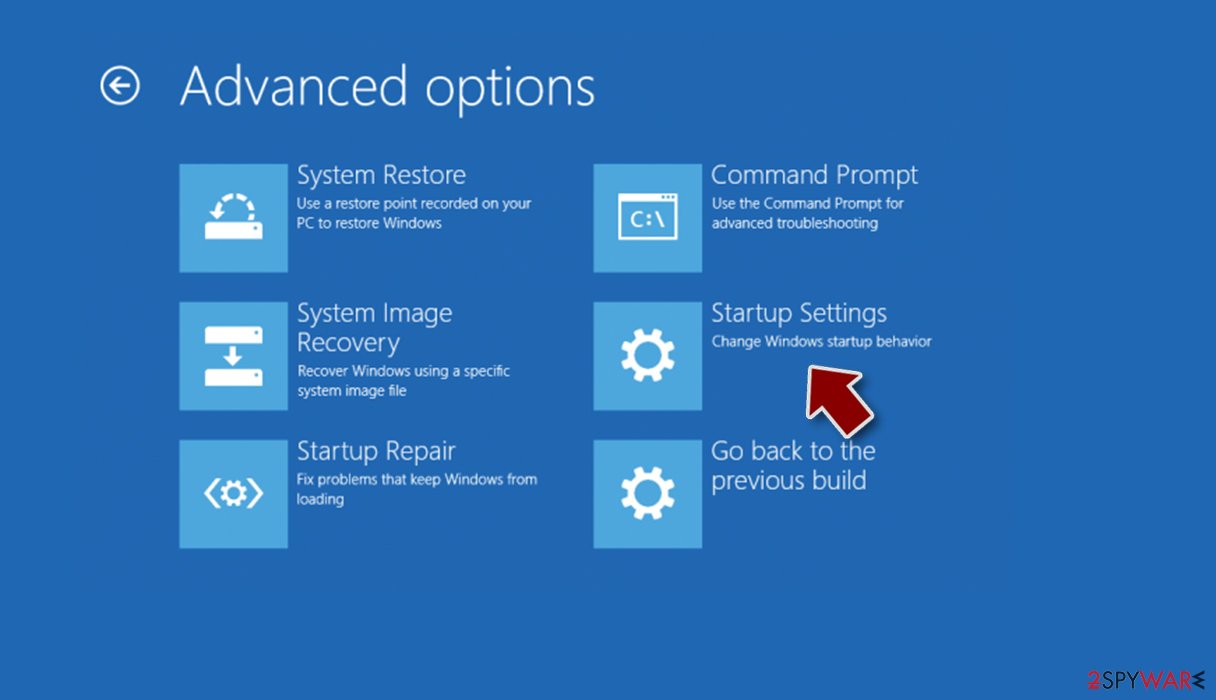
- Click Restart.
- Press 5 or click 5) Enable Safe Mode with Networking.

Once the device is successfully rebooted in this mode, continue with Neer virus removal with the recommended software. A proper AV tool is a must these days as the cybercriminals, and their activity intensified during the COVID-19 pandemic. Threat actors are attacking big organizations, healthcare providers, and regular people.
A trustworthy security tool, such as the SpyHunterCombo Cleaner, is the frontline defense against various types of malware. It can also block you from visiting questionable websites, prevent you from installing potentially unwanted programs, and protect your device from cyberattacks.
The only thing you need to do is to update the virus database of your chosen security software at least a couple of times per week and perform full system scans regularly. Investing a couple of dollars to increase your cybersecurity level could save you thousands in recovery costs.

Repair virus damage and recover data
After you remove the Neer file virus, you have to run system diagnostics to repair the damage it has caused to your PC system. In the previous section, we've mentioned that ransomware doesn't encrypt system files, but it modifies them in various ways.
The cryptovirus might delete Shadow Volume Copies, so you couldn't recover your old data, modifies the host file so you can't visit security-related websites, disables anti-malware software, etc. All these changes might result in abnormal PC behavior.
Therefore you need to repair them. Unfortunately, you won't be able to accomplish this task manually as well. Modifying the wrong system file could cause BSoDs or complete system failure. Thus we recommend entrusting this task to the FortectIntego professional PC repair software:
- Download the application by clicking on the link above
- Click on the ReimageRepair.exe
- If User Account Control appears, select Yes
- Press Install and wait till the program finishes the installation process
- The analysis of your machine will begin immediately
- Once complete, check the results – they will be listed in the Summary
- You can now click on each of the issues and fix them manually
- If you see many problems that you find difficult to fix, we recommend you purchase the license and fix them automatically.


This system diagnostics tool is a great addition to every computer running Windows OS. It can repair the damage caused by any malware, refresh corrupted system files, keep all system settings and files at bay, and even delete tracking cookies that are stored by mischievous websites.
This all-in-one system tool will make your PC running as well as you just brought it home from the store. But more importantly, it will ensure that the Neer virus won't renew itself after removing it and rebooting your machine. When both prior steps are completed, it's time to try and decrypt your files.
NOTE: if you've kept backups of all of your essential data, there's no need to try and decrypt the locked files. Now it's safe to recover all data from them.
Since the Djvu ransomware family is the most common file-locker producer globally,[3] a company called Emsisoft is actively helping victims to decrypt their files for free. They're constantly upgrading their free decryption software, so the latest versions are also covered.
Please understand that there's no guarantee that this tool will recover Neer files, but it's your best chance. Therefore, after completely removing the infection and repairing damaged operating system sections, please use these instructions to try and unlock your data:
- Download the app from the official Emsisoft website.
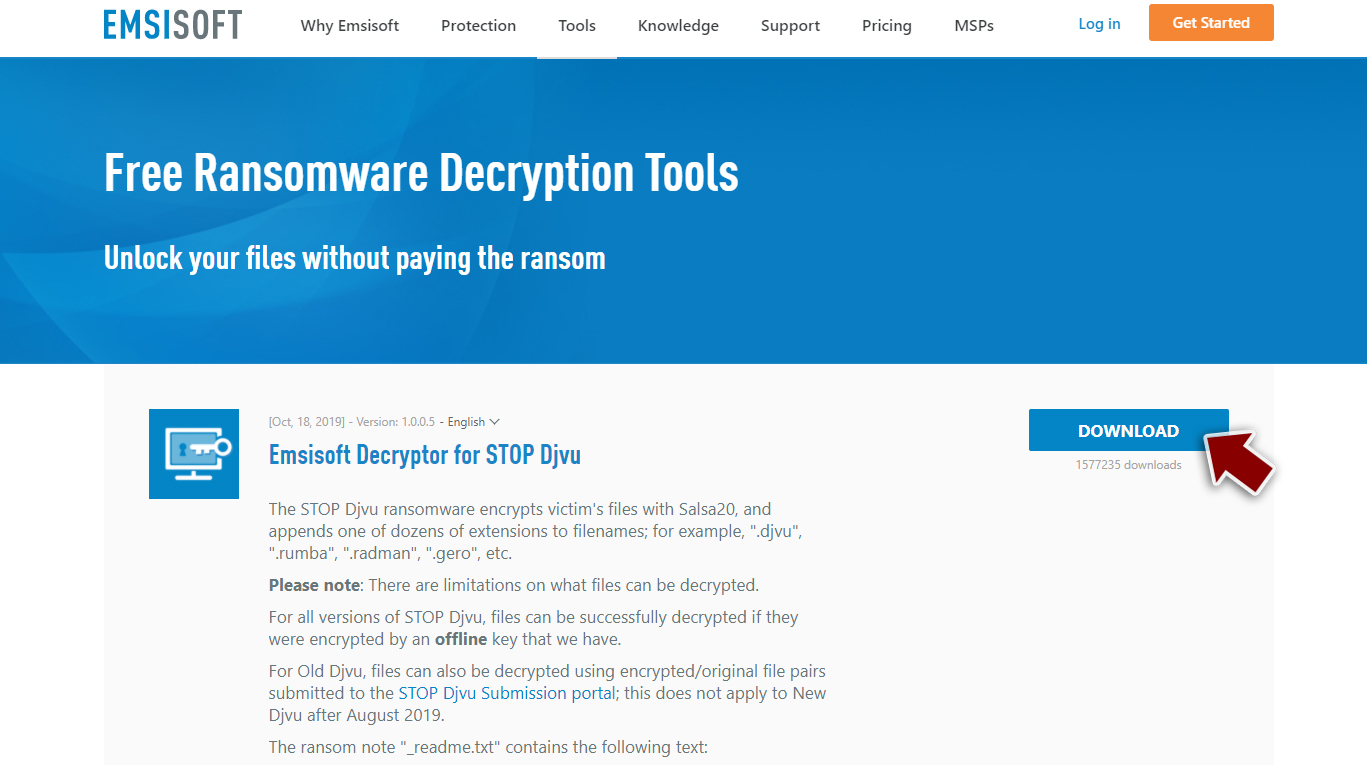
- After pressing the Download button, a small pop-up at the bottom, titled decrypt_STOPDjvu.exe, should show up – click it.
- If User Account Control (UAC) message shows up, press Yes.
- Agree to License Terms by pressing Yes.
- After Disclaimer shows up, press OK.
- The tool should automatically populate the affected folders, although you can also do it by pressing Add folder at the bottom.
- Press Decrypt.



If the free decryption software by Emsisoft is successful with Neer file recovery, you will see a message “Decrypted”. Then you're free to use your data as nothing ever happened to it. If “Error: Unable to decrypt a file with ID:” is shown, it means that the company hasn't received a sample of the ransomware.
Therefore you need to wait and try out the same tool within a week or two. The worst-case scenario is when the “This ID appears to be an online ID, decryption is impossible” message appears, which means that this decryptor cannot decrypt your locked files.
Luckily there's a bunch of other methods to recover Neer files. Since we've been in the business of helping people to get out of various sticky situations like this for decades, we've compiled all possible data recovery methods. All of them are displayed below in our free instructions section. Please feel free to try them out, and if you have any questions regarding this or any other cyber infection, please write to us. We'll be more than happy to help.
Did this guide help?
Be the first to comment