

Yqal ransomware is a type of malware that encrypts personal files and marks them using .yqal

Yqal file virus is controlled by the processes running in the background because the virus payload is loaded silently and copied in different places of the computer. This ransomware is a cryptovirus that belongs to a malware family known as Djvu ransomware. This malware encrypts all the important files on a Windows computer, appends them with .yqal extension, and restricts access to them. In the ransom note _readme.txt, cybercriminals behind the attack explain that the only way to recover data is by paying ransom in Bitcoin. The sum can vary, depending on many different factors: criminals offer a 50% discount if the victim contacts the threat actor group in the first 72 hours.
While it is true that Yqal virus files require a unique decryption key to unlock them, experts[1] recommend not paying the ransom, as cybercriminals might not keep their promises, resulting in financial losses. In this article, we will explain how to get rid of malware and use alternative methods for data recovery.
Typical ransomware is a virus that attacks Windows computers by using various infiltration methods. One of them can include file attachments from spam emails and files included in bundles with pirated software or game cheats. Once inside, it uses an encryption algorithm to lock up all documents, archives, videos, music, and other files. After that, ransomware delivers a ransom note via text file, which includes instructions on how to recover the encrypted data.
The note reads:
ATTENTION!
Don't worry, you can return all your files!
All your files like pictures, databases, documents and other important are encrypted with strongest encryption and unique key.
The only method of recovering files is to purchase decrypt tool and unique key for you.
This software will decrypt all your encrypted files.
What guarantees you have?
You can send one of your encrypted file from your PC and we decrypt it for free.
But we can decrypt only 1 file for free. File must not contain valuable information.
You can get and look video overview decrypt tool:
https://we.tl/t-Tjb0YqckGX
Price of private key and decrypt software is $980.
Discount 50% available if you contact us first 72 hours, that's price for you is $490.
Please note that you'll never restore your data without payment.
Check your e-mail “Spam” or “Junk” folder if you don't get answer more than 6 hours.To get this software you need write on our e-mail:
manager@mailtemp.chReserve e-mail address to contact us:
helprestoremanager@airmail.ccYour personal ID:
According to the virus authors, victims need to contact them via manager@mailtemp.ch, helprestoremanager@airmail.cc email, and provide their personal ID. Once that is done, users should receive further instructions to proceed with the payment provided in Bitcoin cryptocurrency.
Nonetheless, we do not recommend contacting the attackers because they might not deliver the required decryption tool. Check out the alternative methods we provide below instead and remove the Yqal ransomware as soon as possible.
| Name | Yqal ransomware |
|---|---|
| Type | Ransomware, crypto-virus, file locking virus |
| Malware family | STOP virus/DVU ransomware |
| Extension | Files appended with .yqal extension, e.g., picture.jpg is turned into picture.jpg.yqal |
| Ransom note | _readme.txt |
| Contact | manager@mailtemp.ch, helprestoremanager@airmail.cc |
| File recovery | If no backups are available, recovering data is almost impossible. Nonetheless, we suggest you try the alternative methods that could help you in some cases – we list them below |
| Malware removal | Perform a full system scan with powerful security software, such as SpyHunterCombo Cleaner, MalwarebytesMalwarebytes |
| System fix | Malware can seriously tamper with Windows systems, causing errors, crashes, lag, and other stability issues after it is terminated. To remediate the OS and avoid its reinstallation, we recommend scanning it with the FortectIntego repair tool |
Yqal is a type of virus that is classified as ransomware. These threats are known for accessing user machines without permission and encrypting all files on them. This way, cybercriminals behind the attack can ask for a ransom payment in return for a unique key.
The malware encrypts all files with the help of a powerful encryption algorithm and appends the .yqal extension to each of them. This virus derives from a well-known family Djvu, which was first spotted in 2018 and since then released multiple variants, including Luez, Robm, Rigj. In this article, we will provide alternative methods for file recovery and safe ways of deleting the infection from a Windows computer.

Possible encryption solution for Djvu versions
If your computer got infected with one of the Djvu variants, you should try using Emsisoft decryptor for Djvu/STOP. It is important to mention that this tool will not work for everyone – it only works if data was locked with an offline ID due to malware failing to communicate with its remote servers.
Even if your case meets this condition, somebody from the victims has to pay criminals, retrieve an offline key, and then share it with security researchers at Emsisoft. As a result, you might not be able to restore the encrypted files immediately. Thus, if the decryptor says your data was locked with an offline ID but cannot be recovered currently, you should try later. You also need to upload a set of files – one encrypted and a healthy one to the company's servers before you proceed.
- Download the app from the official Emsisoft website.
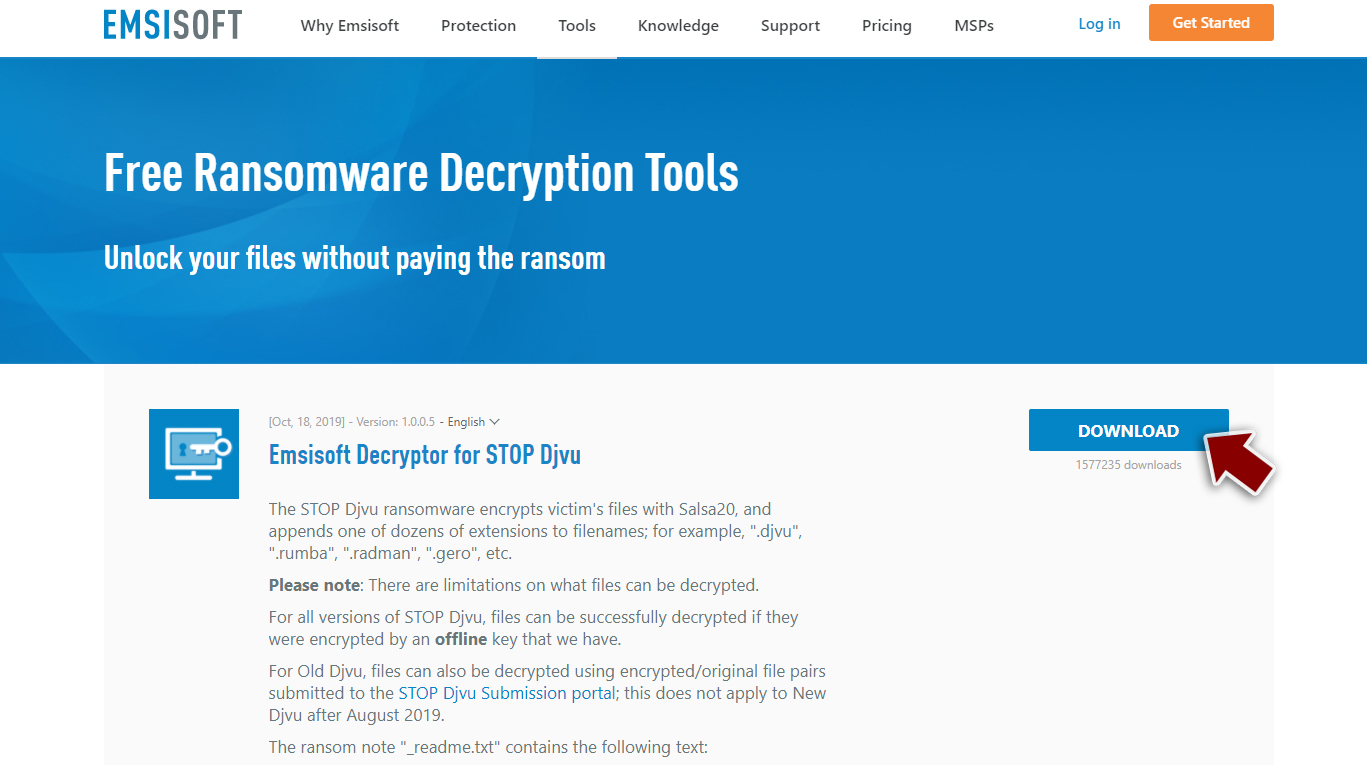
- After pressing Download button, a small pop-up at the bottom, titled decrypt_STOPDjvu.exe should show up – click it.
- If User Account Control (UAC) message shows up, press Yes.
- Agree to License Terms by pressing Yes.
- After Disclaimer shows up, press OK.
- The tool should automatically populate the affected folders, although you can also do it by pressing Add folder at the bottom.

- Press Decrypt.



From here, there are three available outcomes:
- “Decrypted!” will be shown under files that were decrypted successfully – they are now usable again.
- “Error: Unable to decrypt file with ID:” means that the keys for this version of the virus have not yet been retrieved, so you should try later.
- “This ID appears to be an online ID, decryption is impossible” – you are unable to decrypt files with this tool.
Yqal is a dangerous virus that can affect your system and control various processes. This type of malware aims to get money from victims, so there are no reasons to trust the people behind this virus since they only care about cash. Sometimes even after transferring payment for decryption tool delivery does not happen anymore, which means those infected may never see their precious information again!
Removing the threat is not the same as decrypting data
Yqal file virus is a type of threat that encrypts your files and then forces you to pay. For their gains, cybercriminals behind this ransomware first infect computers through emails containing attachments with malicious scripts.
They can also use the infected files loaded when pirated software is downloaded or installed on the machine. However, some users may have been tricked into downloading executables from HTTP downloads embedded right in web pages where they appear innocent enough.[2]
Once a computer is infected with malware, its system is changed to operate differently. For example, an infection can alter the Windows registry database, damage vital bootup, and other sections, delete or corrupt DLL files, etc.
Once a system file is damaged by malware, antivirus software is not capable of doing anything about it, leaving it just the way it is. Consequently, users might experience performance, stability, and usability issues, to the point where a full Windows reinstallation is required.

However, this is not the same as virus removal with apps like SpyHunterCombo Cleaner or MalwarebytesMalwarebytes. Anti-malware tools run the detection scan[3] that allows the tool to find all possibly malicious pieces on the machine. But removing the threat, even though it is crucial and very important, is not the same as restoring those affected files from scratch.
First, file recovery is not easy and not quick. It is rarely even possible when it comes to cyber threat families like this one. There are many major changes that the computer encounters when an infection like this is running on the system. Therefore, we highly recommend using a one-of-a-kind, patented technology of FortectIntego repair to fully restore the machine.
Not only can it fix virus damage after the infection, but it is also capable of removing malware that has already broken into the system thanks to several engines used by the program. Besides, the application is also capable of fixing various Windows-related issues that are not caused by malware infections, for example, Blue Screen errors, freezes, registry errors, damaged DLLs, etc.
- Download the application by clicking on the link above
- Click on the ReimageRepair.exe
- If User Account Control (UAC) shows up, select Yes
- Press Install and wait till the program finishes the installation process
- The analysis of your machine will begin immediately

- Once complete, check the results – they will be listed in the Summary
- You can now click on each of the issues and fix them manually
- If you see many problems that you find difficult to fix, we recommend you purchase the license and fix them automatically.



By employing the repair tool, you would not have to worry about future computer issues, as most of them could be fixed quickly by performing a full system scan at any time. Most importantly, you could avoid the tedious process of Windows reinstallation in case things go very wrong due to one reason or another.
Alternatives for the decryption
The Yqal virus is a nasty piece of work, but its encryption process sometimes cannot keep up with the times. Previous versions were decryptable for a while, and victims had an opportunity to get their data back without additional risks. The latest versions are too sophisticated for any one person or computer to crack by themselves – which means there is no way to decrypt those infected files without access to your unique key.
The key is held by criminals who are waiting for payment in return. This is the thing that can be the most dangerous and risky – paying them. But do not worry though; if you have copies stored safely away from the home network, this will help restore lost data once things return back normal again.
The particular versions released after improvements in ransomware coding made within encryption processes too are not easily decipherable. Including the Yqal file virus. Meaning file recovery following infections like that could be limited depending on habit matters, such as making backup copies when appropriate.
Since many users do not prepare proper data backups prior to being attacked by ransomware, they might often lose access to their files permanently. Paying criminals is also very risky, as they might not fulfill the promises and never send back the required decryption tool.
While this might sound terrible, not all is lost – data recovery software might be able to help you in some situations (it highly depends on the encryption algorithm used, whether Yqal ransomware managed to complete the programmed tasks, etc.). Since there are thousands of different ransomware strains, it is immediately impossible to tell whether third-party software will work for you.
Therefore, we suggest trying regardless of which ransomware attacked your computer. Before you begin, several pointers are important while dealing with this situation:
- Since the encrypted data on your computer might permanently be damaged by security or data recovery software, you should first make backups of it – use a USB flash drive or another storage.
- Only attempt to recover your files using this method after you perform a scan with anti-malware software.
Install data recovery software
- Download Data Recovery Pro.
- Double-click the installer to launch it.
- Follow on-screen instructions to install the software.

- As soon as you press Finish, you can use the app.
- Select Everything or pick individual folders where you want the files to be recovered from.

- Press Next.
- At the bottom, enable Deep scan and pick which Disks you want to be scanned.

- Press Scan and wait till it is complete.
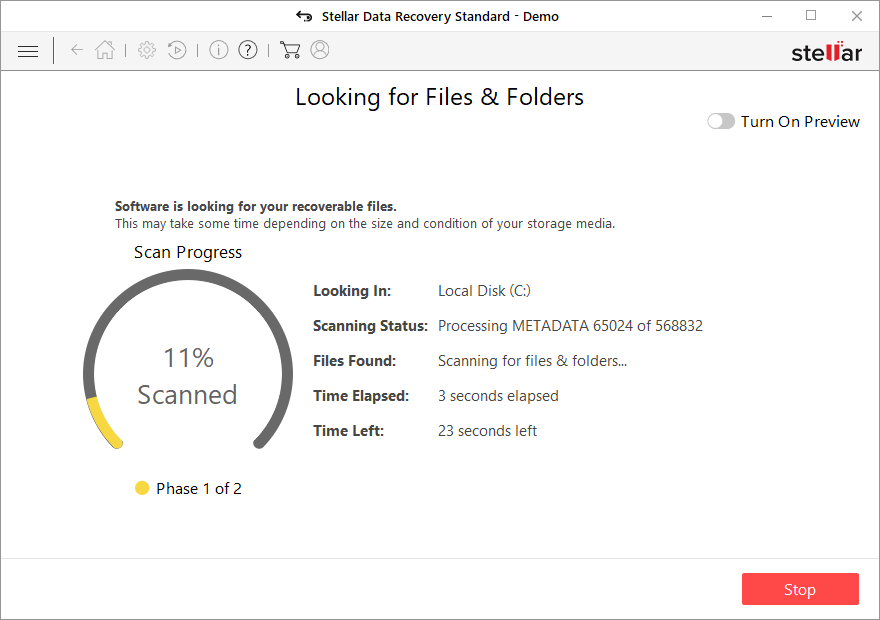
- You can now pick which folders/files to recover – don't forget you also have the option to search by the file name!
- Press Recover to retrieve your files.



Did this guide help?
Be the first to comment