

Greatvernando.space is a rogue website that uses misleading messages to reach its goals
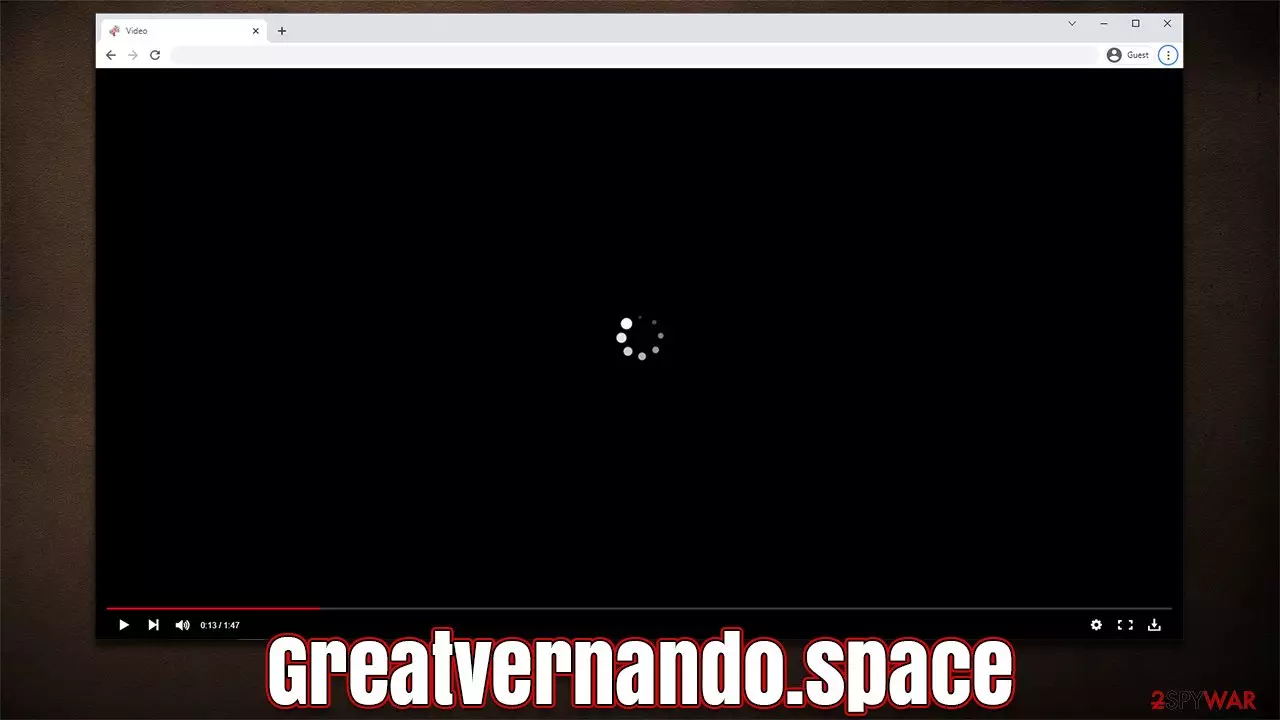
Greatvernando.space is a scam website that employs various tricks in order to make users subscribe to push notifications, only to exploit this later. Users usually unintentionally venture to this website after clicking a booby-trapped link or are taken by automatic scripts (clicking on an empty page's space, for example). Alternatively, redirects to phishing,[1] scam, spoofing,[2] and similar malicious websites might be a sign of adware infection, as those affected are more likely to encounter unsafe material online.
Once Greatvernando.space is reached, users are then presented with something that usually looks like a verification page. Visitors might be asked to confirm that they are not robots or that they have won an expensive gift. The message is commonly accompanied by a matching image, e.g., a fake picture of a video player that resembles YouTube's one.
In order to seemingly get the rewards, users are asked to press the “Allow” button within the notification prompt. However, as soon as that is done, they realize that there is no video to see and no further content to explore. Instead, people are redirected to similar misleading or dangerous websites, for example, Captcha4greatpeaple.top, Notificationstech.com, or Rplnd23.com. We recommend not interacting with these websites and closing down the browser tab immediately.
The activity does not come to users' screens for a while after they allow Greatvernando.space to show notifications. This is precisely the main reason why many people can't connect these occurrences and struggle with pop-up removal. Below we will provide all the details needed to stop the intrusive activity for good.
| Name | Greatvernando.space |
| Type | Push notifications, ads, pop-ups, scam |
| Distribution | The entry point is via the notification prompt – users need to press the “Allow” button |
| Symptoms | Intrusive pop-ups show up directly on the desktop, on top of all other opened apps or websites |
| Risks | Monetary losses, installation of potentially unwanted programs/malware, personal data leak |
| Removal | Access browser settings to stop intrusive push notifications. After that, make sure that your system is not infected with adware or malware – scan it with SpyHunterCombo Cleaner |
| Recovery | Potentially unwanted programs often leave traces within web browsers – cookies, for example, are used for tracking. You should get rid of these leftovers with FortectIntego or employ our manual guide |
What are push notifications?
Push notifications might seem identical to ads that one might see upon entering a website. Visually, commercial material shown in a pop-up window is something that both advertisements and the push notification feature do, although the operational principles are quite a bit different.
Advertisements are triggered by users' entry to the website and can be either barely noticeable to extremely intrusive. Push notifications, on the other hand, are not triggered by user actions and can be spotted appearing on the desktop on top of all the other running apps at the time.
This happens because the push notifications work on the system level, and they can show up as long as the browser is either being used or is running in the background. It means that, as long as you have your browser fully shit down, the Greatvernando.space pop-ups will not show up.

Watch out: there might be adware installed on your system
There are plenty of malicious websites out there, and you could access one accidentally while browsing the web (keep in mind that visiting torrents and similar high-risk websites increase that possibility by a lot). However, as we already mentioned at the start, adware could be one of the main reasons why Google Chrome or another web browser is actively showing (questionable) ads and delivers links to dangerous websites.
Therefore, we strongly recommend checking the system for adware and possibly other infections – many users are unaware that their devices are infected due to software bundling and similar PUP/malware distribution techniques. The easiest way to ensure your system is clean is by scanning it with SpyHunterCombo Cleaner or MalwarebytesMalwarebytes security software. If found, all malicious programs and files would be eliminated at once.
Likewise, if unwanted apps or malware were found, you should also clean your web browsers from cookies[3] and other leftover files to prevent data tracking by third parties. You can employ FortectIntego for the purpose or follow the manual guide below:
Google Chrome
- Click on Menu and pick Settings.
- Under Privacy and security, select Clear browsing data.
- Select Browsing history, Cookies and other site data, as well as Cached images and files.
- Click Clear data.


Mozilla Firefox
- Click Menu and pick Options.
- Go to Privacy & Security section.
- Scroll down to locate Cookies and Site Data.
- Click on Clear Data…
- Select Cookies and Site Data, as well as Cached Web Content and press Clear.


MS Edge
- Click on Menu and go to Settings.
- Select Privacy and services.
- Under Clear browsing data, pick Choose what to clear.
- Under Time range, pick All time.
- Select Clear now.


MS Edge (legacy)
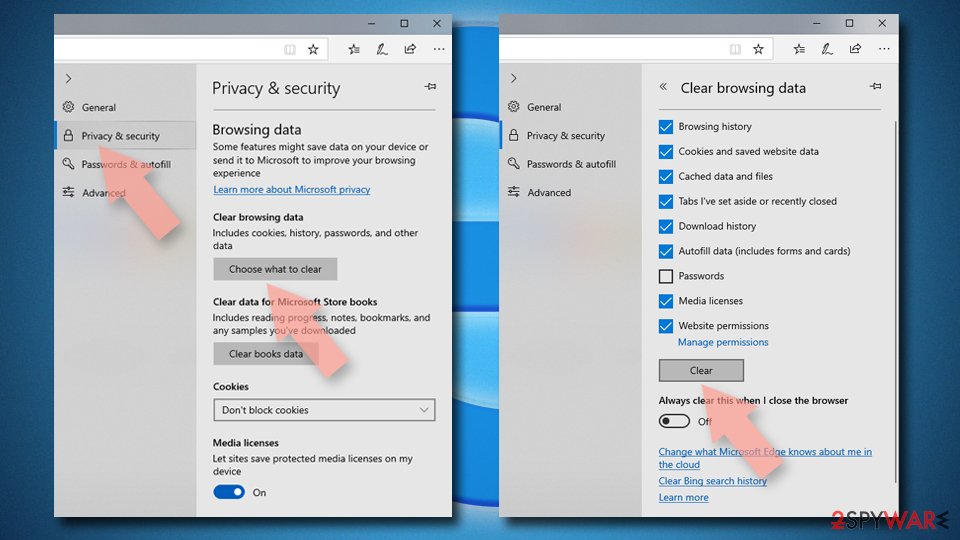
- Click on the Menu (three horizontal dots at the top-right of the browser window) and select Privacy & security.
- Under Clear browsing data, pick Choose what to clear.
- Select everything (apart from passwords, although you might want to include Media licenses as well, if applicable) and click on Clear.

Safari
- Click Safari > Clear History…
- From the drop-down menu under Clear, pick all history.
- Confirm with Clear History.


Removal of Greatvernando.space pop-ups explained
Due to the intrusive nature of push notifications, as well as insecure contents within the shown pop-ups, many users might believe that they have been affected by some type of virus. Considering that intrusive ads are commonly a sign of adware infection, it is not surprising that users would come to this conclusion.
However, if you see Greatvernando.space pop-ups continuously, it is not directly related to malware. The activity is a result of you allowing to receive notifications from this website, so you have to access browser settings and deny access. This is not difficult to do, so if you fall victim to a similar scam or accept notifications by accident, you can use these instructions to get rid of them as well.
Did this guide help?
Be the first to comment