

Uigd file virus can affect the machine further than common files, so remove it ASAP

Uigd ransomware is a virus that attacks Windows computers by using various infiltration methods mostly related to malicious file distribution. Once inside, it uses an encryption algorithm[1] to lock up all documents, archives, videos, music, and other files. The second stage of the infection is adding .uigd extension to them. After that, ransomware delivers a ransom note _readme.txt text file, which includes instructions on how to recover the encrypted data and other details that criminals want to share with victims.
The creators of this malware rely on scaring tactics and false claims about possible decryption methods to make people more eager to pay up. The payment is in Bitcoin cryptocurrency and cyber extortionists are even offering the 50% discount for the ransom in the first 72 hours because money is the main and probably only goal. Since these people do not care about your belongings, experts[2] recommend staying away from these people and removing the virus instead.
According to Uigd virus authors, victims need to contact them via support@sysmail.ch, supportsys@airmail.cc email, and provide their personal ID listed on the ransom note. Once that is done, users should receive further instructions and can proceed with the payment that should result in a decryption tool or key obtain. This is rarely can happen. Overall, contacting criminals might lead to money losses and more dangerous threat infiltrations.
Uigd ransomware is a type of virus that is classified as ransomware due to ransom demands and file-locking. These threats are known for accessing user machines without permission and encrypting all files on them. This way, cybercriminals behind the attack can ask for a ransom payment in return for a unique key. However, there are additional issues this malware creates.
Ransomware in detail
| Name | Uigd ransomware |
|---|---|
| Type | Cryptovirus, file-locker malware |
| Extension | .uigd appears after the original filename and filetype |
| Malare family | STOP virus/ Djvu ransomware |
| Ransom note | _readme.txt |
| Ransom amount | $490/ $980 in Bitcoin |
| Distribution | Files get attached to emails, added to software cracks, game cheats |
| Detection names | Win32:CrypterX-gen [Trj], HEUR:Trojan.Win32.Strab.gen, Trojan.DownLoader44.46650, etc[3] |
| Elimination | Anti-malware tools are the only software that can surely remove the infection from the machine |
| Repair | Run FortectIntego to take care of the issues with your system data and performance |
The malware encrypts all files with the help of a powerful encryption algorithm and appends its unique extension to each of them. For example, a file “picture.jpg” is turned into a “picture.jpg.uigd,” making the altered data unusable. Once encryption is finished, the virus drops a ransom note – message from the creators, which is placed on the desktop.
It can also appear in other locations within the computer like folders containing those locked files. In the note, the attackers write that they are willing to provide the decryption tool for a particular sum of money, to be paid in bitcoin cryptocurrency. These are false claims, and you should ignore the message entirely.

1. Remove the infection and additional malware-related files
This type of malware will release various files with its payload and then attach itself to processes in order to make sure everything runs smoothly while also locking down important functions on the machine that interferes with file recovery processes. Uigd ransomware tries to ensure persistence with other malicious processes and activities, so users cannot remove it easily.
The viruses that attack your system can be serious and damage important data or programs. You might think paying the ransom would get rid of it, but you should know there's no guarantee this will work! The best way is to remove any infection immediately before harm occurs by using anti-malware tools.
Apps like MalwarebytesMalwarebytes or SpyHunterCombo Cleaner can helo with Uigd file virus removal because their detection rates show how successful they've been in helping people to deal with these threats. Malicious procedures can trigger serious issues, so the sooner you remove the threat the quicker you can move to file recovery. Note that decryption and virus removal are two separate procedures.

2. Repair system performance and data
Once a computer is infected with malware, its system is changed to operate differently. For example, an infection can alter the Windows registry database, damage vital bootup, and other sections, delete or corrupt DLL files, etc. Once a system file is damaged by malware, antivirus software is not capable of doing anything about it, leaving it just the way it is.
Therefore, we highly recommend using a one-of-a-kind, patented technology of FortectIntego repair. Not only can it fix virus damage after the infection, but it is also capable of removing malware that has already broken into the system thanks to several engines used by the program. Besides, the application is also capable of fixing various Windows-related issues that are not caused by malware infections, for example, Blue Screen errors, freezes, registry errors, damaged DLLs, etc.
- Download the application by clicking on the link above
- Click on the ReimageRepair.exe
- If User Account Control (UAC) shows up, select Yes
- Press Install and wait till the program finishes the installation process

- The analysis of your machine will begin immediately
- Once complete, check the results – they will be listed in the Summary
- You can now click on each of the issues and fix them manually
- If you see many problems that you find difficult to fix, we recommend you purchase the license and fix them automatically.



3. Try the possible decryption option
The threat belongs to a family named Djvu ransomware that first emerged a few years back. Nowadays, threat creators manage to alter the code a bit and release new versions weekly or even three times a week, so users and researchers have a hard time when it comes to analysis and decryption tool development.
Previously, these threats associated with the group were decryptable, and many people managed to get their files back using one of the decryption keys obtained by the research team. Then offline ids that were only unique to a version of the virus got used primarily. However, Uigd ransomware and other versions now use online IDs only. These are formed uniquely for each individual device affected by the infection.
If your computer got infected with one of the Djvu variants, you should try using Emsisoft decryptor for Djvu/STOP. It is important to mention that this tool will not work for everyone – it only works if data was locked with an offline ID due to malware failing to communicate with its remote servers.
Even if your case meets this condition, somebody from the victims has to pay criminals, retrieve an offline key, and then share it with security researchers at Emsisoft. As a result, you might not be able to restore the encrypted files immediately. Thus, if the decryptor says your data was locked with an offline ID but cannot be recovered currently, you should try later. You also need to upload a set of files – one encrypted and a healthy one to the company's servers before you proceed.
- Download the app from the official Emsisoft website.
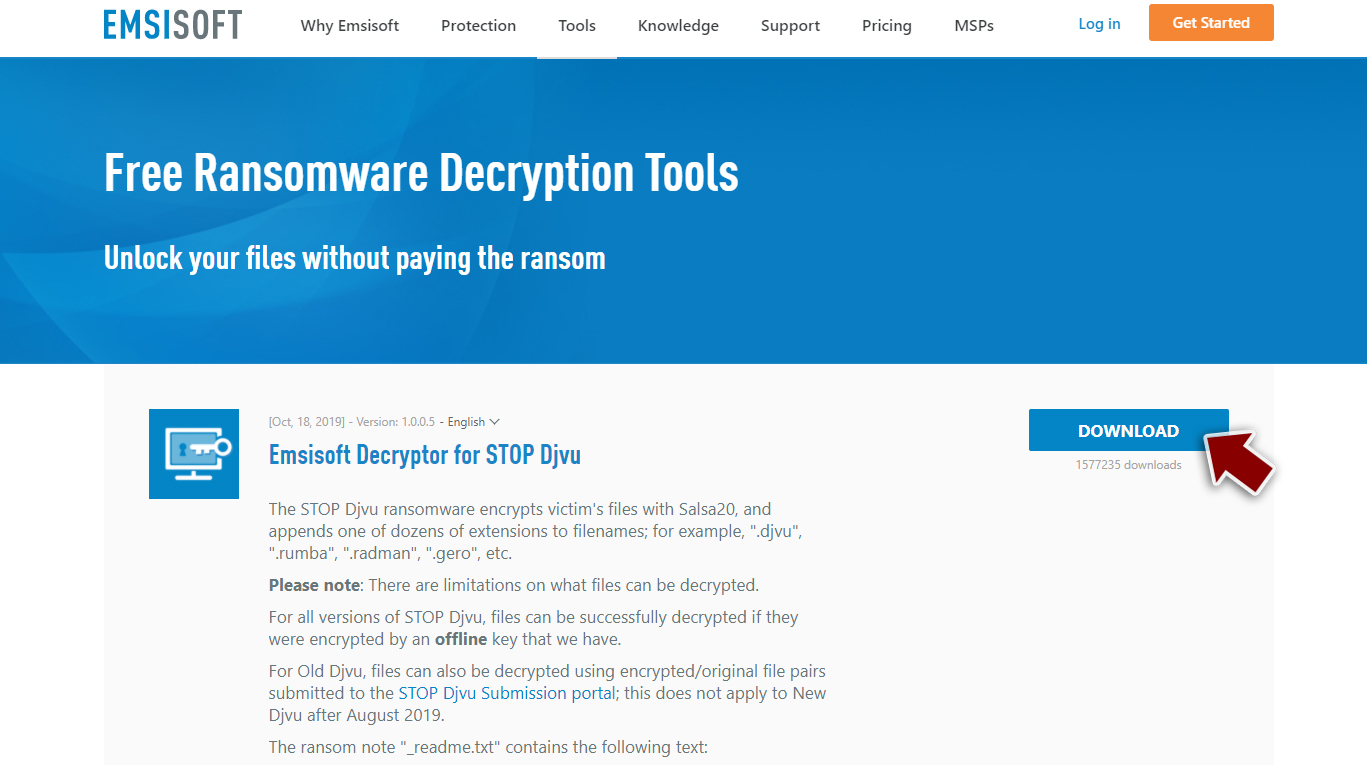
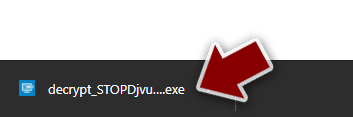
- After pressing Download button, a small pop-up at the bottom, titled decrypt_STOPDjvu.exe should show up – click it.
- If User Account Control (UAC) message shows up, press Yes.
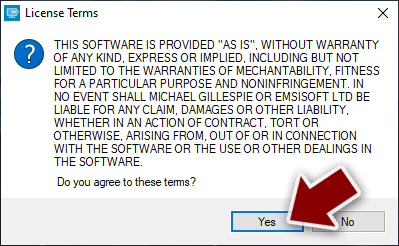
- Agree to License Terms by pressing Yes.
- After Disclaimer shows up, press OK.
- The tool should automatically populate the affected folders, although you can also do it by pressing Add folder at the bottom.

- Press Decrypt.


From here, there are three available outcomes:
- “Decrypted!” will be shown under files that were decrypted successfully – they are now usable again.
- “Error: Unable to decrypt file with ID:” means that the keys for this version of the virus have not yet been retrieved, so you should try later.
- “This ID appears to be an online ID, decryption is impossible” – you are unable to decrypt files with this tool.
The new ransomware version is coming after 400 other threats that have been released to the wild weekly. This means it's one of many versions which don't undergo much change before being added into this group. Features like ransom notes and even contact emails sometimes do change but it is done rarely. Uigd ransomware comes after other not-decryptable versions like Xcbg, Iios, Eyrv. You need to rely on helpful tools like SpyHunterCombo Cleaner, MalwarebytesMalwarebytes, FortectIntego and remove the infection.
Did this guide help?
Be the first to comment