

New desuCrypt ransomware already has two its versions
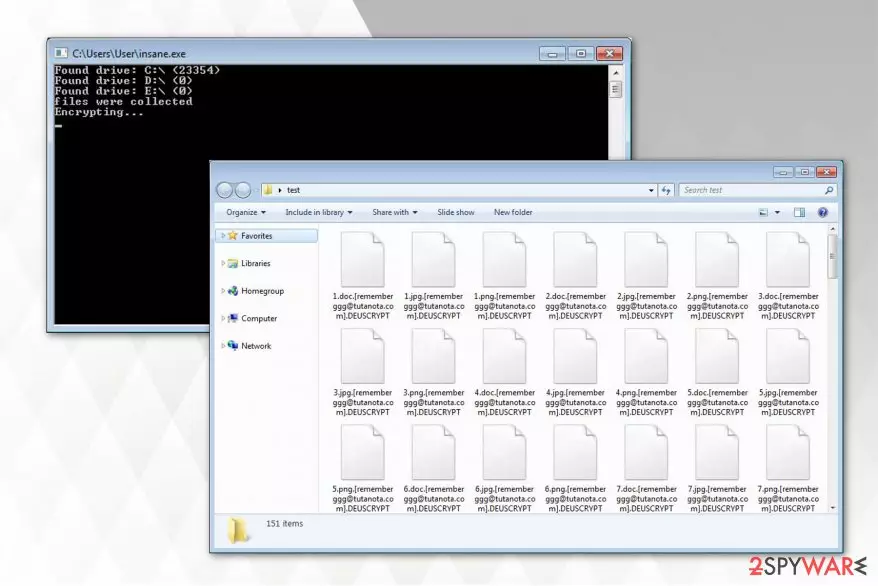
desuCrypt is an open-source ransomware project which code is being used as a base to create other file-encrypting viruses. One of its variants has been previously discovered as InsaneCrypt ransomware while the other appears to be distributed only now and appends [rememberggg@tutanota.com].DEUSCRYPT extension after data encryption.
After it encodes information on the computer, victims receive a note.txt file which is indicated as a ransom note. Criminals demand the users contact them via rememberggg@tutanota.com email address if they want to get back the access to their data. Additionally, they claim that a specific amount of Bitcoins will be needed as the ransom to get the desuCrypt decryptor.
Fortunately, this type of ransomware is decryptable, and you should not obey the rules of the hackers[1]. You can remove desuCrypt without hesitation to lose your files and use the decryption tool which is provided at the end of this article. Have in mind that you can use backups[2] in case of crypto-malware attack as well. Thus, there is no need to pay the ransom under any circumstances.
desuCrypt ransom note delivers the following message:
All your files have been encrypted due to a security problem with your PC. If you want to
restore them, write us to the e-mail rememberggg@tutanota.com.You have to pay for decryption in
Bitcoins. The price depends on how fast you write to us. After payment we will send you the
decryption tool that will decrypt all your files.
Additionally, we strongly advise you not to try to search for third-party decryption keys online. Be aware that malevolent people might take advantage of your desperate need to get back your files encrypted by desuCrypt virus. Scammers often trick puzzled people into purchasing tremendously expensive tools which in fact are useless.

Also, remember that to be able to use the official decryptor you must first complete desuCrypt removal. Since this ransomware-type infection is highly dangerous and capable of infiltrating other malicious programs, you should never try to deal with it by yourself. Instead, use FortectIntego or another robust antivirus.
However, some people report that they cannot uninstall desuCrypt because they are unable to download the security software. In this case, you should disable the virus. The instructions on how to start ransomware removal are appended at the end of this article. Feel free to use them.
You should be extremely cautious online if you want to protect your PC against ransomware
Criminals have carefully monitored the behavior of regular users online and discovered ways how they could deceive them to download ransomware and other types of malicious programs. The most common distribution techniques of the viruses are malspam campaigns and fake software downloaders.
Hackers spread their malicious programs by appending them to the legitimate-looking emails. The letter might either replicate the security alert by Microsoft/Apple or impersonate an invoice from a legitimate company. Both ways the victim is encouraged to open the attachment for further details.
Unfortunately, opening it leads to the infiltration of ransomware. Likewise, you should be very careful when clicking on emails which might even look genuine. Additionally, it is vital to avoid downloading software and software cracks from file-sharing sites. Usually, criminals place ransomware disguising as a popular program to trick credulous people. Thus, download applications only from official pages.
Ways to uninstall desuCrypt virus without damaging the system
Ransomware-type infections are highly complex. Thus, by trying to remove desuCrypt by yourself, you risk to permanently damage your computer. Note that this crypto-malware might not only replicate itself to different locations but also impersonate real system processes and protect itself against elimination.
However, desuCrypt removal is not a complex task for a professional security software. Antivirus tools are developed to deal with ransomware and delete their components within several minutes. Therefore, Virusi.bg[3] experts say that regular computer users should ensure the elimination to a robust malware removal software.
You can use FortectIntego, SpyHunterCombo Cleaner, or MalwarebytesMalwarebytes to uninstall desuCrypt virus. If you are unable to download the security software at first, try to reboot your computer to Safe Mode. The easiest way how to do that is explained below.
Did this guide help?
Be the first to comment