

Rapid 3.0 is the latest strain of the infamous Rapid ransomware virus
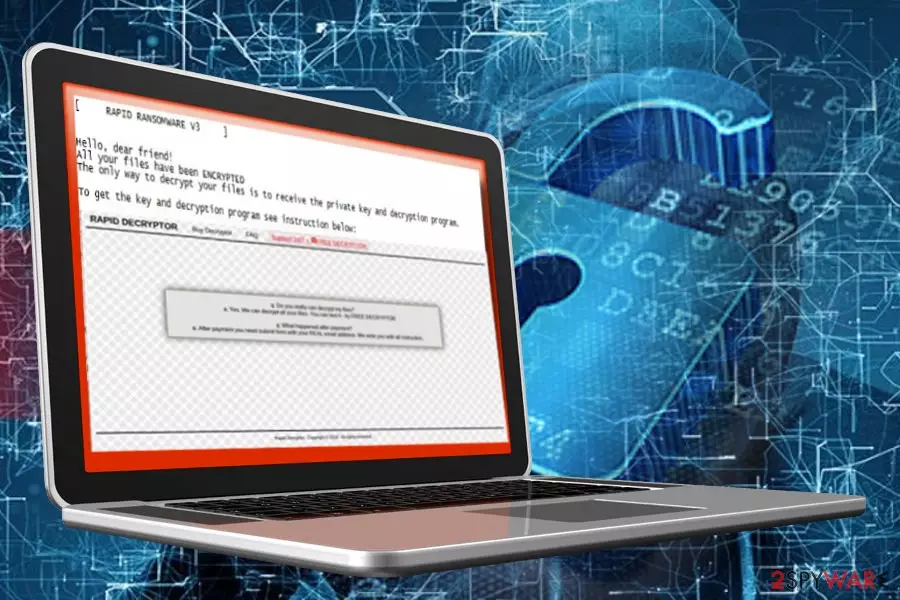
Rapid 3.0 ransomware is a file-encrypting virus that targets English-speaking PC users situated in USA, France, and Spain in particular. It has been detected at the beginning of May 2018, at the time when rebound of the initial Rapid version has been observed. Rapid ransomware v3 locks files with AES cipher[1] and then demands its victims to transfer 0.7 Bitcoin to criminals via Tor and then email them via demonslay335@rape.lol.
| Name | Rapid 3.0 |
|---|---|
| Classification | Ransomware |
| Encryption type | AES-256 |
| Contact info | demonslay335@rape.lol |
| Distribution | Spam email attachments in particular |
| The price of the decryptor | 0.7 BTC (Approx. 6,000 USD) |
| Target | English-speaking users all around the world. Currently, most victims found in USA, France, and Spain. |
|
To get rid of Rapid 3.0 completely, download FortectIntego and run a thorough system's scan with it |
|
The original Rapid ransomware has various shades, but the same form. Most of its variants are being distributed via spam attachments, such as “Please Note – IRS Urgent Message-164.”[2] Besides, the bulk of them creates a How Recovery Files.txt or !!! txt the README ransom note and locks people's files with .Rapid file extension.
It seems that criminals are lazy to make more noteworthy changes because the Rapid 3.0 ransomware seems not to be given a different form. Following its family's line, it locks files with .Rapid file extension and creates a ransom note on the desktop with the following information:
Hello, dear friend!
All your files have been ENCRYPTED
The only way to decrypt your files is to receive the private key and decryption program.
To get the key and decryption program see instructions below:1. Download Tor browser – https://www.torproject.org/
2. Install Tor browser
3. Run Tor browser
4. In the Tor Browser open website: http://vgon3ggilr4vu32q.onion/?id=BTCNote! This page available via Tor Browser only!
5. Follow the instructions at this website
On our page, you can see all instructions how to decrypt your system and decrypt for free 1 file!ATTENTION!
Do not try to decrypt your data using third-party software, it may cause permanent data loss.
The link provided in the Rapid 3.0 virus redirects Tor to a purchasing website where criminals promote a paid Rapid Decryptor. At the moment of writing, victims are asked to transfer 0.7 BTC (approximately 6,000 USD).
Inexperienced PC users can even find instructions on how to create a Bitcoin wallet, how to buy Bitcoins, as well as payment methods accepted, and the Wallet address that belongs to extortionists.
Criminals provide 24/7 support to prove credibility and allow victims to recover one file encrypted by Rapid 3.0 ransomware for free. The file size should not exceed 2MB. To try a free decryptor, people have to email demonslay335@rape.lol and send them one of the locked files.
As pointed out on the Rapid Decryptor page, the files will be recovered after the victim transfers the redemption and submits a form with the following information:
- Transaction ID;
- Your extension of encrypted files;
- Your Email.
Judging from the submission form, it seems that the latest version of this crypto-extortionist may be using more than one file extension to mark encrypted files.
Interesting fact: Rapid v3.0 developers misuse the email address of one of the most active ransomware hunter Michaell Gillespie (demonslay335). Criminals disapprove of the researcher's strides.

Hackers misuse authorities' names to trick people into opening malicious email attachments
The initial version of this ransomware has been and still is actively using spam emails and social engineering strategies to spread the payload. It has been extremely successful from the hacker's perspective with the “Please Note – IRS Urgent Message-164” emails that were supposedly generated by Internal Revenue Service.
Therefore, it's essential to carefully examine the emails you receive despite the fact the sender seems legitimate. Anybody can try to impersonate well-known companies and seem trustworthy. Such emails often contain company's stamps and other official information. Nevertheless, fake emails tend to carry grammar, spelling or type mistakes and that's one of the signs warning about danger.
According to NoVirus.uk[3] team, ransomware virus can also be distributed via fake software updates or stand-alone installers of system's files. Unprotected RDP services are yet another medium actively exploited by crooks. In general, it's essential to be cautious when using the Internet because there are many traps to fall in.
Learn how to remove Rapid 3.0 ransomware easily
Ransomware virus is not a single installer. As soon as the potential victim executes a ransomware payload (.exe), the virus unravels the whole package of malicious processes, registry entries, and script. Therefore, you won't be able to remove Rapid 3.0 manually. In fact, any ransomware.
The only possibility to initiate Rapid 3.0 removal without damaging the system is to render a professional anti-virus program. Unfortunately, sometimes malicious cyber infections hinder anti-virus startup, so you may need to restart the system into Safe Mode with Networking.
We must add that ransomware removal won't retrieve the locked files. Each encrypted file will remain the same. Luckily, you can try several alternative data decryption methods that are listed down below.
Did this guide help?
Be the first to comment