

SpeedUpMyComputer is PUP that promises to improve your PC and work performance
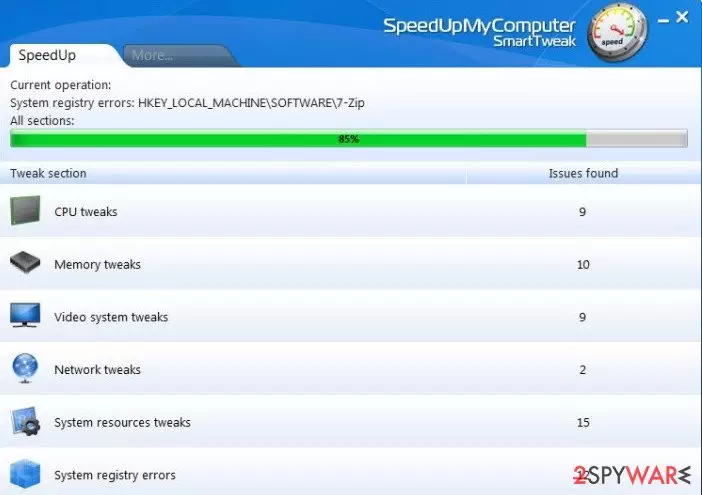
SpeedUpMyComputer (can also be found as Speed Up My Computer) is a potentially unwanted program, which should be treated with carefulness. As its owner, the company SmartTweak Software, claims, this application was designed for seeking to help people to speed up their computers and eliminate junk files or other components that shouldn't be kept there.
Typically junk files, bad registry files, and similar things can easily cause the system’s slowdowns, so they should be removed from the system ASAP. However, we can't guarantee that this program will help you to improve the speed of your computer.
According to several security experts and our researchers, this program may easily indicate exaggerated problems and PC-related issues that are hardly related to PC's speed. Besides, you may also be informed about harmless files that should be kept on the system without any danger.
So, you should think before purchasing this program because that's how it promises to fix the system and improve the computer's speed.
We think that this optimizer is used just for trying to earn the money for its owners by offering to purchase its licensed version.
Besides, you should also pay attention to the discovery of our team. It seems that this program may also lead you to the infiltration of such ad-supported software as:
- DealBulldog,
- Ask,
- Movies Toolbar
- and similar adware-type applications.
If you want to avoid these programs, you should be very careful when clicking on SpeedUpMyComputer ads or when installing this program on your computer. If you really think that you need an optimizer, you should try to choose more reputable optimization program. In order to remove this application, you should follow a guide below.
The ways for similar programs to access PC users
SpeedUpMyComputer is available at smarttweak(dot)us, cnet, and other download websites that offer downloading programs for free. If you still want to install it, you should be very careful with the installation setup. Typically, you should uncheck the checkmark, which agrees to download additional programs to your computer, such as Ask or Movies Toolbar.
In addition, make sure you uncheck check marks claiming that you want to change your start page and/or the default search engine because this may lead you to annoying redirects and pop-up ads. If you have already noticed that your browser redirects you to ask.com or shows you alerts from DeallBulldog, it might be caused by SpeedUpMyComputer.
Remove SpeedUpMyComputer if you think it is causing problems
We highly recommend running a full system scan with reliable anti-spyware and eliminating these suspicious programs from the system. Once again, while SpeedUpMyComputer is not a virus, but it may cause problems on your machine.
In order to uninstall SpeedUpMyComputer, follow these steps:
- Click 'Start' and select 'Control Panel.
- Click 'Uninstall a Program' under 'Programs'.
- Choose 'SpeedUpMyComputer' and select the 'Uninstall/Change' option.
- Click 'Yes' and 'OK' to save the changes.
We also recommend running a full system scan with a decent anti-malware and make sure that your PC is free of adware or other potentially unwanted software like SpyHunterCombo Cleaner. FortectIntego can be a great tool to optimize your computer and check for damaged files.
Did this guide help?
15 comments
vebz
pls beware for this apps.
Nadya
Is any other free program to remove speed up my pc??????????????????????????
bogus
This intsruction does not work. If you do as stated, what really occurs, after removal, "Fix My Registry" pops up on your desktop and is now in control panel. Remove that and then "Speed up my Computer" reappears in your control panel as a constant loop. Its a bloody scam and virus.
Avoid it like the plague. Had to take out to get totally removed.
Satynka
bogus how did you remove it exactly? I cant get rid of it as you said it is a constant loop.
ugh
Does this "SpyHunter" remover for speedmycomputer actually work? Please let me know asap.
Nya
This sh~t install FixMyRegistry on delete. How to avoid it? When dialog window open press NEXT, then press SKIP button on the left of next NEXT button. I just press all NEXTS and wounder why I cant delete it. Thats why Im here :)
vasanth
it can be uninstalle dby the following method.
1. Download REVO UNinstaller pro s/w.
2. Open it and select speed up my computer and click forced uninstall.
3. when speedupmy computer ask for uninstall, click yes and then click skip . dont click next.
this is how i uninstalled that bloddy malware.
jara
yeah,like says Nia,just press the skip button ,its hust ask you if you need install program to speed you r pc,if you press skip the program has uninstalled and speed up never shown again ;)
sheik dawood
s its absolutely correct......
sheik dawood
please try as per vasanth instruction,its working...
prashanth
how to download manually ?
Amit
Just double click the FixmyRegistry in the add remove programs and it does bring on the uninstaller which uninstalls the s/w of the PC..just worked for me..
koko
Guys
Ive finally rid of this program.
When U will try to uninstal it via add remove programs, as second step, on the bottom of the window there will be sth like this:
If u want to instal fix registry, click Next, but if u DONT WANT click SKIP, and thats a solution.
cheers!
alfredan
use krojam cleaner it would be usefull.
cosmin
FINALLY!!!!!! THX very very very MUCH! This is the correct way to do it. :)