

Tohj ransomware infiltrates the machine silently, so data gets affected out of nowhere
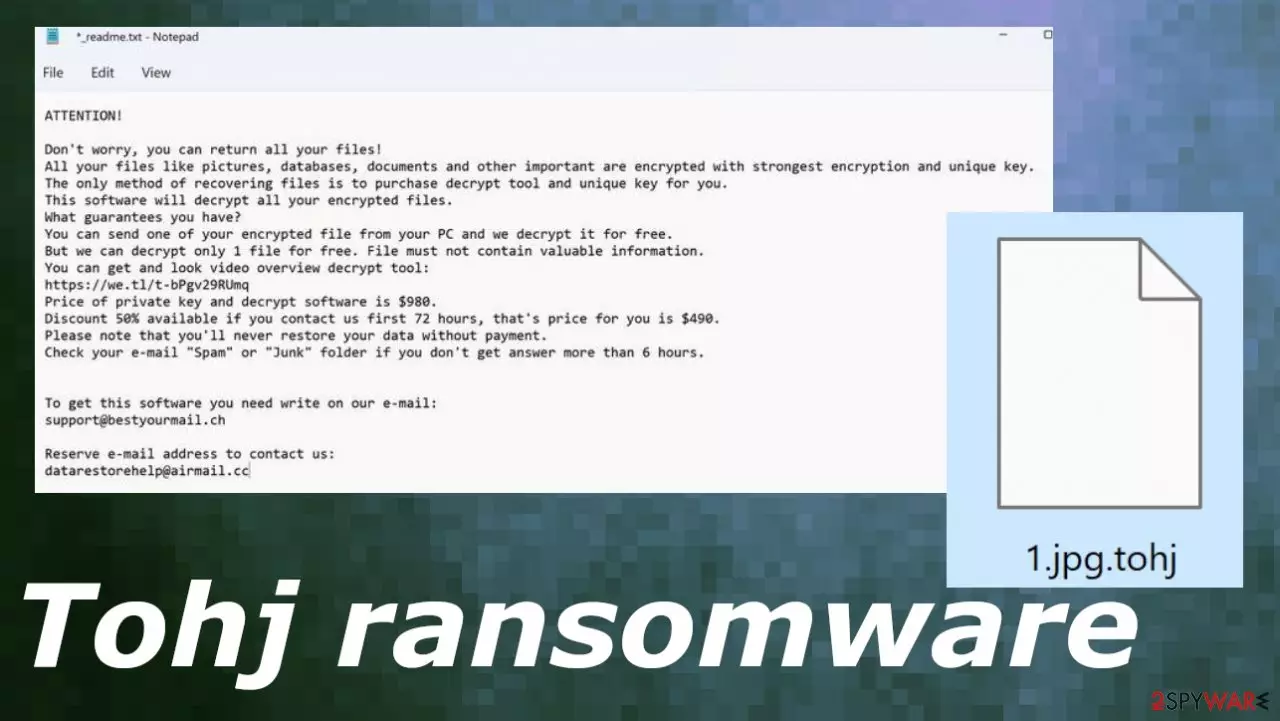
Tohj ransomware is the threat encoding most of the commonly used files because then there is a reason for money demands. The infection changes the original code of the document, image, audio, video file, or even archives and backups. The ransomware then marks files using .tohj appendix, hence the name of the threat variant.
Tohj ransomware virus can be damaging further because it affects common features of the machine to keep the threat running. It can even disable various functions and programs on the computer that is responsible for file recovery or malware removal, so users are not presented with many options.
However, the claim that paying the ransom is the only and the best option for file recovery should not be believed. There are various claims from Tohj file virus creators posted in the ransom note file _readme.txt, but all of these should be ignored. Contacting criminals also can be dangerous, so do not think about negotiations with them.
| Name | Tohj ransomware |
|---|---|
| Type | Cryptovirus, file-locker |
| Family | STOP ransomware/Djvu file virus |
| Marker | .tohj |
| Contact details | support@bestyourmail.ch, datarestorehelp@airmail.cc |
| Ransom note | _readme.txt |
| Elimination | Threat removal tools like SpyHunterCombo Cleaner or MalwarebytesMalwarebytes can help perfectly with removal of the cryptovirus |
| Repair | Run FortectIntego to clear the damage from your machine |
The ransomware features
Tohj ransomware virus is one of a kind of threat even though these versions of the same virus have many identical features. This virus is one of the more prevalent[1] infections. There is no need to contact the people behind any of the threats and more especially when it comes to threats like this ransomware.
The infection demands money via _readme.txt ransom note, but these claims and discount offers should not scare you. Paying is not an option, and the Tohj file virus should be removed as soon as possible without paying those creators. There is no guarantee that ransom payment can affect the outcome and recover files for you.
Tohj ransomware virus can get deleted once those files get locked, but there are other infection features that can affect the machine significantly. The threat is known to alter host files, so users cannot access sites that offer help for such instances, or the threat directly disables AV tools.
There are system features like safe mode or Shadow Explorer tool that help to recover files affected by these threats, so the ransomware disables these functions to keep users hopeless. There are a lot of things that need to be recovered to keep the machine running smoothly and safely again.
Dangerous family of threats
Tohj ransomware virus is coming from Djvu ransomware family that has been known for years. These operators, however, introduced advanced methods in 2019, and particular new releases like this can mean that there are limited options for file recovery or system improvements.
Various features that are used with this Tohj ransomware virus version have been sued for years by these operators. The ransom note is not changed from the beginning, and the file name, and the text inside are the same. Even the ransom amount asked from victims and the 50% discount offered for the first 72 hours is an old feature. But paying $490 or $980 is not going to help with file recovery.

Tohj file virus is a serious infection that involves direct money extortion and dangerous system processes. The sooner you get rid of it, the better. However, that can be more difficult since this is not a new threat or a newly developed version of the file-locker. Take that into consideration and make sure to remove any leftovers before addressing those files.
The family this threat belongs to is not decryptable for years now because operators have altered their methods and now mainly rely on the online key formation methods. It means that all systems affected by the same threat still get different victim identification numbers.
Unique IDs that the Tohj file virus uses are formed during the encryption process, and threat actor relies on this method because it is not providing options for decryption. Offline keys were used before allowing victims to get their files back because one key is used for all victims of the same infection.
Possible decryption option
Sometimes the connection to the server needed for this ID forming process fails, so even if your case meets this offline ID condition you can still successfully use the tool made by security researchers at Emsisoft. Thus, if the decryptor says your data was locked with an offline ID but cannot be recovered currently, you should try later. You also need to upload a set of files – one encrypted and a healthy one to the company's servers before you proceed.
- Download the app from the official Emsisoft website.
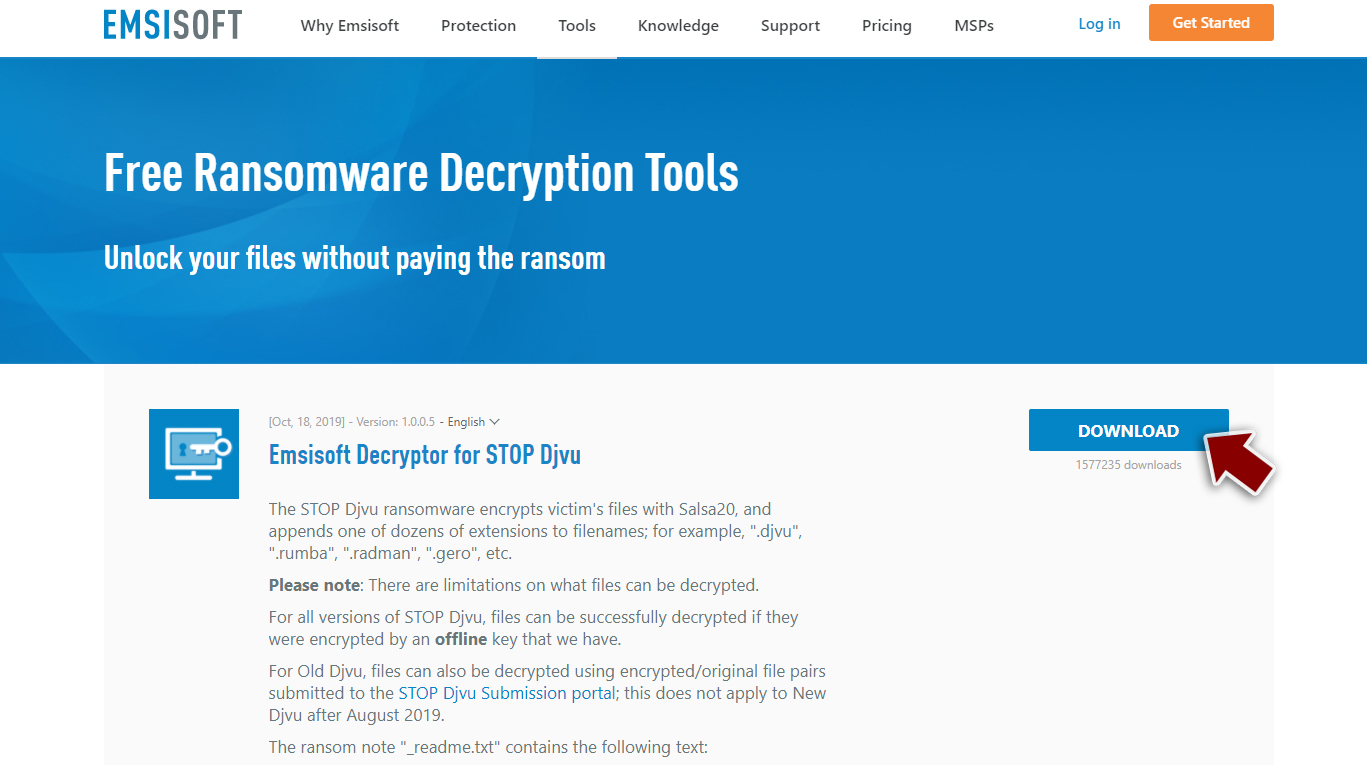
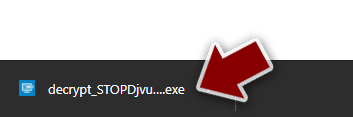
- After pressing Download button, a small pop-up at the bottom, titled decrypt_STOPDjvu.exe should show up – click it.
- If User Account Control (UAC) message shows up, press Yes.
- Agree to License Terms by pressing Yes.
- After Disclaimer shows up, press OK.
- The tool should automatically populate the affected folders, although you can also do it by pressing Add folder at the bottom.

- Press Decrypt.


From here, there are three available outcomes:
- “Decrypted!” will be shown under files that were decrypted successfully – they are now usable again.
- “Error: Unable to decrypt file with ID:” means that the keys for this version of the virus have not yet been retrieved, so you should try later.
- “This ID appears to be an online ID, decryption is impossible” – you are unable to decrypt files with this tool.
Removing the infection
The ransom should not get paid. Experts[2] recommend keeping away from even contacting these criminals. They are not known for keeping these promises and claims listed in the ransom note. The threat can infect machines and spread further, but some of the codings still remain, so you need to first remove the Tohj ransomware virus and only then worry about file recovery.
The threat can leave other viruses behind to keep the persistence up, so run the properly anti-malware scan to find all infections and possibly malicious files related to the malicious activities or this infection directly. The infection can disable various processes and programs, including AV tools and features, so rely on apps like SpyHunterCombo Cleaner or MalwarebytesMalwarebytes and remove the Tohj virus with the help of a proper antivirus application.
These particular programs can detect[3] infections and files related to these particular operations, so the machine can get fully cleaned if you run a trustworthy tool and scan the machine thoroughly. You need to base the tool selection on the detection rate and the reputability. Do not get tools from random pages or pirating sites since this is the way some of the ransomware strains can be distributed.
Tohj file virus can be removed, and the active virus terminated, but remember that elimination is not the same as decryption. Your most important thing is data encoded by the virus, but keeping the threat and adding new files or recovering them with copies can lead to permanent damage to the computer.
Recovering the machine
Tohj ransomware can significantly damage the machine besides those files that get affected directly. Once a system file is damaged by malware, antivirus software is not capable of doing anything about it, leaving it just the way it is. Consequently, users might experience performance, stability, and usability issues, to the point where a full Windows reinstall is required.
Therefore, we highly recommend using a one-of-a-kind, patented technology of FortectIntego repair. Not only can it fix virus damage after the infection, but it is also capable of removing malware that has already broken into the system thanks to several engines used by the program. Besides, the application is also capable of fixing various Windows-related issues that are not caused by malware infections, for example, Blue Screen errors, freezes, registry errors, damaged DLLs, etc.
- Download the application by clicking on the link above
- Click on the ReimageRepair.exe

- If User Account Control (UAC) shows up, select Yes
- Press Install and wait till the program finishes the installation process

- The analysis of your machine will begin immediately

- Once complete, check the results – they will be listed in the Summary
- You can now click on each of the issues and fix them manually
- If you see many problems that you find difficult to fix, we recommend you purchase the license and fix them automatically.



Did this guide help?
Be the first to comment