

TomyBank ransomware changes the structure of your files, making it impossible to access them
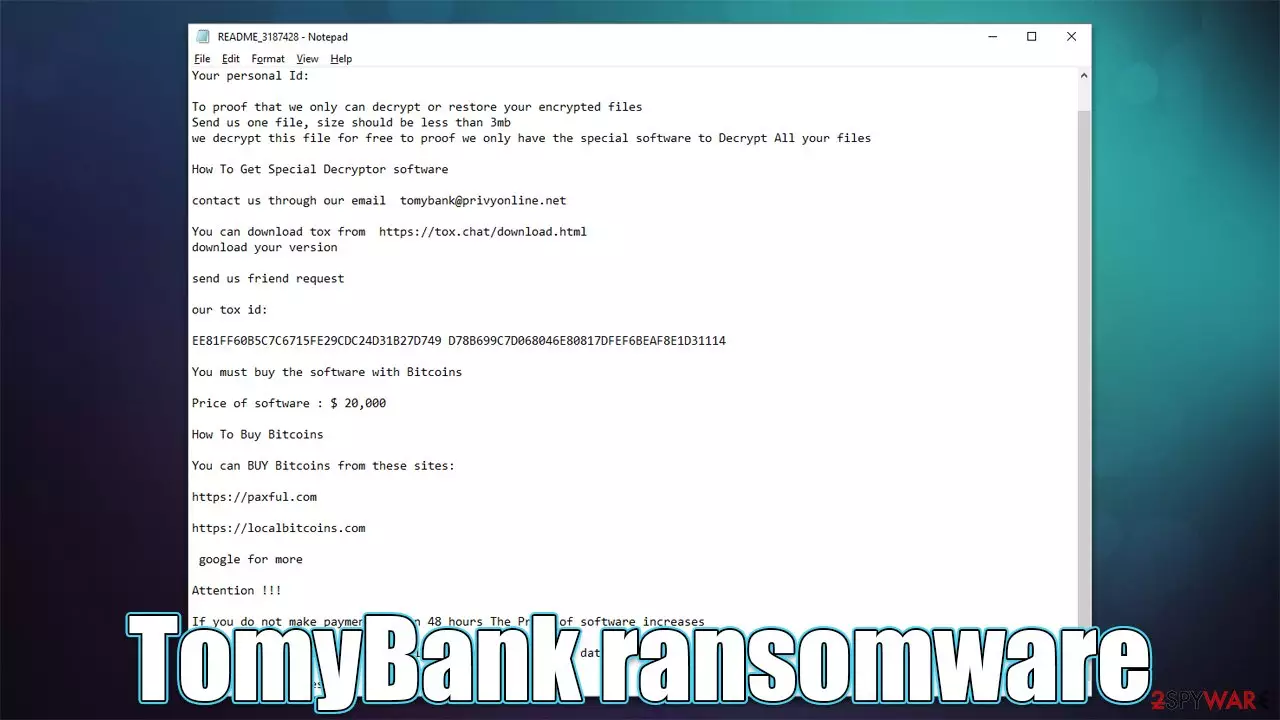
TomyBank is a ransomware-type computer infection that has been discovered by security researcher Karsten Hahn[1] in the middle of April 2022. Just like any other malware of this type, it encrypts all personal data located on the system and then demands a ransom to be paid for its return. The main goal is to make victims have a difficult choice between losing their pictures, documents, videos, and other important files and paying a hefty sum to cybercriminals.
Paying TomyBank virus authors is not recommended by any security researchers, as this might lead to financial losses. There is no guarantee that hackers would keep their word and send the required decryptor. Instead, we recommend checking out more details about the infection below – we explain how to deal with the virus and how to attempt an alternative data recovery without paying the crooks.
| Name | TomyBank |
|---|---|
| Type | Ransomware, data locking malware, cryptovirus |
| Related files | xaqipaxowq.exe |
| File extension | The virus does not add an extension but instead scrambles file names, replacing them with random characters |
| Ransom note | README_[ID].txt |
| Contact | tomybank@privyonline.net or Tox account EE81FF60B5C7C6715FE29CDC24D31B27D749 D78B699C7D068046E80817DFEF6BEAF8E1D31114 |
| File Recovery | If no backups are available, recovering data is almost impossible. Nonetheless, we suggest you try the alternative methods that could help you in some cases – we list them below |
| Malware removal | Perform a full system scan with powerful security software, such as SpyHunterCombo Cleaner |
| System fix | Malware can seriously tamper with Windows systems, causing errors, crashes, lag, and other stability issues after it is terminated. To remediate the OS and avoid its reinstallation, we recommend scanning it with the FortectIntego repair tool |
TomyBank ransomware operation
Upon installation, the TomyBank virus does not immediately begin the file locking process. Its first step is to prepare the computer for this process, and it does so by dropping a multitude of malicious files, altering registries,[2] deleting Shadow Volume Copies, and much more.
As soon as the system compromise is complete, malware does not waste any time and immediately performs data encryption which usually lasts only brief moments (this process might be longer if a huge amount of data is present on the system). During this process, all the personal files' names are scrabbled and replaced with a randomly-generated string comprising of alphanumeric characters.
The files become unrecognizable by the system and can't be opened no matter which program is being used for that. This is because files are safely encrypted and require a unique decryption key to return back to normal. This key is stored by cybercriminals and they are not willing to give it away for free.
According to the ransom note README_[ID].txt, which is dropped directly on the desktop, victims are meant to pay $20,000 worth of Bitcoin to crooks. If the demands are not met, cybercriminals claim they would release the sensitive information to the dark net, so it can later be used for other malicious purposes.
Detection list
One of the TomyBank ransomware samples was uploaded by a security researcher on Virus Total. The malicious file that would extract and download malware payload was xaqipaxowq.exe, although keep in mind that this file name might vary depending on the infection method. Security vendors detect the file under the following names:[3]
- Gen:Variant.Lazy.154614
- Trojan.Encoder.35192
- A Variant Of MSIL/Filecoder.OT
- Ransom.FileCryptor
- HEUR:Trojan-Ransom.Win32.Generic
- Trojan:Win32/Wacatac.B!ml, etc.
It is not uncommon for new ransomware strains to be assigned generic names such as Wacatac, for example. Please follow the removal steps below to correctly eliminate the virus from your machine.

Distribution and prevention
There are several methods by which virus authors could distribute the ransomware. Among the most common ones are spam email attachments, software cracks, or various social engineering attacks encountered online by accident. We recommend being careful when opening new emails – never allow MS Office documents to run macros on your device unless you are sure the source is secure and trusted.
Avoiding high-risk websites such as illegal video streaming, peer-to-peer networks, and similar, is highly recommended. These sites are commonly poorly regulated and are a perfect breeding ground for cybercriminals and their malware. Likewise, never trust messages that claim your system has been infected by viruses and they need to be removed with some special antivirus tool. Fake Flash Player updates are also very common when it comes to malware distribution.
Good awareness of threats, reliable security applications (for example, SpyHunterCombo Cleaner, MalwarebytesMalwarebytes), and proper data backups are vital when it comes to the prevention of ransomware attacks.
Step 1. Remove the infection
While many ransomware viruses would self-destroy after they perform file encryption, there is no guarantee that no malicious modules would be left behind. Some ransomware is also distributed in a bundle with other parasites, hence there could be more malware present.
In order to be sure that TomyBank removal is successful, you should perform a full system scan with SpyHunterCombo Cleaner, MalwarebytesMalwarebytes, or another powerful security software. If the virus is interfering with elimination, you should access Safe Mode with Networking and perform the scan from there. If you need help with this process, please check the instructions at the very bottom of the article.
Note: you should disconnect the affected machine from the server and network if applicable before you scan the system.
Step 2. Fix virus damage
Malware can cause tremendous damage to Windows systems to the point where a full reinstallation could be required. For example, an infection can alter the Windows registry database, damage vital bootup, and other sections, delete or corrupt DLL files, etc. Antivirus software can't repair damaged files, and a specialized app should be used instead.
- Download FortectIntego
- Click on the ReimageRepair.exe

- If User Account Control (UAC) shows up, select Yes
- Press Install and wait till the program finishes the installation process

- The analysis of your machine will begin immediately

- Once complete, check the results – they will be listed in the Summary
- You can now click on each of the issues and fix them manually
- If you see many problems that you find difficult to fix, we recommend you purchase the license and fix them automatically.


Step 3. File recovery options
Paying cybercriminals shouldn't be an option, as it carries great risks. However, it is important to note that the data would remain locked even after TomyBank ransomware removal – this is one of the main reasons why this type of malware is so dangerous. Backups can be the best way to ensure that ransomware could cause a minimal amount of damage.
Unfortunately, many users are unprepared for the attack and rarely have working backups ready. In this case, there are few chances of restoring the encrypted files successfully unless a decryptor is created by security researchers. Nonetheless, you could try using recovery software which could be successful in restoring at least some of the lost data:
- Download Data Recovery Pro.
- Double-click the installer to launch it.

- Follow on-screen instructions to install the software.
- As soon as you press Finish, you can use the app.
- Select Everything or pick individual folders where you want the files to be recovered from.

- Press Next.
- At the bottom, enable Deep scan and pick which Disks you want to be scanned.

- Press Scan and wait till it is complete.
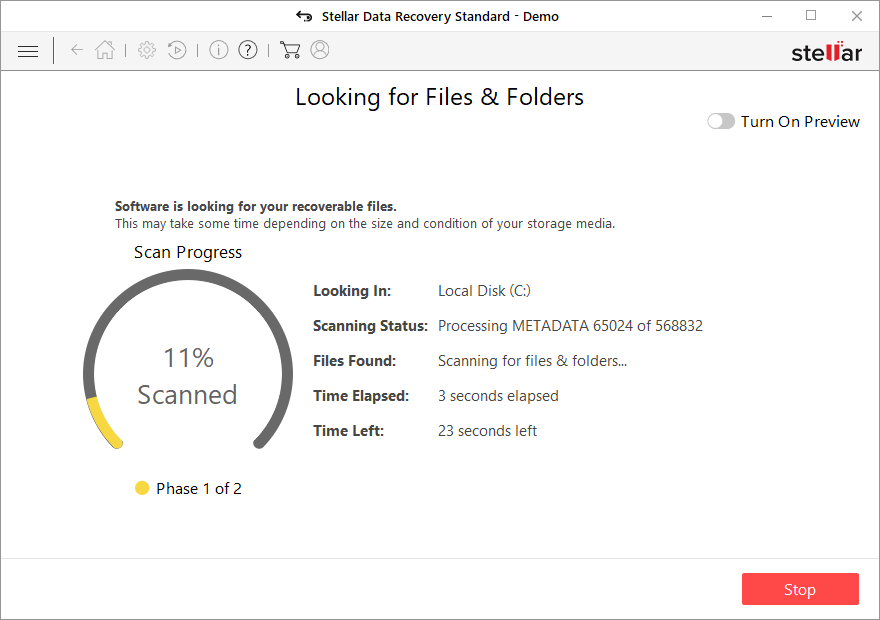
- You can now pick which folders/files to recover – don't forget you also have the option to search by the file name!
- Press Recover to retrieve your files.


Decryption tools might also be created for certain ransomware strains thanks to the efforts of security researchers. In some cases, law authorities seize the servers of malicious actors,[2] which allows the keys to be released by the public – this is usually done by reputable security vendors. Here are a few links you might find useful:
- No More Ransom Project
- Free Ransomware Decryptors by Kaspersky
- Free Ransomware Decryption Tools from Emsisoft
- Avast decryptors
Other tips
Once you get rid of malware, you should also consider contacting the local authorities and reporting the crime. It can help greatly for law enforcement – many criminals were captured and decryption keys released to victims already. All you have to do is include as many details as possible and contact the following bodies:
- USA – Internet Crime Complaint Center IC3
- United Kingdom – ActionFraud
- Canada – Canadian Anti-Fraud Centre
- Australia – ScamWatch
- New Zealand – ConsumerProtection
- Germany – Polizei
- France – Ministère de l'Intérieur

Below you will find more tips that could be useful for you, including an extensive guide on how to prepare data backups correctly.
Did this guide help?
Be the first to comment