

XMRig is a crypto-mining Trojan that exploits CPU resources to earn Monero fractions
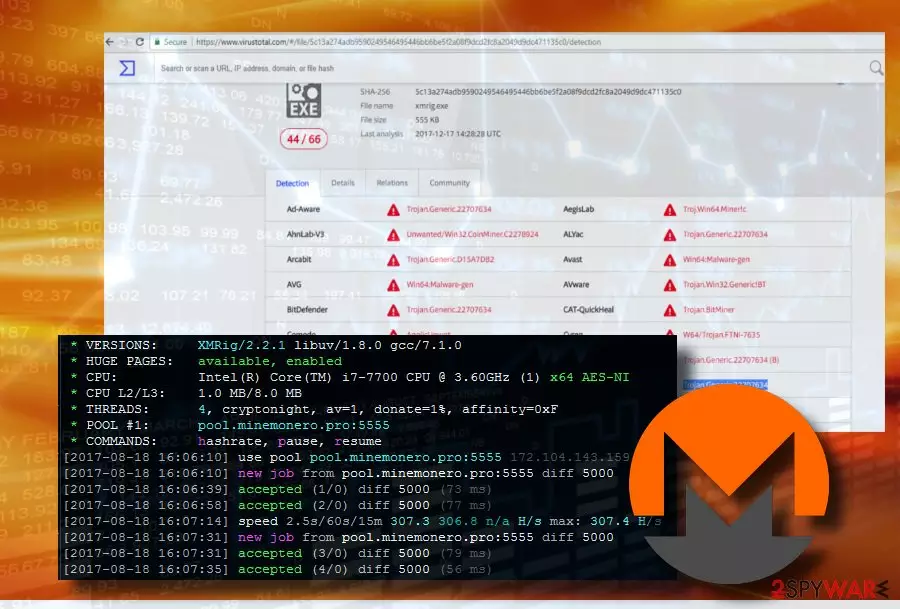
XMRig is a Monero miner[1] or Monero (XMR) CPU miner, which belongs to the group of Trojan horses. It seeks to infect PCs without being noticed and continuously runs the xmrig.exe process that increases exploit the system's CPU resources to mine Monero cryptocurrency. The current version of this Trojan is rewritten from scratch on C++. According to experts, it contains only 4MB, which is why it's extremely portable.
| Name | XMRig |
|---|---|
| Type | Trojan |
| Sub-type | CPU miner |
| Related malware | Wise XMRig |
| Danger level | Medium (Can overheat hardware and end up with severe system crash). |
| Distribution | Freeware, malicious websites, Rig Exploit Kit. |
| Symptoms | High CPU consumption, slow PC, unresponsive apps, random freezes, crashes, overheated hardware. |
| Removal options | Automatic. Install FortectIntego and run a full scan to detect and eliminate all files related to the trojan |
According to Check Point,[2] it is distributed via the Rig Exploit Kit campaign dubbed as Slots. Unlike other malvertising campaigns, this campaign misuses secure HTTPS traffic that establishes a connection with Slots and Rig Exploit Kit. Alternatively, the XMRig Trojan can slither onto PCs during drive-by-download attacks, malicious websites, or fake software updates.
Although the idea of digital currency miners is not malicious, most of them are classified as malware, Trojan, or virus due to a high risk of severe system freezes and crashes. The long-lasting unhampered performance of the miner can result in hardware failure or render the PC useless.
Once installed, XMRig virus sings itself using administrative privileges under Windows startup. Afterward, each system's boot is followed by multiple xmrig.exe processes running on Windows Task Manager. This crypto-miner does not use CPU resource consumption limits on the systems that are infected without authorization. Consequently, CPU consumption might continuously reach 90-100% with short periods of reduction.
Most professional anti-virus programs detect the XMRig Monero miner and immunize it before it enters the system. However, its developers update the Trojan, so that it could evade anti-virus detection and removal. That's why updating anti-virus security definitions is a crucial part of the system's protection. The following are the most common Trojan detections:
Trojan.Generic.22707634
Generic.Application.CoinMiner.1.B154D33D
Gen:Variant.Ursu.11451
Trojan:Win32/Coinminer!bit
Tool.BtcMine.1143
Win64/BitCoin.Miner.CS
Trojan.BitMiner
NOTE: XMRig Monero Mining Trojan can also be used for the distribution of other cyber infections. Hackers can misuse it for demolishing the system's security to increase its vulnerability. German cybersecurity experts from Dieviren.de[3] warn that the malware can spread in conjunction with rootkits or spyware. The Trojan is closely related to the following files:
Qt5Network.dll
cudart64_60.dll
d.bat
dhide.vbs
esso.bat
example32.cmd
libcrypto-1.0.0.dll
msvcr110.dll
qt5core.dll
qwindows.dll
start64.exe
system.exe
Probably one of the main symptoms of the virus attack is the unusual system's sluggishness. Programs stop responding, freeze randomly or frequently; any data can hardly be downloaded to the system, and so on. In this case, you should open Task Manager and check if any files are sucking up CPU resources. In case CPU consumption exceeds 40%, it's advisable to scan the system with a professional anti-malware, like SpyHunterCombo Cleaner or MalwarebytesMalwarebytes.

Do not let hackers to connect your PC to a Monero mining botnet leaving you overboard. By keeping a crypto-mining Trojan on your PC you won't earn the smallest bit of Monero coin, but hackers will. To fix your PC's slowdowns and similar abnormal behavior, scan the system and remove XMRig as soon as possible.
Monero seekers employ multiple strategies to spread mining Trojans
By far the most typical approach used to spread Monero and other cryptocurrency miners is freeware. Hackers might append crypto-miner to any random application that is distributed from both legitimate and illegal sources. Sometimes anti-virus warns people about an attempt to install miners, but outdated security tools might fail to recognize it.
You can also get infected with high-performance Monero miners when visiting websites infected with JavaScript code. Such websites can warn you about various system infections, errors, and risks of data leakage. Such phishing scams can greet you with false claims that you are a lucky visitor and ask you to participate in a survey to claim valuable prizes. Do not fall for this trick. Once your web browser exposes to a potentially harmful website, close the website or web browser and scan the system with antivirus.
Last, but not least, this particular Monero miner can be injected into victims' PCs with the help of the Rig Exploit Kit campaign “Slot.” Rig EK misuses the HTTPS protocol to spread Smoke Loader malware, which leads to the XMR miner infiltration.
Learn how to get rid of XMRig CPU Miner from Windows easily
Manual virus removal is hardly possible. Although the malicious files can be found on Task Manager, manually disabling them will fail, or the processes will keep reactivating themselves. You can rely on SpyHunterCombo Cleaner and MalwarebytesMalwarebytes and check the machine for malware that needs to be terminated.
Usually, crypto-mining malware keeps related files %Windows% or %appdata%\ directories. However, these directories consist of a multitude of non-malicious files that cannot be removed. Thus, to save your time and prevent the system's damage, eliminate XMRig miner with the help of FortectIntego or another security tool.
Did this guide help?
Be the first to comment