

Advanced System Protector is the program that appears on the system after the insecure installation
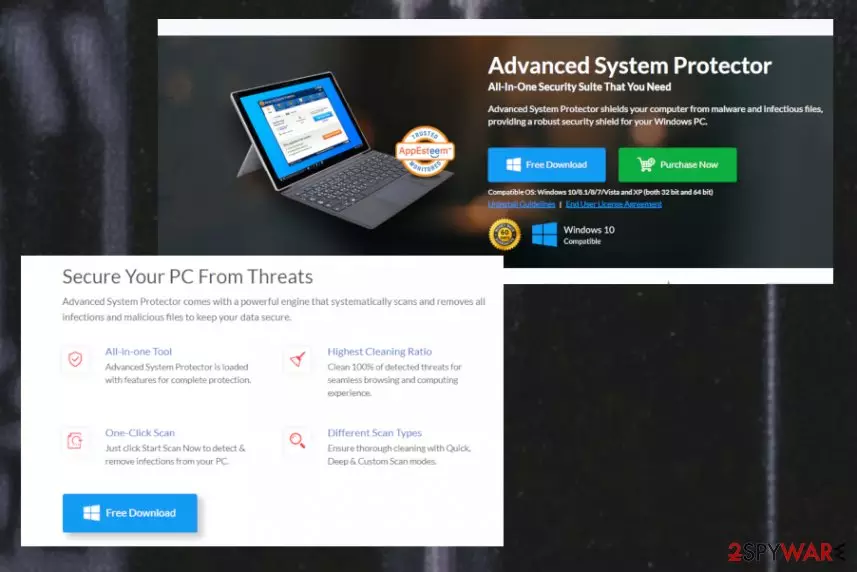
Advanced System Protector virus is the name that users[1] often use to describe this program because it appears out of nowhere and causes questionable scan results, warmings, other suspicious behavior related to promotions of software. Most of the complaints in online forums show that this unwanted application appeared after a freeware installation due to a third-party installer. This is one of the more common techniques used to spread PUPs and rogue tools, so all the changes can be made in the background and users fall for the claims about alleged system issues.
| Name | Advanced System Protector |
|---|---|
| Type | Rogue system tool/ Potentially unwanted program |
| Developer | SysTweak Software |
| Distribution | Freeware installers include such questionable applications as additional installs and allow the PUP to enter the machine without asking for additional permission |
| Danger | The program is not capable of cleaning the system or fixing alleged issues, so the victim is tricked into installing an additional tool or purchasing the licensed version fo the said application. This is how people lose their money and get malicious programs installed on their machines without even knowing |
| Elimination | Make sure to remove Advanced System Protector and use a professional anti-malware tool for that, so all the related program get to be eliminated completely from your computer |
| Repair | Potentially unwanted programs are known for interfering with Windows registry entries and other settings or files on the system, so get additional PC repair tool like FortectIntego to fully fix the damage without causing additional issues |
When you are not the one that installed the program you cannot easily find the particular app on the machine, especially when it is related to other intruders the process of Advanced System Protector removal and general finding of the intruder is harder. Unfortunately, this program can also make additional changes in the system folders and settings, so we recommend getting rid of the shady tool as soon as possible and cleaning the system with a program like FortectIntego.
Advanced System Protector full version costs up to 65 dollars, even though developers always lure to trick people into buying the product with all the deals and sales promoted on the official and other related commercial sites. However, those deals that offer additional SysTweak products can give you a more hard time than this one PUA has caused you already.
Advanced System Protector is similar or even identical to these tools from the same developer:
- Systweak Anti-malware;
- Tuneup My Mac;
- Super TuneUp;
- Advanced Identity Protector;
- and many more.
When you allow installing or even pay for a few system tools prepacked in such offers, your device gets even slower and it is more difficult to terminate a bunch of useless tools than to delete one. Avoid any suspicious installations and make sure to get rid of Advanced System Protector as soon as you notice the program on the machine. 
Some of these alerts may only be exaggerated, some of them can be really suspicious and questionable. So, if you want to increase the speed of your computer, you should think twice before purchasing Advanced System Protector. Besides, this program may show up on your computer out of nowhere because it has been actively promoted via various pop-up ads and notifications and it is related to other ad-supported sites and potentially unwanted programs.
Unfortunately, such a relation to other questionable online content means that Advanced System Protector can access and even track or collect details about your online browsing preferences. This is a common feature of such cyber infections that focus on redirecting online traffic because the main goal of PUP developers is to generate revenue.[2]
If an alert claims that you can check your computer and its speed just by clicking on it, you should never do that because you can easily end up with such a suspicious program like this one. To sum up, there is no guarantee that Advanced System Protector is capable of increasing a computer's speed.
It seems that this application has rather been created for convincing people to install its licensed version. if you are one of these people who declare that this program has shown up on their machines without downloading it there, you should think about removing it. Believe us, these are lots of reputable anti-malware tools that should be selected instead of this shady one, so you should better remove Advanced System Protector. 
Techniques used to spread useless applications
The trial versions of tools like this get promoted on various download websites and pop-up advertisements. However, it seems that you can also install this program on the system in a bundle with freeware and shareware. If you discovered this program on your computer, there is a great possibility that you installed it as a free addition of some other program. That's why experts[3] always recommend paying more attention to the installation process of the software.
You can say that PUA is inside your computer after you start seeing its scan reports. Typically, they show up as soon as this program is installed on the system. No matter what they may look properly, they should never be trusted for 100%. In order to make sure that your computer is free of viruses, we recommend using more reputable anti-spyware programs.
However, for avoiding the installation in the first place, you should go for Advanced or Custom options every time you download anything from the internet. You need to go for trusted sources, to be sure that the machine is not getting affected by any of the intruders.
Get rid of Advanced System Protector
Usually, you can uninstall Advanced System Protector via Add/Remove Programs list, but that may not be enough because any related files can still cause issues with the performance after the uninstallation. You need to clean the system fully to get rid of all the symptoms.
You should scan the machine with an anti-malware tool to remove Advanced System Protector. This is also recommended if you want to make sure that your computer is totally safe and that it is free of suspicious files and programs. Of course, you should update your programs before running a scan.
After Advanced System Protector removal, it would be a great time to scan the system using a PC repair tool that could help with additional virus damage and files affected by this suspicious application. These rogue security tools like the PUP you got can interfere with particular startup settings, so the device may be more affected than you think.
Uninstall from Windows
Uninstall from Windows 10/8:
- Type Control Panel into the Windows search box and open the result.
- Under Programs, select Uninstall a program.


Uninstall from Windows 7/XP:
- Click on Windows Start > Control Panel (Windows XP users should click on Add/Remove Programs).
- In Control Panel, select Programs > Uninstall a program.


Remove the unwanted program:
- In the Programs and Features window, look for any recently installed suspicious entries, select them, and click Uninstall.
- If User Account Control appears, click Yes to confirm, then complete the removal.


Delete from macOS
Remove the unwanted application:
- From the menu bar, select Go > Applications.
- In the Applications folder, look for any suspicious entries, then drag them to Trash (or right-click and pick Move to Trash).


Delete leftover files and folders:
- Select Go > Go to Folder.
- Enter /Library/Application Support and remove any suspicious folders related to the unwanted program.
- Repeat the same check in the /Library/LaunchAgents and /Library/LaunchDaemons folders, deleting any suspicious entries.

- Finally, empty the Trash to permanently remove the leftovers.

Did this guide help?
14 comments
Donna
When I try to remove "Advanced System Protector" using the uninstall from Control Panel, I get the following error message: "Messages file "C:Program FilesAdvanced System Protectorunins000.msg" is missing. Please correct the problem or obtain a new copy of the program."
Im afraid to reload so as to obtain that missing file because of gaining more problems; spyware, malware, unwanted programs, etc... Do you have a work around?
ReganK
Thank you! For years I worked in an office, where we werent allowed to do any "administrator" tasks ourselves, so I have 0 experience with this sort of thing. I didnt even know where to find "add/remove programs" (another sites suggestion for getting rid of reg clean pro and this one) in my control panel, but your site suggesting looking for "programs" or "add/remove programs". So I found it, and uninstalling was a breeze! Thank you!!
Alex Santana
None of the above worked for me...I went back to Systweak and threatened to turn them into the FBI and ICC if they did not tell me how to get rid of their unwanted download. Here is what they sent me, and it worked.
Dear Sir/Madam,
Thank you for getting back to us with the information.
Please download the uninstaller from the link below:
http://updates5.systweak.com/updatesfiles/tools/uninstaller/aspsetup_uninstaller.exe
Please save it on your system and then double click on it.
The program will be removed from your PC.
Please do not hesitate to contact us, should you have further queries.
Twisted
Thanks Alex,
I have a dell Laptop with windows 8 and this uninstall link worked for uninstalling it.
Jennifer
This program has corrupted my computer so badly that I can no longer connect to the Internet even though I have a clear connection. So unfortunately trying to use your web link isnt a possibility for me. I tried all solutions and I cannot remove it from my Control Panel as it gives me the error as stated in one of the messages above from Donna. Im really at my wits end. I believe it actually removed restore points prior to its instillation as well because I cant access further back so I only had two restore options. E-gads I am screwed. Any other suggestions?
Blair
Yeah I have cleaned 8 customer computers with Advance System Protector, And it is malware for sure. I have no idea why even malwarebytes claims it is legit! If it walks like a duck quacks like a duck it is a Fxxxxxg duck! What is with the denial? Are we supposed to go along with a 2+2=3 because 4 is too uppity reality? Sorry I dont play false reality!
STAY AWAY FROM ADVANCE SYSTEM PROTECTOR! IT IS NOT LEGIT IT IS FAKER THAN TAMMY FAY BAKER!
Kattenbrokjes
Download the free program Revo Uninstaller (eventually via another computer by using an USB-stick); this program will delete this program and all of its traces. Click "Start", "run" and type "sfc /scannow" to repair "Windows" if necessary.
pele
thanks for the link alex 7hours trying to find solutions but this link fixed it in a second
ichsun
Alexs link also worked for me, thanks...
mike
I used the aspsetup_uninstaller.exe that alex posted and it removed it from the task bar.
However Webroot found two viruses named advanced.protector. the uninstall only cleans up what you see. beware.
Karen
I followed the instructions you all put in here, about going to control, etc. It was a little bit lengthy for me (I have Windows 7) but when I got tired of waiting I went out of Control, & then came back in. The program was gone, so thank you, thank you. Hopefully I didnt unintentionally post twice. If so, Im truly sorry. I typed this message in once, clicked post, & then went back to check to make sure that it got posted. I didnt see my message so Im trying again . . . .
Brenda
Just used the link posted by Alex and it seems to have worked like a charm Thanks so much for you good help.
Aubrey Zyrene
I Try To Uninstall It But This Shows Up : There was an error while trying to uninstall Advance System Protector What To Do ?
John
I removed it as I only installed it to help with another problem which it did not seem to do. Now my clock keeps going back to 2008 and I am having numerous problems. Out of the blue ASP appeared again and asked me to update after being deleted.
I am installing now again in the hope the problems will cease