

BTCWare cybercrime gang releases Wyvern ransomware variant
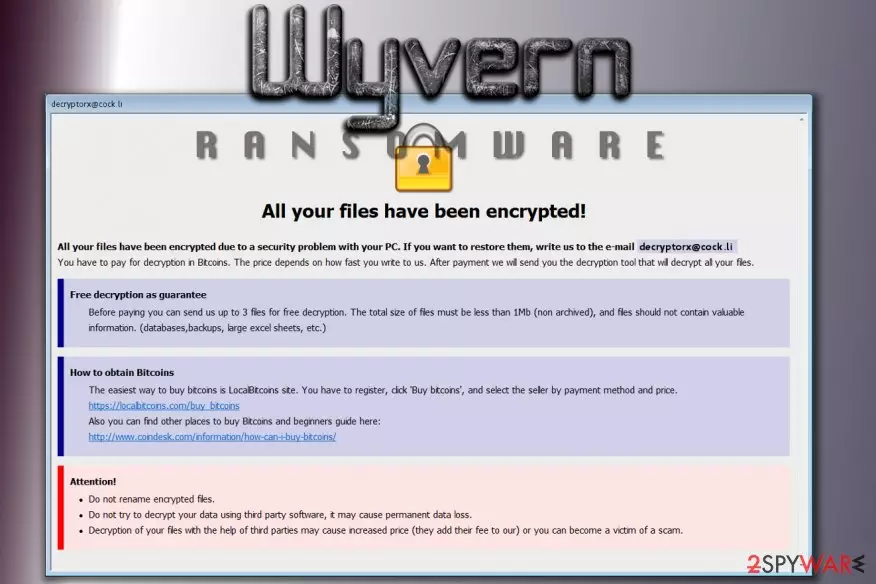
Wyvern virus is a variant of BTCWare ransomware, a malicious program that has been making rounds on the Internet for more than six months. BTCWare Wyvern ransomware has emerged on September 21st, replacing the previous version known as Nuclear.[1] The malware sneaks into victim’s computer using Trojan deception technique and encrypts all files using sophisticated encryption ciphers.
Just like previous BTCWare versions, Wyvern malware was named after the extension it uses to mark encrypted files. While scanning the system and looking for target data to encode, it also appends a specific extension after the original file extension. The extension typically matches this pattern:
.[email address]-id-[victim’s ID].wyvern
The current variant of Wyvern virus uses .[decryptorx@cock.li]-id-.wyvern extension for encrypted files. The email address provided in the extension is also presented in the ransom note, which the virus creates and saves in every folder containing some encrypted data.
The criminals want the victim to contact them via decryptorx@cock.li so that they could present the price of the decryption tool that can restore all files back to their initial state. That is nothing else but extortion, and we do not recommend paying the ransom.
Besides, trusting cyber criminals’ promises would be a bad idea because they can simply take your money and vanish without a trace. You won’t be able to track the criminals even if you pay because they only accept the payment in Bitcoin (cryptocurrency).
If your files were encrypted, we strongly recommend you to remove Wyvern virus first. Then you can use the data recovery instructions we added at the end of this article. Although the provided options might not necessarily help you to recover your files, it cannot hurt to try.
For Wyvern ransomware removal you should choose and install a powerful malware removal software (in case you did not have one before). Our team suggests using FortectIntego or SpyHunterCombo Cleaner. Before you attempt to launch these programs, restart your PC in a Safe Mode (follow the directions added to this article).

Distribution techniques used to spread BTCware ransomware variants
BTCware ransomware samples are usually distributed via Blank Slate spam, a technique that is also used for Cerber and Locky ransomware distribution[2]. In other words, you can receive Wyvern, Nuclear or Aleta malware after opening a malicious file attached to an email that has an empty subject line and delivers no message.
Stay away from such attachments because opening them is equal to pushing a button that says “infect your computer now.” Usually, the attachment is a ZIP file with a JS or VBS file inside of it. The file itself isn’t ransomware, but opening it activates a code inside of it that is set to connect to the remote domain and download malware from it.
The code also executes the file as soon as the download is complete. Zondervirus.nl experts report[3] that .wyvern file extension virus uses a strong cipher to take files hostage, and without a data backup, data recovery might be impossible.
Remove Wyvern ransomware and recover encrypted files
Once ransomware compromises a computer, it is no longer safe to use it, so remove Wyvern virus without a wait. We strongly recommend using an anti-malware program to complete this task.
Manual ransomware removal is technically possible, but to perform it in real life you have to be an IT expert and know where ransomware tends to hide its files. Each virus is different, so we strongly recommend choosing a trustworthy anti-malware solution to cleanse your computer.
You can find comprehensive Wyvern removal guidelines down below. These directions will help you to prepare your PC for malware removal.
Did this guide help?
Be the first to comment