Bip ransomware – a hazardous cryptovirus hailing from the infamous Dharma family
Bip ransomware isn't a newly created file-locking parasite, it's been active since June of 2018. But it was revived and received a new file extension that it appends to original filenames of infected devices when it's encrypting them and a new contact email if the victims decide to reach out to the cybercriminals.
.bip file extension virus belongs to a well-known malware lineage called Dharma ransomware. This ransomware-type[1] family has been terrorizing computer users since 2016. There is already a handful of different versions, such as 4help, 21btc, Mpr, and others, and it seems that developers are not stopping with them anytime soon.
After encrypting victims' files, this cyber infection appoints them with a triple appendix, consisting of unique users ID, criminals contact email in brackets, and .bip extension so the renamed files might look like [restoresales@airmail.cc].bip, [buydecrypt@qq.com].bip.
Dharma family ransomware is known for placing contact emails in brackets as the second part of extensions. Since there are many variations, emails in brackets might differ, but if victims end with the .bip extension in the end, then most likely they are facing the same virus. Additionally, the cryptovirus displays ransom notes named FILES ENCRYPTED.txt file that includes instructions and threats.
Bip virus is using AES[2] encryption algorithm to lock files on an infected computer. Anything from photos or videos to documents and excel files, or even archives can be modified by ransomware. Only the system files are left alone, although they might get altered.
Name
.bip file extension virus
Type
Ransomware
Family
Dharma
Danger level
High. Can encrypt the most valuable files
Encryption method
AES
Extension
All non-system files receive a complex three-part appendix and appear like this: .id-user ID.[buydecrypt@qq.com].bip, or .id-user ID.[restoresales@airmail.cc].bip
Ransomware should be eliminated from all infected devices with trustworthy anti-malware software
System Health
Since cryptoviruses can alter system files and settings, it is recommended to perform system repair with the FortectIntego system tune-up tool
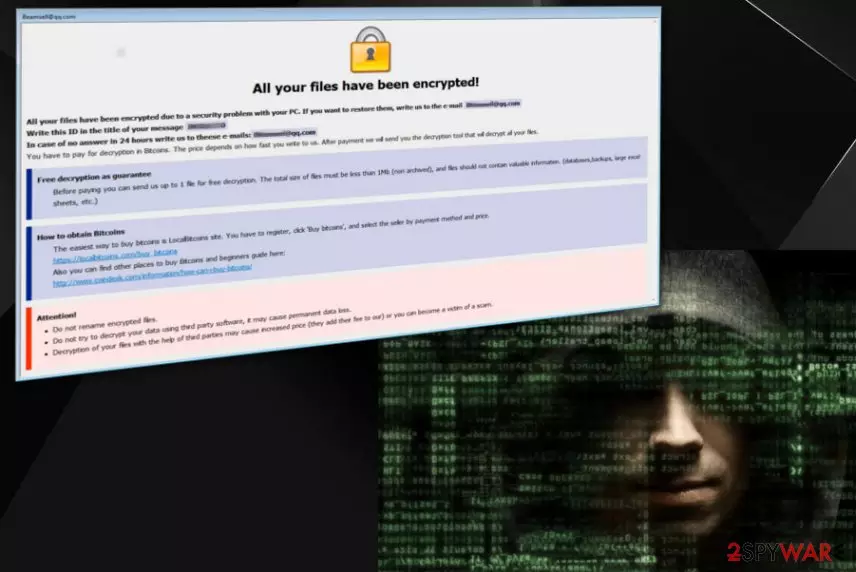
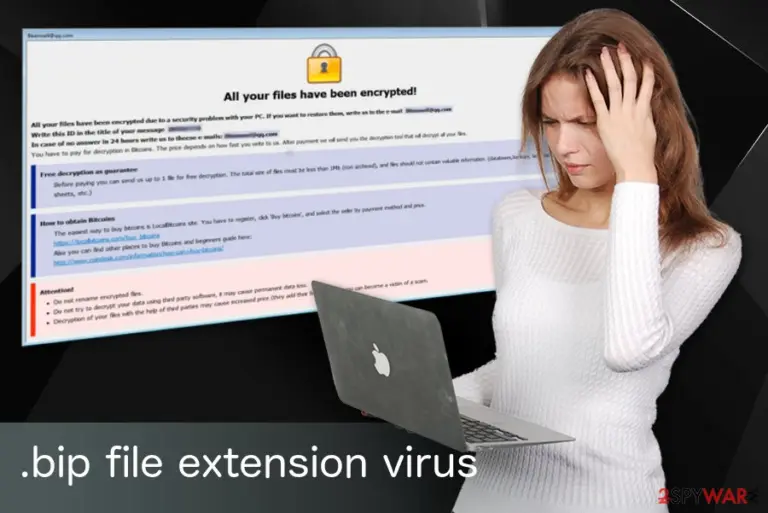
Ransom notes from different file-locking parasites of this lineage are almost identical, their always named FILES ENCRYPTED.txt, mainly just the criminal email address changes and a few other minor details. Here's what Bip virus creators message to their victims look like:
All your files have been encrypted! All your files have been encrypted due to a security problem with your PC. If you want to restore them, write us to the e-mail buydecrypt@qq.com Write this ID in the title of your message – In case of no answer in 24 hours write us to theese e-mails:buydecrypt@qq.com You have to pay for decryption in Bitcoins. The price depends on how fast you write to us. After payment we will send you the decryption tool that will decrypt all your files. Free decryption as guarantee Before paying you can send us up to 1 file for free decryption. The total size of files must be less than 1Mb (non archived), and files should not contain valuable information. (databases,backups, large excel sheets, etc.) How to obtain Bitcoins The easiest way to buy bitcoins is LocalBitcoins site. You have to register, click 'Buy bitcoins', and select the seller by payment method and price. https://localbitcoins.com/buy_bitcoins Also you can find other places to buy Bitcoins and beginners guide here: hxxp://www.coindesk.com/information/how-can-i-buy-bitcoins/ Attention! Do not rename encrypted files. Do not try to decrypt your data using third party software, it may cause permanent data loss. Decryption of your files with the help of third parties may cause increased price (they add their fee to our) or you can become a victim of a scam.
Since ransomware is not picky, it can encrypt literally anything on your computer, from the most important documents to photos or even art. The thing that complicates their recovery is the fact that malware can also delete Shadow Volume copies of these files. Besides, Bip ransomware has also been found to be capable of altering the Windows registry by modifying its keys and sub-keys. It can also access other system settings.
Keeping in mind that this ransomware is hailing from the Dharma family, you should remove .bip file extension virus from your computer right after you spot its attack. Otherwise, the more time you give for the ransomware, the more changes can be done by it on your computer system. After eliminating the virus, you can focus on recovering your files. If you try recovering your files while your PC is not clean, the virus can start yet another encryption procedure on your PC system.
A full Bip ransomware removal procedure requires installing additional tools, such as anti-virus or anti-malware software. Experts[3] remind you that only official software can help you scan the whole system and find those additional pieces that might be hiding on your computer without any signs. You can use the FortectIntego for the job or trust any other certified tool.
At the moment, there is no information if files affected by this cryptovirus are decryptable. Only several Dharma ransomware versions can be decrypted using legitimate tools (detailed information at the bottom of this article) provided by security experts. So you better focus on the elimination and then worry about your lost files.
Ransomware infections actively spread via spam emails
One of the most popular methods for the distribution of this virus is spam. These messages mostly aim to convince people to open malicious attachments and get infected thru them. Safe-looking documents often hide potential malware because people do not think twice before downloading or opening them.
Virus developers can disguise their malware behind legitimate-looking files, known company names, or other trustworthy sources. The most popular methods used to spread ransomware are:
purchase receipts, invoices;
product orders;
documents or other important files;
banking information.
You should delete every spam email without opening it because that's how you can get it in less than a minute. If you happen to receive an email that presents a company you have no relation to or a product order receipt that you have not ordered, make sure you ignore such a message. Be aware that these methods are widely used and can affect everyone.
Getting rid of .bip file extension virus with our simple guide
To remove .bip file extension virus, you need to rely on professional programs that are capable of cleaning the whole system with only one click. We can suggest SpyHunterCombo Cleaner or MalwarebytesMalwarebytes but feel free to use other tools if you want to. Each of these programs is tested by our experts, so there is no doubt that you can trust them and use them for the elimination of any malware.
Anti-malware tools can take some time while trying to find every little threat that is related to the ransomware or other infections. Afterward, a system tune-up tool like the FortectIntego should be used to repair system files and make sure your computer is a safe place to restore your data from backups or try other file recovery methods provided below.
Remember that without the correct ransomware elimination sequence, you can lose all of your files permanently. Additionally, you can run into problems related to your files' recovery as ransomware components can still be there on your system.



Be the first to comment