

GeneralBoardSearch is the program that creates issues with the performance of macOS devices
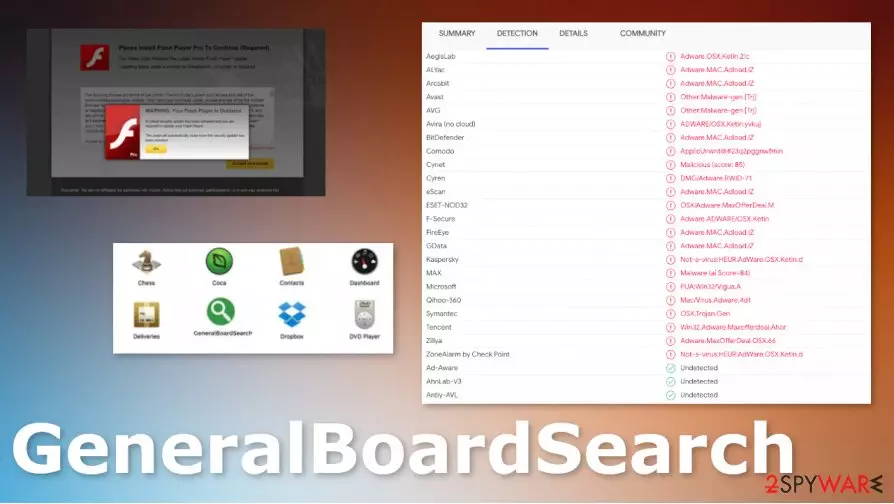
The applications classified adware because it mainly delivers ads and commercial content without having any other symptoms. The purpose of such intruders mainly is to promote other programs, sites, or services and to create traffic to those sponsored third-party domains. In many cases, these programs only cause pop-up and redirects, so revenue can be generated and views calculated. There is nothing particularly malicious about this GeneralBoardSearch PUP, but the program is annoying an possibly dangerous because it works in relation to third-parties. The activity of other sites and service providers cannot be controlled by the user at all.[1]
| Name | GeneralBoardSearch |
|---|---|
| Type | Adware/ Mac malware[2]/ Redirect virus |
| Issues | The program triggers unwanted redirects to ad-supported sites and pop-ups that lead to insecure pages and exposes the user to malicious material. It injects apps and files on the system to affect the performance significantly |
| Distribution | Freeware installations, visits on insecure sites and deceptive advertisements trigger the silent infiltration of the adware-type virus |
| Elimination | GeneralBoardSearch removal is the process that requires proper system cleaning because PUP triggers all the symptoms from the background. Get anti-malware tool and run that on the system |
| Repair | PUP can interfere with system functions and files, this is the damage that needs to be repaired separately. Get a tool like FortectIntego to fix these affected files |
GeneralBoardSearch virus might be distributed in many ways, but most of them rely on deceptive content, online ads, and material that is misleading. Especially since the program mainly comes on macOS devices, the infiltration happens without your knowledge or permission. It cannot be noticed that easily because PUP injects needed files on the machine during the insecure installation process or when you click on a dangerous pop-up/ redirect.
GeneralBoardSearch is the program that belongs to a group of Adload malware. This particular bunch of intruders have many features and are all considered to be potentially unwanted because the installation of such adware-type programs happens behind users' back.
GeneralBoardSearch PUP is pretty much identical to: ArchimedesLookup, OperativeDesktop, BufferKey, Docallisec, PracticalProcesser, OperativeFraction, and many other applications. You can be redirected to some of these sites or encounter the installation of an application that happened behind your back. PUPs run in the background, so there are many processes that can be triggered.
Get rid of the main potentially unwanted program that affects the performance of your machine and forget about those redirects, pop-up ads and annoying reroute to possibly dangerous pages. There is no better way to remove GeneralBoardSearch besides anti-malware tools and full system scans that provide proper detection[3] and termination procedures. Get a reliable AV tool and allow it to do its job.

GeneralBoardSearch might affect startup preferences, corrupt files, crucial functions of the operating system, and other programs. Some of these programs can be designed to access sensitive information, expose you to malicious program distributors, and so on. Repairing these parts of the OS can be difficult, so rely on tools like FortectIntego.
You need to remove the program, traces of the infection, and repair the damage, so there are no risks left. Get SpyHunterCombo Cleaner or MalwarebytesMalwarebytes and eliminate the annoying GeneralBoardSearch fully. These tools should provide all the functions needed for the system security improvement. Also, you can find some steps below the article.
Changes indicate the infection that resides in the background
You cannot notice the program infiltration because it is triggered by the deceptive site or other contents that you visit. Infection can run and cause those changes, other performance issues, without displaying any symptoms for the user. This fact means that the PUP can become persistent before it triggers noticeable problems.
You should avoid clicking on the shady content, pop-up advertisements, and anything that at least seems suspicious to you, so you can avoid these infiltrations entirely and keep the machine clear of threats. This should also be the encouragement for you to choose official sites, reliable freeware providers as your main source of programs. Advanced or Custom installation options also improves security.
GeneralBoardSearch virus damage can affect the persistence, so rely on AV tools for the best results of virus termination
You need to remove GeneralBoardSearch from your device because there is no value in these activities of the threat. There are many changes that adware can trigger besides showing intrusive material, so you should rely on tools designed to fight malware, so all suspicious or possibly malicious files get deleted.
When the user trusts anti-malware tools, GeneralBoardSearch removal process becomes quick and easy because programs check the machine thoroughly for any suspicious activities and can terminate all of the programs or files added by the PUP or even more dangerous threats. Do not forget about the damage and PC repair requirement.
Delete from macOS
Remove the unwanted application:
- From the menu bar, select Go > Applications.
- In the Applications folder, look for any suspicious entries, then drag them to Trash (or right-click and pick Move to Trash).


Delete leftover files and folders:
- Select Go > Go to Folder.
- Enter /Library/Application Support and remove any suspicious folders related to the unwanted program.
- Repeat the same check in the /Library/LaunchAgents and /Library/LaunchDaemons folders, deleting any suspicious entries.

- Finally, empty the Trash to permanently remove the leftovers.

Did this guide help?
Be the first to comment