

Fair ransomware – a cryptovirus that appends a complex extension to files, making them inaccessible
Fair ransomware is a type of malware that encrypts all non-system files on a targeted machine and tries to extort bitcoins for a decryption tool. This cryptovirus belongs to the Makop ransomware family, thus it locks all personal user files (documents, archives, databases, pictures, and so on) with an army-grade coding algorithm.
During the Fair virus encryption process, all non-system files on the victim's computer are renamed by appending three-part extensions, that consist of an appointed unique victim ID (in brackets), criminal contact details (in brackets), and .fair appendix. For example, a “picture.jpg” would be turned into “picture.jpg.[8A42AD67].[fairexchange@qq.com].fair.”
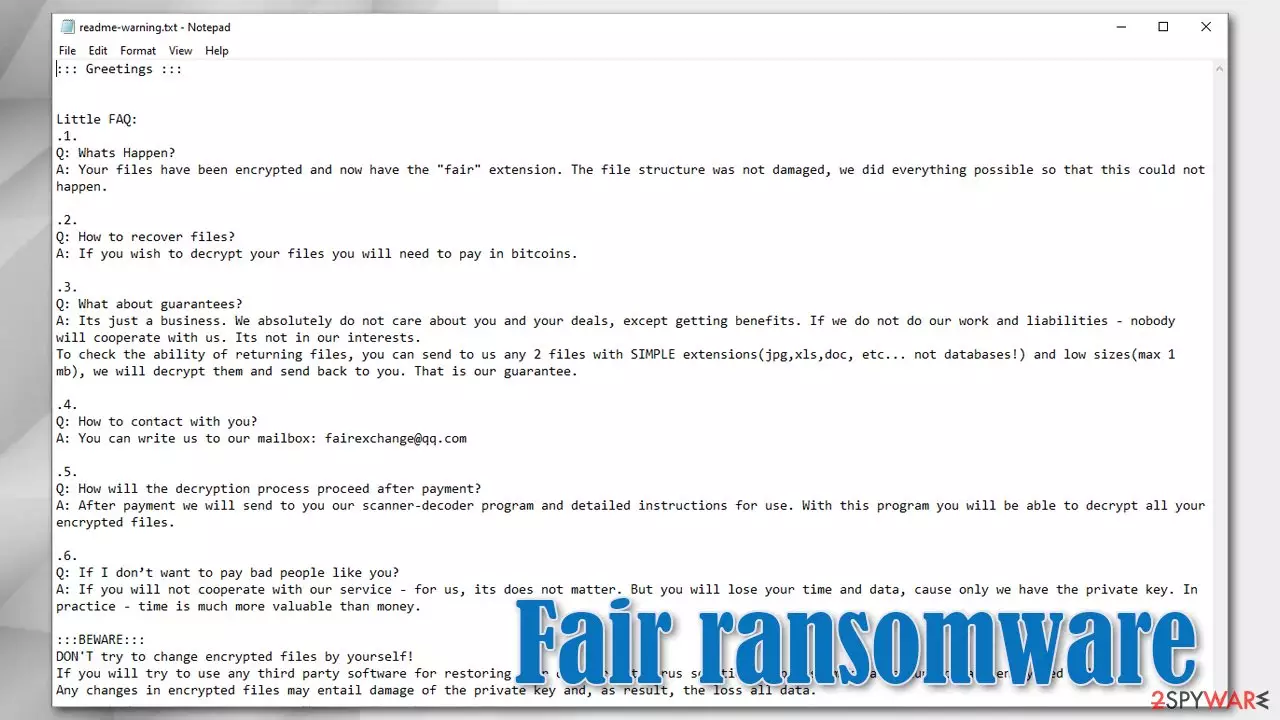
When this process is completed, just like Lisp, Weui, and other cryptoviruses, the virus generates ransom demanding text file notes, titled readme-warning.txt in all folders on the infected computer that possesses encrypted files within them.
| name | Fair ransomware, .fair file virus |
|---|---|
| type | File locking virus, crypto-malware |
| Family | Makop ransomware |
| ransom note | readme-warning.txt |
| Appended file extension | All personal victim files are appended with a triple extension in this sequence: 1. unique user ID in brackets; 2. criminal contact details in brackets; 3. .fair extension |
| Criminal contact details | One email is provided to establish contact – fairexchange@qq.com |
| malware removal | All malware doesn't matter how severe, should be immediately be eliminated with anti-malware software |
| System Health | After Fair ransomware elimination, users should do a system tune-up with a system repair tool like the FortectIntego app |
The ransom note itself is very similar to the one of its previous versions – Fireee. First, the creators of the Fair virus explain to the victims that all of their files were encrypted and that the only way to regain access to them is to pay the hackers using cryptocurrency Bitcoins.
Then developers of Fair ransomware offer to send them any two of the encrypted files from the infected computer for a free decryption, thus trying to assure the victims that the necessary decryption really exists, and the criminals would send it to the victims after the payment is made. Only one email is provided to establish contact – fairexchange@qq.com.
The last part of the Fair ransomware ransom note consists of warnings to the victims what not to do. The cybercriminals are cautioning not to rename any encrypted files and not to try any third-party decryption tools as that might lead to permanent data loss.
As always we advise against making contact with the cybercriminals and advice to remove Fair ransomware from the infected devices immediately. To do that with a push of a button users should consider using reliable anti-malware software like SpyHunterCombo Cleaner or MalwarebytesMalwarebytes.

After Fair ransomware removal, experts[1] recommend using the FortectIntego tool to scan the whole system and check if the cryptovirus hasn't modified the system registry and other core settings. If it did, the system repair app should take care of it so your device wouldn't exhibit any abnormal behavior.
Developers of Fair ransomware enclose this message within their ransom notes (from readme-warning.txt):
::: Greetings :::
Little FAQ:
.1.
Q: Whats Happen?
A: Your files have been encrypted and now have the “fair” extension. The file structure was not damaged, we did everything possible so that this could not happen..2.
Q: How to recover files?
A: If you wish to decrypt your files you will need to pay in bitcoins..3.
Q: What about guarantees?
A: Its just a business. We absolutely do not care about you and your deals, except getting benefits. If we do not do our work and liabilities – nobody will cooperate with us. Its not in our interests.
To check the ability of returning files, you can send to us any 2 files with SIMPLE extensions(jpg,xls,doc, etc… not databases!) and low sizes(max 1 mb), we will decrypt them and send back to you. That is our guarantee..4.
Q: How to contact with you?
A: You can write us to our mailbox: fairexchange@qq.com.5.
Q: How will the decryption process proceed after payment?
A: After payment we will send to you our scanner-decoder program and detailed instructions for use. With this program you will be able to decrypt all your encrypted files..6.
Q: If I don’t want to pay bad people like you?
A: If you will not cooperate with our service – for us, its does not matter. But you will lose your time and data, cause only we have the private key. In practice – time is much more valuable than money.:::BEWARE:::
DON'T try to change encrypted files by yourself!
If you will try to use any third party software for restoring your data or antivirus solutions – please make a backup for all encrypted files!
Any changes in encrypted files may entail damage of the private key and, as result, the loss all data.
Guidelines to increase cybersecurity level and avoid malware
There are different types of malware,[2] but all of it presents a viable threat to data leakage, financial loss, identity theft, and other major headaches to everyday computer users. But we're here to help, so stick to our guidelines and you might evade these malicious applications:
- Always keep backups of your essential data on at least two separate devices, one of them being offline storage.
- Acquire a trustworthy anti-malware software and keep its virus databases updated so it could stop any malware from accessing your device.
- Keep your Operating System up-to-date. Install the latest updates as soon as they are available.
- Maintain registry and other core system settings and files with the help of a powerful system tune-up tool.
- Be aware of cybercriminals and their malware distribution techniques. Never open spam emails, hyperlinks in them, or their attachments.
- Never visit high-risk websites, like torrent sites.

Guide to remove Fair ransomware from infected devices
Having any malware in a device could lead to more severe types of infections, so any kind of infections, whether pesky adware or hazardous trojan horses,[3] must be removed immediately. Until Fair virus isn't completely deleted users mustn't restore their data from backups.
Since manual malware termination isn't a walk in the park, we advise trusting professional anti-malware software like SpyHunterCombo Cleaner or MalwarebytesMalwarebytes for Fair ransomware removal. Anti-virus software is a must these days because all types of malware are hidden throughout the internet.
Afterward, when your computer is virus-free you should take care of its overall health since cryptoviruses are known for making changes in the system registry and other settings. System tune-up tools like the FortectIntego app should take care of these modifications so you could enjoy your computer anew.
Did this guide help?
Be the first to comment