

Dulgtv ransomware – a cryptovirus that appends .dulgtv extension to all non-system files on an infected computer
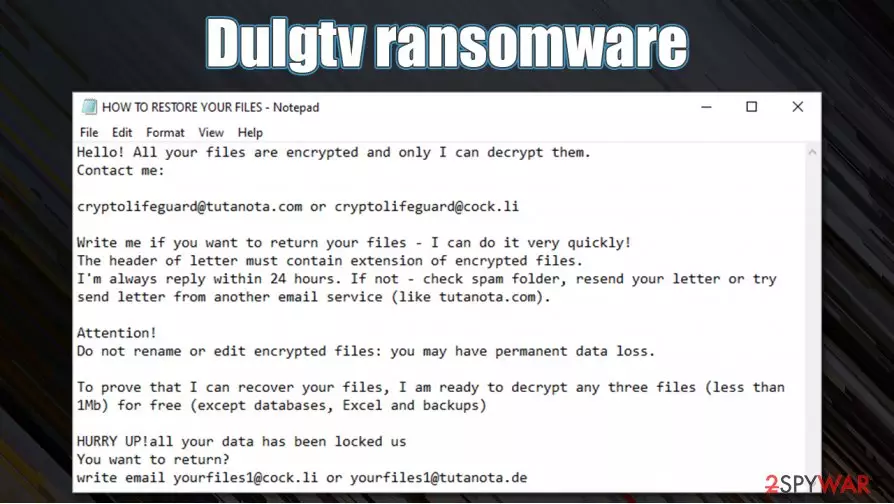
Dulgtv ransomware is a computer virus that encrypts all personal data on a targeted machine, preventing access to any files, and then demands a ransom for a decryption tool. This cryptovirus got its name like most of the ransomware – from the extension that it appends to all non-system files – .dulgtv.
Dulgtv virus derives from a family of the Xorist ransomware, that's been intimidating everyday computer users since 2016. Cryptoviruses from this family uses either XOR[1] or TEA cryptography to lock all personal user files, like photos, videos, documents, archives, databases, and so on.
As soon as .dulgtv file virus gets access to a computer, the infection is started immediately. After it encrypts and renames all files, ransom notes named HOW TO RESTORE YOUR FILES.TXT are created in all commonly-used folders. This note's purpose is to inform the victims of what has happened and what they should do next to regain access to their files.
| name | Dulgtv ransomware, .dulgtv file virus |
|---|---|
| type | Ransomware |
| Family | Xorist ransomware |
| Appended file extension | All non-system files are appended with a .dulgtv extension |
| Ransom note | HOW TO RESTORE YOUR FILES.TXT is generated in all affected folders on the victim's computer |
| Criminal contact details | Two emails are provided to contact the criminals – cryptolifeguard@tutanota.com and cryptolifeguard@cock.li |
| Malware removal | All malware, including ransomware, should be removed immediately with the help of professional, trustworthy anti-malware software |
| System Fix | When the victims eliminate Dulgtv ransomware, system repair tools like the FortectIntego app should be used to revert any changes that the cryptovirus might have caused to system settings and system files |
In the ransom note, the creators of Dulgtv ransomware first state that all victim files were encrypted and that only they can unlock them. They then provide two emails for communication purposes – cryptolifeguard@tutanota.com and cryptolifeguard@cock.li. Crooks claim that they would “always” reply within the first 24 hours and that victims should check their spam folder if the reply does not arrive in time.
Then the usual threat as found in most of the ransomware ransom notes is declared – not to try and rename or edit the encrypted data because that could lead to permanent file loss. To prove that the developers of Dulgtv virus really possess the required decryption tool, they offer a free decryption of 3 files.
Ransomware note of Dulgtv ransomware isn't informative as the ones in Lisp or Weui, where the ransom amount is specified, sometimes even the crypto wallet address is given to forward the money, and a unique user ID is appointed so it would be easier for the cybercriminals to identify their victims.

Victims should never trust the cybercriminals and remove Dulgtv ransomware instead. Manual removal of such cryptovirus could be a lengthy and difficult process even for tech-savvy people, so we suggest leaving this work to professional anti-malware software like SpyHunterCombo Cleaner or MalwarebytesMalwarebytes.
After Dulgtv ransomware removal, experts [2] recommend performing a full system scan with a system repair tool like the FortectIntego to restore any changes that the cryptovirus has done to the registry of the computer, and other core files and settings.
Developers of Dulgtv ransomware enclose this message with the ransom notes (HOW TO RESTORE YOUR FILES.TXT):
Hello! All your files are encrypted and only I can decrypt them.
Contact me:cryptolifeguard@tutanota.com or cryptolifeguard@cock.li
Write me if you want to return your files – I can do it very quickly!
The header of letter must contain extension of encrypted files.
I'm always reply within 24 hours. If not – check spam folder, resend your letter or try send letter from another email service (like tutanota.com).Attention!
Do not rename or edit encrypted files: you may have permanent data loss.To prove that I can recover your files, I am ready to decrypt any three files (less than 1Mb) for free (except databases, Excel and backups)
HURRY UP!
Most common spreading techniques of the ransomware
In this day and age, the internet is crawling with all kinds of malware, just sitting there quietly and waiting for unaware computer users to take a wrong turn and get their devices infected. There are various techniques the cybercriminals use to infect computers, but ransomware is distributed mainly in two ways – spam emails and torrent websites.
Hackers send out thousands of spam emails to unsuspecting users each day. These emails contain one of two (or both) – hyperlinks to malicious websites where the ransomware is downloaded onto a computer automatically, or infected attachments that once downloaded start an infection immediately.
Downloading torrents from torrent websites is another sure way to get your computer infected. Cybercriminals disguise their creations as popular software/game cracks,[3] unlocked licensed software, game cheat codes, or any other thing that will lure the soon to be victim to download it.

Users should be aware of these threats and refrain from using torrent websites, never open any spam emails and hyperlinks in them, scan every email attachment with powerful anti-malware software before downloading them.
Removing Dulgtv ransomware from infected computers with the help of anti-malware software
Victims of Dulgtv ransomware virus attacks should never trust the cybercriminals because there's absolutely no guarantee that after the ransom payment is made they will ever get the promised decryption tools. There might be other ways to restore the encrypted data and the cyber attacks victims should research them or try our suggestions at the bottom of this article.
Victims should trust professional anti-virus applications for the virus elimination. We recommend using anti-malware software like SpyHunterCombo Cleaner or MalwarebytesMalwarebytes to remove Dulgtv ransomware and all its components from the infected machines automatically.
When Dulgtv ransomware removal is completed, it is highly recommended to scan the virus-free machines with the FortectIntego tool to undo any changes that the malware could have done to the computer's system files and its settings. Only after this, the users are safe to restore their data from backups.
Did this guide help?
Be the first to comment