

Kcvp ransomware – a dangerous computer virus that can lock you out of your files for good
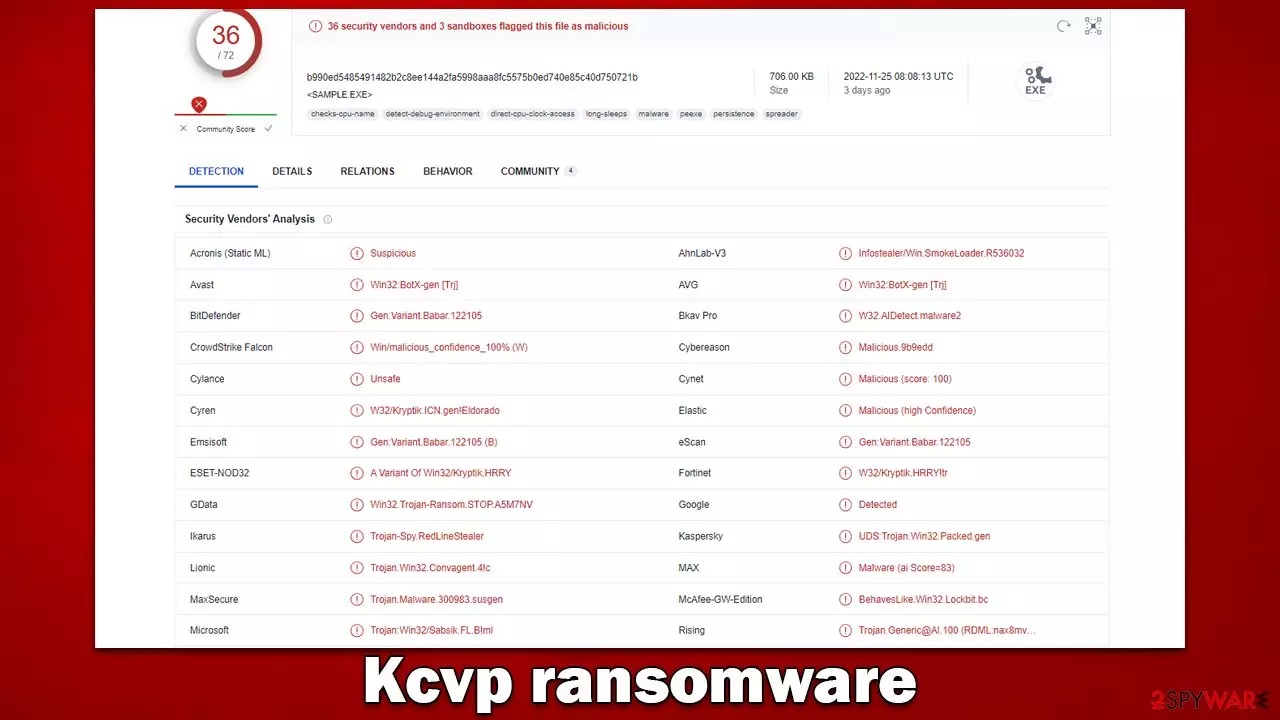
Kcvp is a ransomware-type Windows threat that emerged at the end of November 2022. Belonging to one of the most active and successful malware strains known as Djvu, it spreads via pirated software installers and cracks, although other distribution methods are not excluded. The attack always happens unexpectedly, but once users find out about it, it is already too late, and their files are already encrypted.
Kcvp virus uses an RSA[1] encryption algorithm to keep users from accessing their photos, videos, documents, and other important files. At this point, all data is stripped of its original icons (which are replaced with blanks), and a .kcvp extension is added to each of the files – these are the main ransomware infection symptoms victims notice.
Once the data-locking process is finished, users are presented with a _readme.txt ransom note, which claims that they have to pay $490/$980 ransom in bitcoin if they want their files back. To start, they would have to email cybercriminals via support@fishmail.top and datarestorehelp@airmail.cc, which we don't recommend doing – following an alternative route we provide below would prevent Kcvp ransomware authors from scamming you and never sending you the decryptor.
| Name | Kcvp ransomware |
|---|---|
| Type | Ransomware, data locking malware, cryptovirus |
| Malware family | Djvu/STOP |
| Encryption method | RSA |
| Distribution | Pirated program installers and software cracks, although other ways are also possible |
| File extension | .igal |
| Ransom note | _readme.txt asks to pay $490/$980 in bitcoin for a decryption tool |
| Contact | support@fishmail.top and datarestorehelp@airmail.cc |
| File Recovery | There is no guaranteed way to recover locked files without backups. Other options include paying cybercriminals (not recommended, might also lose the paid money), using Emisoft's decryptor (works for a limited number of victims), or using third-party recovery software (low success chance) |
| Malware removal | The only secure way to delete the virus is by employing powerful anti-malware software, such as SpyHunterCombo Cleaner |
| System fix | In some cases, ransomware or other threats might seriously damage Windows systems to the point that the OS needs to be reinstalled. To avoid that, we recommend trying to fix the virus damage instead with tools like FortectIntego |
Djvu ransomware: a menacing threat
Djvu, which first emerged back in 2017, is one of the most prevalent ransomware families out there, with close to a thousand versions under its belt. Daily, hundreds of users get infected with Kcvp, Tcbu, Tcvp, Powd, or other malware versions in the wild, mostly via cracked software installers.
The main goal of every single one of these versions is to make users pay the ransom as a resort to restore the files they can no longer access. To make this technique more effective, crooks ensure that all file formats, such as JPG, TXT, DOC, and others, are encrypted. The virus skips the system and some other files (mainly executables) for the device to function, as it corrupting the operating system is not the main goal of the attackers.
Ransom note
As soon as malware gains access to the system and locks all data on it, it immediately launches a text file that reads:
ATTENTION!
Don't worry, you can return all your files!
All your files like pictures, databases, documents and other important are encrypted with strongest encryption and unique key.
The only method of recovering files is to purchase decrypt tool and unique key for you.
This software will decrypt all your encrypted files.
What guarantees you have?
You can send one of your encrypted file from your PC and we decrypt it for free.
But we can decrypt only 1 file for free. File must not contain valuable information.
You can get and look video overview decrypt tool:
https://we.tl/t-lj5qINGbTc
Price of private key and decrypt software is $980.
Discount 50% available if you contact us first 72 hours, that's price for you is $490.
Please note that you'll never restore your data without payment.
Check your e-mail “Spam” or “Junk” folder if you don't get answer more than 6 hours.To get this software you need write on our e-mail:
support@fishmail.topReserve e-mail address to contact us:
datarestorehelp@airmail.ccYour personal ID:
Crooks are trying to lure users into paying by providing various perks in which victims agree to communicate: they offer a free test decryption service to prove that the decryptor actually works and even agree to half the price if the payment is made within the first 72 hours of infection.

These are typical extortion tactics that sound more like marketing material and shouldn't be trusted. There is no guarantee that cybercriminals will deliver what they have promised, or the decryption tool might simply not work as intended.
If you have been infected with this virus, do not panic. This will not help the situation. Keep in mind that you are not alone, and many users are looking for a guide on how to remove Kcvp ransomware. In the sections below, we will explain the correct steps to take to mitigate infection and certain file recovery options that may help retrieve some of your locked data.
Remove ransomware infection correctly
If you have never been a victim of ransomware, then you may not know what to do. However, it is essential that you follow the correct procedures while dealing with ransomware, as this may affect whether or not your data can be restored.
If your computer is infected with malware, it's possible that other devices on the same network may also be infected. To prevent the further spread of the infection, unplug your PC from the internet, as malware is known to use it to communicate with a remote Command & Control[2] server.
As soon as the device is no longer connected to the internet, you can perform Kcvp ransomware removal. While manual elimination is possible, we don't recommend even attempting it, as it is a complex process that requires extensive IT knowledge. Instead, rely on automatic malware removal software such as SpyHunterCombo Cleaner or MalwarebytesMalwarebytes. It can quickly and easily find all the malicious files and delete them automatically. However, there are certain things that anti-malware can't do, and they need to be taken care of separately – follow the steps below.
Fix damaged system files
After a computer is infected with malware, its system will no longer operate as it did prior. For example, an infection can ruin critical bootup files and registry[3] database sections or delete required DLL files. If even one system file is corrupted by malware, antivirus software cannot fix the issue, and users may experience performance or stability issues that make the machine difficult to use- to the point where they need to reinstall Windows completely.
We advise running a scan with robust PC repair software that would locate and fix all broken components at once. The app can also assist with various technical issues not caused by malware and clean your system from junk files and third-party tracking tools.
- Download FortectIntego
- Click on the ReimageRepair.exe

- If User Account Control (UAC) shows up, select Yes
- Press Install and wait till the program finishes the installation process

- The analysis of your machine will begin immediately

- Once complete, check the results – they will be listed in the Summary
- You can now click on each of the issues and fix them manually
- If you see many problems that you find difficult to fix, we recommend you purchase the license and fix them automatically.



Data recovery explained
Encryption makes files unreadable without a key, which is oftentimes stored on a server run by hackers. With the user ID, they can identify which key decrypts which victim's files. Unlike passwords that are used for everyone, each of the keys assigned to victims differs from the others.
Data encryption and virus infection are separate issues that should be addressed as unique problems. This means that by scanning your computer with antivirus software, you will delete all harmful files that would otherwise remain on your device and encrypt any new documents received, for example. However, what this cannot do is decrypt locked files – they remain inaccessible.
When it comes to recovery of .Kcvp files, you should avoid paying cybercriminals and instead try available tools. First off, a decryptor from Emsisoft could be useful to some people; in some cases, only partial decryption is possible, while for others, the decryptor would not work at all.
Your next option is to use dedicated data recovery software that may work if Shadow Copies were not removed during the infection phase. It is worth noting that this happens rather rarely, although you won't know until you try.
Finally, you can check out several websites that provide users with free decryption tools as soon as they are available. A Djvu decryptor was already created multiple times before, although cybercriminals work around it and create versions that are undecryptable by these tools.
Did this guide help?
Be the first to comment