

Pick Dark cannot actually provide dark mode while you are browsing the web
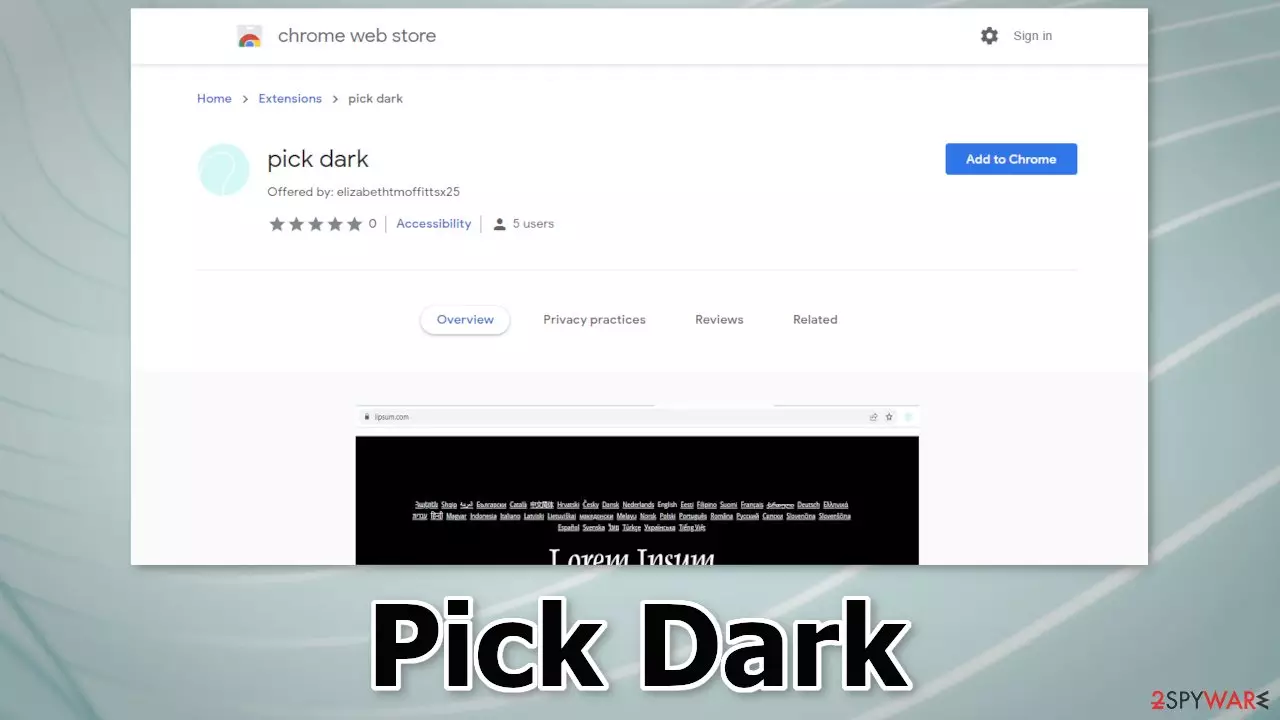
Pick Dark is a browser hijacker that may change the main settings, like the homepage, new tab address, and search engine. It takes over the user experience by forcing people to use only selected channels for browsing. This introduces many user privacy and security concerns. The extension is promoted as a useful tool:
pick dark provides dark mode for simple web page
In reality, it does not have such functions. Fraudsters try to make the add-on look desirable as much as possible to make more people download it. Once users install such plugins, they can start experiencing an increased amount of commercial content, pop-up ads, banners, and redirects.
Crooks behind such applications only care about financial gain so they may use rogue advertising networks that display ads leading to dangerous websites. Users can get tricked into providing personal information, downloading PUPs (potentially unwanted programs),[1] and malware.
| NAME | Pick Dark |
| TYPE | Browser hijacker; potentially unwanted program |
| SYMPTOMS | The app changes the main settings of the browser, like the homepage, new tab address, and search engine |
| DISTRIBUTION | Unsafe websites, deceptive ads, freeware installations |
| DANGERS | The application may be collecting data about users' browsing activities; users might get redirected to dangerous websites that can trick them into providing personal information or downloading PUPs and malware |
| ELIMINATION | Remove the extension via browser settings; performing a scan with professional security tools is recommended |
| FURTHER STEPS | Use FortectIntego to clear your browsers from cookies and cache |
Distribution methods
Pick Dark was found to be listed on the Chrome web store. Even though it is rare, some browser hijackers slip through an extensive review process. It is important to do your research, read the reviews, look at the ratings, and the number of users. For example, this plugin is not the first one of its kind. We previously wrote about Plus Darker, Page Darker, Point Dark, and Color Darker which seem to be created by the same people.
It is always best to choose applications that have plenty of feedback. You can also enter the name of the plugin into the search. If you enter the name of the hijacker, usually not many related results come up. Hijackers can also be distributed through shady sites that use social engineering methods.
You can come across messages like “Recommended by Chrome.” Crooks can also threaten and make people believe that if they do not install the add-on, their Internet will be blocked, or the PC will be damaged by viruses. Fraudsters use scare tactics to make people act on instinct so you should always think twice before taking action.
Another way that browser hijackers can enter the system is through freeware installations. Freeware[2] distribution platforms use software bundling[3] to make a profit. They include additional programs in the installers that monetize user activity. That is why free is not always the best option. It is better to pay for software and get it from legitimate sources, knowing your system will be safe.

Remove the unwanted extension
You can remove browser add-ons by going to your settings. Find the list of extensions installed in your browser and remove Pick Dark. Learn how to do that in the guide below:



Clear your browsers from trackers
One of the most important things you should do after a successful removal is to take care of your browsers. Websites and web-based applications can use cookies to gather data like your IP address, geolocation, pages you visit, links you click on, and things you purchase online.
Cookies can be used to personalize the user experience – show relevant results. But for crooks, it is just another way to make a profit. They can be sold to advertising networks and other third parties. Cookies can also be hijacked and used for malicious purposes so it is very important to delete them regularly.
We love maintenance tools like FortectIntego because they can do this with a click of a button. This powerful software can also fix various system errors, corrupted files, and registry issues which is especially helpful after a virus infection.
Did this guide help?
Be the first to comment