

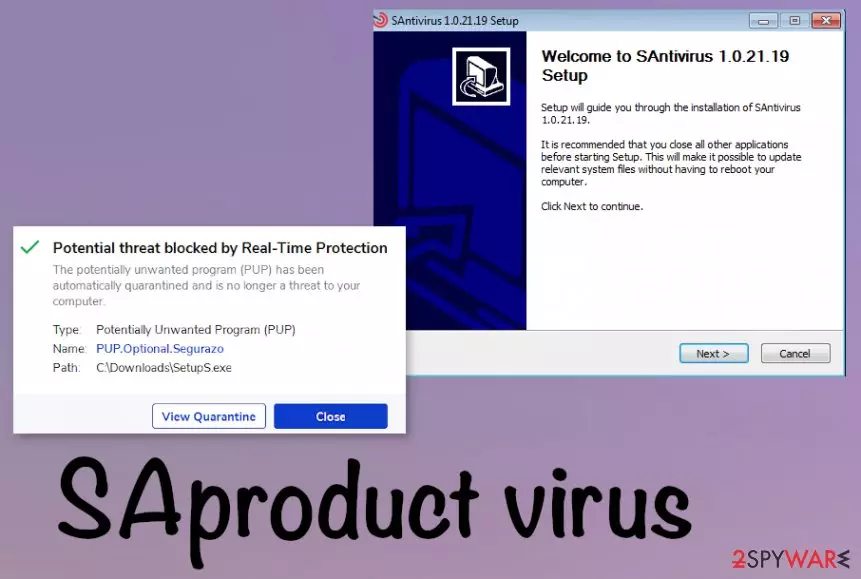
SAproduct virus is the fake antivirus program that appears affecting various functions of the machine
| Name | SAproduct virus |
|---|---|
| Type | Potentially unwanted application/ Fake antivirus program |
| Distribution | This is the tool that users can download themselves when they fall for the promotional material online or from the official website. It also is found installed on devices when the third-party installer included SAproduct as an additional download |
| Symptoms | The program states to scan the machine, and once the alleged check is done various false results with errors, issues, or even malware get listed. The persistent threat triggers redirects and advertising material that exposes users to possibly harmful domains |
| Elimination | To remove SAproduct virus from the machine, you need to uninstall the program and other PUPs installed behind your back. To clear anything possibly malicious off of the device, you need a professional anti-malware tool |
| Issues | Potentially unwanted programs can be persistent and change various settings, install or disable programs. This is the threat that also is related to third-party companies, commercial content creators, so your device gets slower and slower in time |
| Repair | You can recover system files, affected functions, or programs when you run the tool that is capable of doing so. PC repair tools or optimization utilities like FortectIntego can do that for you |
SAproduct can be the process or the detection name[3] in relation to those shady security tools that spread around with the help of promotional material, deceptive pages, other misleading sites, or advertising services. There are some variations of this product, so they can impersonate particular security software, claim to provide features that are popular and needed.
SAproduct virus is one of many rip-off programs that claim to have protection or security improving features, so people fall for the attractive-looking promotional banners, pop-ups and installs the program willingly. Fake optimization tools and system tools are nothing but intrusive. Unfortunately, many of them can trigger changes in the background and alter settings of the system, disable some real security tools, and other functions of the machine.
The main issue with the SAproduct PUP – false claims and positives that are not related to the device. The app focuses on showing fake results of the system scan, so people are convinced to install the paid version that supposedly clears those issues, fixes errors, and can delete the malware.

Even though it seems to be a great system tool, security software, and so on, there is no way that SAproduct virus could improve the performance of the system for you. Even when you got convinced into purchasing the full version yourself, you shouldn't rely on the program like it is a safe tool to use.
It may have a usable entry of the Uninstall file and provide the opportunity to get rid of the program via uninstallation, but other files and functions that SAproduct virus controls from the background are not that easily cleaned off. You may need to enter the Control Panel to find the program directly or reboot the system in a Safe Mode with Networking, so the AV tool that you launch is working properly.
Nevertheless, the best option for the proper SAproduct virus removal is the full system check using proper anti-malware tools. This is the way to find all PUPs, possibly malicious or at least suspicious files, and eliminate them from the system. However, as for the files corrupted or affected in other system parts, you need an additional check with an optimization application like FortectIntego, or PC repair program.

Shady installation pages lead to unwanted downloads
The victim of a potentially unwanted program, in most cases, is puzzled where the program came from because it is rarely installed by the users themselves. The program can be downloaded from the internet when a promotional pop-up occurs or the redirect to the official providers' page shows up.
Unfortunately, a more common way of distribution is the software bundling method because many PUP developers use the opportunity of pre-packing their products with freeware that is distributed online. Users, who tend to skip through steps and chose the recommended or quick installation options risk getting all the applications automatically downloaded.
If you go for the Advanced or Custom methods, you can expand the list fully and see all the suspicious or unwanted files and choose what to download and what to de-select from the installation setup. Of course, going for proper sources can ensure that you will not have those issues at all.
Terminate SAproduct virus with the removal guide and the proper AV tools
You may think that is impossible to remove SAproduct virus if you tried uninstalling the program manually and that option failed. You can find a file for the installation, but it is not helpful, in many cases because this threat also adds other files in the background to affect many functions and ensure the persistence.
SAproduct virus removal procedure requires some help from tools like security or anti-malware tools, because the PUP has aliases. To fully terminate the infection you need to check the machine in-depth.
Uninstall from Windows
Uninstall from Windows 10/8:
- Type Control Panel into the Windows search box and open the result.
- Under Programs, select Uninstall a program.


Uninstall from Windows 7/XP:
- Click on Windows Start > Control Panel (Windows XP users should click on Add/Remove Programs).
- In Control Panel, select Programs > Uninstall a program.


Remove the unwanted program:
- In the Programs and Features window, look for any recently installed suspicious entries, select them, and click Uninstall.
- If User Account Control appears, click Yes to confirm, then complete the removal.


Delete from macOS
Remove the unwanted application:
- From the menu bar, select Go > Applications.
- In the Applications folder, look for any suspicious entries, then drag them to Trash (or right-click and pick Move to Trash).


Delete leftover files and folders:
- Select Go > Go to Folder.
- Enter /Library/Application Support and remove any suspicious folders related to the unwanted program.
- Repeat the same check in the /Library/LaunchAgents and /Library/LaunchDaemons folders, deleting any suspicious entries.

- Finally, empty the Trash to permanently remove the leftovers.

Did this guide help?
Be the first to comment