

Combating V8Locker ransomware
Virus researchers have detected yet another crypto-malware – V8Locker virus – on the wild. According to its ransom message, it happens to be a complex threat employing the combination of AES and RSA encryption methods [1]. The former encrypts your personal files, while RSA-encryption encodes the very AES key. Such complex but at the same time profitable way to file encoding technique explains the surge of recent ransomware viruses. If you also found all your files inaccessible and encrypted, collect yourself and proceed to V8Locker removal. FortectIntego speeds up the process. At the end of recovery guidelines, we suggest several data decryption solutions.
As ransomware has evolved into a massive cyber business, researchers also respond to it by making the alliance of cyber security experts and individual IT experts [2]. However, confronting file-encrypting viruses remains a challenge. Usually, they employ complex encryption methods. Since only a unique decryption key decodes data fully, crooks feel confident that victims will pay the requested amount of money in the pursuit of retrieving files [3]. However, paying the money does not increase the chances of obtaining the decryption tool. The success stories of CryptoWall and TeslaCrypt reveal how much profit hackers have earned from generating file-encrypting. Naturally, few users have succeeded in decoding their files. Speaking of V8Locker, it still sparks many speculations about its modus operandi. At the moment, the virus is seen to encrypt the files with mentioned RSA and AES keys. It appends quite a long !__recoverynow@india.com__.v8 file extension to all corrupted files.
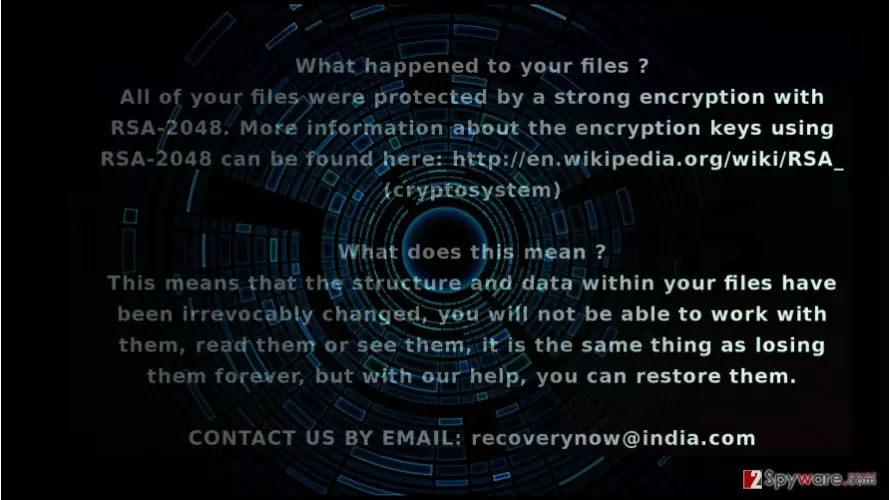
Within seconds, the malware will also open its .txt file with the instructions how to acquire the files bu contacting the gearheads via recoverynow@india.com. Recent cyber attacks of Locky and Cerber ransomware infections have slightly diminished the viruses created by this cyber gang. They already made themselves prominent by generating several @india.com themed viruses. As common for these crooks, they do not specify the amount of ransom in the ransom note. Regarding current ransom tendencies, they might ask from 1 to 10 BTC per computer depending on whether the victim is a natural or corporate person [4]. It has been observed that it targets big companies V8Locker malware encrypts not only ordinary system files but is able to penetrate deep into servers and reactivate itself again. Though at the moment, not all security applications detect it, security companies might issue an emergency update in a couple of hours.
The distribution tendencies of the malware
Like any other file-encrypting malware, .v8 file extension virus fishes for news victims via corrupted spam emails [5]. Fraudsters forge custom declaration forms, tax refund documents or invoices to persuade users that they are have received an email from an official institution. Unfortunately, a high number of users still open the corrupted attachment only to find out later that they invited ransomware into their computers. Likewise, you might have enabled V8Locker hijack. Alternatively, the malware might have slithered into the system via Remote Desktop Protocol (RDP) or exploit kit which roams in a torrent sharing or gaming web page. Therefore, you should not only update your security application to lower the risk of encountering this threat but carefully review your spam folder. Carelessness might lead to severe outcomes. Verify the sender before opening any attachment received via spam.
How long does it take to remove V8Locker?
When it comes to ay file-encrypting malware, we recommend eliminating it with an anti-spyware application. Thus remove V8Locker virus with FortectIntego or MalwarebytesMalwarebytes. Update the program before scanning the device. When V8Locker removal scan is finished, reboot the system. Keep in mind that malware elimination program does not decode the files. For that, you can use backups or alternative data recovery applications. Lastly, if you cannot start V8 Locker elimination because your computer screen is locked out, feel free to use the below instructions.
Did this guide help?
2 comments
shrinking-world
These ransomware viruses are pissing me off! Is FBI going to do something or not?
vder46
It;s getting serious already...