

Cry36 ransomware – malicious program which damages victim's files to demand a ransom

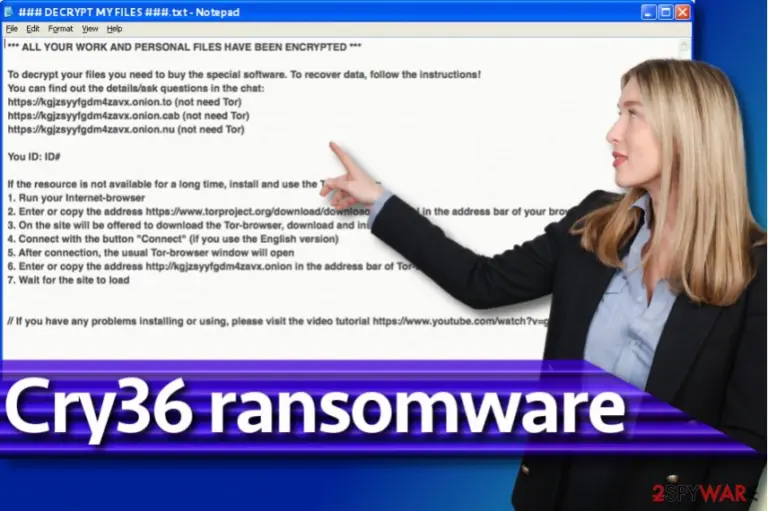
Cry36 ransomware is a unique version of CryptON (Nemesis) virus that encodes files using cryptographic ciphers and refuses to reverse the encryption until the victim pays a required sum of money (ransom). The malware creates a file called ### DECRYPT MY FILES ###.txt, which holds instructions on how to recover encrypted records.
Cry36 virus differs from other CryptON versions, such as Cry128 or Cry9, because files that it encrypts turn out to be 36 bytes larger than their original copies. The ransomware scans all system folders and encrypts data with specific file extensions. After encrypting a target file, the malware adds a particular string to its filename. The new file extension consists of victim’s ID, criminal’s email address, and random file extension of 4 characters. Victims have already reported the following file extensions:
- .id-2559797930_[mk.smoke@aol.com].a97rq;
- .id-1163283255_[liukang@mortalkombat.su].aj29p;
- .2271021857_[mk.rain@aol.com].be87r.
Cry36 ransomware doesn’t state what amount of money should be paid in order to get the Nemesis decryptor. Instead, it suggests writing to criminals’ email address to get the instructions. Currently, known email addresses are mk.smoke@aol.com, liukang@mortalkombat.su, and mk.rain@aol.com.
Criminals have been asking to provide victim’s ID in the message to them, and also provide links to a .onion website with a chat box (an alternative way to contact the cyber criminals). If your files were encrypted by Cry36 ransomware and you can no longer open them, do not lose your hope to see them again – malware researchers might succeed in attempts to create a free decrypter. Until then, try data recovery solutions we described at the end of this post.
Before you attempt to download any data recovery tools, remove Cry36 virus with FortectIntego or another powerful malware uninstaller. We also want to add that the decryptor released for earlier CryptON versions[1] do not work for this ransomware variant.

Traditional ransomware distribution schemes
Ransomware has been distributed in similar ways for years. Although some parts of the distribution strategies were readjusted and improved, we can say that the majority of these malicious viruses are still being distributed via malicious spam. In other words, scammers add malicious files to emails and send them out to hundreds of email accounts worldwide. After opening the email attachment, the victim lets the ransomware into the system.
However, recently attackers started to rely on RDP attacks. For this reason, we suggest users to use strong passwords for accounts with remote access to the computer network. Finally, having an up-to-date anti-malware software and a backup is a must. If you do not have one of them, the risk of losing your private files increases.
On top of that, we want to warn you that not all ransomware variants are crackable, and only because researchers managed to defeat Cry36, it doesn’t mean that any other ransomware variant can be analyzed and reversed so efficiently. For instance, files locked by Cerber[2] cannot be accessed using any other tools except the ones that the developers of the ransomware suggest buying for ridiculous amounts of money.
Remove Cry36 before you try to decrypt the locked files
Do not try to access your data until you completely remove Cry36 ransomware. The ransomware must be deleted carefully because leaving any of its remains on the system increases the risk that it will continue its encryption in the future. Besides, having malicious files on the system can always increase the risk of catching more dangerous viruses in the future.
Do not waste your time and delete the malware according to Cry36 ransomware removal instructions we provided. After uninstalling the virus, take a look at data recovery solutions provided at the very end of this page.
Did this guide help?
Be the first to comment