

GandCrab 4.2 — yet another version of GandCrab ransomware discovered this year
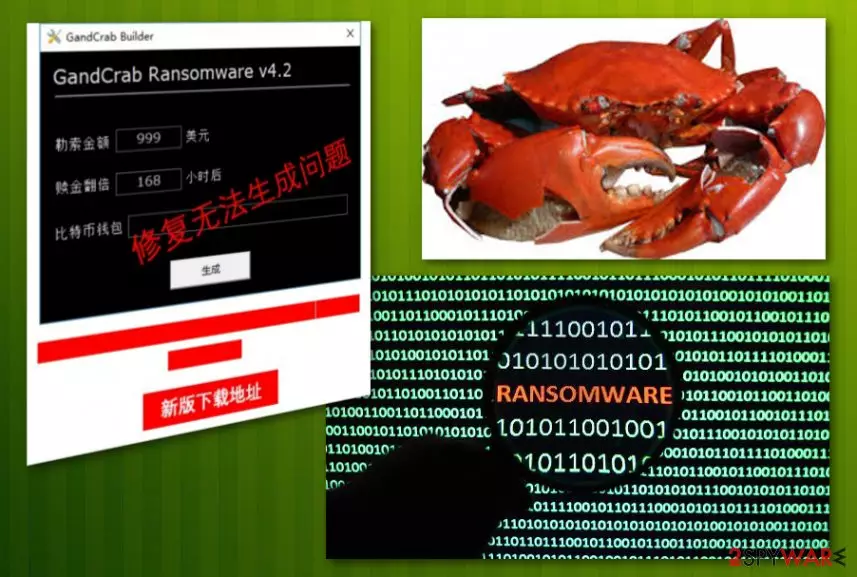
GandCrab 4.2 ransomware is the sixth version of an infamous GandCrab ransomware. Just like its previous versions which are surrounded by many speculations because of the use of exploit kits and similar functionality, GandCrab 4.2 version doesn't seem to be different. According to security researchers, the virus relies on a tool that allegedly allows potential hackers to build their own version of this ransomware.[1] If this fake builder works, it can make this virus even more dangerous. After encrypting victims' files, the virus marks them with the specific extension. Just like the previous versions of GandCrab ransomware family, the virus is still using AES-256 and RSA-2048 encryption methods. Then, it drops either .crab or .KRAB file extensions and makes users' files useless.
| Name | GandCrab 4.2 |
|---|---|
| Type | Ransomware |
| Family | GandCrab |
| Previous versions | |
| Distribution | Spam email attachments, other malware |
| Symptoms | Locked files, limited access to the device |
| Elimination | Use FortectIntego for GandCrab 4.2 ransomware removal |
| Decryption | Some versions of Gandcrab 4 are decryptable. Use GandCrab 4.2 decryption tool(by BitDefender) |
Encryption starts when ransomware scans the system and creates a file filled with the status information of the targeted device. It says if the PC is already encrypted or not. Additionally, the victim is asked to pay from $100 to $700 for the decryption key which is said to be the only one capable of recovering locked files. GandCrab 4.2 ransomware is believed to be an advanced version of its primary variant detected on January 2018.
GandCrab 4.2 ransomware is already decryptable.[2] The tool is provided in our data recovery guide. A few previous versions have been decrypted because of the mistake hackers made in virus code. However, developers fixed this hole in the second virus version and increased their chances of convincing users into paying the ransoms.
Ransomware works silently, and you can only notice its activity when your data is locked with the corresponding file extension. Also, such viruses tend to disable the antivirus program, so virus detection can also become a seriously difficult task. This is why you should use System restore or Safe mode with networking for ransomware termination. Then, install FortectIntego to detect malicious files and remove them from the system.
Viruses like GandCrab 4.2 ransomware are created for the only purpose – money extortion. Since cybercriminals lock your money, they demand the special amount of ransom in cryptocurrency. The amount of the ransom is written in ransom note that is placed on your desktop as an image or a text file in every folder of your device. In this file, there should be an email address that ransomware developers suggest you use for contacting them. However, do not communicate with these criminals and do not pay the ransom because this may lead you to money loss as well.
These people are saying that they have decryption tools and they are the only ones who can recover your data. This alleged tool might not even exist. As many researchers[3] advise, you should focus on GandCrab 4.2 removal, and then think about data recovery. The best option for this is using data backups or official tool presented by BitDefender.
If you do not have a routine of saving backups of your files to the external drives and similar solutions, it might be difficult to recover all of your files. However, we have provided a few options that could be helpful for you. Also, if you want to remove GandCrab 4.2 ransomware securely, you can follow suggestions from the instructions down below. Keep in mind that this is a dangerous virus which should be removed quickly after you notice its suspicious activity.

Ransomware comes from malicious links and email attachments
This is a program that can easily alter your computer system without your permission or knowledge. This type of virus usually attacks your device through spam email attachments or suspicious links. This infection can also come with the help of trojans or other malware downloaded from the Internet unknowingly. As a result, the trojan horse installs the main virus file and launches it on demand.
Malware developers are typically aware of the fact that people tend to fall for eye-catching advertisements or big company names. People are not always aware that emails can come from questionable sources, so the ones that are disguised as files with invoices or receipts can easily lead you to virus infiltration. In this case, you should stay away from suspicious emails and doublecheck content before clicking links and attachments presented there. If you don't know the sender, delete an email without opening it.
Terminate GandCrab 4.2 ransomware without a delay to prevent data loss
To remove GandCrab 4.2 ransomware safely, you should rely on anti-malware tools like FortectIntego and MalwarebytesMalwarebytes. Also, these tools can find and delete any possible threats on your computer related to this virus. When programs come silently, they might have additional tools installed on the PC at the same time which can to be removed from the system. Otherwise, they can reinstall the malware and initiate another decryption process.
To perform GandCrab 4.2 removal, make sure you use the latest program's version. Do not try removal tools from questionable sites as you might get additional infections. If you are concerned about your encrypted data, we should warn you that security software cannot recover encrypted files. For that, try one of the recovery methods down below.
Did this guide help?
Be the first to comment