

Moon Browser is a potentially unwanted application that inserts ads into your searches
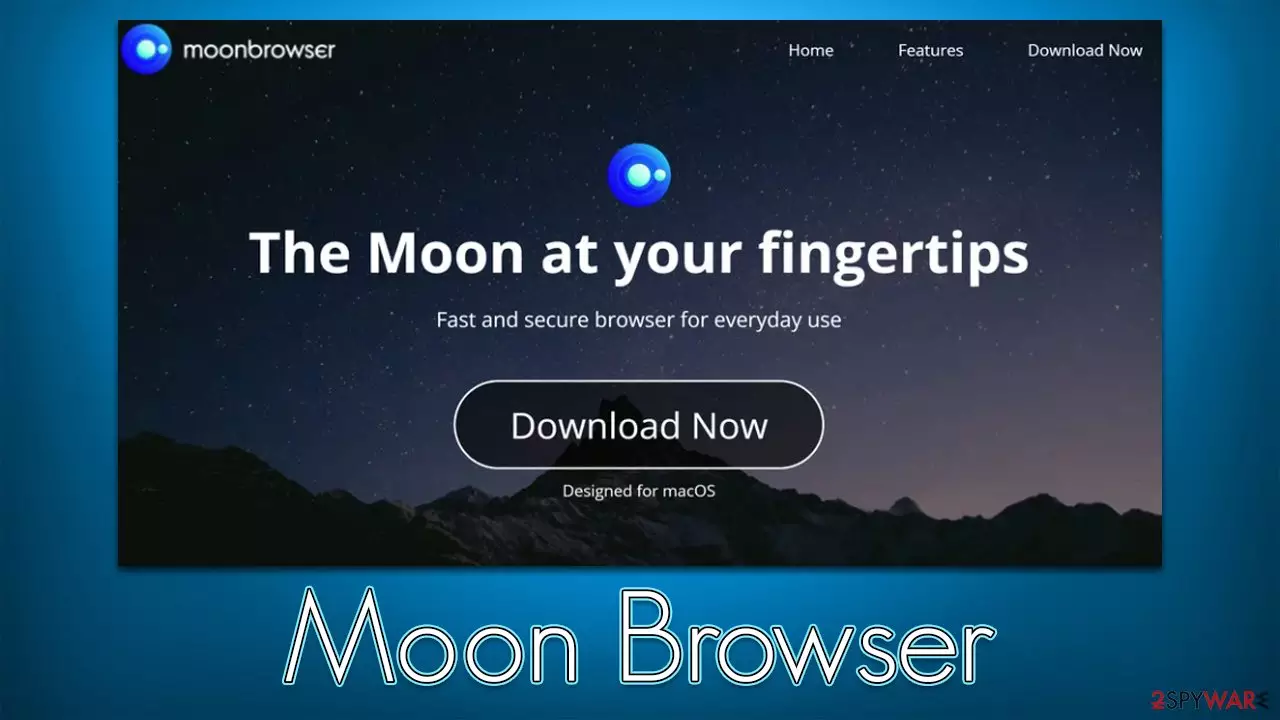
Moon Browser is a Chromium-based web browser targeted toward Mac users. While it may seem like your ordinary application, it is classified as potentially unwanted software that displays ads, otherwise known as adware. The application might be installed intentionally by users, although some might find it installed on their devices one day unexpectedly – this usually happens when it is downloaded along with freeware from third-party sources or due to deceptive advertisements.
Once installed, Moon Browser would set itself as your default app for opening all links you click elsewhere, with the homepage and new tab address set to feed.moonbrowser.com. The change from the default provider is not only visual, as the results would always be displayed through search.yahoo.com, which changes the which websites users access due to alternative results produced.
By using feed.moonbrowser.com, you are also more likely to encounter sponsored links and ads at the top of the results every time you search the web. This could expose you to extra risks of installing other potentially unwanted software or encountering potentially dangerous websites. Likewise, the overall number of ads might be increased.
| Name | Moon Browser |
|---|---|
| Type | Adware, potentially unwanted program |
| Alleged functionality | Alternative browser for Mac |
| Distribution | Software bundles, third-party websites, deceptive ads |
| Symptoms | Installed unknown browser extension or application; intrusive deals, coupons, discounts, offers, and other advertisements; possible homepage and new tab address changes; redirects to ad-filled, scam, phishing, and other dangerous websites |
| Dangers | Redirects to malicious websites can result in unwanted site notifications, personal information disclosure to unknown parties (cybercriminals), monetary losses, installation of other potentially unwanted programs/malware |
| Removal | You can employ powerful security software to check your system for infections, for example, SpyHunterCombo Cleaner. The manual PUA uninstall guide is also available below |
| Other tips | Malware or adware infections can diminish the performance of your computer or cause serious stability issues. Use FortectIntego to remediate your device and fix virus damage with it |
What is a Moon Browser
There are plenty of browsers available for users to choose from, and not everyone likes the most popular choices out there, so it is understandable that some people might go for alternatives. Chromium is an open-source code project that the Chrome browser is based on – even Microsoft switched to it, making it the most reliable and secure Microsoft browser so far. Unfortunately, the code can be picked up by anyone and converted into whatever it's desired to be.
So, what makes Moon Browser an undesired application for web browsing? We have already talked about the Chromium virus and many of its variants – Chroomium browser, Citrio Browser, eFast virus, for example. While these examples couldn't be classified as malicious per se, they do force presets that might not necessarily be positive – they often change the primary search provider and change search results, filling them with annoying ads. In this case, the provider would be swapped to Yahoo.
Advertisements provided by potentially unwanted applications should not be trusted, as they tend to expose users to inaccurate or even insecure websites. This way, people might be tricked into installing other PUAs or subscribing to deceptive services and encountering scams or phishing websites.

Distribution and avoidance
As mentioned, some users might install the app when looking for an alternative browser. However, alternative software is not always a better choice, as it can come with unwanted ads, redirects, and data tracking activities that are not beneficial for the user. Thus, we recommend reading reviews about apps you have little knowledge of before installing them, especially if they come from freeware[1] distribution websites.
Third-party sources can also be a result of unintentional software installation – users often claim that they never installed the app themselves, and it suddenly appeared on their devices one day. This is not entirely possible, as users' actions always cause these issues. In this case, it is the careless installation of freeware.
If you install software from unofficial sources, make sure you always read the installation instructions and never rush through the steps. Always choose Advanced/Custom settings instead of Recommended/Quick when possible, and watch out for other tricks – pre-ticked checkmarks, misplaced buttons, fine print, etc.
Removal of the unwanted app
Evidently, we recommend you remove the Moon Browser, as it is classified as adware[2] by security experts[3] – its unwanted ads and redirects will not stop bothering you until you do so. This application can be easily removed automatically with the help of SpyHunterCombo Cleaner or MalwarebytesMalwarebytes anti-malware, although we still recommend cleaning web browser caches as explained below.
Before you get rid of the app, we recommend first turning off the running processes so that there will be no interferences. Then moving the main app into Trash is the first step to a clean system:
- Open Applications folder
- Select Utilities
- Double-click Activity Monitor
- Here, look for suspicious processes and use the Force Quit command to shut them down
- Go back to the Applications folder
- Find the malicious entry and place it in Trash.
Once you have finished with the removal of the main application, you have to find and delete leftover files, or adware might return in the future.
- Select Go > Go to Folder.
- Enter /Library/Application Support and click Go or press Enter.
- In the Application Support folder, look for any dubious entries and then delete them.
- Now enter /Library/LaunchAgents and /Library/LaunchDaemons folders the same way and terminate all the related .plist files.


You should also check whether new login items or profiles were created by adware. Follow these steps:
- Go to Preferences and pick Accounts
- Click Login items and delete everything suspicious
- Next, pick System Preferences > Users & Groups
- Find Profiles and remove unwanted profiles from the list.
Finally, you should clean your installed web browser, which would prevent further information tracking – cookies, caches ad other web data should be deleted at once. We recommend using FortectIntego for the job, although you can also use the manual instructions below.
Safari
- Click Safari > Clear History…
- From the drop-down menu under Clear, pick all history.
- Confirm with Clear History.


Google Chrome
- Click on Menu and pick Settings.
- Under Privacy and security, select Clear browsing data.
- Select Browsing history, Cookies and other site data, as well as Cached images and files.
- Click Clear data.


Mozilla Firefox
- Click Menu and pick Options.
- Go to Privacy & Security section.
- Scroll down to locate Cookies and Site Data.
- Click on Clear Data…
- Select Cookies and Site Data, as well as Cached Web Content and press Clear.


Did this guide help?
Be the first to comment