

Jhon Woddy virus takes over your files and holds them ransom
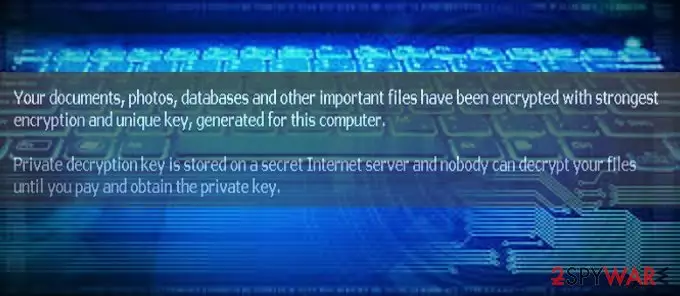
Jhon Woddy virus operates as a file-encrypting malware that stems from the M4N1F3STO ransomware family. As common for this type of cyber infection, it enters into the device without users' consent and encrypts all pictures, music, video, documents, and other files located on all Windows drives using a sophisticated encryption method known as AES appending .killedXXX extensions in the process.
As soon as that is done, users will find that they cannot use their computers due to the lock screen. Instead, they will be presented with a ransom note that would cover the full desktop, and none of the other Windows features would be operational. Dot nor make any rational decisions, and do not panic, as we will provide you best options on how to deal with the virus and restore your files for free.
| Name | Jhon Woddy |
| Type | Ransomware, file-locking virus, screen-locker |
| File extension | .killedXXX, appended to each of the personal files on the PC |
| Encryption method | AES |
| Lockscreen removal | M3VZ>5BwGGVH |
| Malware removal | Use powerful anti-malware software, such as SpyHunterCombo Cleaner |
| System fix | Use FortectIntego to fix virus damage automatically |
The media indirectly invites hackers to get on the track again with new ransomware, and some crooks already respond to such invitations. There have been several ransomware viruses with odd titles appearing in the online market. Among them are MerryXmas, Jew Crypt virus, and CryptoShadow malware. The majority of them rarely cause big troubles for the virtual community, but some of them present quite a riddle for the bright minds of IT cyber security.
However, after a brief analysis, it looks like the virus does not seem to possess intricate components. Even though it has become a trend among hackers, the malware does not target mobile owners yet [1]. s. Some cybercriminals take up the infamous Locky‘s manner to target medical institutions [2].
At the moment, there have been no reports yet on whether the malware will evolve to a bigger cyber campaign. Fortunately, a low number of Jhon Woddy infections were detected. Usually, the crooks take inspiration from pop culture, film industry, or mythology to give the names to their creations [3].
Many might speculate whether there is a hidden message behind this ransomware strain. Though it reminds me of the name of an English actor named John Woody, the similarity might be just purely coincidental. Speaking of the capabilities of this threat, it encodes the files on a desktop and local disk.
Do not pay the ransom as it does not guarantee that the files will be returned [4]. Instead, we recommend you check the solutions below – you are likely to recover all the .killedXXX files for free.
Eliminating Jhon Woddy
The best way to remove the Jhon Woddy virus is to shift to automatic elimination. Install an anti-spyware application, SpyHunterCombo Cleaner or MalwarebytesMalwarebytes, and let it perform the scan. Do not forget to update it before the scan. However, this might be difficult to do, as malware also might lock your screen.
Luckily, security researchers who analyzed malware found the built-in key that could be used to gain access to your desktop. Thus, simply enter the following code and press Enter:
M3VZ>5BwGGVH
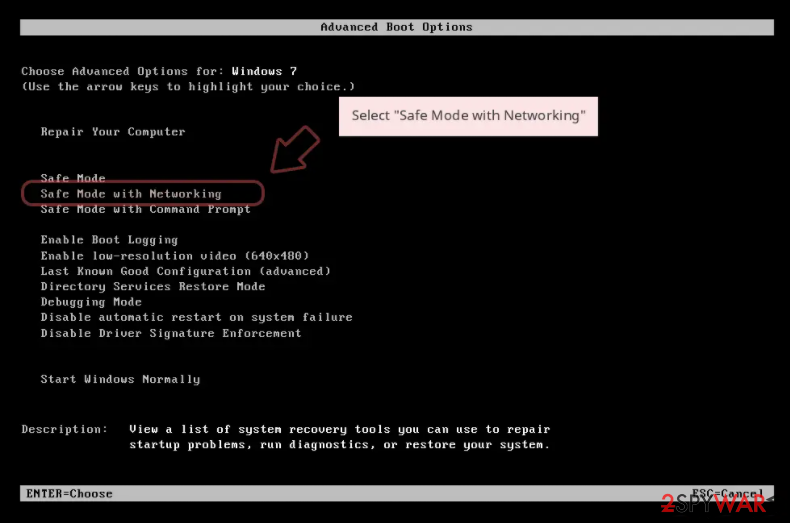
If that does not work, however, you might have to access Safe Mode with networking in order to delete all malware components. To do that, follow these steps:
Windows 7 / Vista / XP
- Click Start > Shutdown > Restart > OK.
- When your computer becomes active, start pressing F8 button (if that does not work, try F2, F12, Del, etc. – it all depends on your motherboard model) multiple times until you see the Advanced Boot Options window.
- Select Safe Mode with Networking from the list.

Windows 10 / Windows 8
- Right-click on Start button and select Settings.
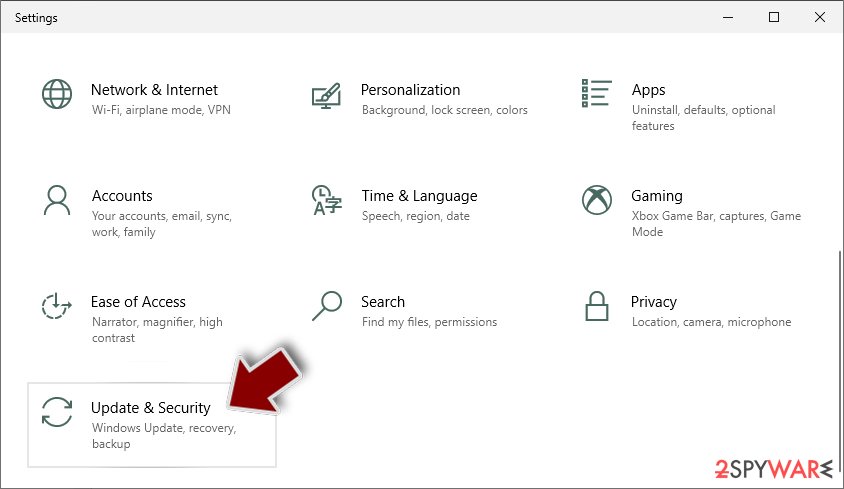
- Scroll down to pick Update & Security.
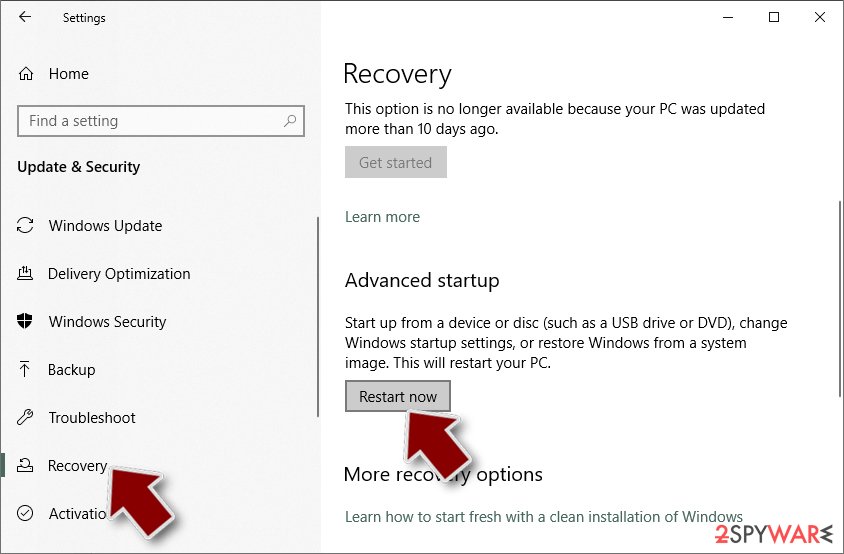
- On the left side of the window, pick Recovery.
- Now scroll down to find Advanced Startup section.
- Click Restart now.
- Select Troubleshoot.
- Go to Advanced options.
- Select Startup Settings.
- Click Restart.
- Press 5 or click 5) Enable Safe Mode with Networking.
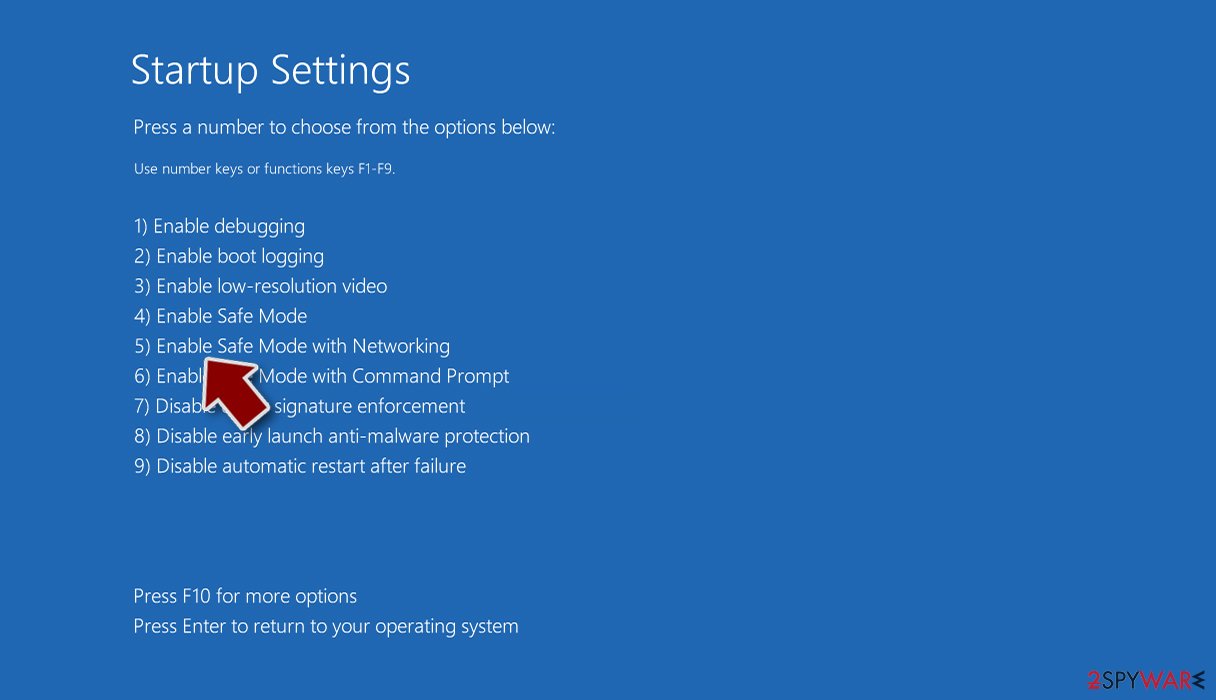


Lastly, you should not forget to update your system applications and eliminate possible vulnerabilities.[5]
File recovery without paying criminals
Many ransomware viruses are dangerous not because they infect the computer but because of what they do after – encrypt all the data. This, unfortunately, can not be reversed after Jhon Woddy ransomware removal is performed – this is also true for any other ransomware infection.
Luckily, a working decryptor by security researcher Michael Gillespie is available for free [download link]. Please download the tool and restore your data for free. Also, we have an alternative method for you, so there is no need to pay cybercriminals – you can try using recovery software:
- Download Data Recovery Pro.
- Double-click the installer to launch it.

- Follow on-screen instructions to install the software.
- As soon as you press Finish, you can use the app.
- Select Everything or pick individual folders where you want the files to be recovered from.

- Press Next.
- At the bottom, enable Deep scan and pick which Disks you want to be scanned.

- Press Scan and wait till it is complete.
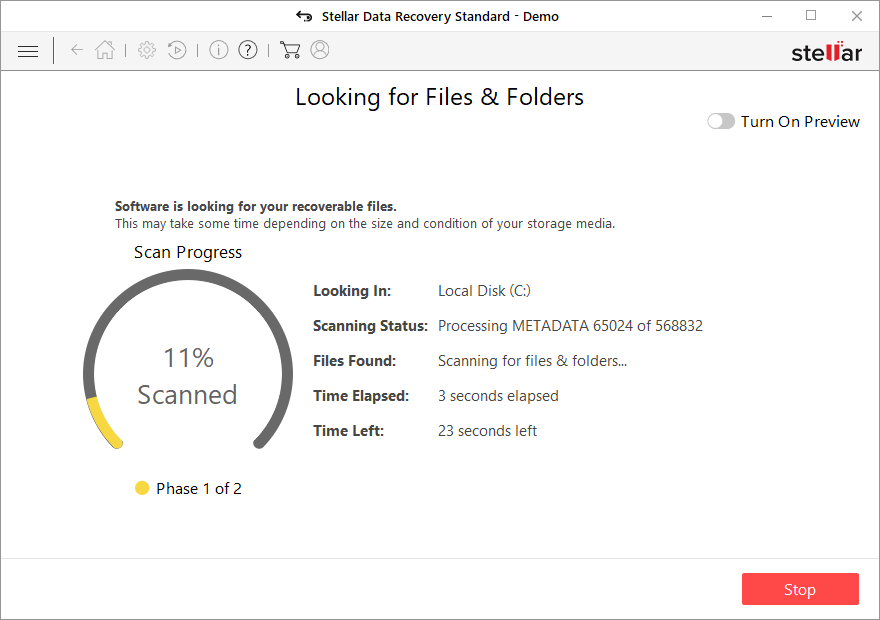
- You can now pick which folders/files to recover – don't forget you also have the option to search by the file name!
- Press Recover to retrieve your files.



Ways ransomware attack computers
This sort of malware usually paves its way into users‘ computers via spam emails. Gearheads have developed ways to persuade users with counterfeited invoices, tax refunds, and messages. Often crooks alert users to review the attachment quickly by making up a fake story about severe possible outcomes for the delay. It is a usual psychological pressure not to leave enough time for the victims to look for alternative solutions.
The infection of malware might have taken place as the result of visiting a corrupted website. Usually, it happens to be a torrent-sharing web page. Some ransomware threats disguise in trojans. Likewise, it is necessary to install an anti-spyware application to lower the risk of a probable hijack.
Fix malware damage automatically
Once a computer is infected with malware, its system is changed to operate differently. For example, an infection can alter the Windows registry database, damage vital bootup and other sections, delete or corrupt DLL files, etc.
The technology used by the program is patented unique, and one-of-a-kind. It can fix virus damage after infection and malware that has already broken into a system via several engines onboard this application. The software also features the ability to fix various Windows-related issues such as Blue Screen errors, freezes, or registry errors which are not caused due to any malware infections but could be from other causes like damaged DLLs, etc.
- Download Reimage
- Click on the ReimageRepair.exe

- If User Account Control (UAC) shows up, select Yes
- Press Install and wait till the program finishes the installation process

- The analysis of your machine will begin immediately

- Once complete, check the results – they will be listed in the Summary
- You can now click on each of the issues and fix them manually
- If you see many problems that you find difficult to fix, we recommend you purchase the license and fix them automatically.



Did this guide help?
4 comments
Number8
Why does it take so long to release the decrypter? It does not seem as a very complex threa..I really need my files back!
BerthaDG
They give completely random names.
DRYou
Its traffic probably lasted for one day.
Heron557788
The same vicious circle...