

Bufas ransomware is a Djvu variant that encrypts pictures and other files on the infected computer and demands a ransom to be paid for the decryptor
Bufas is a ransomware-type virus that was first discovered in mid-May 2019 by security researcher Michael Gillespie. The cybercriminals behind this threat are focusing on money extortion by locking user files with .bufas file extension (typically AES encryption is used in STOP/Djvu family, although researchers also spotted some variants using different ciphers) and demanding ransom to be paid for the decryption tool.
The size of the ransom is $980, although crooks also offer a discount of 50% if they are contacted via mosteros@firemail.cc, gorentos@bitmessage.ch or @datarestore Telegram account within 72 hours after the initial infection. Victims affected by Bufas ransomware can see this information compiled in a text document _readme.txt, which is populated into each of the affected data folders.
While it is true that Bufas virus is currently not decryptable, paying the ransom is not recommended by security experts,[1] as hackers might fail to provide the decryptor. Instead, victims should focus on Bufas ransomware removal and alternative decryption methods that we provide below.
| Name | Bufas |
| Type | Ransomware |
| Variant of | STOP-Djvu |
| File extension | .bufas |
| Ransom note | _readme.txt |
| Contact | mosteros@firemail.cc, gorentos@bitmessage.ch or @datarestore |
| Decryptable? | Might be possible with the help of STOPDecrypter [download link]; otherwise third-party recovery software can be used |
| Elimination | Use reputable anti-malware software, such as SpyHunterCombo Cleaner |
| Recovery | To completely recover from ransomware infection, scan your system with FortectIntego |
Bufas virus authors use common ransomware distribution methods, such as spam emails, exploits, torrent or other file-sharing sites, fake Windows updates, etc. However, researchers spotted that many of STOP versions, including Kroput, Kropun, Promok, and others, were distributed on crack and pirated software sites, such as Crackithub[.]com or kmspico10[.]com.[2]
Additionally, some of the variants also carried AZORult trojan payload which can steam financial and other sensitive information from the host computer. Although it is yet unknown if this version has a secondary payload, it is vital to remove Bufas ransomware immediately.
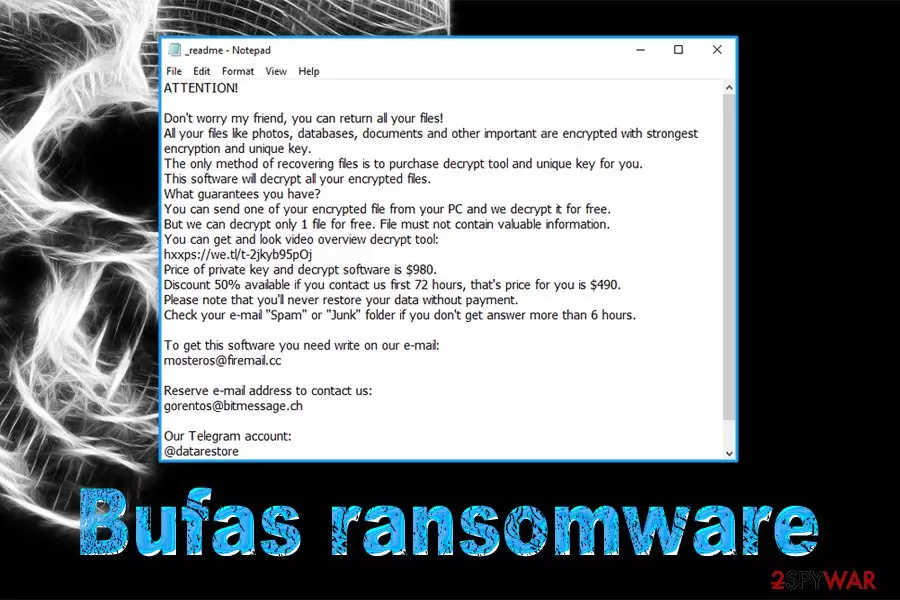
Soon after the file encryption procedure, Bufas ransomware victims can see the ransom note which reads:
ATTENTION!
Don't worry my friend, you can return all your files!
All your files like photos, databases, documents and other important are encrypted with strongest encryption and unique key.
The only method of recovering files is to purchase decrypt tool and unique key for you.
This software will decrypt all your encrypted files.
What guarantees you have?
You can send one of your encrypted file from your PC and we decrypt it for free.
But we can decrypt only 1 file for free. File must not contain valuable information.
You can get and look video overview decrypt tool:
hxxps://we.tl/t-2jkyb95pOj
Price of private key and decrypt software is $980.
Discount 50% available if you contact us first 72 hours, that's price for you is $490.
Please note that you'll never restore your data without payment.
Check your e-mail “Spam” or “Junk” folder if you don't get answer more than 6 hours.To get this software you need write on our e-mail:
mosteros@firemail.ccReserve e-mail address to contact us:
gorentos@bitmessage.chOur Telegram account:
@datarestoreYour personal ID:
While cybercriminals offer a 50% discount if contacted within 72 hours, experts recommend staying away from the culprits – there is simply no guarantee that they will send the decryptor needed to unlock personal files. Additionally, paying the ransom will only encourage threat actors to develop the virus further and infect more victims around the world.
Currently, there is no official decryptor would recover your files locked by Bufas ransomware. However, STOPDecrypter might work if the encryption process was performed offline. Additionally, third-party recovery software might be a great tool to get at least some of your data back.
But before that, you need to terminate Bufas virus, along with any secondary infections that might be present on your computer. For that, enter Safe Mode with Networking and use reputable anti-malware software to scan your device. After that, we recommend scanning the PC with FortectIntego to restore infected Windows system files.

Stop downloading pirated software to improve your computer security
As we already mentioned, many of the STOP variants were distribution on sites that host pirated/repacked software or its cracks. Therefore, it would be wise staying away from such websites altogether. Nevertheless, if you are willing to risk it (also, be aware that pirating software is illegal and might result in financial penalties), you should always scan the executables with anti-virus software or Virus Total engines. However, most of the crack tools will be flagged as malicious[3] simply because if how they work, regardless if they will infect your computer or not.
Additionally, you should always practice safe browsing – here's how to do it:
- Employ powerful anti-malware software and enable Firewall;
- Keep all your applications, along with the operating system, updated with the latest security patches;
- Be very careful with spam emails – especially those that include attachments or hyperlinks;
- Before opening an email from an unknown source, first make sure it is legit (be aware that email spoofing might make sender address look legitimate);
- Use an ad-blocker app (do not forget to add exclusions on sites you want to support);
- Use strong passwords for all your accounts and enable two-factor authentication where possible;
- Turn off RDP when not using it and also adequately protect it with a strong password.
Delete Bufas ransomware before you attempt file recovery
Please do NOT attempt to recover your files until a full Bufas ransomware removal is complete. To do that, you should access Safe Mode with Networking and then perform a full system scan with anti-malware software, such as SpyHunterCombo Cleaner or MalwarebytesMalwarebytes. Be aware that new variants of STOP malware might not be detected by all AV vendors, so scan with multiple programs might be necessary to terminate Bufas virus altogether.
After you remove Bufas ransomware, you can then attempt to recover your files. If you had backups ready, now is the time to connect your external device or copy your data from remote storage. If you did not have backups prepared (most users don't, although they should), you could try third-party software or a decryptor developed by security experts. You will find all the instructions below.
Did this guide help?
Be the first to comment