

LeadingServiceSearch is the program that can trigger unwanted changes to the system to display sponsored content
Unfortunately, even though the LeadingServiceSearch virus is not the term used to describe the particular behavior of the PUP, you need to remove the threat using proper tools. It is not possible to remove the application itself if it's not going to show up on the screen or in folders of the system. Also, the app that shows up is not the one that creates the main annoying symptoms and intrudes your time online. You need a thorough system check that can get to various parts of the system and find associated files and programs for you.
| Name | LeadingServiceSearch |
|---|---|
| Type | Adware/ Mac virus[1] |
| Symptoms | The application appears installed on the system and triggers redirects, pop-ups, other program installations. The PUP of the adware-type runs in the background and affects the performance significantly with redirects to commercial sites and malicious domains |
| Distribution | Freeware installation processes can become dangerous when you choose the unreliable source or skip through important steps in the first place. PUPs come to the machine without the users' knowledge, so the infection is silent |
| Elimination | You should remove LeadingServiceSearch immediately after the first redirect or a pop-up, so your AV tool can eliminate the threat easily. You should rely on anti-malware tools, so the system is checked properly[2] |
| Repair | Remember to check for virus damage and try to repair those affected parts or corrupted programs using PC repair tools or system optimizers like FortectIntego |
LeadingServiceSearch interferes with the system from the minute it gets on the system. Experts[3] often note that application can compromise various settings and performance of the machine generally when it manages to get on the system.
This means that once the PUP lands on your computer it starts triggering those changes, so other symptoms appear on the screen. You should note that Leading Service Search is associated with the Adload family that also promotes and can trigger the installation of programs like BufferKey, Docallisec, PracticalProcesser, OperativeFraction, Central Locator; ArchimedesLookup; SearchMainInfo; CreativeSearch; DataQuest; Libexec virus; Main Ready.
LeadingServiceSearch removal process can get more difficult when your device is infected by more applications like this because additional files and processes, programs running in the background affect either startup preferences or the performance of some security tools, hides particular files in system folders, so some of the activities continue to occur.

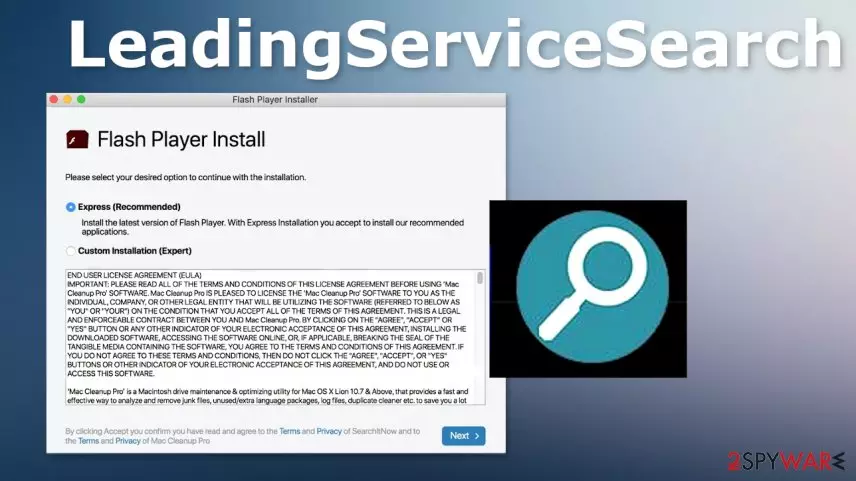
Leading Service Search itself can spread via fake Flash Updates or other program installation windows, promotional pages, direct download sites, and other material. There are various issues that can be triggered when you visit those ad-supported sites, so you should terminate the application from the system as soon as you can to avoid damage.
Since the program is not giving any value for you when it is running on the machine, you should remove LeadingServiceSearch. This is a useless and intrusive program, so keeping it running creates issues and disturbs the security of the system.
Since these programs can interfere with the settings, rely on FortectIntego or similar system optimization tools to find and repair damage in such places. It is also possible that third-party commercial content creators and the developers of this LeadingServiceSearch PUP get to access data regarding your browsing habits and preferences in online searches.

Mac devices also get malware that infiltrates the machine silently
Shady methods get used for the distribution of unwanted programs because such methods allow PUP developers to pre-pack their applications with freeware that is commonly downloaded by users. Unwanted applications get automatically added in bundles with popular programs, so during the insecure installation, all the programs get downloaded together.
Choosing reliable sources for all the programs you install, for example, could help you avoid such behavior. Also, installation options are very important too. If you go for Advanced or Custom options, you can control which application gets to be downloaded and which ones are not.
Remove LeadingServiceSearch from the system to get back to properly working machine
You need to take care of the issues created by the LeadingServiceSearch virus as soon as possible because there are various problems that occur due to the potentially unwanted program infiltration alone. There are other factors to these annoying activities, like third-party involvement.
LeadingServiceSearch removal procedures should be quick because selecting a good anti-malware tool provides more options and a more in-depth system scan. Programs designed to fight serious malware programs can find suspicious programs, possibly harmful files, and delete them all easily. You cannot do so manually.
Uninstall from Windows
Uninstall from Windows 10/8:
- Type Control Panel into the Windows search box and open the result.
- Under Programs, select Uninstall a program.


Uninstall from Windows 7/XP:
- Click on Windows Start > Control Panel (Windows XP users should click on Add/Remove Programs).
- In Control Panel, select Programs > Uninstall a program.


Remove the unwanted program:
- In the Programs and Features window, look for any recently installed suspicious entries, select them, and click Uninstall.
- If User Account Control appears, click Yes to confirm, then complete the removal.


Did this guide help?
Be the first to comment