
Wadverants.co.in ads: what it is and how to remove it
Wadverants.co.in is a suspicious website designed to trick users into allowing push notifications. Once granted, these notifications can flood your device with spam, advertisements, and potentially harmful content.
Facts checked October 7, 2026. Removal steps tested on Windows 11 (26H2) and checked against Microsoft's and the browser makers' current documentation. Sections marked as our earlier report are the original text: they describe the threat as it was then and have not been reviewed since. The 2026 status, the removal steps and the questions are current.
Automatic
Get a free scan and check if your PC is infected.
Fortect finds malware, unwanted programs and the Windows damage they leave behind, and repairs it in one pass.
A quick scan confirms that the wadverants.co.in notifications did not lead to anything being installed.
Do it yourself · free Remove Wadverants.co.in ads yourself 2 steps, about 6 minutes, no software needed.
Wadverants.co.in ads: summary
| Distribution | Desktop notifications start showing up at random times after clicking on the "Allow" button upon the site entry |
|---|---|
| Damage | Push notification prompts may contain links to harmful websites, potentially leading to financial loss, exposure of personal information, or malware infections. |
| Name | Wadverants.co.in |
| Type | Push notifications, ads, scam, pop-ups |
| Symptoms | Pop-up notifications are shown on a desktop at random times |
| Detection names | No Microsoft detection name is known |
| Removal | Scan the PC with security software to find and remove the malware and anything installed with it. Fortect scans Windows for malware and repairs the system files and settings it damaged. Remove it nowTo use the full-featured product, you have to purchase a license for Fortect. The scan is free. |
Show 7 more facts
| Evidence | One write-up by a security site; details still limited |
|---|---|
| Domains | wadverants.co.in |
| Ads shown as | Desktop notifications |
| Browsers | Chrome, Edge and Firefox |
| Installed on the PC | Nothing; a browser notification permission only |
| First seen | 13 January 2025 |
| Facts checked | 7 October 2026 |
Is Wadverants.co.in ads dangerous?
From our report of Jan 2025 · not reviewed since
Wadverants.co.in ads can bring fake alerts and and malicious links to your screen
Wadverants.co.in is a suspicious website designed to trick users into allowing push notifications.
Once granted, these notifications can flood your device with spam, advertisements, and potentially harmful content. The site often employs deceptive tactics, such as fake warnings or misleading prompts, to persuade visitors to click the "Allow" button, usually by creating a sense of urgency or offering false benefits.
Accepting these notifications can result in a constant stream of intrusive pop-ups, even when the browser is not open. These may include ads for unreliable products, phishing attempts, or links to sites containing malware. This persistent interference not only disrupts your browsing experience but also exposes your system to significant security risks.
It's important to understand that Wadverants.co.in offers no legitimate value and instead exploits browser notification permissions for malicious purposes. Once permissions are granted, the pop-ups will continue to appear, regardless of whether you revisit the site.
If your browser redirects you to Wadverants.co.in or if you are receiving notifications from this site, it is crucial to revoke its permissions immediately. Additionally, you should take steps to remove any adware or malware that may be responsible for these unwanted alerts.
From our report of Jan 2025 · not reviewed since
Adware could be one of the reasons you encounter suspicious sites in the first place
Online scams remain a widespread issue due to the internet's vast and decentralized nature.
This environment, with its many players, regulators, and website creators, provides opportunities for phishing sites like Wadverants.co.in to appear and impact users, even if their existence is often short-lived.
Scammers frequently rely on rogue advertising networks and unregulated platforms to reach their targets. For instance, websites promoting illegal downloads or software cracks are particularly hazardous. They often include misleading "Download" buttons, malware-laden files, and harmful advertisements. Visiting such sites can result in redirections to phishing pages or even the installation of ransomware on your system.
Adware also plays a role in causing redirects to malicious sites. This intrusive software typically operates quietly in the background, interfering with your browsing by displaying disruptive ads or inserting dangerous links into web content. If adware remains on your device, it increases the chances of being redirected to dubious websites and falling victim to online fraud.
To protect your device, it's crucial to perform regular scans with tools like , , or similar anti-malware programs. These solutions are effective in detecting and eliminating malicious elements, reducing the risk of further unwanted redirects. Additionally, using can help clean browser caches, which prevents unauthorized tracking and assists in resolving malware-related issues or general technical problems.
From our report of Jan 2025 · not reviewed since
Scamming techniques used
Users would never knowingly grant push notification permissions to a scam website like Wadverants.co.in.
Scammers operating such schemes are aware of this and have developed ways to deceive users into granting access. They often create fake websites designed to mislead individuals into clicking the "Allow" button.
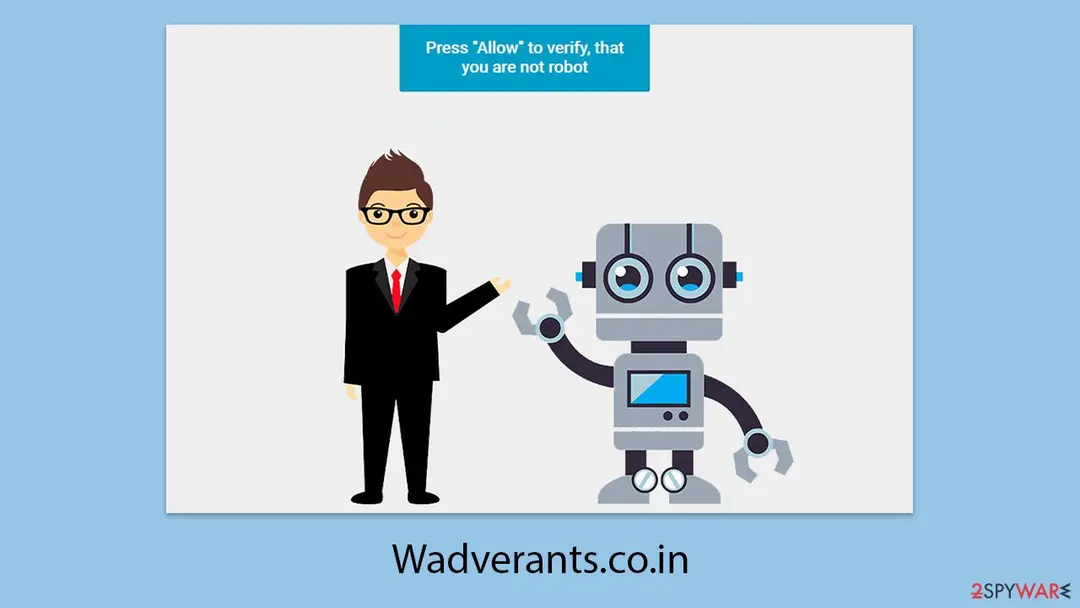
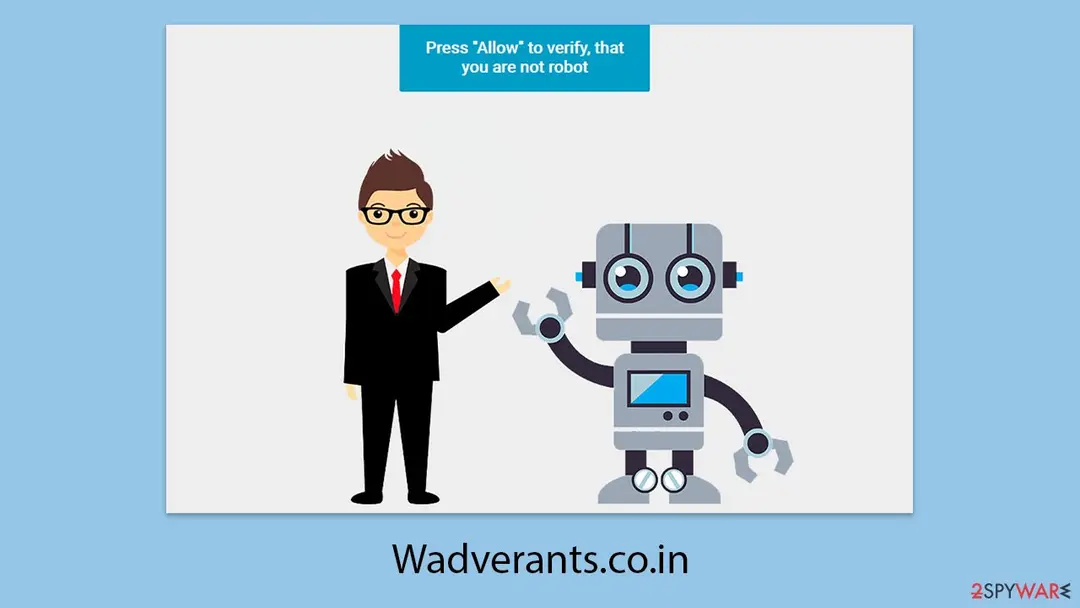
These sites use social engineering tactics to manipulate users. For instance, they might claim a video is unavailable due to browser settings, ask for age verification, or request confirmation that the user is not a robot. Because such prompts can appear legitimate based on previous experiences with authentic websites, users may unknowingly fall for the deception.
Here are some common examples of misleading messages used by push notification scams:
These strategies are frequently used across many push notification scam sites, often featuring similar imagery and phrasing. If you encounter such prompts, the safest action is to close the browser immediately.
Should you have already granted push notification permissions to Wadverants.co.in, the unwanted messages will continue until the site is blocked. Instructions for removing these permissions can be found in the next section.
- Click Allow to confirm that you are not a robot
- Click "Allow" to win the prize and get it in our shop!
- If you are 18+, click Allow
- Please tap Allow to continue
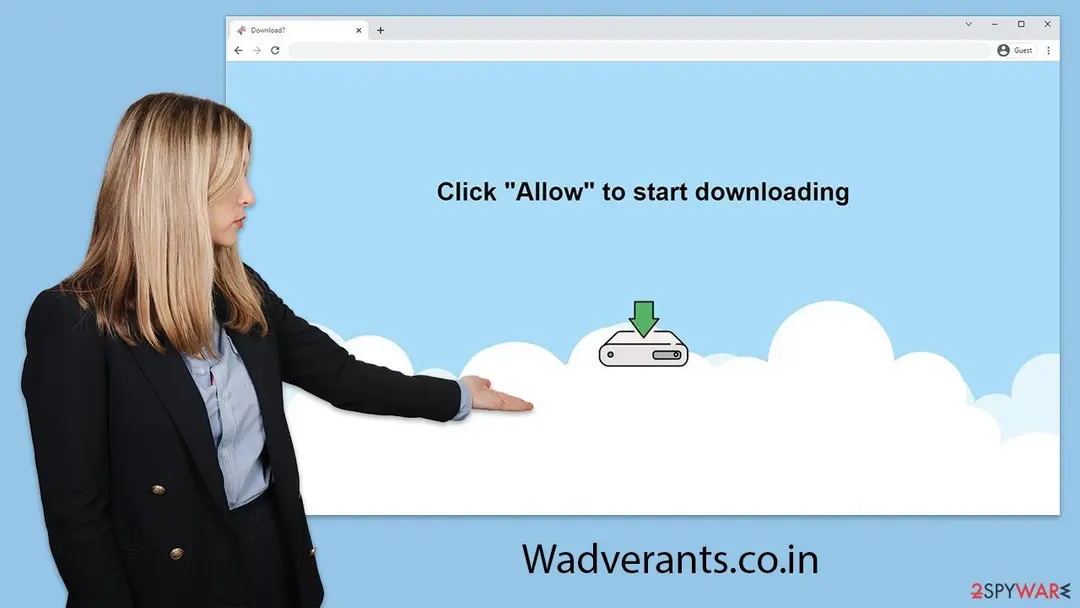
- Click "Allow" to start downloading, etc.
From our report of Jan 2025 · not reviewed since
More from our earlier report on Wadverants.co.in
- To prevent intrusive push notifications, block the website's URL through your browser settings.
- Additionally, scanning your system for adware with is highly recommended
Check your browser and PC
- Address:
wadverants.co.in
How to remove Wadverants.co.in ads
How to stop Wadverants.co.in notifications
Do this in every browser you use, and in every profile inside it: each keeps its own list of sites allowed to send notifications.
Nothing has to be uninstalled for the notifications themselves.
Which browser shows the ads?
Step 1: Remove wadverants.co.in from Chrome's notification list
Chrome keeps a list of every site you once allowed to send notifications, and
wadverants.co.inis on it. Pastechrome://settings/content/notificationsinto the address bar, find wadverants.co.in under Allowed to send notifications, open the three-dot menu next to it and pick Remove.Then click Add next to Not allowed to send notifications and type wadverants.co.in, so the site cannot ask a second time. Repeat it in every Chrome profile you use on Windows 11 or Windows 10, since each profile has its own list.
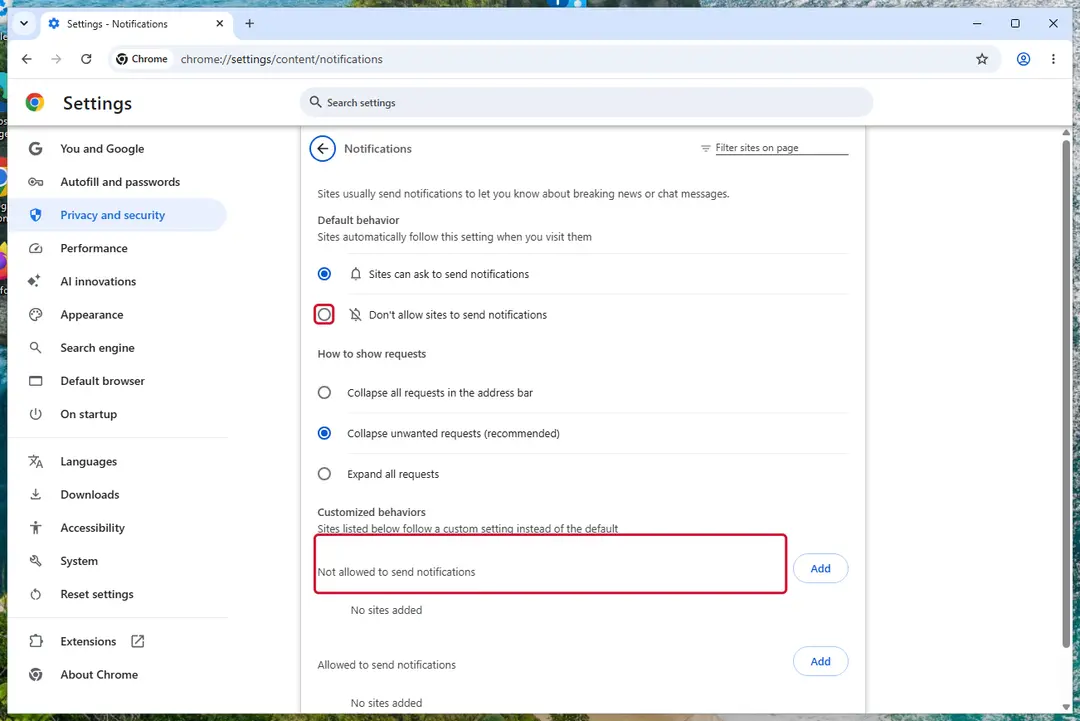
Chrome on Windows 11: Settings > Privacy and security > Site settings > Notifications. Full procedure with screenshots: Stop website notifications and pop-ups
Step 1: Remove wadverants.co.in from Edge's notification list
Open Settings and more (the three dots) > Settings > Privacy, search, and services > Site permissions > All permissions > Notifications. Remove
wadverants.co.infrom the Allowed list, then click Add site next to Not allowed to send notifications and enter it there.Edge is built into both Windows 11 and Windows 10, so check it even if you normally use another browser. If the notifications came with the Edge logo, this is the browser that holds the permission.
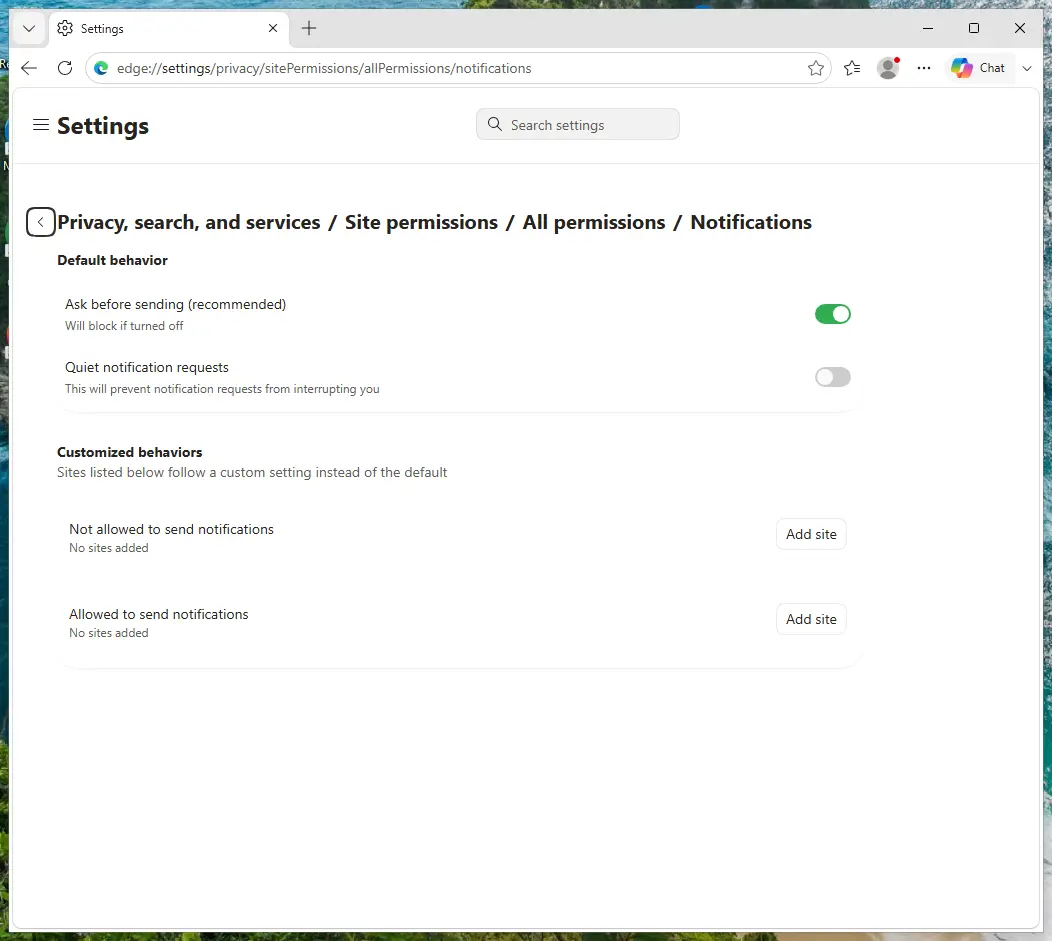
Edge on Windows 11: Site permissions > All permissions > Notifications. Full procedure with screenshots: Stop website notifications and pop-ups
Step 1: Remove wadverants.co.in from Firefox's notification permissions
Open the menu (three lines) > Settings and click Permissions and data in the left list, then Notifications. Select
wadverants.co.in, click Remove Website and confirm with Save Changes.In versions older than Firefox 152 the same list sits under Privacy & Security, behind a Settings button next to Notifications. Firefox shows these notifications only while it is running, on Windows 11 and Windows 10 alike.
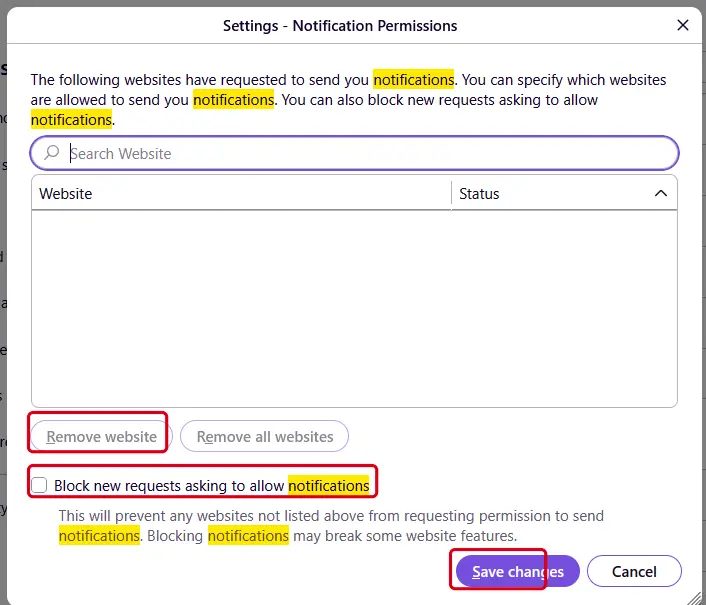
Firefox on Windows 11: the Notification Permissions window. Full procedure with screenshots: Stop website notifications and pop-ups
Then, whichever browser you use
Step 2: Scan the PC if you downloaded anything from the ads
If you only saw the notifications and clicked nothing, you can stop before this step. If a notification led you to download or run something, delete that file, then scan Windows.
In Windows Security > Virus & threat protection > Scan options, run a Full scan, then choose Microsoft Defender Antivirus (offline scan) and Scan now. The offline scan restarts the PC and takes about 15 minutes on Windows 11 and Windows 10.

Windows 11: Windows Security > Virus & threat protection > Scan options. Full procedure with screenshots: Run a Microsoft Defender Offline scan
More removal instructions
For programs installed on the PC and older browsers. Open the one you need.
How to remove Wadverants.co.in ads?
If you have accidentally allowed push notifications from a malicious site like Wadverants.co.in, the situation might not be severe as long as you refrain from clicking on any ads or links sent through these notifications. If you are uncertain about how to block push notifications from a particular site, refer to the instructions provided below, which detail the process for various web browsers.
Google Chrome (Android)
- Open the Google Chrome browser and go to Menu > Settings.
- Locate the Privacy and security section and pick Site Settings > Notifications.
- Look at the Allow section and look for a suspicious URL.
- Click the three vertical dots next to it and pick Block. This should remove unwanted notifications from Google Chrome.
- Open Google Chrome and tap on Settings (three vertical dots).
- Select Notifications.
- Locate the unwanted URL and toggle the button to the left (Off position).
- Open Mozilla Firefox and go to Menu > Options.
- Click on Privacy & Security section.
- Under Permissions, you should be able to see Notifications. Click the Settings button next to it.
- In the Settings – Notification Permissions window, click on the drop-down menu by the URL in question.
- Select Block and then click on Save Changes. This should remove unwanted notifications from Mozilla Firefox.
- Click on Safari > Preferences...
- Go to the Websites tab and, under General, select Notifications.
- Select the web address in question, click the drop-down menu and select Deny.
- Open Microsoft Edge, and go to Settings.
- Select Site permissions.
- Go to Notifications on the right.
- Under Allow, you will find the unwanted entry.
- Click on More actions and select Block.
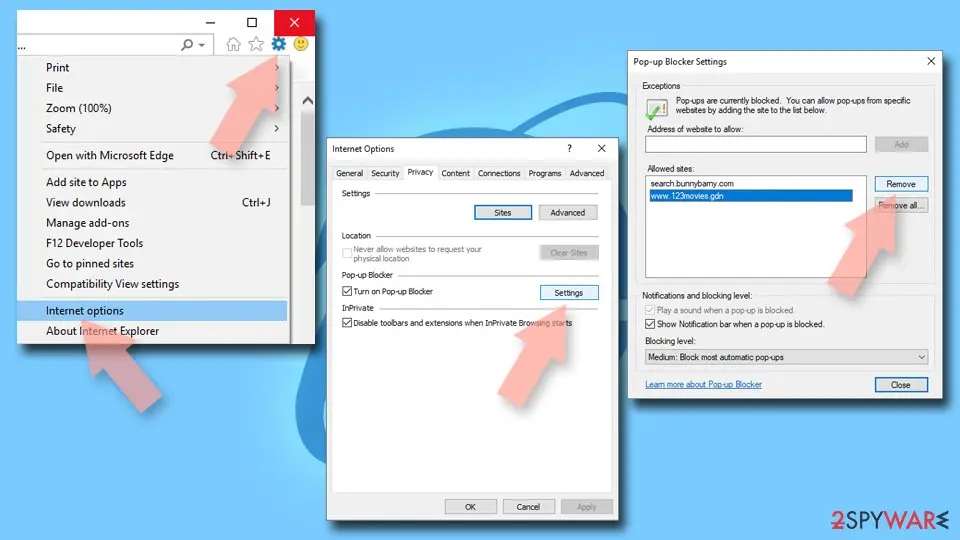
- Open Internet Explorer, and click on the Gear icon at the top-right of the window.
- Select Internet options and go to the Privacy tab.
- In the Pop-up Blocker section, click on Settings.
- Locate the web address in question under Allowed sites and pick Remove.
Access your website securely from any location
When you work on the domain, site, blog, or different project that requires constant management, content creation, or coding, you may need to connect to the server and content management service more often. The best solution for creating a tighter network could be a dedicated/fixed IP address.
If you make your IP address static and set to your device, you can connect to the CMS from any location and do not create any additional issues for the server or network manager that needs to monitor connections and activities. VPN software providers like can help you with such settings and offer the option to control the online reputation and manage projects easily from any part of the world.
Recover files after data-affecting malware attacks
While much of the data can be accidentally deleted due to various reasons, malware is one of the main culprits that can cause loss of pictures, documents, videos, and other important files.
More serious malware infections lead to significant data loss when your documents, system files, and images get encrypted. In particular, ransomware is is a type of malware that focuses on such functions, so your files become useless without an ability to access them.
Even though there is little to no possibility to recover after file-locking threats, some applications have features for data recovery in the system. In some cases, can also help to recover at least some portion of your data after data-locking virus infection or general cyber infection.
Questions about Wadverants.co.in ads
wadverants.co.in keeps sending notifications. Is it a virus?
No. Notifications from wadverants.co.in come from a permission stored in the browser, not from a program installed in Windows. Someone clicked Allow on a prompt from that site, usually without realising what it meant, and the site now sends ads through the browser's notification system.
Antivirus scans often find nothing because there is nothing to find on the disk. Removing wadverants.co.in from the browser's list of allowed sites stops the messages for good. A scan is still useful if you clicked a notification and downloaded or ran something from the page it opened, because those downloads can be unwanted programs.
I clicked a notification from wadverants.co.in. What should I do?
If you only opened the page and closed it, nothing else is needed besides removing the permission from wadverants.co.in. If the page asked for card details, a phone number or a password and you entered them, act on that: call the bank to block the card, or change the password from another device.
If it offered a download, delete the file unopened, or uninstall it from Installed apps if you ran it, then run a full scan. If you called a number shown on the page, follow the steps for callers in this guide. Finally, remove the permission so that no more messages arrive.
Why does Wadverants.co.in show me ads?
Because that is its whole purpose. Wadverants.co.in is a push-notification spam site, and its operators are paid for every ad it displays and every click it gets. In this case the ads take the form of desktop notifications.
They are chosen by ad networks that accept almost any advertiser, which is why so many look like warnings or prizes. The ads are not a sign that your PC is broken or infected with something worse; they are a sign that something on it, or in the browser, has permission to advertise. Removing that permission or program stops them.
Is wadverants.co.in safe to visit?
No. The site wadverants.co.in exists to push visitors towards ads, and the pages it leads to include fake virus warnings, fake updates, prize scams and notification prompts. Visiting it once does not infect an up-to-date PC, but anything you click or download there is a gamble.
Do not enter personal details, do not allow notifications and do not call phone numbers it shows. If it opens by itself, close the tab and check the browser's extensions and notification permissions. Blocking the single domain helps little, because the operators register new names regularly.
Which browser is sending the wadverants.co.in notifications?
Each notification shows the name of the browser and the site in its small print. In the cases we saw, the messages from wadverants.co.in came through Chrome, Edge and Firefox. Permissions are stored per browser and per profile, so removing the site in one browser does not affect another.
If you use several Chrome or Edge profiles, check each one. If you sync the browser with an account, remove the permission while signed in, otherwise another computer may still hold it and keep receiving the same messages.
How do I know the ads come from Wadverants.co.in?
Look for notifications from wadverants.co.in. That is the trace Wadverants.co.in leaves, and it shows up as desktop notifications. Ads that appear on every site, including ones that never carried ads before, point to something on your PC or in the browser rather than to the sites themselves.
A quick test is a private window, where extensions are off by default: if the ads disappear there, an extension is responsible. If they appear even with the browser closed, the source is a notification permission or a program in Windows.
Did clicking Allow install anything on my PC?
No. Allowing notifications stores a permission in the browser and nothing else. No file is downloaded and no program is added to Windows, which is also why antivirus scans find nothing. The risk comes later, from the notifications themselves: they lead to scam pages, fake updates and phishing forms.
Remove the permission in each browser where you allowed it. If you clicked a notification and downloaded something afterwards, delete that file and run a Microsoft Defender full scan and offline scan.
An ad showed a phone number and I called it. What now?
The number belongs to scammers, not to Microsoft or an antivirus company. If you only talked, hang up and do not call back. If you let them connect to the PC, disconnect it from the internet, uninstall the remote access program they used, such as AnyDesk, TeamViewer, ScreenConnect or UltraViewer, and run a full and offline scan.
If you paid or gave bank details, call your bank at once on the number printed on your card. Change any passwords you typed while they were connected, and report the call.
Will Focus or Do not disturb stop the notifications?
Only for as long as it is on. Do not disturb in Windows 11 holds back notifications from all apps, including browsers, and releases them to the notification centre later. The site still has permission and the messages still arrive.
Use the browser's notification settings to remove the site instead: once its permission is gone, it cannot send anything, whatever Windows is set to. Keep Do not disturb for what it is meant for, such as meetings, presentations and quiet hours.
Will Fortect remove Wadverants.co.in?
No program removes Wadverants.co.in itself, because there is nothing on the PC to remove: the notifications come through a permission saved in the browser, and only the browser's settings take it away, as the steps above show.
What Fortect can do is check the rest of Windows. Its free scan looks for malware, unwanted programs and damaged system files, which is useful if you clicked the ads, downloaded something from the pages they opened, or are not sure what else changed on the PC.
If the scan finds nothing and the notifications stopped after you removed the permission, this problem is solved. Use Microsoft Defender as a second opinion whenever you have downloaded files from pages like these.
Sources
- Google Chrome Help: Use notifications to get alerts (no longer online) (read October 7, 2026)
- FTC: How to recognize, remove and avoid malware (read October 7, 2026)
- Microsoft Learn: Microsoft Defender Offline (read October 7, 2026)
- Microsoft Learn: How Microsoft names malware (read October 7, 2026)