
FSociety ransomware virus: what it is and whether files can be restored
FSociety (also Fs0ci3ty) is 2016 Windows ransomware styled after the hackers of Mr. Robot, which encrypts files and asks for Bitcoin. No free decryptor is known, so remove it, do not pay, and restore from a backup.
Facts checked October 17, 2026. Removal steps tested on Windows 11 (26H2) and checked against Microsoft's and the browser makers' current documentation.
Automatic
Get a free scan and check if your PC is infected.
Fortect finds malware, unwanted programs and the Windows damage they leave behind, and repairs it in one pass.
A free scan checks for the encryptor still on the PC; it does not decrypt .realfs0ciety@sigaint.org.fs0ciety files.
Do it yourself · free Remove FSociety ransomware virus yourself 6 steps, about 18 minutes, no software needed.
Start the steps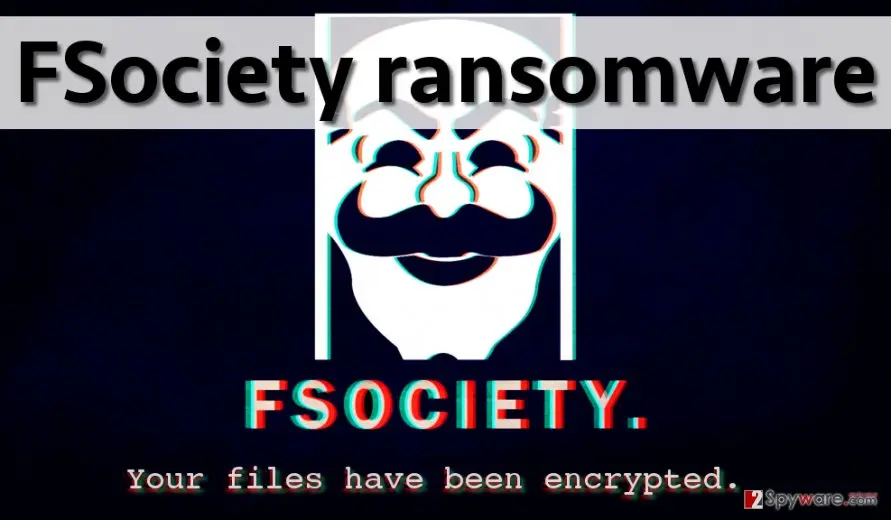
FSociety ransomware virus: summary
| Type | File-encrypting ransomware (AES), built on EDA2 and later CryptoWire code |
|---|---|
| Risk | High for the files: the key is held by the attackers and no free decryptor is known; low for data theft (none documented) |
| Symptoms | Mr. Robot mask wallpaper, Fs0ci3ty.html on the desktop, files ending .realfs0ciety@sigaint.org.fs0ciety, .locked or .dll |
| How to get rid of it | Boot Safe Mode, scan with Microsoft Defender Offline, delete the dropped files, then restore from backups; see the plan |
| Our check | Source check on 6 October 2026 (Avira, Elastio, PCrisk, No More Ransom); we did not run the malware |
| First seen | 1 August 2016 (Elastio); our first report 4 October 2016 |
| Removal | Scan the PC with security software to find and remove the malware and anything installed with it. Fortect scans Windows for malware and repairs the system files and settings it damaged. Remove it nowTo use the full-featured product, you have to purchase a license for Fortect. The scan is free. |
Show 13 more facts
| Name | FSociety ransomware (also Fs0ci3ty, FS0ciety) |
|---|---|
| Encrypted file extension | .realfs0ciety@sigaint.org.fs0ciety; .locked in the first build; .dll in a variant |
| Ransom note | Fs0ci3ty.html on the desktop, quoted below |
| Decryptor | None known; not on the No More Ransom list on 6 October 2026 |
| Contact | realfs0ciety@sigaint.org |
| Detection names | No Microsoft detection name is known; Avira detected it as malware in 2016 |
| Distribution | Word documents asking for macros (PCrisk), an .exe with a PDF icon (Avira) |
| Damage | Files encrypted, wallpaper changed, price in Bitcoin rising daily |
| Evidence | One write-up by a security site; no sample analysed yet |
| Encrypted files | .realfs0ciety@sigaint.org.fs0ciety |
| Attacker contacts | realfs0ciety@sigaint.org |
| Free decryptor | No free decryptor is known (checked 6 October 2026) |
| Facts checked | 6 October 2026 |
Facts checked on 6 October 2026 against Avira's 2016 analysis, Elastio's family page, PCrisk's page (updated December 2021) and the No More Ransom tools list. We did not run the malware.
What the FSociety ransomware is
FSociety (also written Fs0ci3ty or FS0ciety) is file-encrypting ransomware for Windows from 2016 that borrows the look of the hacker group in the TV series Mr. Robot, and the attackers' note asks for Bitcoin.
The name is a leetspeak play on the series' group, and it reads as an obscene message to society, which tells you what tone the authors wanted. Other sites spell it with a zero or with the digit 3, so search results for Fs0ci3ty, FS0ciety and FSociety all describe the same family.
Our 2016 report called it new; ten years later it is an old, small family, and this page says which of its claims we could and could not confirm.
- Also called
- Fs0ci3ty, FS0ciety, "fsociety virus"
- Built on
- EDA2, an open-source ransomware project (Avira, August 2016); a later variant on CryptoWire (PCrisk, April 2017)
- First seen
- 1 August 2016 (Elastio); our first report 4 October 2016
- Extensions
.lockedin the first test build (Avira, Elastio);.realfs0ciety@sigaint.org.fs0cietyon later files (PCrisk);.dllin another variant- Note
Fs0ci3ty.htmlon the desktop- Price in the note
- 1.5 Bitcoin, rising by 1 Bitcoin each day after 24 hours (PCrisk)
What we checked and what we did not
No website is involved and we did not run the malware, so there is no site test; this is a check of sources, and a source check clears nothing.
FSociety ransomware · source check · 6 October 2026
- Family and base codeAvira (24 August 2016) says it is based on EDA2; Elastio lists
eda2.exeandfsociety.exe. - Note, price and extensionRead in PCrisk's page, updated December 2021, and in our own 2016 screenshot of the wallpaper.
- DecryptorThe No More Ransom decryption tools list that we read on 6 October 2026 has no entry for FSociety, Fs0ci3ty or EDA2.
- Newer activityWe found no report of this family after 2017. That is a search result, not proof that it is gone.
- Shadow copies and startupNot documented for this family in the sources we read; not confirmed.
- 2016 claims"Growing steadily" and "distributed by e-mail only" are not supported by what we read.
Files probably not recoverable without a backup No free decryptor is known, the key sits with the attackers, and a spam document started at least one variant. Removal is straightforward; getting files back depends on backups and shadow copies.
- File extension:
.realfs0ciety@sigaint.org.fs0ciety - Note file:
Fs0ci3ty.html - Contact:
realfs0ciety@sigaint.org
What antivirus programs call it
Detection names change from week to week, so use them only to confirm that a scan found the right family.
| Who | Name | Where it comes from |
|---|---|---|
| Avira | Detected as malware in August 2016; no name published in the post | Avira blog, 24 August 2016 |
| Elastio | FSociety, with eda2.exe and fsociety.exe as associated files | Elastio family page |
| Microsoft Defender | No name known | We found none in public sources |
Is the search "kuota fsociety" about this ransomware?
No, this guide does not cover anything called "kuota fsociety" as a product.
Kuota is the Indonesian word for a mobile data allowance, so the search most likely asks about a data quota offer, trick or app that uses the name Fsociety. We found no reliable source that describes such a thing, so this is our reading of the words, not a confirmed fact.
The FSociety ransomware described on this page is a 2016 Windows program that encrypts documents and asks for Bitcoin. Nothing in our sources links it to mobile data, SIM cards or internet quota. It does not give anyone free data, and it does not reduce or use up a quota on its own.
The name Fsociety comes from the TV series Mr. Robot, so many unrelated tools, groups and apps borrow it. Be careful with any app, APK file or website that promises free data quota under that name. Offers like this are a common bait for unwanted software, and we cannot say whether a given one is harmful without seeing it.
If you installed such an app and your phone behaves oddly, remove it and take only your carrier's own app or website for quota matters. On Android, open Settings, then Apps, and uninstall the app. Check Settings, then Device admin apps, for entries you do not know. Never enter a banking password or one time code into it.
How FSociety ransomware virus behaves
How the FSociety family developed
The family is not one program: the first build was a test, the next one came in Word documents, and a 2017 variant used different code again, so the file names you see depend on which one hit you.
1 August 2016
First sighting
Elastio's family page gives this date, lists the executables
eda2.exeandfsociety.exe, and records the extension.lockedand a note on the desktop.24 August 2016
Avira describes a build under development
Avira wrote that it is based on EDA2, uses the Adobe PDF icon on an
.exefile, encrypts with AES and creates an RSA key, and so far only encrypted a test folder on the Windows desktop to.lockedfiles. It also changes the desktop background and uses the logo and font of the series. Avira detected it as malware at that point.4 October 2016
Our first report
We described the wallpaper with the Mr. Robot mask, the
fs0ciety.htmlnote and the extension.realfs0ciety@sigaint.org.fs0ciety, and guessed that it was spread by e-mail only.The FSociety wallpaper in our October 2016 report: the mask, the word FSOCIETY and the line "Your files have been encrypted." (the banner at the top is report artwork). 2016 to 2021
Spam documents and other variants
PCrisk's page, updated in December 2021, describes a spam attachment posing as a system driver update that asks you to enable Word macros, AES-256 encryption, a variant that adds
.dllto file names, and a differently worded "F*ck society" variant that asks 0.499 Bitcoin through the Satoshi Box site.5 April 2017
A CryptoWire variant
PCrisk added that the authors released another variant built on the open-source CryptoWire project, with the same
.realfs0ciety@sigaint.org.fs0cietytext, shown in a pop-up.6 October 2026
Our recheck
We found no newer sighting than these. The page below follows Avira, Elastio and PCrisk and says where they disagree with our 2016 text.
What it does on the PC, step by step
The steps below are what the sources describe for the different builds; no single source documents all of them in one infection, and we did not run the malware.
- 1
A file arrives and is opened
In the first build it is an
.exedressed in the Adobe PDF icon (Avira). In the spam variant it is a Word document with gibberish text that asks you to enable macros to "decode" it (PCrisk). - 2
Files are encrypted
The sources name AES, with AES-256 in PCrisk's text. Avira says an RSA key is created for the AES key, which matches our 2016 report. The first build only touched a test folder on the desktop.
- 3
Names change
Files get
.locked(first build) or.realfs0ciety@sigaint.org.fs0cietyadded, sosample.jpgbecomessample.jpg.realfs0ciety@sigaint.org.fs0ciety. Another variant adds.dll, givingsample.jpg.dll(PCrisk). - 4
The wallpaper changes
The Mr. Robot mask and the word FSOCIETY replace your desktop picture (Avira and our 2016 screenshot).
- 5
The note is written
An HTML file named
Fs0ci3ty.html(orfs0ciety.htmlin our report) appears on the desktop with the contact e-mail, the price and a personal identifier.
None of the sources documents a deleted shadow copy, a changed hosts file or a startup entry for this family. The plan checks those places anyway, because we cannot rule them out.
How it reaches PCs
The sources describe two routes, and we keep the other ideas from our 2016 text as possibilities, not as findings.
- High
A Word document that asks for macros
PCrisk says the spam attachment claims to be a system driver update, shows gibberish and tells you to enable macros to decode it; file encryption starts once you do.
- Medium
A program with a PDF icon
The first build was an
.exedressed in the Adobe PDF icon (Avira). With file extensions hidden, it looks like a document. - Medium
Links behind harmless-looking buttons
Our 2016 text warned that an "Unsubscribe" button or other clickable content in a fake e-mail can hide a malicious link, and that some of these messages pass spam filters into the inbox.
- Low
Malvertising
Our 2016 guide named ads and software updates from pages that do not belong to the developer. No source we read ties FSociety to ads.
- Low
Fake Java or Flash updates
The 2016 guide said most malware comes with them. No source ties this family to fake updates, and Flash Player has since been retired.
What to do in the first hour
Do not open the Word document or the program again, and do not write to the e-mail address in the note.
- 1
Disconnect
Unplug the network cable or turn off Wi-Fi so nothing else on the network can be reached.
- 2
Unplug external drives
A connected backup can be encrypted too; do not reconnect it until the PC is clean.
- 3
Photograph the wallpaper and keep the note
Keep
Fs0ci3ty.htmland one small encrypted file. They help identify the variant and are evidence for a report. - 4
Do not restart over and over
Restart only for the scan in the removal plan; nothing is gained by rebooting before it.
The FSociety ransomware virus ransom note
What a ransom note left in folders said
Welcome To Fs0ci3ty
realfs0ciety@sigaint.org
You Will need to make a Payment of 1.5 Bitcoins within the next 24 Hours or Ransome goes to 1 Btc more daily Your File System has been encrypted using state of the art Technology
You may already understand how this works, if you do good but if you are confused or are unaware of how this works we are hoping to be more informative with our clients.
buying bitcoins can be very hard to do, so to make this more trust worthy than most we are going to have a secure cold payment system set up that will allow us to secure bitcoins.
as well as a different wallet address per client, each user is given a unique identifier by the server that is used to track distributed keys as well wallet addresses assigned.
you can head to a local bitcoin exchange and create a new account in seconds flat, than go to the wallet and send 1.5 btc to the address you were given in the ransome message
you will use the bitcoin you get through local bitcoins to pay to the unique wallet we gave you the identifier in the bottom left of this page is tied to your key contact us via email
What the note demands
The note is an HTML page with one contact e-mail, a price in Bitcoin that grows every day, and a personal identifier that you are told to send to the attackers.
| Item | What the note says | What it means |
|---|---|---|
| Contact | realfs0ciety@sigaint.org, the same text that is in the file extension | The address is part of every encrypted file name, so you can identify the variant from one file. Do not write to it. |
| Price | 1.5 Bitcoin within 24 hours, then 1 Bitcoin more for each day (PCrisk); 0.499 Bitcoin in the "F*ck society" variant | A growing price is pressure, not a rule that the attackers have to keep. |
| Identifier | A number of 16 random characters, which our 2016 report said had to be sent "to the victims" | Corrected: you would send it to the attackers' address, so they know which key is yours. |
| How to pay | The note tells you to open a local Bitcoin exchange account and send the amount to the wallet it gives you | We do not print payment addresses on this page. |
| Promise | A key stored on the attackers' servers (PCrisk) | Without that key the files cannot be opened, and nothing makes the attackers hand it over. |
Can FSociety ransomware virus files be decrypted?
Can files encrypted by FSociety be restored?
No free way is known: the decryption key is kept on the attackers' servers (PCrisk), and the tools list of No More Ransom has no FSociety entry.
Our 2016 guide asked readers to be patient because researchers sometimes find flaws in the code and release free tools, and said this was likely for this version. Ten years on we found no such tool, so that hope is withdrawn. If one is ever released it will appear on nomoreransom.org first, so check there before you spend money anywhere else.
| What you see | What it is | Can you get it back? |
|---|---|---|
A file ending .realfs0ciety@sigaint.org.fs0ciety | A file encrypted with AES, key held by the attackers | Only from a backup, Previous Versions or a shadow copy |
A file ending .locked | The same family's first test build (Avira, Elastio) | Same answer; the test build only touched one folder on the desktop |
A file ending .dll after its real name | Another variant (PCrisk) | Same answer; do not rename it, and keep a copy |
Do
- Copy a few encrypted files and the note to a USB drive for later, in case a decryptor appears
- Check nomoreransom.org and ID Ransomware from a clean device
- Remove the malware before you restore anything
Don't
- Do not pay a stranger who offers a "guaranteed FSociety decryptor"
- Do not rename or edit the encrypted files
- Do not delete the encrypted copies before the restored files are backed up
Should you pay the ransom?
No. Our 2016 text said we did not know whether paying works; ten years later we still found no report of a victim who paid and got files back, and PCrisk warns that ransomware authors often ignore victims even after payment.
The price in the FSociety note rises by a full Bitcoin every day after the first 24 hours. That is meant to rush you, and it also shows the amount is not tied to any real cost.
- High
You pay and get no key
The key sits on a server the attackers control, and nothing obliges them to send it.
- High
The price keeps climbing
From 1.5 Bitcoin to 2.5 on day two, by the note's own rule. Waiting costs nothing, paying costs more every day.
- Medium
You mark yourself as a payer
Contact with the attackers often brings more demands.
How to remove FSociety ransomware virus
Tools you'll need
All of these are free except where noted. Download them on a clean device if the infected PC is offline.
- A USB stick: to keep the ransom note, two or three encrypted files and screenshots off the infected PC.
- Microsoft Defender Offline: built into Windows 11 and Windows 10; scans before Windows starts, so running malware cannot hide.
- Microsoft Safety Scanner: a second, portable scanner with current signatures; each download works for 10 days.
- ID Ransomware: identifies the family from the note and one encrypted file and says whether a decryptor exists.
- No More Ransom: the free decryptors from police and security companies; check it again every few months.
- Fortect (optional): scans Windows for malware and repairs the system files and settings it damaged. The free scan is in the box above.
How to remove FSociety ransomware virus and get your files back
Work in this order.
Disconnecting comes first, removal comes before any restore, and nothing here asks you to contact the attackers.
Step 1: Disconnect the PC and unplug backup drives
Unplug the network cable or turn off Wi-Fi, and disconnect USB drives, external disks and network shares, so FSociety ransomware virus cannot reach more files. Pause OneDrive, Google Drive or Dropbox sync, because synced folders upload the encrypted copies over the good ones.
Leave the PC on but offline while you read the next steps, since a restart can let the ransomware run again. This applies to Windows 11 and Windows 10 alike.
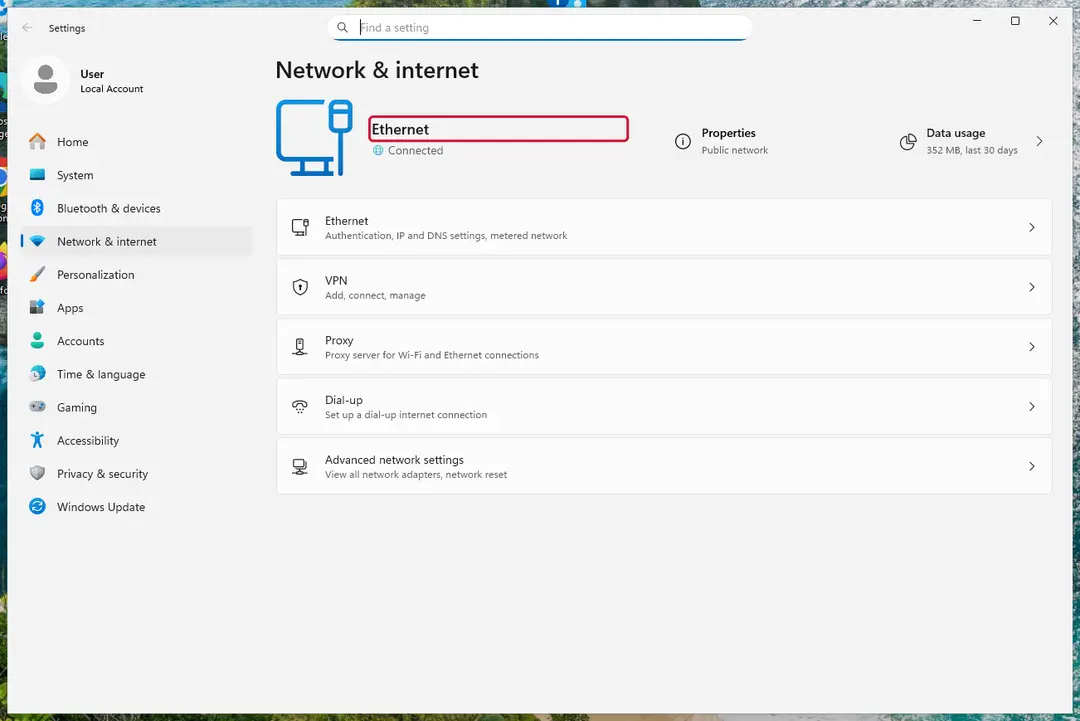
Windows 11: turn off Wi-Fi to take the PC offline. Full procedure with screenshots: Ransomware: first steps, finding a decryptor and recovering files
Step 2: Save the ransom note and confirm the family
Your files now end in
.realfs0ciety@sigaint.org.fs0cietyand the instructions are inFs0ci3ty.html. Save both to a USB stick, a copy of the note and two small encrypted files, before anything else.On another device, check them with ID Ransomware or Crypto Sheriff: the family name decides which decryptor, if any, can help. Keep the note's ID and contact line for your report.
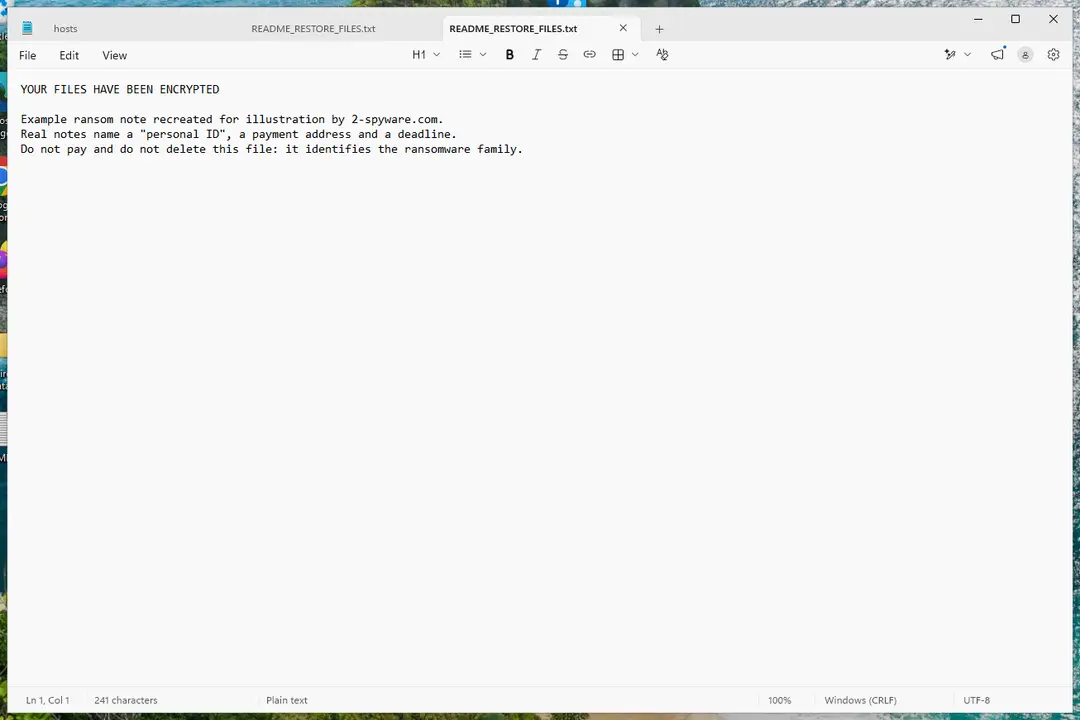
Windows 11: the ransom note and encrypted files to copy for identification. Full procedure with screenshots: Ransomware: first steps, finding a decryptor and recovering files
Step 3: Check for a free decryptor
Our last check found that for FSociety ransomware virus, no free decryptor is known (checked 6 October 2026). Look again yourself in the No More Ransom list and the free decryptor pages of Emsisoft, Avast and Kaspersky, which add new families every year.
A decryptor needs the ransomware gone first, or it encrypts the files again. Keep at least one copy of the encrypted files on an external drive, even if no tool works yet.
Full procedure with screenshots: Ransomware: first steps, finding a decryptor and recovering files
Step 4: Remove the ransomware before you restore or decrypt
Removing FSociety ransomware virus does not bring the files back, but it has to come first. Start with Defender's Full scan, then the offline scan from the same Scan options page, which checks the disk before Windows loads.
If the scan cannot start, use Safe Mode with Networking. Delete the ransom notes only after you have saved a copy, because removal tools sometimes leave them behind on Windows 11 and Windows 10.

Windows 11: Windows Security > Virus & threat protection > Scan options. Full procedure with screenshots: Run a Microsoft Defender Offline scan
Step 5: Look for shadow copies of the files
Windows keeps shadow copies for restore points and backups, and some ransomware fails to delete them.
vssadmin list shadowsin an administrator Command Prompt tells you at once whether any exist.If they do, right-click the folder that held your files, open Properties > Previous Versions, select a version from before the attack, and click Open to check it before you Restore or copy the files out. Windows 11 and Windows 10 both have the tab.
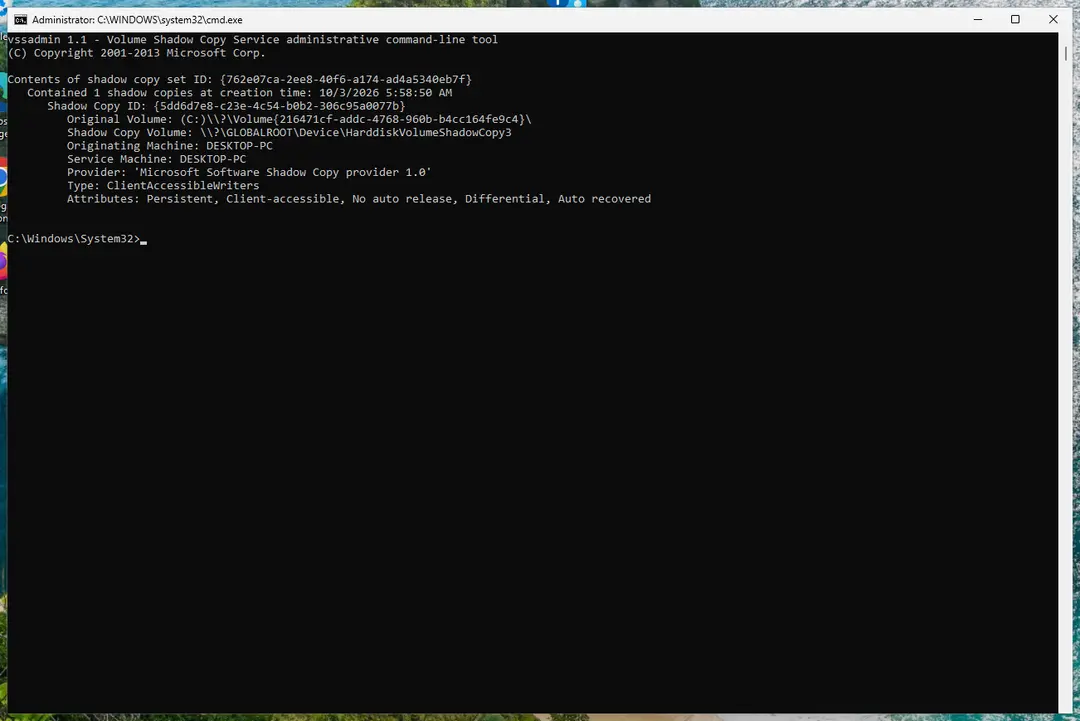
Windows 11: vssadmin list shadows shows whether shadow copies exist. Full procedure with screenshots: Ransomware: first steps, finding a decryptor and recovering files
Step 6: Restore the files from a backup or recover deleted originals
A backup made before the attack is the surest way back. Connect it only once the PC is clean, then restore from File History, Windows Backup, OneDrive's Restore your OneDrive or your own external copies.
Without a backup, try file recovery: the originals that FSociety ransomware virus deleted may still be on the disk until something overwrites them. Install nothing new on the drive you want to recover from on the Windows 11 or Windows 10 PC.
Full procedure with screenshots: Recover deleted files (Recycle Bin, backups, OneDrive) On uGetFix
Report it and recover your files
Report it
Report the attack even if you do not expect the files back: insurers and banks ask for the report number, and police use the contacts in the note to link cases.
- United States
- FBI IC3 · FTC ReportFraud
- United Kingdom
- Report Fraud (formerly Action Fraud) · NCSC
- Australia
- ReportCyber (ASD)
- EU countries
- Europol: national reporting sites
Give the victim ID, the note and the date the files were encrypted. A business that holds personal data may also have to notify its data protection authority, in the EU within 72 hours.
Other ways to get files back
The key is out of reach, so look for older copies.
Check these in order, before you save anything new to the disk.
- 1
Your own backups
A copy on an external drive, a NAS or cloud storage (OneDrive, iCloud, Dropbox) is the most reliable source. Connect it only after the PC is clean.
- 2
Previous Versions
Right-click the folder, choose Properties > Previous Versions (on Windows 11: Show more options first). Pick a date before the infection and copy files out. It only helps if System Restore protection was on before the attack.
- 3
Shadow copies and ShadowExplorer
Run
vssadmin list shadowsin an administrator Command Prompt. If copies are listed, ShadowExplorer can browse them. Many ransomware programs delete them; PCrisk says this about ransomware in general, and no source says it for FSociety, so check. - 4
Windows File Recovery
Microsoft's
winfrcommand can find deleted files that have not been overwritten. Most ransomware overwrites in place, so expect little, and on an SSD even less.
Our 2016 text said FSociety "still seems to be under development", so you might get lucky with ShadowExplorer. We found nothing in 2026 that shows it is being developed, so we treat the chance as an ordinary one: possible, not likely.
Back up with the 3-2-1 rule
The 3-2-1 rule, which CISA's ransomware guidance recommends, is the one habit that makes any ransomware, including FSociety, a nuisance and not a disaster.
| Number | Rule | Example |
|---|---|---|
| 3 | Three copies of every important file | The working file plus two backups |
| 2 | Two different kinds of storage | Your disk and a USB drive |
| 1 | One copy away from the PC | An unplugged drive in a drawer, or cloud storage with version history |
Do
- Unplug a USB drive after each backup
- Open a file from the backup once in a while to check it works
Don't
- Do not leave the only backup plugged in all the time
How to prevent FSociety ransomware virus and the next attack
Four habits cover how this family and most ransomware get in.
Do
- Keep Microsoft Defender and Windows updates on
- Sort your e-mail: delete unexpected messages with attachments, and never enable macros in a document you did not expect
- Turn on file extensions in File Explorer (View > Show > File name extensions), so an
.exewith a PDF icon is seen for what it is - Back up with the 3-2-1 rule
Don't
- Do not click "Unsubscribe" buttons in mail from unknown senders
- Do not run programs that arrive in e-mail, chats or downloads from pages that are not the developer's
Questions about FSociety ransomware virus
How do I open .realfs0ciety@sigaint.org.fs0ciety files?
You cannot open them: the files are encrypted, and the key is kept on the attackers' servers (PCrisk). Renaming the files does not help, because the content, not the name, is locked.
Keep a copy of a few files, restore the originals from a backup, Previous Versions or a shadow copy, and remove the malware first so restored files are not encrypted again. Older builds used .locked (Avira, Elastio) and another variant added .dll to the name, but the answer is the same for all of them.
Is there a decryptor for the FSociety ransomware?
No free decryptor is known. PCrisk says there are no tools capable of restoring files encrypted by Fs0ci3ty, and the No More Ransom tools list we read on 6 October 2026 has no entry for FSociety or EDA2.
Our 2016 guide hoped researchers would find a flaw in the code; ten years later we found no sign that they did. Check nomoreransom.org from a clean device now and then, and be careful with sites that offer a free FSociety decryptor, which are a common way to spread more malware.
Should I pay the FSociety ransom?
No. The note asks for 1.5 Bitcoin within 24 hours and one Bitcoin more for each day after that (PCrisk), and the key is held on a server the attackers control. Our 2016 guide said we did not know whether paying works.
We still found no report of a victim who paid and got files back, and PCrisk warns that ransomware authors often ignore victims even after payment. Do not write to the address in the note either; keep the note for a report.
Can a data recovery company or paid service help?
A service cannot decrypt FSociety files without the key, so anyone promising that is guessing or lying. It can help with other things: deleted files that were not overwritten, or a damaged backup disk. Success depends on whether the space was reused, and on an SSD it often was.
Avoid any company that guarantees results or offers to negotiate with the attackers. Try your own backups, Previous Versions and shadow copies first, because they cost nothing and do not hand your files to a third party.
How did FSociety get on my computer?
Most likely through a file you opened. PCrisk says a spam e-mail carried a Word document that claimed to be a system driver update and asked you to enable macros; encryption started when macros were on.
Avira describes an executable that uses the Adobe PDF icon. Think about which attachment you opened shortly before the wallpaper changed, and keep it for the scan. Our 2016 guide said e-mail was the only route; we found no source that adds others.
Was my data stolen by FSociety?
Nothing we read says it was stolen. Avira, Elastio and PCrisk describe encryption and a ransom note, and none mentions a leak site or a threat to publish files.
The risk that remains is the document or program that delivered it: if you enabled macros or ran an unknown file, change your main passwords from a clean device, starting with e-mail and banking. We did not run the malware, so this reflects the sources only.
How is FSociety different from other ransomware?
It is a small, old family styled after the hacker group of Mr. Robot, built on open-source code (EDA2 first, CryptoWire in 2017) and not a large operation. That makes it different from ransomware sold as a service, though the result for your files is the same.
The name appears as Fs0ci3ty, FS0ciety and FSociety, and the extensions .locked, .dll and the e-mail text belong to different builds. Do not assume a tool for another EDA2 copy works here.
Can Windows Previous Versions or ShadowExplorer get my files back?
Sometimes, if the copies survived. Previous Versions works only if System Restore protection was on before the attack, and ShadowExplorer reads the same shadow copies. PCrisk says ransomware often runs a command to delete them, though no source says so for FSociety.
Run vssadmin list shadows in an administrator Command Prompt: if copies are listed, restore from them. If the list is empty, a backup is the only way.
Will Fortect remove FSociety ransomware virus?
Fortect scans Windows for malware and unwanted programs and repairs the system files and settings they change, and its free scan shows what it finds on your PC before you decide anything.
For FSociety ransomware virus, follow the plan above as well: the browser steps take back permissions and settings that no scanner treats as a threat, and uninstalling the program that brought it removes the source.
Run Microsoft Defender's full scan and, if anything was found, its offline scan as a second opinion. If the symptoms are gone after the plan and both scans are clean, there is nothing more to do.
Sources
- Avira Blog: FSociety wants a piece of the ransomware cake (read October 6, 2026)
- Elastio: FSociety ransomware (read October 6, 2026)
- PCrisk: Fs0ci3ty ransomware (read October 6, 2026)
- No More Ransom: decryption tools (read October 6, 2026)
- CISA: StopRansomware (read October 6, 2026)
- Microsoft Learn: Microsoft Defender Offline (read October 6, 2026)
- Microsoft Learn: winfr (Windows File Recovery) (no longer online) (read October 6, 2026)
- FTC: How to recognize, remove and avoid malware (read October 6, 2026)