
Is Fortect a Virus? Browsing Protection in 2026
- Fortect Browsing Protection in 2026: the short answer
- Timeline: from launch to the 2026 version
- What changed since 2023
- Risks and scams around the Fortect name (our analysis)
- How to check and use the extension safely
- What is still unknown
- Our original 2023 report
- Your browsing experience with smart features
- A powerful ally in online security
- Related guides on 2-Spyware
Fortect Browsing Protection in 2026: the short answer
Fortect is not a virus. Fortect Browsing Protection is a browser extension published in the Chrome Web Store by FORTECT LTD, a company with a listed address in Tel Aviv.[4] The store shows a badge saying the publisher has a good record with no history of violations.[4]
The extension is still maintained in 2026. Its store page lists version 2.0.1.5, updated on August 12, 2026, with about 9,000 users and a 5.0 rating from 14 ratings.[4] The real risk is not the product itself but fake installers and copycat pages that borrow the Fortect name, which we cover below.
| Question | Answer |
|---|---|
| What it is | A Chrome extension for web protection, made by Fortect[4] |
| Publisher | FORTECT LTD, Tel Aviv, Israel[4] |
| Latest version we saw | 2.0.1.5, updated August 12, 2026[4] |
| Users and rating | About 9,000 users, 5.0 from 14 ratings[4] |
| Store badge | Publisher has a good record with no history of violations[4] |
| Is it a virus | No; it is a named, listed product, but only install it from the official store |
Timeline: from launch to the 2026 version
| Date | Event |
|---|---|
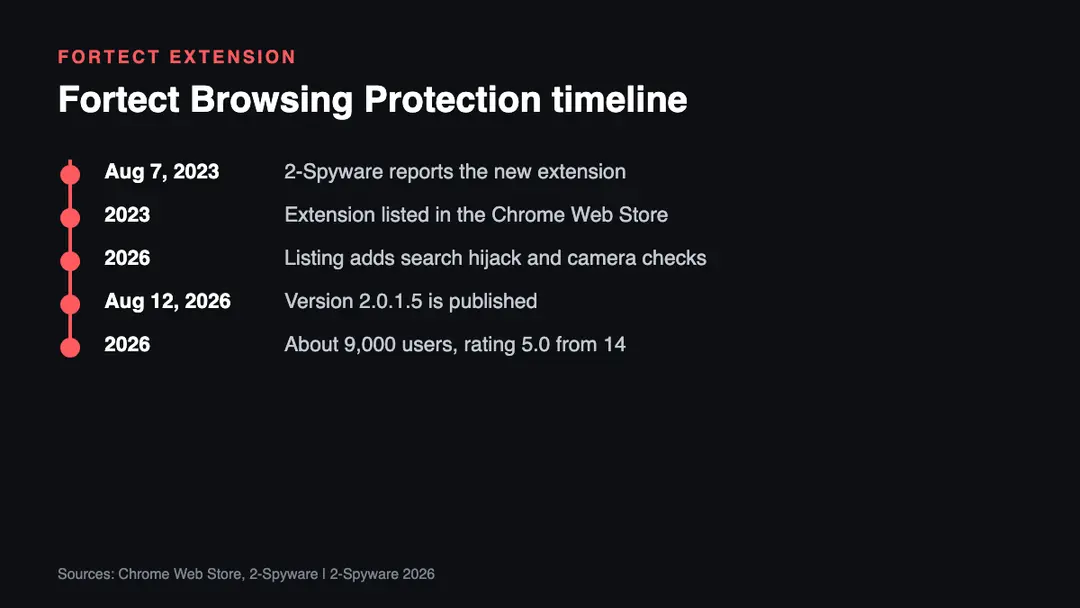
| August 7, 2023 | 2-Spyware reports the launch of the extension (the original report below) |
| 2023 | The extension is listed in the Chrome Web Store[2] |
| 2026 | The listing describes anti-search hijack, download scanning and camera and microphone monitoring[4] |
| August 12, 2026 | Version 2.0.1.5 is published[4] |
| 2026 | The store shows about 9,000 users and a 5.0 rating from 14 ratings[4] |
What changed since 2023
The feature list grew. Our 2023 report described push notification control, extension defense, threat detection, a dashboard and logs. The 2026 store listing adds secure file download scanning, alerts on store pages of problematic extensions, anti-search hijack protection and microphone and camera monitoring.[4]
The listing also shows what data the extension handles. It names personally identifiable information, authentication information, personal communications, location, web history, user activity and website content.[4] The developer declares that the data is not sold to third parties outside approved use cases.[4] Any security extension that inspects pages needs broad access, so read the privacy policy before you install it.
The main Fortect PC product has many public customer reviews. Trustpilot shows a 4.7 rating from about 6,968 reviews.[5] Review scores are not a security test, so treat them as one signal among several.
Risks and scams around the Fortect name (our analysis)
This is our own analysis of common patterns, not a report of a specific campaign.
- Fake download pages. Search ads and copycat sites can offer a Fortect installer bundled with adware. Download only from fortect.com or the official Chrome Web Store page.
- Lookalike extensions. Criminals publish extensions with similar names and logos. Check that the publisher is FORTECT LTD before you add it.[4]
- Fake scan pop-ups. Web pages that claim your PC is infected and push a download use well-known brand names. A real extension does not open full-screen alerts from random sites.
- Support scams. Fortect lists support@fortect.com as its contact.[4] Be careful with phone numbers in ads or pop-ups that claim to be Fortect support.
- Too many security extensions. Running several tools that inspect every page can slow the browser and widen the data you share.
How to check and use the extension safely
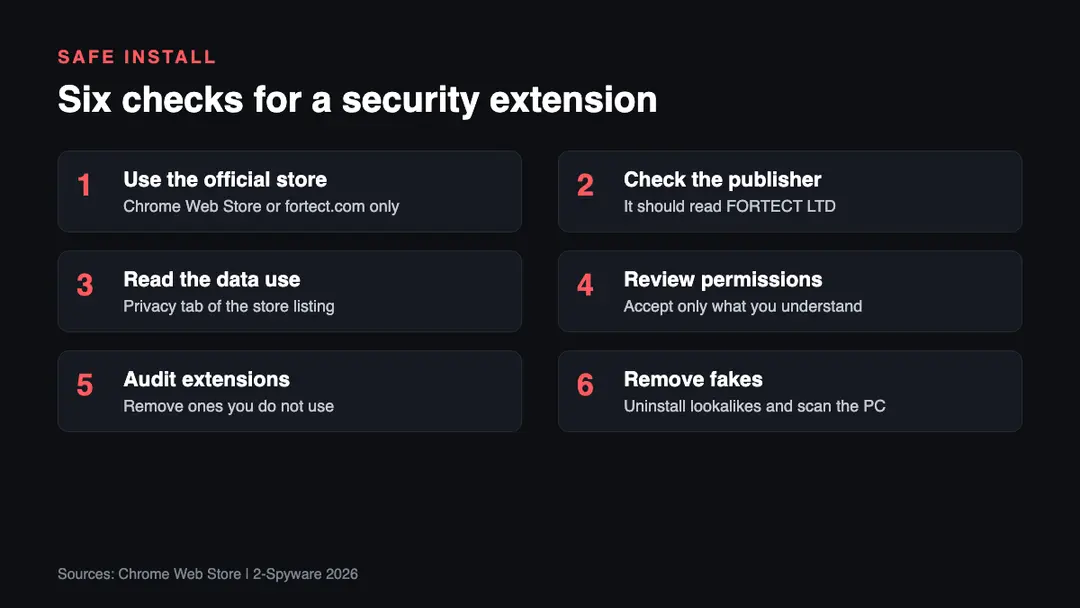
1. Use the official store. Open the Chrome Web Store page or the link on fortect.com. Do not install from a file host or an ad link.
2. Check the publisher. The real listing names FORTECT LTD as the developer and shows a no-violations badge.[4] A different name is a warning sign.
3. Read the data use. Open the privacy section of the listing and the linked policy. It lists the data types the extension handles.[4]
4. Review permissions. Chrome shows what the extension can read when you add it. Cancel if the request is not what you expected.
5. Audit your extensions. Open the extensions page in your browser and remove add-ons you no longer use. Fewer extensions mean fewer chances for a bad one to slip in.
6. Remove fakes. If you installed a lookalike, uninstall it, reset the browser search settings and scan the computer. Our virus removal guides explain the steps.
What is still unknown
- Independent lab results for the extension itself. We found no public test of Fortect Browsing Protection as of 2026.
- How many users run it on browsers other than Chrome. The store page only counts Chrome users.[4]
- How much of the 2026 feature list works without the paid Fortect PC product. The listing does not say.
Our original 2023 report
The text below is our report as first published in 2023. We keep it unchanged for the record; the sections above bring it up to date.
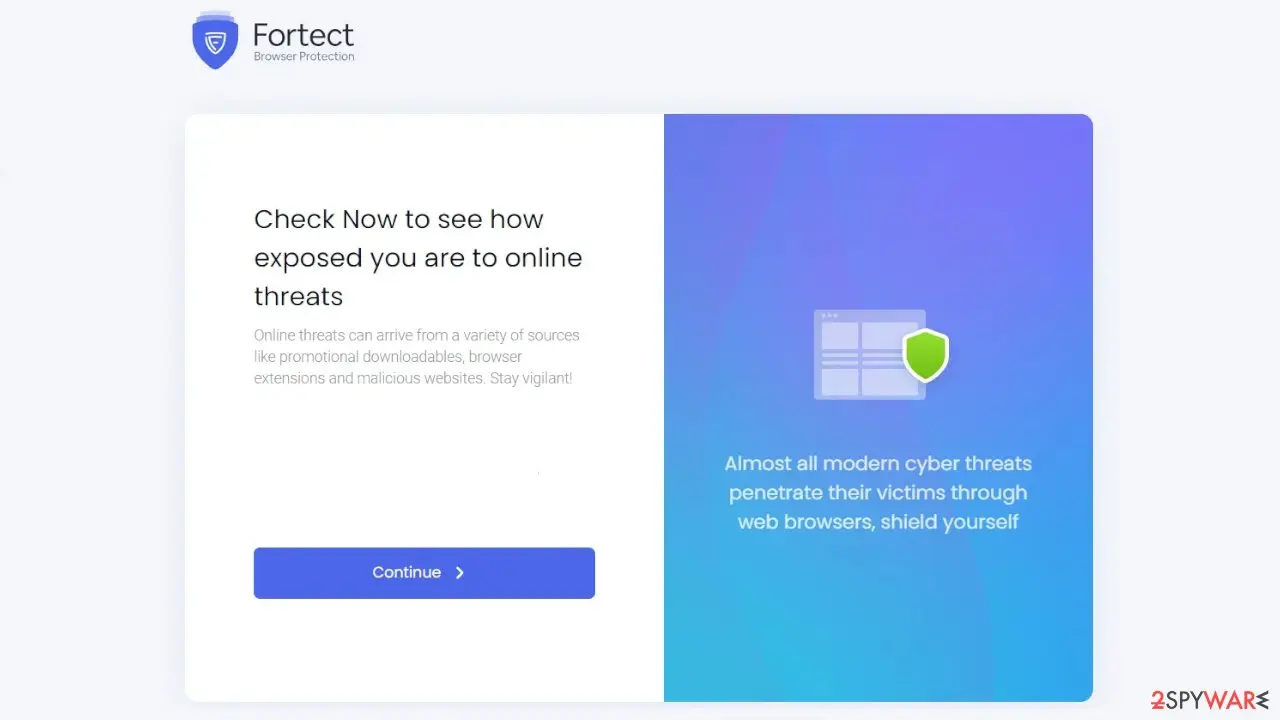
Fortect[1] is a relatively new but fast-growing cybersecurity player. While not marketed as an antivirus, it is a prominent provider of Registry Cleaning and Windows Optimization, collaborating closely with the security community to seamlessly complement existing security solutions.
Fortect has an outstanding Virus lab manned by the greatest engineers in the industry, with a combined total of 35 years of experience. Their expertise ranges from PC utility software to virus detection, culminating in their flagship product, a Windows Downloadable EXE for system optimization and protection. The latest innovation, the Fortect Browsing Protection extension,[2] was recently introduced to further increase user security.
This innovative browser extension combines sophisticated detection technologies, robust cloud protection, and cutting-edge machine learning approaches to elevate web browsing security. Unlike standard antivirus software, which just protects the device, Fortect Online Protection extends its shield to secure the entire online experience.
Your browsing experience with smart features
Fortect Browsing Protection provides customers with a complete collection of intelligent protection capabilities that improve the security of their web surfing experience without sacrificing simplicity and ease of use.
Push notifications control
With the extension, you may avoid the frequent nuisance of push notification requests when online. It blocks annoying notifications, allowing users to browse in peace. As distractions and interruptions fade away, users can have a more smooth online experience, eliminating the need to repeatedly dismiss annoying messages.
Extension defense
The necessity of having a clean and secure browser cannot be stressed as online threats increase. Cybercriminals routinely use browser extension vulnerabilities[3] to inject malware and gain access to user data. By continuously monitoring all installed extensions, Fortect Browsing Protection provides a proactive way to safeguard your surfing experience. The extension discovers and neutralizes potentially hazardous extensions by diligent detection, providing a strengthened defense against potential threats.
Dynamic threat detection
The extension's initial scan swiftly eliminates any active risks, laying a solid security foundation. Fortect Browsing security shields online experiences from the current and ever-changing threats by providing continuous real-time security. Users may comfortably explore the web with this enhanced protection in place, knowing that their safety is being diligently secured against any dangers.
Intuitive dashboard
The extension's user-friendly dashboard allows users to adjust and manage their security settings based on their personal preferences. This level of personalization provides consumers with peace of mind and confidence because they have complete control over their browsing safety.
Detailed reports and logs
The extension provides users with detailed reports and logs. These useful insights provide users with a comprehensive picture of the dangers that the extension has effectively mitigated. Users can acquire a better idea of the extension's performance and stay ahead of potential concerns with this detailed information.
A powerful ally in online security
In the face of today's ever-present risks in the digital landscape, Fortect Browsing Protection appears as a powerful ally in the domain of online security. While current browsers have made progress in improving their built-in security capabilities, this extension adds an extra layer of protection developed expressly to improve users' browsing experience.
Fortect Browsing Protection, unlike typical antivirus software, intelligently finds and stops harmful behaviors while also doing an initial scan to discover and solve existing vulnerabilities that may damage browser performance or expose sensitive information.
The browser extension is notable for its ability to counteract annoying push notifications while protecting user privacy and preventing data leaks. Furthermore, the extension's dedication to extension security allows users to track and manage installed extensions, increasing transparency and making it easier to identify and disable potentially malicious ones. This multimodal strategy not only protects against malware but also serves as a useful tool for detecting previous data breaches.
Related guides on 2-Spyware
Frequently asked questions
Is Fortect a virus?
No, Fortect is not a virus. It is a named product from FORTECT LTD, and its Browsing Protection extension is listed in the Chrome Web Store with a badge for a publisher with no history of violations.{4} The risk comes from fake installers and lookalike extensions, so download it only from official sources.
Is Fortect malware?
We found no evidence that the official Fortect software is malware. The Chrome Web Store lists the extension under FORTECT LTD with a no-violations badge.{4} Copies from unofficial download sites can be bundled with adware, so check the source before you install anything with the Fortect name.
What does Fortect Browsing Protection do?
It is a browser extension that blocks malicious sites, scans downloads, blocks unwanted push notifications and checks your other extensions.{4} The 2026 listing also mentions anti-search hijack protection and alerts about camera and microphone use.{4} It runs inside Chrome rather than as a full antivirus.
When was Fortect Browsing Protection released?
We reported the new extension on August 7, 2023, in the article below. The Chrome Web Store shows that it is still updated, with version 2.0.1.5 published on August 12, 2026.{4} We did not find an official launch date from Fortect itself.
What data does the Fortect extension collect?
The store listing says it handles personally identifiable information, authentication information, personal communications, location, web history, user activity and website content.{4} The developer declares that the data is not sold to third parties outside approved use cases.{4} Read the privacy policy before you install it.
How do I remove Fortect Browsing Protection?
Open the extensions page in your browser, find Fortect Browsing Protection and click Remove. If the extension came from an unofficial site or your search engine changed, reset the browser settings and scan your computer with a security tool.
Log in to comment
No comments yet. Be the first.