
Telegrab and enotproject.exe: Telegram Desktop Theft in 2026
- Telegram Desktop data theft in 2026: the short answer
- Timeline: from Telegrab to 2026 session stealers
- What changed since 2018
- Risks around Telegram Desktop today (our analysis)
- How to protect Telegram Desktop from session theft
- What is still unknown
- Our original 2018 report
- Malicious software does not exploit any bugs or vulnerabilities of the Telegram
- TeleGrab's research and security experts' findings
- TeleGrab's operation
- Related guides on 2-Spyware
Telegram Desktop data theft in 2026: the short answer
Telegrab itself is an old 2018 threat, but its trick is very much alive. Cisco Talos found that Telegrab copied Telegram Desktop cache and key files to take over open sessions, using files such as enotproject.exe and dpapi.exe.[3] In 2025 and 2026, newer stealers still go after the same tdata folder on Windows and macOS.[6][7]
If you searched for enotproject.exe or dpapi.exe because you found one of them, treat your computer as infected. Scan it, then end all other Telegram sessions from your phone. The good news: a Telegram Desktop local passcode makes stolen files much harder to use.[7][8]
| Question | Answer |
|---|---|
| What did Telegrab steal? | Telegram Desktop cache and key files, plus Steam data and browser cookies[3] |
| Suspicious file names | finder.exe, enotproject.exe, dpapi.exe[3] |
| Does it exploit a Telegram bug? | No; it abuses weak defaults[3] |
| Still happening in 2026? | Yes; a macOS stealer copied tdata and key_datas in a 2026 case[7] |
| Does 2FA stop it? | Not on its own; copied sessions skip new-login checks[7] |
| Best protection | A local passcode, plus ending unknown sessions[7][8] |
Timeline: from Telegrab to 2026 session stealers
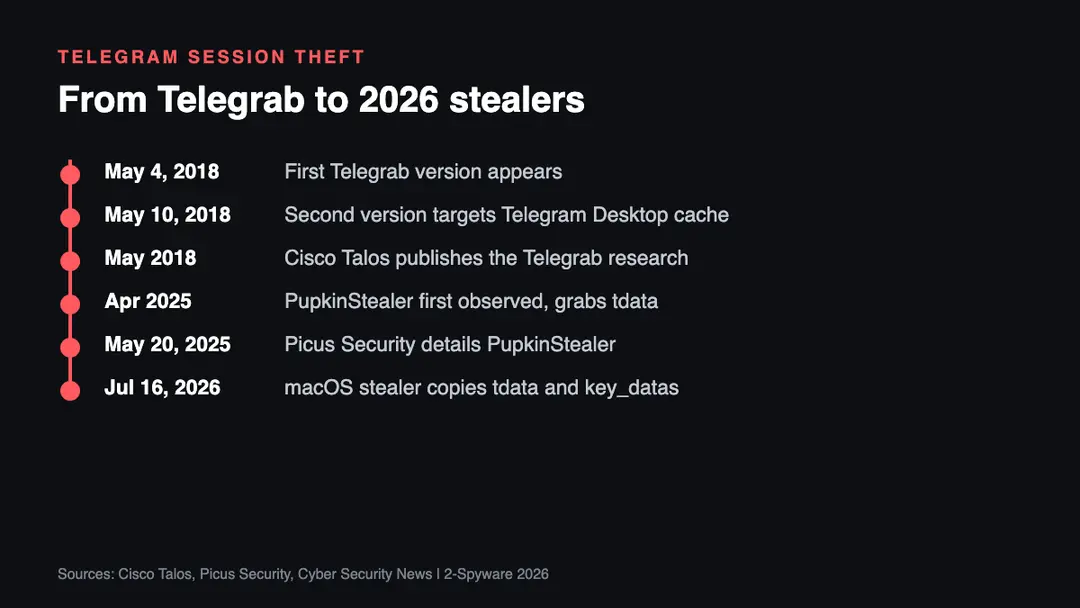
| Date | Event |
|---|---|
| May 4, 2018 | The first Telegrab variant appears, stealing text files, cookies and credentials[3] |
| May 10, 2018 | The second variant focuses on Telegram Desktop cache and key files[3] |
| Around April 2025 | PupkinStealer is first observed[6] |
| May 20, 2025 | Picus Security reports that PupkinStealer copies the Telegram Desktop tdata folder[6] |
| July 16, 2026 | A report on SlowMist research describes macOS malware copying key_datas and session files[7] |
What changed since 2018
In 2018 Telegrab was a small, low-profile operation. Talos tied it to a single Russian-speaking author and noted that it avoided some anonymizer IP addresses.[3] Today, stealing Telegram sessions is a routine feature of commodity malware. PupkinStealer, a .NET stealer first seen around April 2025, looks for %AppData%\Telegram Desktop\tdata and copies the session files.[6]
The theft also moved to the Mac. A July 2026 report on SlowMist research describes macOS malware that copies key_datas, the maps files and the matching session files from the Telegram Desktop folder.[7] The same report explains why two-step verification did not help: copied session data counts as an existing login, unless the victim had set a separate desktop passcode.[7]
One more change is ironic. PupkinStealer sends what it steals to the attacker through Telegram's own Bot API, as a ZIP archive.[6] Telegram is now both a target and a delivery channel for stolen data.
Risks around Telegram Desktop today (our analysis)
- Silent account takeover. A copied session needs no password and no code, so you may get no login alert at all.[7]
- Crypto wallet theft. The 2026 macOS case paired Telegram theft with Keychain, browser and wallet data.[7] Many crypto users run both on one machine.
- Cracked software as bait. In our analysis, stealers mostly arrive through pirated apps, game cheats and fake installers, not through Telegram itself.
- Your account spreading scams. A hijacked account can message your contacts with links or money requests that look like they come from you.
How to protect Telegram Desktop from session theft
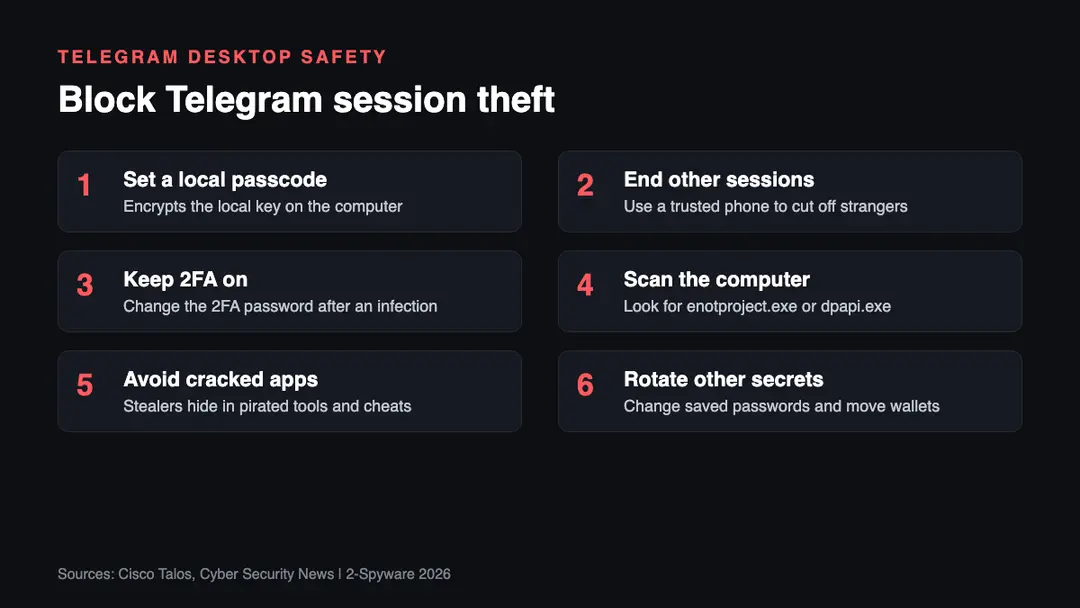
1. Set a local passcode. In Telegram Desktop settings, turn on a local passcode. Without it, copied data opens your session; with it, the local encryption key cannot be decrypted without the code.[8]
2. End other sessions. From a trusted device, open the list of active sessions and terminate all others, then log in again fresh, as the 2026 report advises.[7]
3. Keep two-step verification on. It does not stop a copied session, but it blocks new logins with a stolen code. After an infection, change both the 2FA password and the desktop passcode.[7]
4. Scan the computer. Look for finder.exe, enotproject.exe or dpapi.exe in odd places, and for a folder named like Grabbers\TelegramSession.[3][6] Our malware removal guides explain how to clean stealers.
5. Avoid cracked software. Download apps only from official sites and stores. Free cheats and keygens are a common stealer trap in our experience.
6. Rotate other secrets. Stealers rarely take only Telegram. Change saved browser passwords from a clean device and check our leak check for your email.
What is still unknown
- Whether Telegram plans to turn on a desktop passcode by default. We found no announcement as of 2026.
- Who runs the 2026 macOS stealer described in the SlowMist case. We found no attribution.
- How many Telegram Desktop sessions are sold in stealer logs. We found no reliable count.
Our original 2018 report
The text below is our report as first published in 2018. We keep it unchanged for the record; the sections above bring it up to date.
Researchers have recently discovered a new type of malware which allows hackers to steal information from the desktop version of end-to-end message encrypting[1] app called Telegram. While the first version of malware, dubbed TeleGrab, appeared on 4th of May, the second one showed up on the 10th of the same month. It was reported that it is of a Russian origin and primary targets are Russian-speaking individuals, including few exceptions (malware avoids IP addresses connected to anonymizer[2] service).
While the first variant could only steal text files, browser cookies and credentials (it did not target Telegram specifically), the latest version is focused on collecting data from Telegram's desktop cache. This feature allows malware to hijack active sessions.
Malicious software does not exploit any bugs or vulnerabilities of the Telegram
At the moment, there is no vulnerability found in Telegram app which could be used to exploit the cache and key files. However, security experts report that the malware is successful due to a weak default configuration of the application, especially the desktop version, along with the lack of Secret Chats function. These two aspects allow malware to exploit these features and enable hackers to steal valuable data, including conversations.
As Telegram explains, Secret Chats are not supported on Telegram Desktop and Telegram Web. The main reason for that is that these variants are cloud-based and Secret Chats feature requires permanent storage on the device.
There is no information regarding mobile version of the application. At the moment, it is known as not affected by the malware.
TeleGrab's research and security experts' findings
The malware was discovered and observed by security researchers Vitor Ventura and Azim Khodjibaev at Cisco Talos. The team had been observing malware's function and development for over six weeks and shared their detailed findings in their blog post.[3]
During the investigation, they found several Youtube videos online which contained the information on how to use victims' withdrawn Telegram data to steal their sessions. Talos reports the following:
In summary, by restoring cache and map files into an existing Telegram desktop installation, if the session was open. It will be possible to access the victims session, contacts and previous chats.
Inevitably, these videos were linked to TeleGrab malware. Their author, naming himself as Racoon Hacker or Eyenot/Enot, is a native Russian speaker and is interested in Phyton programming language. Despite not being an active user, he is clearly interested in account hijackings and payload loader augmentation as all of his videos are connected to these topics.
TeleGrab's operation
TeleGrab is distributed via malicious executable files written in Go, Python and AutoIT coding languages. The first version of malware drops an executable called finder.exe which is set to search for the browsing cookie information and .txt files on the system. The second variant is distributed via self-extracting RAR file which then executes either enotproject.exe or dpapi.exe on the system. This allows TeleGrab to snatch data and credentials not only from Telegram but also from a popular gaming platform Steam.
The stolen data is stored on hardcoded[4] pcloud.com accounts. Unfortunately, none of the information is encrypted and can be accessed by anybody who possesses the knowledge of correct credentials. Despite being a minimal threat in comparison to huge botnet networks and other serious data breaches,[5] this is a clear example how low-profile hacker can abuse certain features and acquire personal information of millions users.
Regarding the current events, security researchers at Talos have been urging users to take actions:
Although it's not exploiting any vulnerability, it is rather uncommon to see malware collecting this kind of information. This malware should be considered a wake up call to encrypted messaging systems users. Features which are not clearly explained and bad defaults can put in jeopardy their privacy.
Related guides on 2-Spyware
Frequently asked questions
What is enotproject.exe?
enotproject.exe is a file name used by the second version of the Telegrab malware that Cisco Talos described in 2018. A self-extracting RAR archive ran either enotproject.exe or dpapi.exe, which then stole Telegram Desktop cache files and Steam data.{3} If you find it on your computer, treat the system as infected.
Is dpapi.exe malware?
In the Telegrab case, yes. Talos named dpapi.exe as one of the two executables the second Telegrab variant could launch to collect Telegram and Steam data.{3} A file with that name in a temporary or download folder is a strong sign of infection, so scan the computer with a reputable security tool.
What is the key_datas file in Telegram Desktop?
key_datas is a file in the Telegram Desktop tdata folder that stealers copy together with the session folders. In a 2026 case, macOS malware copied key_datas, the maps files and matching session files to hijack logged-in accounts.{7} A local passcode protects the encryption key used for that data.{8}
Can malware steal my Telegram account even with 2FA?
Yes, if it copies an already logged-in desktop session. Two-step verification protects new logins, but copied session files can be treated as an existing authorization, unless a separate Telegram Desktop passcode is set.{7} Ending all other sessions from a trusted device cuts the attacker off.
Is there a virus in Telegram itself?
No. Neither Telegrab nor the newer stealers exploit a bug in Telegram. Talos said Telegrab did not exploit any vulnerability, and abused weak defaults instead.{3} The danger comes from malware already running on your computer, which then copies Telegram's local files.
How do I protect Telegram Desktop from session theft?
Set a local passcode in Telegram Desktop, keep two-step verification on, and regularly review active sessions. Without the correct passcode, copied data cannot be decrypted, according to a reply in the Telegram Desktop issue tracker.{8} Also avoid cracked software and unknown downloads, the usual way stealers arrive.
Sources
- SearchSecurity. Online security information
- Wikipedia. The free encyclopedia
- Talos. Security firm
- Technopedia. Site that explains technology (no longer online)
- 2-spyware. Cybersecurity news and articles
- Picus Security
- Cyber Security News
- GitHub, telegramdesktop/tdesktop
Log in to comment
No comments yet. Be the first.